

 FSX Civil Aircraft
Emirates Boeing 777-300ER
This package offers a detailed simulation of an Emirates Boeing 777-300ER (re…
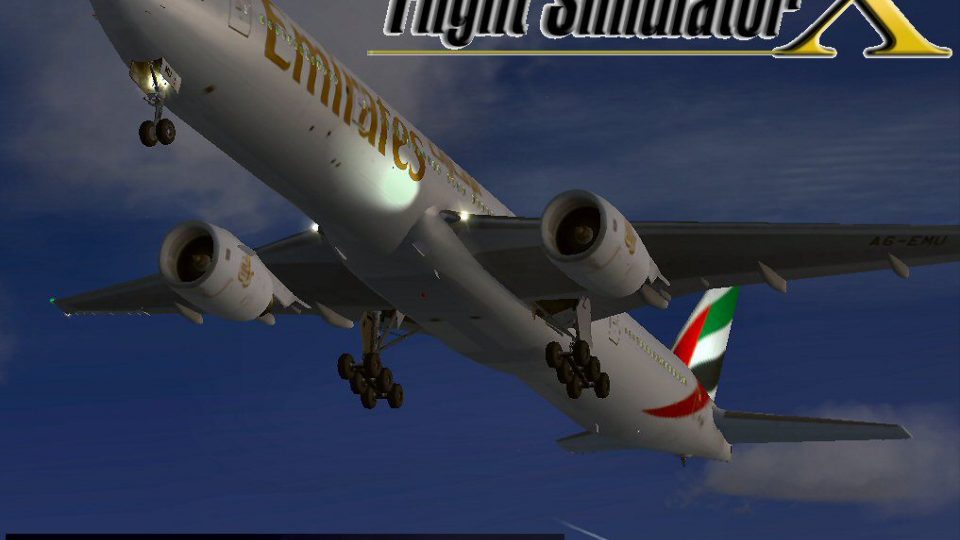
Emirates Boeing 777-31H brings a detailed wide-body airliner to FSX with updated flight dynamics, refined lighting, and improved realism based on the classic MelJet model. It includes opening engine cowlings and jetway compatibility for immersive ground operations, plus enhanced external illumination that requires A2A 3D Lights Redux.
 Rate
Rate
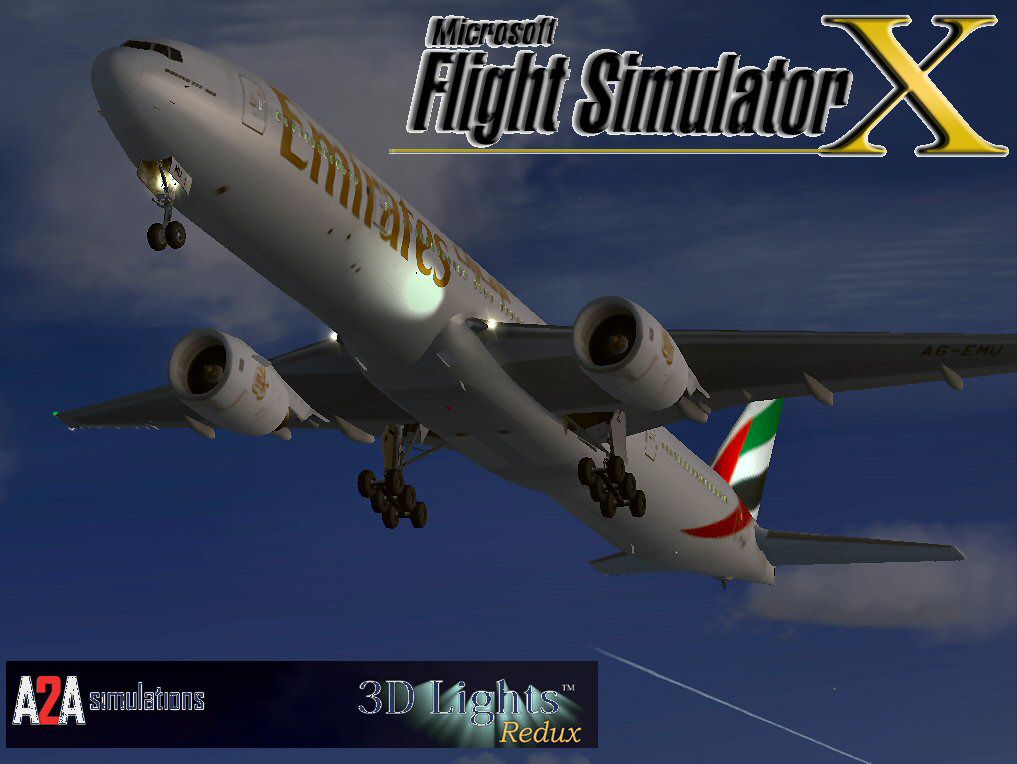
This comprehensive freeware add-on features an Emirates Boeing 777-31H model meticulously adapted for FSX. Created originally by MelJet’s Melvin Rafi, and further refined by developer David Grindele, this release upgrades flight dynamics, lighting, and overall realism for users seeking an authentic wide-body experience in their simulator.
Improved performance parameters were applied to the air configuration and flight files (often referred to as the AIR and CFG files). These refinements address former flight characteristic inconsistencies from earlier simulator platforms. The developer also integrated A2A Redux 3D Lights to enhance external lighting effects. Note that the Redux program itself is required to gain full 3D illumination functionality.
The original MelJet design includes opening engine cowlings, which can be toggled by pressing Shift + E. These cowlings reveal detailed engine components for inspection. Additionally, a jetway will properly connect to the aircraft fuselage by pressing Ctrl + J while positioned at a compatible gate. These elements accentuate the immersive aspect of ground handling operations.
The airframe retains the distinctive Emirates livery that complements the Boeing 777’s wide-body silhouette. Equally notable is the attention to external textures, ensuring reflective surfaces and dynamic light effects under different lighting conditions. In combination with the Redux package, the overall visual appeal closely mirrors real-world ramp presence.
This add-on underwent evaluation exclusively in FSX on both Windows Vista (32-bit) and Windows XP environments. It may work in other configurations, but official support is limited to the tested setups mentioned.
Original aircraft design by Melvin Rafi (MelJet). Conversion to FSX format and extensive updates by David Grindele. Both creators invested considerable effort to preserve this model’s quality and ensure that it remains a viable choice for modern flight simulators.
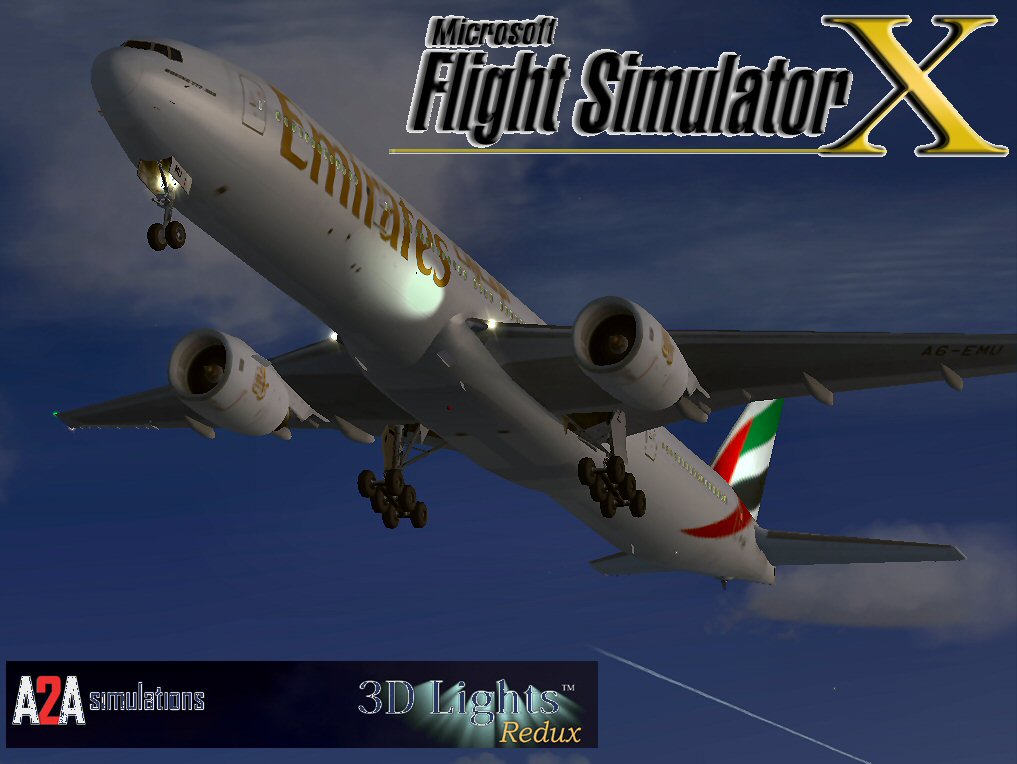
Emirates Boeing 777-31H.
Free for all simmers · 59.16 MB · Scanned clean Oct 2026
Download speed: Free tier is capped at 0.5 Mbps (this file takes approximately 17 mins at the cap). PRO members download at full line speed.
FSX\SimObjects\Airplanes\. The folder must contain an aircraft.cfg file. Effects go into FSX\Effects\; gauges go into FSX\Gauges\.readme.txt or README file. It tells you exactly where files go, what dependencies are needed, and any quirks specific to this add-on.The archive 31h77fsx.zip has 132 files and directories contained within it.
This list displays the first 500 files in the package. If the package has more, you will need to download it to view them.
| Filename/Directory | File Date | File Size |
|---|---|---|
| Boeing 777-31H EMIRATES | 12.17.09 | 0 B |
| aircraft.cfg | 12.16.09 | 18.40 kB |
| Boeing777-300-MR-MKIII.air | 07.08.03 | 8.66 kB |
| model | 12.16.09 | 0 B |
| Boeing777-300-MR-MKIII.mdl | 07.13.03 | 3.60 MB |
| Model.cfg | 01.12.03 | 41 B |
| panel | 12.16.09 | 0 B |
| 777KM.cab | 09.17.04 | 1.25 MB |
| forward_1024.bmp | 07.06.01 | 769.05 kB |
| forward_640.bmp | 07.06.01 | 301.05 kB |
| FORWARD_LEFT.bmp | 08.05.00 | 335.36 kB |
| forward_right.bmp | 08.11.00 | 769.05 kB |
| LEFT.bmp | 08.11.00 | 140.55 kB |
| MAIN.bmp | 09.17.04 | 5.49 MB |
| OVERHEAD.bmp | 09.16.04 | 2.70 MB |
| panel.cfg | 11.17.09 | 8.12 kB |
| PEDESTAL.bmp | 09.16.04 | 1.09 MB |
| REAR.bmp | 07.25.00 | 733.47 kB |
| REAR_LEFT.bmp | 07.27.00 | 582.27 kB |
| REAR_RIGHT.bmp | 07.24.00 | 680.04 kB |
| right2.bmp | 08.10.00 | 606.57 kB |
| Thumbs.db | 12.16.09 | 27.00 kB |
| sound | 12.16.09 | 0 B |
| A_COMB_1.wav | 12.12.04 | 728.63 kB |
| A_COMB_2.wav | 12.12.04 | 728.63 kB |
| A_COMB_3.wav | 12.12.04 | 728.63 kB |
| A_COMB_4.wav | 05.07.05 | 691.51 kB |
| A_EFSC.wav | 09.27.05 | 325.45 kB |
| A_JT8D_0.wav | 06.04.04 | 209.46 kB |
| A_JT8D_1.wav | 05.01.05 | 1.69 MB |
| A_JT8D_2.wav | 01.19.06 | 605.39 kB |
| A_JT8D_3.wav | 02.11.06 | 418.02 kB |
| b_COMB_1.wav | 12.12.04 | 728.63 kB |
| B_COMB_2.wav | 12.12.04 | 728.63 kB |
| B_COMB_3.wav | 12.12.04 | 728.63 kB |
| B_COMB_4.wav | 05.07.05 | 691.51 kB |
| B_EFSC.wav | 09.27.05 | 325.45 kB |
| b_JT8D_0.wav | 06.04.04 | 209.46 kB |
| b_JT8D_1.wav | 05.01.05 | 1.69 MB |
| b_JT8D_2.wav | 01.19.06 | 605.39 kB |
| B_JT8D_3.wav | 02.11.06 | 418.02 kB |
| FLAPS.wav | 08.22.03 | 210.75 kB |
| GEARDOWN.wav | 02.17.06 | 1.96 MB |
| gearup.wav | 02.17.06 | 1.98 MB |
| NEWWIND.WAV | 03.29.04 | 858.65 kB |
| reverser,BBN2T.wav | 01.19.06 | 1.79 MB |
| reverser.wav | 12.27.05 | 1.81 MB |
| Sound.cfg | 02.17.06 | 14.99 kB |
| touchc.wav | 01.06.99 | 286.01 kB |
| touchl.wav | 09.10.98 | 14.22 kB |
| touchr.wav | 07.01.97 | 10.85 kB |
| T_COMB_SHUT.WAV | 04.01.04 | 2.32 MB |
| T_COMB_START.wav | 06.30.01 | 107.55 kB |
| T_JT8D_START.wav | 12.12.04 | 3.63 MB |
| wind.wav | 03.29.04 | 858.65 kB |
| XBAN2T.wav | 12.21.05 | 1.81 MB |
| XBBN2T.wav | 12.21.05 | 1.81 MB |
| X_A_COMB_1.wav | 05.07.05 | 693.93 kB |
| X_A_COMB_2.wav | 05.07.05 | 693.93 kB |
| X_A_COMB_3.wav | 05.07.05 | 693.93 kB |
| X_A_COMB_4.wav | 02.04.06 | 325.45 kB |
| X_a_EFSC.wav | 01.16.06 | 648.45 kB |
| X_A_JT8D_0.wav | 02.04.06 | 325.45 kB |
| X_a_JT8D_1.wav | 02.04.06 | 325.45 kB |
| X_A_JT8D_2.wav | 02.04.06 | 669.99 kB |
| X_a_JT8D_3.wav | 02.04.06 | 669.99 kB |
| X_A_REVRS.wav | 09.16.99 | 108.81 kB |
| X_b_COMB_1.wav | 05.07.05 | 693.93 kB |
| X_b_COMB_2.wav | 05.07.05 | 693.93 kB |
| X_b_COMB_3.wav | 05.07.05 | 693.93 kB |
| X_B_COMB_4.wav | 02.04.06 | 325.45 kB |
| X_B_EFSC.wav | 12.21.05 | 1.81 MB |
| X_b_JT8D_0.wav | 02.04.06 | 325.45 kB |
| X_b_JT8D_1.wav | 02.04.06 | 325.45 kB |
| X_b_JT8D_2.wav | 02.04.06 | 669.99 kB |
| X_b_JT8D_3.wav | 02.04.06 | 669.99 kB |
| X_B_REVRS.wav | 09.16.99 | 119.31 kB |
| X_T_COMB_START.wav | 03.17.05 | 693.93 kB |
| X_T_JT8D_SHUT.WAV | 09.19.04 | 3.98 MB |
| X_T_JT8D_START.wav | 03.31.04 | 3.58 MB |
| soundai | 12.16.09 | 0 B |
| soundai.cfg | 05.12.06 | 34 B |
| texture.emirates | 12.16.09 | 0 B |
| 777Cargohold_L.bmp | 12.29.02 | 256.07 kB |
| 777Cargohold_T.bmp | 12.29.02 | 256.07 kB |
| 777cockpitwindows.bmp | 02.13.04 | 65.05 kB |
| 777FuselagePort1_L.bmp | 02.13.04 | 1.00 MB |
| 777FuselagePort1_T.bmp | 02.06.05 | 5.33 MB |
| 777FuselagePort2_L.bmp | 02.13.04 | 256.07 kB |
| 777FuselagePort2_T.bmp | 04.22.04 | 1.00 MB |
| 777FuselageStar1_L.bmp | 02.13.04 | 1.00 MB |
| 777FuselageStar1_T.bmp | 02.06.05 | 5.33 MB |
| 777FuselageStar2_L.bmp | 02.13.04 | 256.07 kB |
| 777FuselageStar2_T.bmp | 02.06.05 | 1.33 MB |
| 777gear2_L.bmp | 12.30.02 | 16.07 kB |
| 777gear2_T.bmp | 04.25.04 | 4.00 MB |
| 777interior1_L.bmp | 12.29.02 | 256.07 kB |
| 777interior1_T.bmp | 12.30.02 | 256.07 kB |
| 777interior2_L.bmp | 01.01.03 | 256.07 kB |
| 777interior2_T.bmp | 01.01.03 | 256.07 kB |
| 777interior3.bmp | 01.01.03 | 65.05 kB |
| 777interior4_L.bmp | 01.01.03 | 1.00 MB |
| 777interior4_T.bmp | 01.01.03 | 1.00 MB |
| 777LandingGear01.bmp | 04.26.04 | 65.05 kB |
| 777Tail_L.bmp | 02.03.04 | 1.33 MB |
| 777Tail_T.bmp | 02.06.05 | 5.33 MB |
| 777Wing1_L.bmp | 12.30.02 | 16.07 kB |
| 777Wing1_T.bmp | 02.06.05 | 5.33 MB |
| 777Wing2_L.bmp | 12.30.02 | 16.07 kB |
| 777Wing2_T.bmp | 02.06.05 | 5.33 MB |
| Powerplant-RRTrent800-Exterior_L.bmp | 12.30.02 | 16.07 kB |
| Powerplant-RRTrent800-Exterior_T.bmp | 02.06.05 | 5.33 MB |
| Powerplant-RRTrent800-Fan.bmp | 11.22.01 | 65.05 kB |
| Powerplant-RRTrent800-FanShaft.bmp | 01.22.04 | 17.05 kB |
| Powerplant-RRTrent800-FanShaftMotion.bmp | 01.22.04 | 17.05 kB |
| Powerplant-RRTrent800-Interior_L.bmp | 12.30.02 | 16.07 kB |
| Powerplant-RRTrent800-Interior_T.bmp | 02.19.04 | 4.00 MB |
| Thumbnail.jpg | 12.14.09 | 8.78 kB |
| Thumbs.db | 12.16.09 | 56.00 kB |
| Emirates 777.jpg | 12.14.09 | 93.92 kB |
| file_id.diz | 12.17.09 | 1.93 kB |
| Install.txt | 12.17.09 | 1.44 kB |
| New 3D Light Effects | 12.17.09 | 0 B |
| fx_shockwave_beaconb.fx | 06.13.04 | 1.05 kB |
| fx_shockwave_beaconh.fx | 06.13.04 | 1.05 kB |
| Thumbs.db | 12.17.09 | 8.00 kB |
| WallPaper | 12.16.09 | 0 B |
| Emirates 777.bmp | 12.14.09 | 2.22 MB |
| Thumbs.db | 12.16.09 | 7.50 kB |
| 31H77FSX | 12.18.09 | 0 B |
| flyawaysimulation.txt | 10.29.13 | 959 B |
| Go to Fly Away Simulation.url | 01.22.16 | 52 B |
Only PRO members can place votes.
More FSX & P3D add-ons hand-picked based on this download.
FSX Civil Aircraft
This package offers a detailed simulation of an Emirates Boeing 777-300ER (re…
 FSX Civil Aircraft
Experience a meticulously reworked twin-engine widebody in Microsoft Flight S…
 FSX Civil Aircraft
The payware PMDG B777-300ER as Emirates with Real Madrid sticker. This file c…
 FSX Civil Aircraft
The Boeing 787 Super 11 in Emirates livery brings a wide-body, long-range exp…
 FSX Civil Aircraft
This is a B747-400 of United Arab Emirates / Dubai Air Wing, registration A6-…
 FSX Civil Aircraft
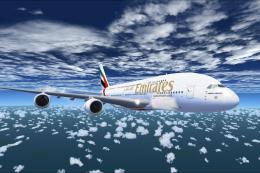
The Emirates A380-800 presented here offers a full freeware package that show…
 FSX Civil Aircraft
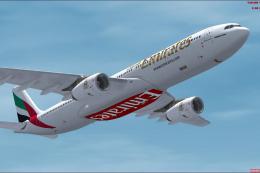
Emirates Airbus A330-300. Model by Thomas Ruth (TOMA333B-1.ZIP). Emirates Air…
 FSX Civil Aircraft
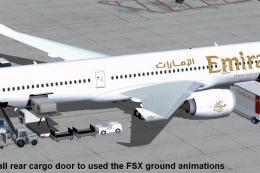
Experience a refined Emirates-liveried Airbus A350-1000 XWB for FSX, featurin…
Read what other simmers think, or add your own.

Hi. I am a bit confused - I have just downloaded this aircraft at 59.16 MB, having previously downloaded the "300 ER" at around 18 MB as I thought the larger the better. Having now looked at them both, they seem to be the same. If I am missing something please let me know... Roger Stubbs.

Please put the MELVIN RAFI Boeing B777-300, MELVIN RAFI Boeing B777-200ER, MELVIN RAFI Boeing B777-300ER, and MELVIN RAFI Boeing B777-200 with the textures of the following fictional airlines:
With all of the textures that all of those fictional airlines have in FS2000, FS2004, FS2002 (Microsoft Flight Simulator 2000, Microsoft Flight Simulator 2004, Microsoft Flight Simulator 2002), Microsoft FSX Flight Simulator, and Microsoft FSX:SE Flight Simulator (Microsoft Flight Simulator and Microsoft Flight Simulator Steam Edition).
Please also include the fictitious virtual airline called Platinum Airways, and AI traffic airplanes of all those fictional airlines from:
These must be copy and pasted into the Addon Folder of Microsoft FSX Flight Simulator and Microsoft FSX:SE Flight Simulator (Microsoft Flight Simulator and Microsoft Flight Simulator Steam Edition) without affecting the presence and the visibility and the operations in both air and ground of all of the default AI traffic and whatever addon AI traffic we have installed and are using in Microsoft FSX Flight Simulator and Microsoft FSX:SE Flight Simulator (Microsoft Flight Simulator and Microsoft Flight Simulator Steam Edition), together with the default AI traffic of all of those airlines that must be copy and pasted into the Addon Folder of Microsoft FSX Flight Simulator and Microsoft FSX:SE Flight Simulator (Microsoft Flight Simulator and Microsoft Flight Simulator Steam Edition) at the same time in all of those airlines that must be copy and pasted into the Addon Folder of Microsoft FSX Flight Simulator and Microsoft FSX:SE Flight Simulator (Microsoft Flight Simulator and Microsoft Flight Simulator Steam Edition).
Thanks.
