

 FSX General Aviation Aircraft
Extra 300S "Extreme Speed"
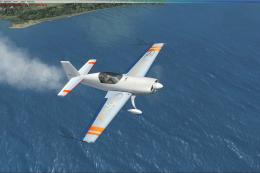
Extra 300S "Extreme Speed". A repaint of the default Extra 300. The repaint i…
Realistic constant-speed propeller sound tuning for the default Mooney Bravo in FS2004 aligns audio cues with real-world RPM and manifold pressure behavior, so throttle changes stay subtle while propeller pitch drives the perceived engine speed. Requires the stock Mooney .wav set and replaces only the sound.cfg to reshape prop and engine playback.
 Rate
Rate
FS2004 Realistic Constant Speed Propeller sound adjustment for default Mooney Bravo. Created for all users that want more realism in their every days sim flights. Adjustment by Guillaume Fournier.
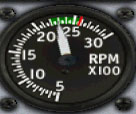
Realistic Constant Speed Propeller.
Sound.cfg file only, you need to have default .wav sounds already installed.
Only for FS9 Mooney Bravo.
Adjusment by Guillaume Fournier.
The sound will work in FS 2004 untested in FSX.
Why use that adjustment?
This adjustment use only default .wav sounds of FS9. So why does it sound different ? Flight simulator does not represent reality about aircraft using constant speed propellers.
In flight simulator, any power imput change will result in an engine sound change , as if RPM would change but it dont. In reality , the throttle lever (black handle) only adjust the manifold pressure for piston engines or the torque for turboprop engines. If you reduce power in flight, sound will not change unless you reduce pitch (blue handle) because it's engine RPM that determines sound. That adjustment do not really change the noise of the engine but it change the way to play the noise. I also adjusted propeller noise so that it sound more realistic because in flight, you dont really hear the sound of the engine but the sound of the propeller.
Just for the thrill:
Before installing that new sound file, test the old one. Take off from anywhere you want and once gears are up, reduce manifold pressure to 30 inches. You will note that the engine sound like it slow down. But look at the RPM indicator. It still read 2700 RPM. Now reduce pitch to 2300 RPM (Control F2) . You wont hear any difference even if the engine slows down.
Now install new sound file and do the same test. Take off from anewhere you want and once gears are up, reduce manifold pressure to 30 inches. You wont hear any significant difference in engine sound. Than reduce pitch to 2300 RPM. You will hear the engine slow down just like in reality!
Installation--
Simply extract Mooney folder into a temporary folder of your choice than copy the sound.cfg file to the Sound folder of default fs9 Mooney Bravo.
Make sure you have a backup of original sound file in case you dont like the new one, but i'm pretty sure you will !
Guillaume Fournier
(Please make reference to the .zip file name)
Enjoy and Safe Flights!
Free for all simmers · 30.15 KB · Scanned clean Oct 2026
Download speed: Free tier is capped at 0.5 Mbps. PRO members download at full line speed.
SimObjects\Airplanes\, Addon Scenery\, Effects\, or Gauges\.readme.txt or README file. It tells you exactly where files go, what dependencies are needed, and any quirks specific to this add-on.The archive csp_mooney.zip has 6 files and directories contained within it.
This list displays the first 500 files in the package. If the package has more, you will need to download it to view them.
| Filename/Directory | File Date | File Size |
|---|---|---|
| FILE_ID.txt | 03.30.10 | 200 B |
| Mooney Bravo.jpg | 03.30.10 | 36.08 kB |
| Read me.txt | 03.30.10 | 2.96 kB |
| SOUND.CFG | 03.29.10 | 5.73 kB |
| flyawaysimulation.txt | 10.29.13 | 959 B |
| Go to Fly Away Simulation.url | 01.22.16 | 52 B |
Only PRO members can place votes.
More FSX & P3D add-ons hand-picked based on this download.
FSX General Aviation Aircraft
Extra 300S "Extreme Speed". A repaint of the default Extra 300. The repaint i…
 FSX General Aviation Aircraft
The King Air 200 is a continuation of the King Air line, with new features in…
 FSX General Aviation Aircraft
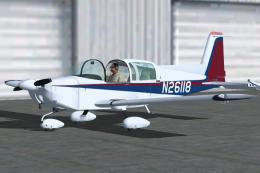
The Grumman American AA-5A Cheetah, introduced in the mid-1970s, differs sign…
 FSX General Aviation Aircraft
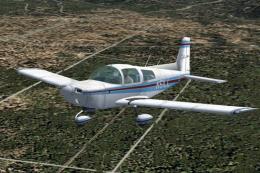
Take to the simulated skies with an accurately recreated edition of the Grumm…
 FSX General Aviation Aircraft
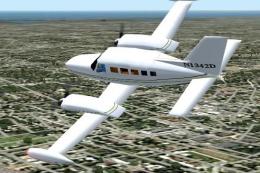
FS2004 Aircraft - The Cessna 401 and 402 are series of 6 to 10 place light tw…
 FSX General Aviation Aircraft
(Fixed). The Po2 used as an agricultural aircraft in Hungary between 1947-196…
 FSX General Aviation Aircraft
FS2004 Pete McLeod Edge 540. Pete McLeod's Red Bull Air Race plane for the fr…
 FS2004 Utilities/Misc
FS9 clouds with improved contrast and recoloured for a realistic sky-scape. P…
Read what other simmers think, or add your own.

I'll never understand why Micro$oft didn't do this correctly in the first place. It is a correction that should be made to all piston powered Flightsim aircraft that have constant speed propellers.