

 FS98-FS2000
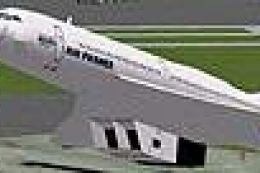
FS2000 Air France Concorde
FS2000 Air France Concorde. Re-paint of the default textures. Only BA & Air F…
Air France Concorde textures refresh the default supersonic airliner with authentic external livery details, turning the stock British Airways scheme into a classic Air France look while keeping the original model, flight dynamics, and virtual cockpit intact. Designed for Microsoft Flight Simulator 2000, it supports either a dedicated aircraft folder or a simple texture replacement.
 Rate
Rate
Repainted texture file for the default Concorde.
Air France Concorde
This is a replacement texture for the default (British Airways) external texture for FS2000.
To create another Concorde specifically for this texture follow the following steps.
To have the plane be identified properly in the "Select Aircraft" dialog within FS2000 follow these steps.
IMPORTANT - If you wish to replace the default British Airways Concorde with this one, make sure you keep a backup of the default texture file before you overwrite it.
* This is my first aircraft texture. All comments and suggestions are welcome.
William Liao
Brisbane Australia
This is a freeware. Distribute it or modify it as freely as you want. Just make sure my name goes along with it.
Free for all simmers · 93.08 KB · Scanned clean Oct 2026
Download speed: Free tier is capped at 0.5 Mbps. PRO members download at full line speed.
readme.txt or README file. It tells you exactly where files go, what dependencies are needed, and any quirks specific to this add-on.The archive af_conc.zip has 5 files and directories contained within it.
This list displays the first 500 files in the package. If the package has more, you will need to download it to view them.
| Filename/Directory | File Date | File Size |
|---|---|---|
| Readme.txt | 11.15.99 | 1.56 kB |
| CONCORDE_T1.bmp | 11.15.99 | 257.05 kB |
| FILE_ID.DIZ | 11.15.99 | 101 B |
| flyawaysimulation.txt | 10.29.13 | 959 B |
| Go to Fly Away Simulation.url | 01.22.16 | 52 B |
Only PRO members can place votes.
Hand-picked add-ons similar to this download.
FS98-FS2000
FS2000 Air France Concorde. Re-paint of the default textures. Only BA & Air F…
 FS98-FS2000
replacement textures for default FS2k Concorde. Fictional as Qantas never fle…
 FS98-FS2000
48-sided based Variable-Sided Fuelage (POSKY Original Technique). Moving flap…
 FS98-FS2000
Pacific Wave Tribute no.2 to mark the end of the era of the 200 series with A…
 FS98-FS2000
(ProMax2000) This aircraft is modify to be compatible for both FS2000 and FS9…
 FS98-FS2000
FS2000 Continental Boeing 777-200 Features maximum moving parts, maximum 3D p…
 FS98-FS2000
This model of a Boeing 777-200 was created for Microsoft Flight Simulator 200…
 FS98-FS2000
FS2000/CFS2 North American P-51D Miss America. Includes moving parts and nigh…
Be the first to leave a comment on this download.
Be the first to share your thoughts on this download.