

 FSX Business Jet Aircraft
Cessna Citation 500
FSX/SP2 Cessna Citation 500. The highly popular Cessna 500 Citation and 500 …
Cessna Citation X 2008 brings high-speed corporate jet flying with a Gmax-built model, an interactive virtual cockpit, and detailed animations including leading edge flaps and a working passenger door. Built for Microsoft Flight Simulator X, it requires FSX SP2 and includes a custom sound set plus an optional FS2004-compatible package.
 Rate
Rate
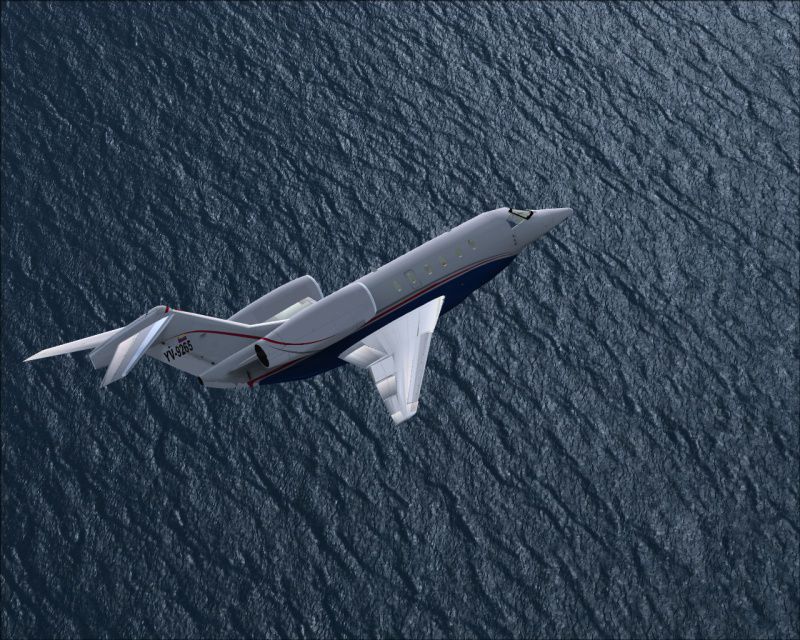
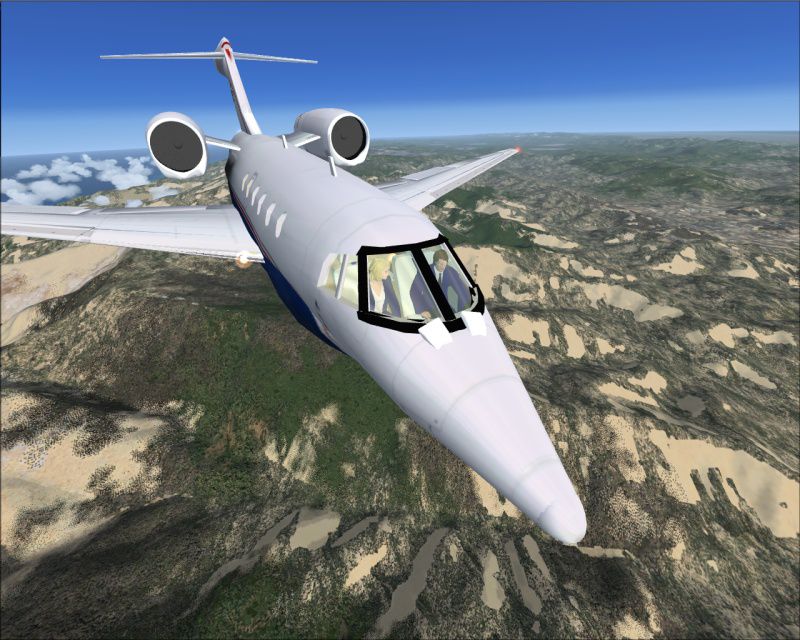
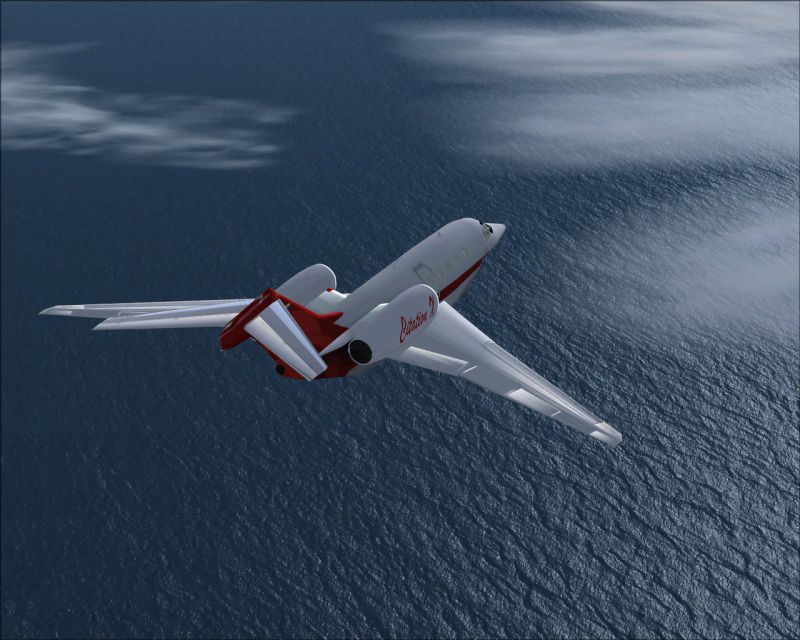
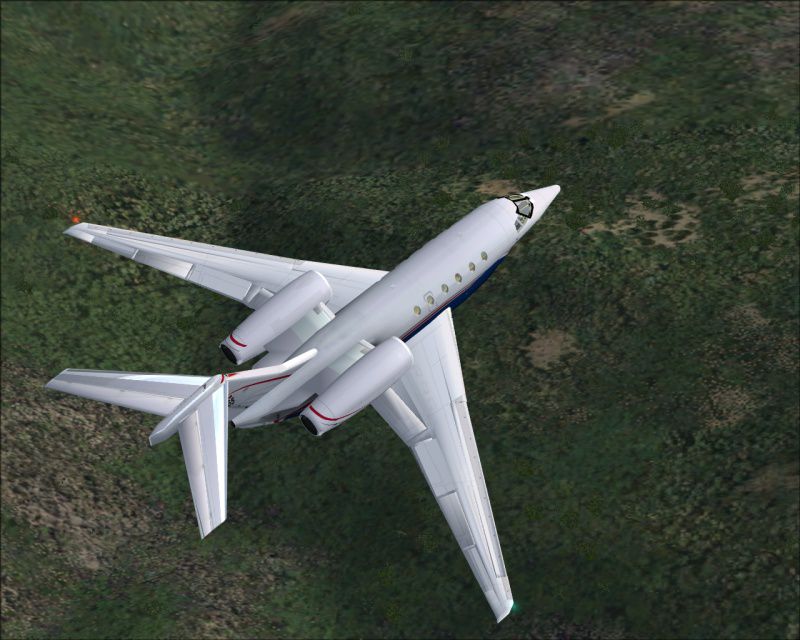
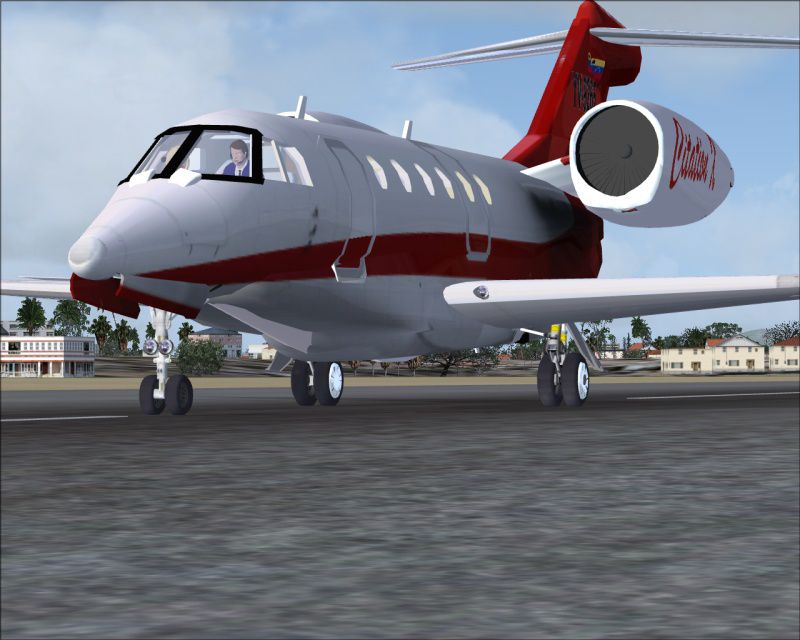


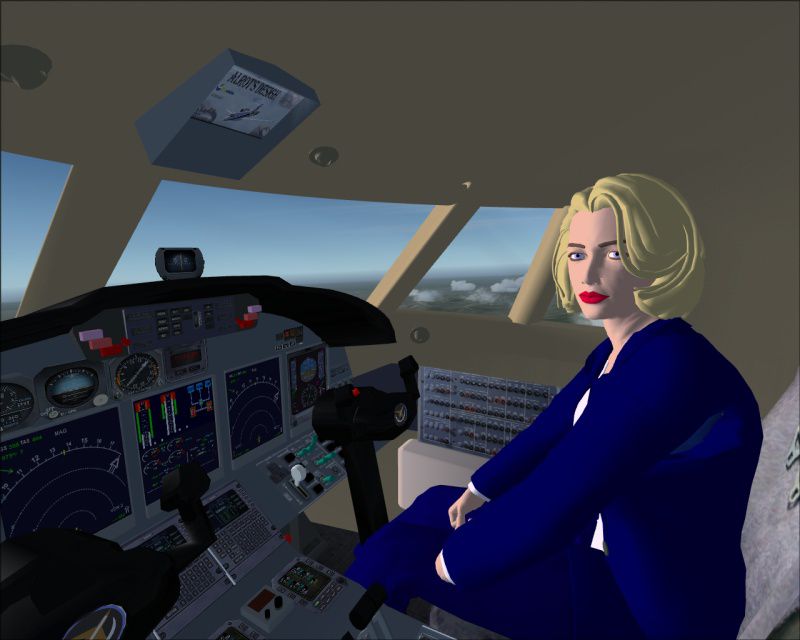
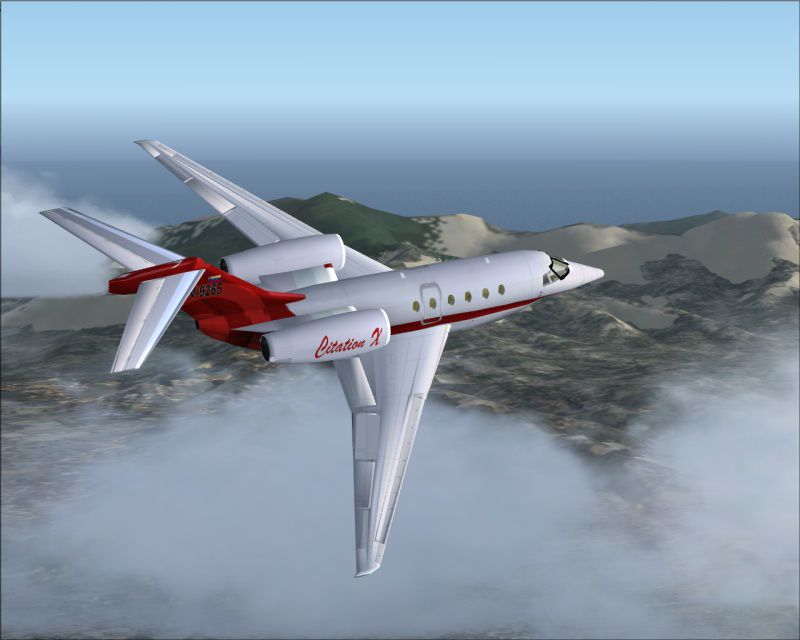
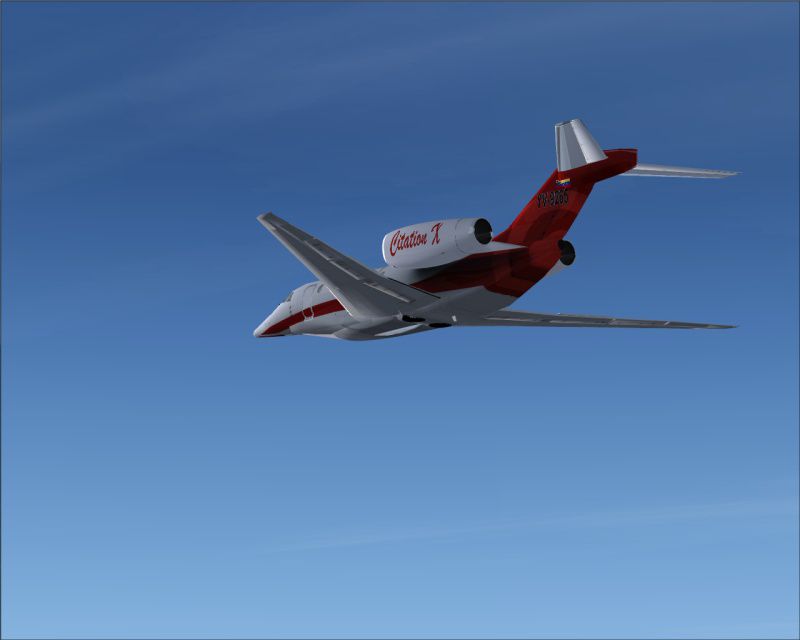

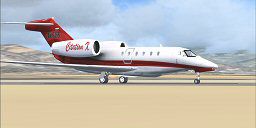

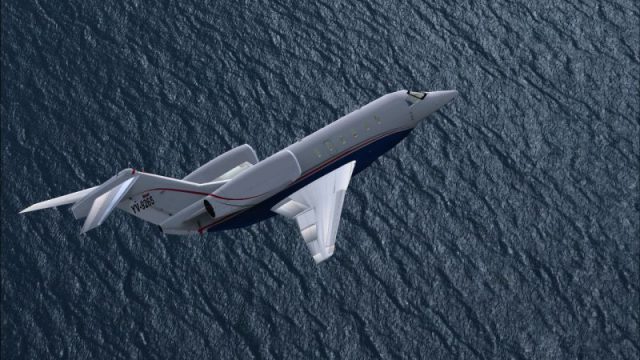
SP2 Citation X 2008. A second release developed for FSX SP2. Not compatible with SP1 or FSX alone. Cessna's largest, fastest and longest range aircraft yet, and Cessna claims it to be the fastest civil transport in service. Aircraft created in Gmax. Includes interactive virtual cockpit, full moving parts including leading edge flaps and passenger door. Custom sound set included. By Alejandro Rojas.
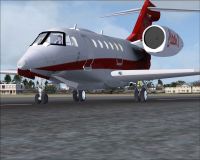
SP2 Citation X 2008 on runway.
SP2 Citation X 2008
WARNING
A second release developed for FSX-SP2. NOT COMPATIBLE WITH SP1 OR FSX ALONE, ONLY WITH FSX + SP2.
Cessna's largest, fastest and longest range aircraft yet, and Cessna claims it to be the fastest civil transport in service other than the supersonic Concorde.
This high speed cruise capability, which Cessna says is 105 to 210km/h (55 to 113kt) faster than other mid size corporate jets, means the X can save up to one hour's flight time on transcontinental US flights, flying from Los Angeles to New York with normal wind conditions in 4 hours 10 minutes.
Aircraft created in GMax. Includes interactive virtual cockpit, full moving parts including leading edge flaps and passenger door. Custom sound set included.
Notes:
Please note that I have tried to make the virtual cockpit for the sake of practical use in Flight Simulator as well as being close to the real thing. The simicon buttons for autopilot/Radio Stack & GPS will display in the main glass screen on the panel.
Thanks to Freeflight Design Shop Design Forums and their community (as Usual) for their great help & advice.
This file is freeware. Any use for commercial purposes is strictly forbidden. Do not make money from it in any way.
So don't be fooled !! If you want to pay someone, well just pay me! I'm Poor.
All my FS aircraft were created in gMax entirely by me. Please understand that most of the great planes are made by teams of developers. In my case my team is my Pentium 4 and me..so please understand.
Installation instructions:
Very Simple, unzip the file and place the Citation X folder in
C:\Program Files\Microsoft Games\Microsoft Flight Simulator X\SimObjects\Airplanes..just drop it in the airplanes folder.
If you have any issues you can contact me faster on the Simviation Forum where my screen name is Alrot.
Additional FS2004 version included!
The new improved Citation X comes with an optional FS2004 zip..
Instructions for the FS2004 installation:
Paste the Citation X folder into your FS9\Aircraft folder. Then delete the panel folder of the FSX version and replace it with the panel folder from FS2004.zip included in this release. Delete the file named citation.air and replace it with the one included in FS2004.zip. That's it!
Made In Valencia-Venezuela
Credits:
Completely redesigned by Alejandro Rojas. January 2008 using Gmax.
This is a gift for this world, do not make profit from it. If you have to pay to download this file, it is illegal.
My older FS2004 planes will be updated for FSX starting with the Boeing 727-200 and 717-200. In the case of the Hawker 125-80Xp this was designed to work in FSX (pre SP1 & SP2) & has some severe issues that cause very slow frame rates. Stay tuned for my next releases.
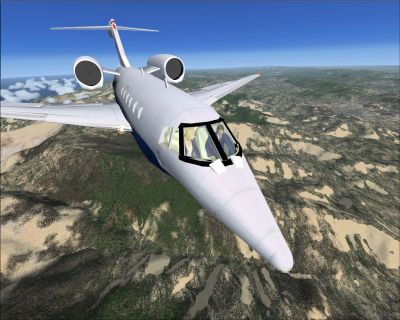
SP2 Citation X 2008 in flight.
Free for all simmers · 27.06 MB · Scanned clean Oct 2026
Download speed: Free tier is capped at 0.5 Mbps (this file takes approximately 8 mins at the cap). PRO members download at full line speed.
SimObjects\Airplanes\, Addon Scenery\, Effects\, or Gauges\.readme.txt or README file. It tells you exactly where files go, what dependencies are needed, and any quirks specific to this add-on.The archive fsx2citx.zip has 185 files and directories contained within it.
This list displays the first 500 files in the package. If the package has more, you will need to download it to view them.
| Filename/Directory | File Date | File Size |
|---|---|---|
| aircraft.cfg | 01.02.08 | 23.42 kB |
| AnimatedCopilot .jpg | 12.31.07 | 101.54 kB |
| citation.air | 09.04.06 | 8.29 kB |
| clouds.jpg | 12.31.07 | 111.00 kB |
| exterior.jpg | 12.31.07 | 139.94 kB |
| FS2004.zip | 12.30.07 | 1.06 MB |
| in the sky.jpg | 12.31.07 | 50.64 kB |
| Logo.jpg | 12.31.07 | 97.26 kB |
| model | 01.06.08 | 0 B |
| citation.mdl | 12.31.07 | 3.86 MB |
| model.cfg | 06.03.06 | 29 B |
| My Logo.jpg | 12.29.07 | 31.47 kB |
| Ocean.jpg | 12.31.07 | 181.79 kB |
| Ocean2.jpg | 12.31.07 | 255.06 kB |
| on the ground.jpg | 12.31.07 | 135.31 kB |
| Panel | 01.06.08 | 0 B |
| 11aaa OverHead-SW.cab | 08.14.07 | 52.19 kB |
| 2d panel.bmp | 12.30.07 | 2.29 MB |
| 737-400.dll | 09.26.07 | 2.33 MB |
| Airbus_A321.cab | 09.26.07 | 2.72 MB |
| B737_800.cab | 09.26.07 | 2.01 MB |
| c5a.cab | 12.28.07 | 115.63 kB |
| comandos.cab | 12.27.07 | 1.20 MB |
| Lear_45_XML.cab | 04.29.07 | 1.59 MB |
| panel.cfg | 12.30.07 | 5.94 kB |
| SimIcons1024.cab | 09.26.07 | 34.19 kB |
| Tornado.cab | 09.22.07 | 2.11 MB |
| perspective.jpg | 12.31.07 | 212.47 kB |
| Readme.txt | 01.06.08 | 3.58 kB |
| sound | 01.06.08 | 0 B |
| door_large_close.wav | 04.09.03 | 131.81 kB |
| door_large_open.wav | 04.09.03 | 116.30 kB |
| laapdis.wav | 04.17.01 | 11.25 kB |
| lagear.wav | 04.17.01 | 18.25 kB |
| lan11.wav | 05.23.06 | 57.98 kB |
| lan12.wav | 05.23.06 | 43.17 kB |
| lan13.wav | 05.23.06 | 48.23 kB |
| lan14.wav | 05.23.06 | 49.04 kB |
| lan1shut.wav | 04.17.01 | 243.25 kB |
| lan1strt.wav | 08.21.01 | 493.31 kB |
| lan21.wav | 08.13.02 | 74.68 kB |
| lan22.wav | 08.12.02 | 52.65 kB |
| lan23.wav | 05.23.06 | 48.23 kB |
| lan24.wav | 08.13.02 | 47.38 kB |
| lan2shut.wav | 04.17.01 | 58.77 kB |
| lan2strt.wav | 08.13.02 | 23.13 kB |
| lan2t.wav | 04.17.01 | 100.81 kB |
| laover.wav | 04.17.01 | 13.25 kB |
| lbn11.wav | 05.23.06 | 58.12 kB |
| lbn12.wav | 05.23.06 | 43.17 kB |
| lbn13.wav | 05.23.06 | 49.04 kB |
| lbn14.wav | 04.17.01 | 60.69 kB |
| lbn1shut.wav | 05.19.02 | 92.15 kB |
| lbn1strt.wav | 08.21.01 | 458.81 kB |
| lbn21.wav | 08.13.02 | 74.68 kB |
| lbn22.wav | 08.13.02 | 69.93 kB |
| lbn23.wav | 08.13.02 | 52.65 kB |
| lbn24.wav | 08.13.02 | 47.38 kB |
| lbn2shut.wav | 04.17.01 | 64.79 kB |
| lbn2strt.wav | 04.17.01 | 96.25 kB |
| lbn2t.wav | 04.17.01 | 96.81 kB |
| lmflaps.wav | 04.17.01 | 68.31 kB |
| lmgeardn.wav | 04.17.01 | 54.27 kB |
| lmgearup.wav | 04.17.01 | 59.27 kB |
| lncrash1.wav | 04.17.01 | 70.19 kB |
| lncrash2.wav | 04.17.01 | 102.69 kB |
| lncrash3.wav | 04.17.01 | 136.19 kB |
| lnsplash.wav | 04.17.01 | 85.69 kB |
| sound.cfg | 05.27.06 | 12.55 kB |
| xlan11.pk | 05.23.06 | 4.24 kB |
| xlan11.wav | 06.15.02 | 267.02 kB |
| xlan12.wav | 06.15.02 | 194.79 kB |
| xlan13.wav | 06.15.02 | 194.79 kB |
| xlan14.wav | 06.15.02 | 194.79 kB |
| xlan1shut.wav | 04.17.01 | 220.75 kB |
| xlan1strt.wav | 06.15.02 | 291.84 kB |
| xlan21.wav | 06.15.02 | 196.05 kB |
| xlan22.pk | 05.23.06 | 4.24 kB |
| xlan22.wav | 06.15.02 | 267.02 kB |
| xlan23.wav | 06.15.02 | 194.79 kB |
| xlan24.pk | 05.23.06 | 9.02 kB |
| xlan24.wav | 06.15.02 | 286.13 kB |
| xlan2shut.wav | 08.05.02 | 95.87 kB |
| xlan2strt.wav | 06.15.02 | 51.84 kB |
| xlan2t.wav | 04.17.01 | 100.81 kB |
| xlbn11.wav | 08.04.02 | 98.78 kB |
| xlbn12.wav | 06.15.02 | 194.79 kB |
| xlbn13.wav | 04.17.01 | 60.23 kB |
| xlbn14.wav | 04.17.01 | 64.19 kB |
| xlbn1shut.wav | 04.17.01 | 203.75 kB |
| xlbn1strt.wav | 08.21.01 | 459.81 kB |
| xlbn21.wav | 08.04.02 | 98.78 kB |
| xlbn22.wav | 06.15.02 | 194.79 kB |
| xlbn23.wav | 06.15.02 | 194.79 kB |
| xlbn24.wav | 06.15.02 | 286.13 kB |
| xlbn2shut.wav | 04.17.01 | 192.25 kB |
| xlbn2strt.wav | 04.17.01 | 72.25 kB |
| xlbn2t.wav | 04.17.01 | 96.81 kB |
| xlmflap.wav | 04.17.01 | 67.81 kB |
| xlncras1.wav | 04.17.01 | 70.19 kB |
| xlncras2.wav | 04.17.01 | 102.69 kB |
| xlncras3.wav | 04.17.01 | 136.19 kB |
| xlnsplash.wav | 04.17.01 | 85.69 kB |
| texture | 01.06.08 | 0 B |
| alfombra.bmp | 12.27.07 | 1.00 MB |
| el robot.bmp | 05.03.06 | 128.07 kB |
| envmap_t.bmp | 05.30.06 | 42.75 kB |
| fuse_l.bmp | 05.31.06 | 1.33 MB |
| fuse_t.bmp | 12.30.07 | 1.00 MB |
| Image2.bmp | 05.29.06 | 1.33 MB |
| Image2_t.bmp | 12.27.07 | 1.00 MB |
| interior_citation.bmp | 12.29.07 | 1.00 MB |
| logotipos.bmp | 12.29.07 | 1.00 MB |
| motores_l.bmp | 05.31.06 | 1.33 MB |
| motores_t.bmp | 12.29.07 | 1.00 MB |
| paneles_vc.bmp | 06.03.06 | 1.33 MB |
| tapizeria_l.bmp | 12.28.07 | 64.07 kB |
| tapizeria_t.bmp | 12.27.07 | 1.00 MB |
| thumbnail.jpg | 12.31.07 | 6.85 kB |
| TrendeA_t.bmp | 12.29.07 | 256.07 kB |
| varios.bmp | 05.31.06 | 1.33 MB |
| vidriocabina_T.bmp | 12.30.07 | 256.07 kB |
| texture.1 | 01.06.08 | 0 B |
| alfombra.bmp | 12.27.07 | 1.00 MB |
| el robot.bmp | 05.03.06 | 128.07 kB |
| envmap_t.bmp | 05.30.06 | 42.75 kB |
| fuse_l.bmp | 05.31.06 | 1.33 MB |
| fuse_t.bmp | 12.29.07 | 1.00 MB |
| Image2.bmp | 05.29.06 | 1.33 MB |
| Image2_t.bmp | 05.29.06 | 1.33 MB |
| interior_citation.bmp | 12.29.07 | 1.00 MB |
| logotipos.bmp | 12.29.07 | 1.00 MB |
| motores_l.bmp | 05.31.06 | 1.33 MB |
| motores_t.bmp | 12.29.07 | 1.00 MB |
| paneles_vc.bmp | 06.03.06 | 1.33 MB |
| tapizeria_l.bmp | 12.28.07 | 64.07 kB |
| tapizeria_t.bmp | 12.27.07 | 1.00 MB |
| thumbnail.jpg | 12.31.07 | 6.54 kB |
| TrendeA_t.bmp | 12.29.07 | 256.07 kB |
| varios.bmp | 05.31.06 | 1.33 MB |
| vidriocabina_T.bmp | 12.30.07 | 256.07 kB |
| texture.2 | 01.06.08 | 0 B |
| alfombra.bmp | 12.27.07 | 1.00 MB |
| el robot.bmp | 05.03.06 | 128.07 kB |
| envmap_t.bmp | 05.30.06 | 42.75 kB |
| fuse_l.bmp | 05.31.06 | 1.33 MB |
| fuse_t.bmp | 12.28.07 | 1.00 MB |
| Image2.bmp | 05.29.06 | 1.33 MB |
| Image2_t.bmp | 05.29.06 | 1.33 MB |
| interior_citation.bmp | 12.29.07 | 1.00 MB |
| logotipos.bmp | 12.29.07 | 1.00 MB |
| motores_l.bmp | 05.31.06 | 1.33 MB |
| motores_t.bmp | 12.28.07 | 1.00 MB |
| paneles_vc.bmp | 06.03.06 | 1.33 MB |
| tapizeria_l.bmp | 12.28.07 | 64.07 kB |
| tapizeria_t.bmp | 12.27.07 | 1.00 MB |
| thumbnail.jpg | 12.31.07 | 6.97 kB |
| TrendeA_t.bmp | 12.29.07 | 256.07 kB |
| varios.bmp | 05.31.06 | 1.33 MB |
| vidriocabina_T.bmp | 12.30.07 | 256.07 kB |
| texture.3 | 01.06.08 | 0 B |
| alfombra.bmp | 12.27.07 | 1.00 MB |
| el robot.bmp | 05.03.06 | 128.07 kB |
| envmap_t.bmp | 05.30.06 | 42.75 kB |
| fuse_l.bmp | 05.31.06 | 1.33 MB |
| fuse_t.bmp | 01.02.08 | 1.00 MB |
| Image2.bmp | 05.29.06 | 1.33 MB |
| Image2_t.bmp | 05.29.06 | 1.33 MB |
| interior_citation.bmp | 12.29.07 | 1.00 MB |
| logotipos.bmp | 12.29.07 | 1.00 MB |
| motores_l.bmp | 05.31.06 | 1.33 MB |
| motores_t.bmp | 01.02.08 | 1.00 MB |
| paneles_vc.bmp | 06.03.06 | 1.33 MB |
| tapizeria_l.bmp | 12.28.07 | 64.07 kB |
| tapizeria_t.bmp | 12.27.07 | 1.00 MB |
| thumbnail.jpg | 12.31.07 | 6.97 kB |
| TrendeA_t.bmp | 12.29.07 | 256.07 kB |
| varios.bmp | 05.31.06 | 1.33 MB |
| vidriocabina_T.bmp | 12.30.07 | 256.07 kB |
| Thumbs.db | 08.04.06 | 23.00 kB |
| topdown.jpg | 12.31.07 | 167.91 kB |
| VCcentralview.jpg | 12.31.07 | 110.01 kB |
| FSX-SP2_Citation X | 01.06.08 | 0 B |
| flyawaysimulation.txt | 10.29.13 | 959 B |
| Go to Fly Away Simulation.url | 01.22.16 | 52 B |
Only PRO members can place votes.
More FSX & P3D add-ons hand-picked based on this download.
FSX Business Jet Aircraft
FSX/SP2 Cessna Citation 500. The highly popular Cessna 500 Citation and 500 …
 FSX Business Jet Aircraft
Repaint by Mathieu Vos (APSS), model by Alejandro Rojas Lucena. Screenshot of…
 FSX Business Jet Aircraft
Tmc Aviation Cessna Citation 510 Mustang. Flight1 Cessna Citation 510 Mustang…
 FSX Business Jet Aircraft
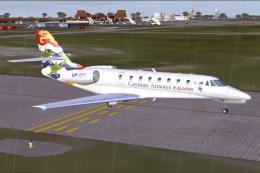
Cayman Airways Executive Cessna Citation C680 Sovereign. Painted in 32 bit te…
 FSX Business Jet Aircraft
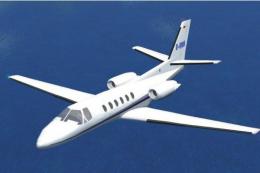
Cessna Citation Bravo Update. This is an update for FSX Acceleration of the C…
 FSX Business Jet Aircraft
Cessna Citation X "Korean Ink". A fictional repaint for the ESDG Cessna Citat…
 FSX Business Jet Aircraft
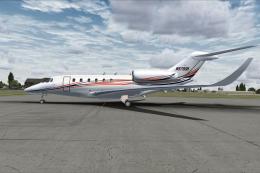
Cessna Citation X N978DB. This is a hand painted, repaint of Eaglesoft Citati…
 FSX Business Jet Aircraft
Jag Aviation Citation 510 Mustang N453DW. This is a Flight1 Cessna Citation 5…
Read what other simmers think, or add your own.
