
 FSX Business Jet Aircraft
MyJet Citation 510 Mustang Fix
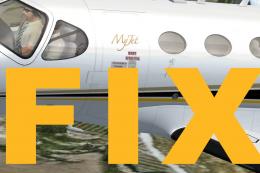
MyJet Citation 510 Mustang Fix. This is the final update for the Flight1 Cess…
MyJet Citation 510 Mustang livery update restores the missing “MyJet” logo on the right side of the fuselage, positioned between the cockpit and the first passenger window for a clean, authentic look. Designed for FSX, it replaces the original MYJET texture with a corrected repaint by Johnny Rosario.
 Rate
Rate
MyJet Citation 510 Mustang Update. Everything with the original texture is fine, but the "MyJet" logo was missing on the right side of the fuselage between the cockpit and the first passenger window. This texture will fix that. The original texture file is named MYJET.ZIP. By Johnny Rosario.
To install, just move this texture into your "texture.myjet" folder, and when asked if you want to override and replace, click yes. That's all, and sorry for the inconvinience!
Repaint by: Johnny Rosario
Free for all simmers · 600 KB · Scanned clean Nov 2026
Download speed: Free tier is capped at 0.5 Mbps. PRO members download at full line speed.
This file is a repaint — the package below is the base model it paints onto. Install it first, or the textures will have nothing to load onto.
texture.{airline}) inside FSX\SimObjects\Airplanes\{base-aircraft}\.aircraft.cfg in Notepad. Add a new [fltsim.X] section per the readme.readme.txt or README file. It tells you exactly where files go, what dependencies are needed, and any quirks specific to this add-on.The archive i-stcb.zip has 4 files and directories contained within it.
This list displays the first 500 files in the package. If the package has more, you will need to download it to view them.
| Filename/Directory | File Date | File Size |
|---|---|---|
| mustang_main2_T.dds | 09.11.11 | 5.33 MB |
| readme.txt | 09.11.11 | 449 B |
| flyawaysimulation.txt | 10.29.13 | 959 B |
| Go to Fly Away Simulation.url | 01.22.16 | 52 B |
Only PRO members can place votes.
More FSX & P3D add-ons hand-picked based on this download.
FSX Business Jet Aircraft
MyJet Citation 510 Mustang Fix. This is the final update for the Flight1 Cess…
 FSX Business Jet Aircraft
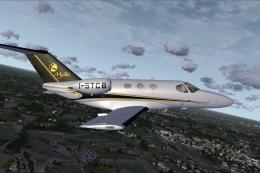
MyJet livery with registration I-STCB for the payware Flight1 Cessna Citation…
 FSX Business Jet Aircraft
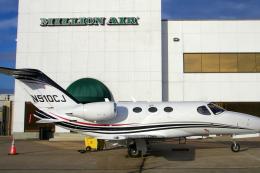
Tmc Aviation Cessna Citation 510 Mustang. Flight1 Cessna Citation 510 Mustang…
 FSX Business Jet Aircraft
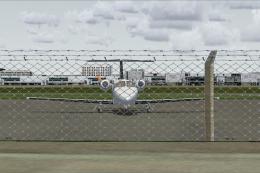
Jag Aviation Citation 510 Mustang N453DW. This is a Flight1 Cessna Citation 5…
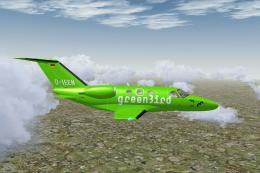 FSX Business Jet Aircraft
Citation 510 Mustang D-IEEN. Greenbird GmbH livery, with registration number …
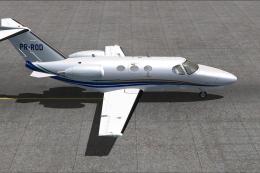 FSX Business Jet Aircraft
Enhance your Microsoft Flight Simulator X hangar with this specialized repain…
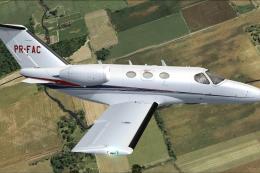 FSX Business Jet Aircraft
Experience a unique addition to your Microsoft Flight Simulator X hangar with…
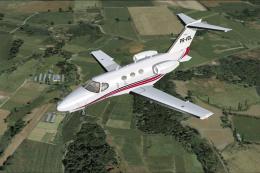 FSX Business Jet Aircraft
This custom repaint brings a vivid and authentic Brazilian tail number (PR-VD…
Be the first to leave a comment on this download.
Be the first to share your thoughts on this download.