

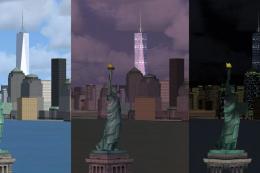
 FSX Scenery
Freedom Tower
Freedom Tower. Includes day, night and specular textures using 1024x1024 DTX …
Telecom and broadcast landmarks across Yorkshire and Lancashire bring low-level VFR routes to life around Leeds Bradford, from the BT Tower and Menwith Hill “golfballs” to Ilkley Moor masts, Huddersfield structures, and regional transmitters. Designed for Microsoft Flight Simulator X with fully textured models and optional obstruction lighting that requires fx_lightObsRedSType25.fx.
 Rate
Rate
 United Kingdom
Telecom Tower near Leeds Bradford Airport, UK. Models are fully textured. Included are the BT Tower near EGNM (LBIA), the Menwith 'golfballs', the Ilkley Moor masts, two large objects in Huddersfield and several other small(ish) structures in the Yorkshire and Lancashire area of England, UK. By Kevin Ball.
Probably won't work in FS9.
Installation:
Unzip the zip file.
Copy the TelecomEGNMFSX folder into your Flight Simulator > Addon Scenery folder.
Now run Flight Simulator X. Select the 'SETTINGS' menu option. Select the 'Scenery Library...' option. Select the 'Add Area...' option.
A menu titled 'Select Scenery Directory' will pop up. Double click on 'Addon Scenery' in the list of folders. Then select 'TelecomEGNMFSX' from the folders listed and click on 'OK' in the pop up box. Click 'OK' on the Settings - Scenery Library page.
The file fx_lightObsRedSType25.fx goes in the 'Effects' folder of Flight Simulator X.
The .BGL files in the 'EmleyMoorBGLs' folder are updates for the .BGL files in the EmleyMoorFSX scenery package released 17 March 2007. They should be placed in the 'Scenery' folder of the Emley Moor scenery, if you want to have obstruction (red) lights which work no matter where you take off from. You will also need to install the fx_lightObsRedSType25.fx file mentioned above.
How to get there:
Cop Hill Transmitter - About 1 mile South of the twin Moorside Edge masts.
Huddersfield gasometer and Waste Recycling Centre chimney - 'Uddesfield!!! South of M62 Junctions 24 and 25.
Ilkley Moor masts - about 8 miles NW of EGNM. (Not much chance of catching a cold when I went to photograph them, more like sunstroke - global warming? I think I had my hat on anyway.)
3 chimneys near Leeds University Sports Centre - about 6 miles SE of EGNM.
Littleborough transmitter - about 1 mile North and slightly East of Hollingworth Lake (which is about 3 miles West of Junction 22 of the M62).
RAF Menwith Hill - big white spherical things about 9 miles North of EGNM.
Ripponden transmitter - about 1 mile North of the twin Moorside Edge masts, over the M62.
Telecom Tower, mast and water tower - about 2 miles SE of EGNM.
Thruscross water tower - I saw this while walking from Thruscross reservoir to the pub, about half a mile to the North, at the crossroads with Greenhow Hill Road. The pub was shut. Then it started raining. Later it snowed. If you can see this you're probably flying too low! There's another somewhere just to the East of Menwith.
Trawden mast - West of EGNM, North of Pole Hill (POL) VOR/DEM.
The Coal Clough Windfarm in the Emley Moor scenery is, of course, in Lancashire, not Yorkshire as stated on avsim and in the docs.
Free for all simmers · 2.59 MB · Scanned clean Oct 2026
Download speed: Free tier is capped at 0.5 Mbps. PRO members download at full line speed.
FSX\Addon Scenery\ containing scenery and texture sub-folders.readme.txt or README file. It tells you exactly where files go, what dependencies are needed, and any quirks specific to this add-on.Use these coordinates to fly directly to this location once the mod is installed.
53.86590000,-1.66060000
Launch FSX or Prepar3D and use Flights → Load to open the downloaded .pln file. Your aircraft will be positioned at this location.
The archive telecom2.zip has 79 files and directories contained within it.
This list displays the first 500 files in the package. If the package has more, you will need to download it to view them.
| Filename/Directory | File Date | File Size |
|---|---|---|
| Effects | 09.17.07 | 0 B |
| fx_lightObsRedSType25.fx | 09.05.07 | 2.47 kB |
| EmleyMoorBGLS | 09.18.07 | 0 B |
| BelmontTV.BGL | 09.05.07 | 1.21 MB |
| BilsdaleTV.BGL | 09.06.07 | 814.78 kB |
| EmleyMoorTV.BGL | 09.07.07 | 599.42 kB |
| HolmeMossTV.BGL | 09.08.07 | 271.23 kB |
| MoorsideEdgeTV.BGL | 09.09.07 | 93.29 kB |
| WinterHillTV.BGL | 09.10.07 | 516.26 kB |
| tctowegnmV2.txt | 09.18.07 | 3.64 kB |
| TelecomEGNMFSX | 09.17.07 | 0 B |
| Scenery | 09.17.07 | 0 B |
| CopHillTV.BGL | 09.12.07 | 205.41 kB |
| HuddGasom.BGL | 09.13.07 | 113.20 kB |
| HuddWRCChim.BGL | 09.13.07 | 34.88 kB |
| IlkleyMoorMasts.BGL | 09.13.07 | 661.89 kB |
| LeedsUniChims.BGL | 09.14.07 | 100.11 kB |
| LittleboroughTV.BGL | 09.14.07 | 189.32 kB |
| Menwith01.BGL | 09.14.07 | 272.46 kB |
| MenwithGreen.BGL | 09.15.07 | 143.78 kB |
| RippondenTV.BGL | 06.26.07 | 211.86 kB |
| TelecomBTEGNM.BGL | 09.05.07 | 842.91 kB |
| ThruscrossWTwr.BGL | 09.16.07 | 77.00 kB |
| TinshillMast.BGL | 09.17.07 | 97.97 kB |
| TrawdenTV.BGL | 07.28.07 | 244.21 kB |
| WaterTow01.BGL | 09.17.07 | 104.16 kB |
| Texture | 09.17.07 | 0 B |
| ArfGreen028.bmp | 08.05.07 | 65.05 kB |
| ArfGreen028_lm.bmp | 09.15.07 | 65.05 kB |
| BlackChim018.bmp | 08.06.07 | 65.05 kB |
| BlackChim018_lm.bmp | 09.14.07 | 65.05 kB |
| CresTwrsWhitish8.bmp | 01.10.06 | 65.05 kB |
| CresTwrsWhitish8_lm.bmp | 02.08.06 | 65.05 kB |
| HolbTwrsWBTex8.bmp | 02.25.06 | 65.05 kB |
| HolbTwrsWBTex8_lm.bmp | 05.23.06 | 65.05 kB |
| HWRCChim018.bmp | 07.22.05 | 65.05 kB |
| HWRCChim018_lm.bmp | 09.13.07 | 65.05 kB |
| HWRCChim028.bmp | 10.23.05 | 65.05 kB |
| HWRCChim028_lm.bmp | 10.23.05 | 65.05 kB |
| MenwithGTX018.bmp | 08.05.07 | 65.05 kB |
| MenwithGTX018_lm.bmp | 09.15.07 | 65.05 kB |
| Rust02a8.bmp | 05.02.05 | 65.05 kB |
| Rust02a8_lm.bmp | 09.13.07 | 65.05 kB |
| Rust02b8.bmp | 09.12.07 | 65.05 kB |
| Rust02b8_lm.bmp | 09.13.07 | 65.05 kB |
| Sky028.bmp | 05.16.07 | 65.05 kB |
| Sky028_lm.bmp | 09.13.07 | 65.05 kB |
| SndConc8.bmp | 03.18.04 | 65.05 kB |
| SndConc8MH.bmp | 08.30.07 | 65.05 kB |
| SndConc8MH_lm.bmp | 09.14.07 | 65.05 kB |
| SndConc8_lm.bmp | 03.23.04 | 65.05 kB |
| SPGrey028.bmp | 11.15.06 | 65.05 kB |
| SPGrey028_lm.bmp | 12.13.06 | 65.05 kB |
| SPGrey038.bmp | 11.19.06 | 65.05 kB |
| SPGrey038_lm.bmp | 01.22.07 | 65.05 kB |
| SPGrey8.bmp | 11.05.06 | 65.05 kB |
| SPGrey8_lm.bmp | 12.11.06 | 65.05 kB |
| SPMetal018.bmp | 11.04.06 | 65.05 kB |
| SPMetal018_lm.bmp | 12.11.06 | 65.05 kB |
| SPMetal028.bmp | 02.11.07 | 65.05 kB |
| SPMetal028_lm.bmp | 03.10.07 | 65.05 kB |
| SPMetal038.bmp | 02.21.07 | 65.05 kB |
| SPMetal038_lm.bmp | 02.20.07 | 65.05 kB |
| ThruscrossWTConc018.bmp | 03.20.07 | 65.05 kB |
| ThruscrossWTConc018_lm.bmp | 09.16.07 | 65.05 kB |
| ThruscrossWTDr018.bmp | 03.20.07 | 65.05 kB |
| ThruscrossWTDr018_lm.bmp | 09.16.07 | 65.05 kB |
| ThruscrossWTRust018.bmp | 03.20.07 | 65.05 kB |
| ThruscrossWTRust018_lm.bmp | 09.16.07 | 65.05 kB |
| Thumbs.db | 09.16.07 | 108.50 kB |
| UniConcrete028.bmp | 11.03.06 | 65.05 kB |
| UniConcrete028_lm.bmp | 09.14.07 | 65.05 kB |
| WhiteForMwDs8.bmp | 03.10.07 | 65.05 kB |
| WhiteForMwDs8_lm.bmp | 03.10.07 | 65.05 kB |
| Whitish1.bmp | 04.24.04 | 65.05 kB |
| Whitish1_lm.bmp | 02.18.04 | 65.05 kB |
| TelecomTowerEGNMV2 | 09.18.07 | 0 B |
| flyawaysimulation.txt | 10.29.13 | 959 B |
| Go to Fly Away Simulation.url | 01.22.16 | 52 B |
Only PRO members can place votes.
More FSX & P3D add-ons hand-picked based on this download.
FSX Scenery
Freedom Tower. Includes day, night and specular textures using 1024x1024 DTX …
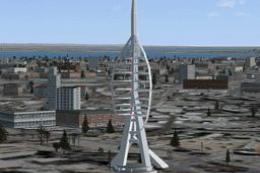 FSX Scenery
Portsmouth Spinnaker Tower UK. A concrete, steel and composite structure that…
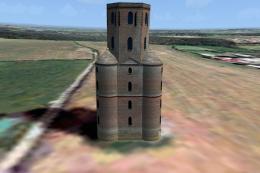 FSX Scenery
Horton Tower, UK. This seven storey tower is situated on high ground near the…
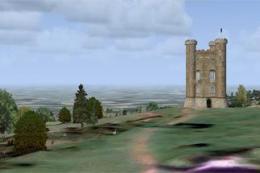 FSX Scenery
Broadway Tower UK. Broadway Tower is one of England's outstanding viewpoints …
 FSX Scenery
City Place Tower, Dallas, Texas (TX). Cityplace is a neighborhood near what h…
 FSX Scenery
Scenery Calden Wind Farms And TV Tower, Germany. Places windfarms and Essigbe…
 FSX Scenery
Remote Tower Base Operations, Washington State; airport ID: TOWR. A fictional…
 FSX Scenery
Wattisham Tower Fix. This file moves the default tower at Wattisham Army base…
Be the first to leave a comment on this download.
Be the first to share your thoughts on this download.