

 FSX Scenery
RAF Coningsby
RAF Coningsby UK. This scenery depicts RAF Coningsby, Lincolnshire, England a…
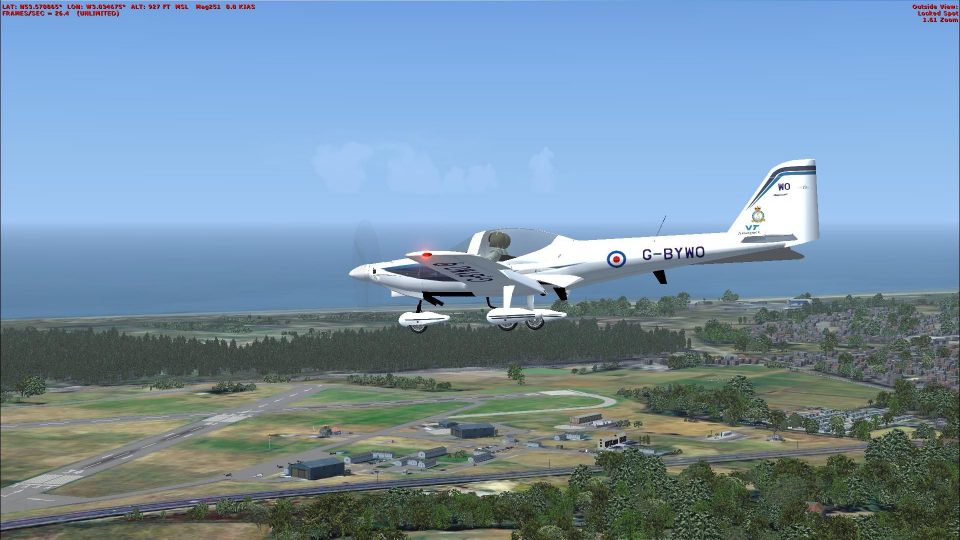
RAF Woodvale (EGOW) brings the Merseyside training airfield to life in FSX with detailed AFCAD layout, extensive custom autogen, and animated road traffic on approach. Seven AI aircraft fly realistic circuits, featuring six Grob Tutor trainers plus a Vigilant motor glider, and it requires Horizon UK VFR GenX v2.
 Rate
Rate
 United Kingdom
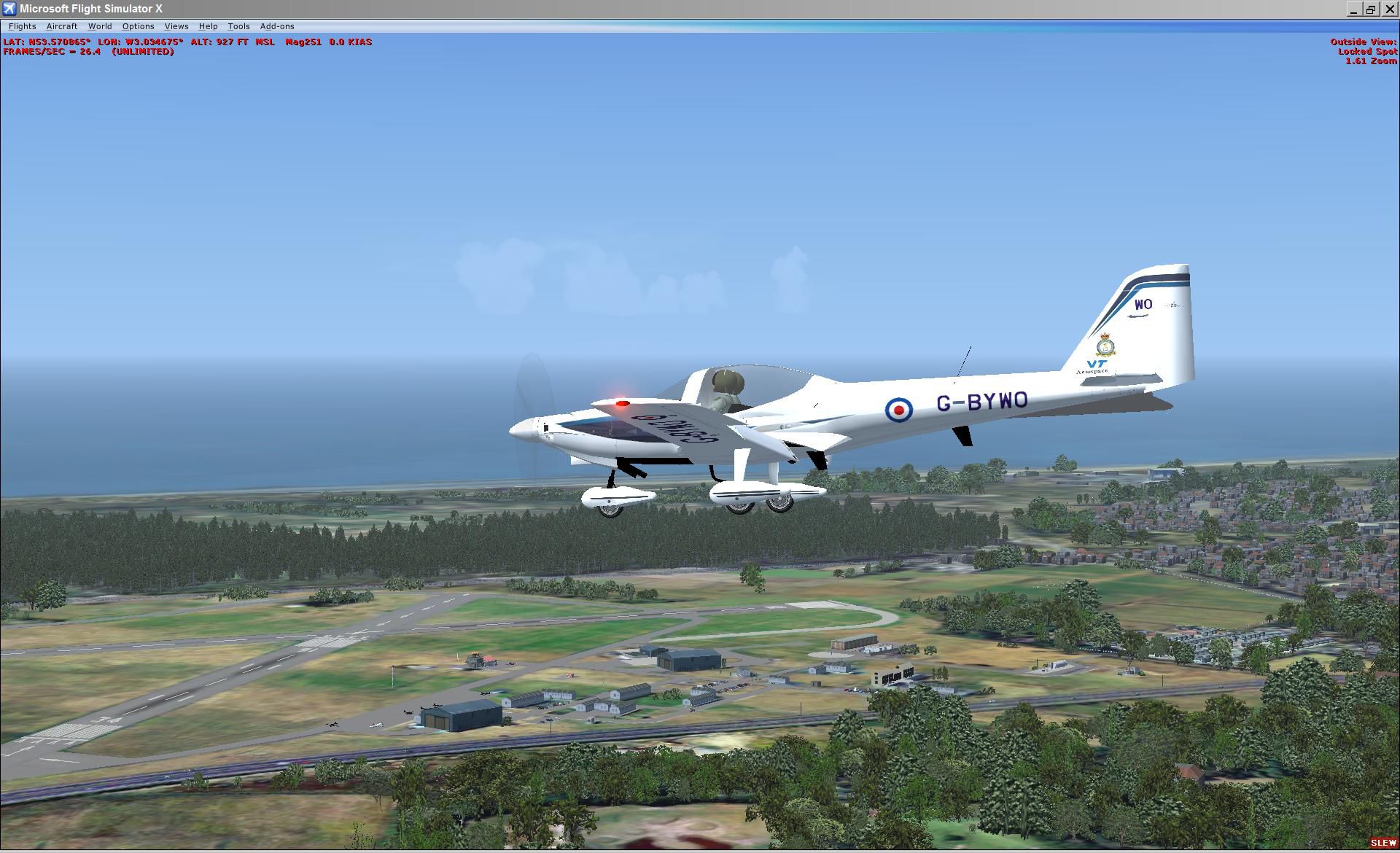
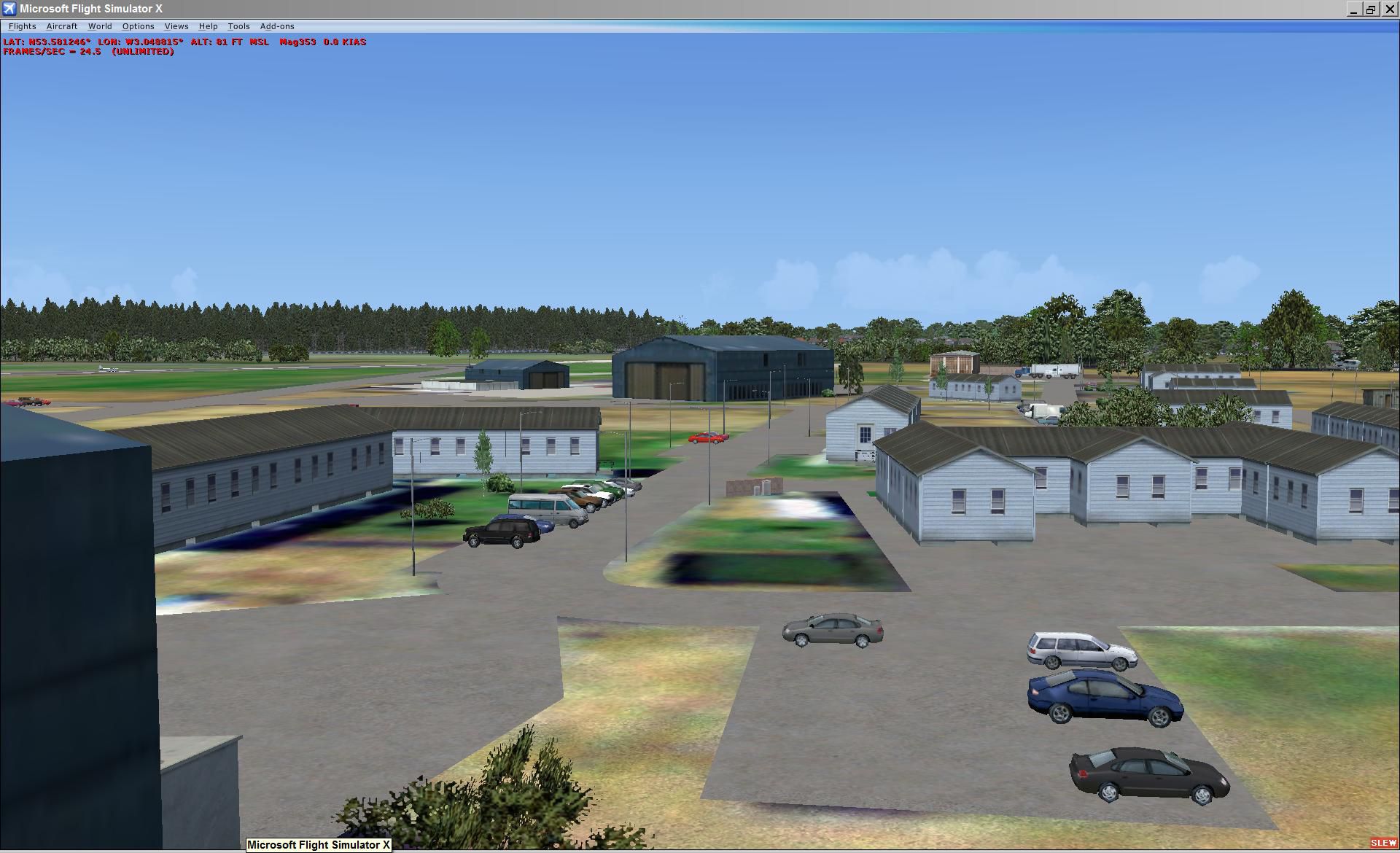
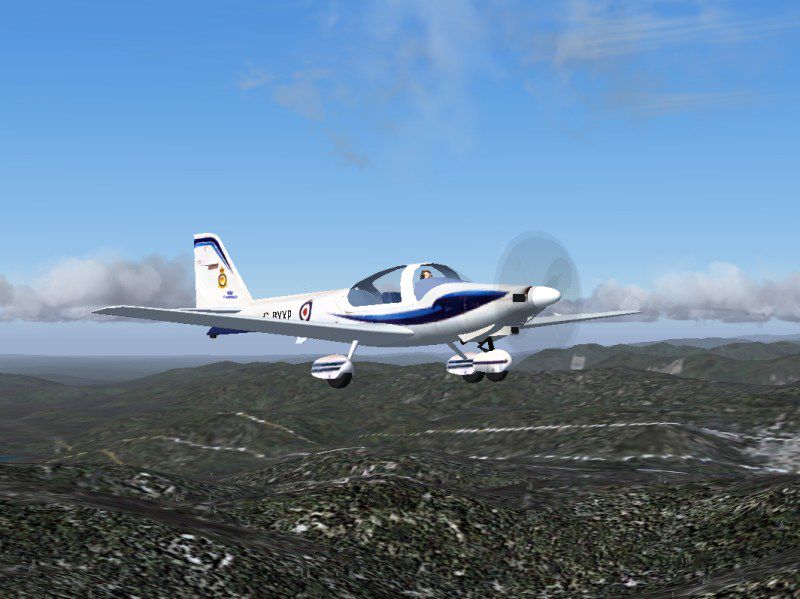
RAF Woodvale UK Scenery for FSX and GenX. EGOW RAF Woodvale for FSX and GenX UK scenery. RAF Woodvale, near Southport, Merseyside, UK. With moving road traffic, six Grobs and a Vigilant motor glider performing circuits. Includes a considerable quantity of 'custom' autogen buildings. Designed for use with the Horizon UK GenX v2 VFR UK scenery.
RAF Woodvale Scenery.
Copy the 'Grob115' folder to your FSX 'SimObjects/Airplanes' folder. This folder includes both David Garwood's Grob Tutor and Andy Nott's two university paints for the aircraft.
Copy the 'Grob Vigilant' folder to your FSX 'SimObjects/Airplanes' folder. This is Bob May's Vigilant motor glider. Since these two aircraft are intended for ai use only, I have not included panels, however FSX does use sound files for ai, so I have included a suitable sound folder for each.
Do not rename these two aircraft folders - the ai Traffic file expects to find these two folder names to display the seven ai aircraft in the pattern.
Copy the main 'RAF Woodvale EGOW' folder with its 'Scenery' and 'Texture' folders to your 'FSX/Addon Scenery' folder. The complete path should read 'X:\FSX\Addon Scenery\RAF Woodvale EGOW' where 'X' is your FSX partition. The texture folder is currently empty - but its inclusion may prevent problems later.
The 80 agn files should be placed in the folder:
VFR-Gen-X-2.0\Volume3\Area1\2.4m Photo\Texture
- the address on my FSX installation is:
D:\FSX\VFR-Gen-X-2.0\Volume3\Area1\2.4m Photo\Texture
You may overwrite any existing agn files without causing any problems, (but see my warning re using those agn files with FS9) however it is always prudent to backup any files prior to overwriting should you wish to backtrack and delete any modifications at a later date.
will find these additional agn files and load them automatically with their corresponding GenX BGLs.
If you are unfortunate in having low frame rates, then these files may be removed from the GenX texture folder. They do load a considerable number of additional autogen trees and buildings, and that may reduce your frame rates too much. This reduction in the frame rate occurs mainly in turns, and I must admit that I haven't seen much of an increase in FR after their temporary removal.
I would suggest that removing or temporarily renaming the traffic file 'Wv Road Traffic.bgl' would offer a more effective increase in frame rates than disabling the autogen. Your results may be different. But if you are a committed FSX flyer like me, you may prefer to have that very realistic traffic movement on approach...having flown in a Warrior several times on that R26 approach, I consider that that moving Bypass traffic is very necessary...
Finally, add the folder 'RAF Woodvale EGOW' to your scenery listing. Any problems, contact me.
You should have the following folders & files:
'Docs' folder:
Installation.txt (This file)
Readme.txt
'GenX agn Textures' Folder:
80 agn files
'Grob115 Folder:
Dave Garwood's Grob115 aircraft
with Andy's local textures
'Grob Vigilant' Folder:
Bob May's Vigilant motor glider
'Pics' Folder:
Two jpgs from this scenery
'RAF Woodvale EGOW' Folder - two folders, 'Scenery' & 'Texture':
'Scenery' Folder: 4 files -
1. cvxEGOW.bgl
2. EGOW_ADEX_ADE.bgl
3. Traffic_Six_WvGrobs.bgl
4. Wv Road Traffic.bgl
'Texture' Folder: Empty
Bill Cusick
Formby, UK
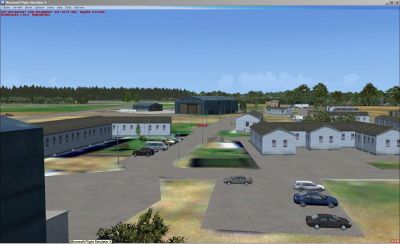
RAF Woodvale Scenery.
Free for all simmers · 3.34 MB · Scanned clean Oct 2026
Download speed: Free tier is capped at 0.5 Mbps. PRO members download at full line speed.
FSX\Addon Scenery\ containing scenery and texture sub-folders.readme.txt or README file. It tells you exactly where files go, what dependencies are needed, and any quirks specific to this add-on.Use these coordinates to fly directly to this location once the mod is installed.
53.58000000,-3.06000000
Launch FSX or Prepar3D and use Flights → Load to open the downloaded .pln file. Your aircraft will be positioned at this location.
The archive rafwoodvaleegow.zip has 138 files and directories contained within it.
This list displays the first 500 files in the package. If the package has more, you will need to download it to view them.
| Filename/Directory | File Date | File Size |
|---|---|---|
| RAF Woodvale 2009 | 11.08.09 | 0 B |
| Docs | 11.08.09 | 0 B |
| Installation.txt | 11.15.09 | 3.12 kB |
| Readme.txt | 11.15.09 | 16.53 kB |
| Genx agn Textures | 11.08.09 | 0 B |
| 010331122303331an.agn | 10.21.09 | 148 B |
| 010331122303333an.agn | 10.21.09 | 1.92 kB |
| 010331122312033an.agn | 02.06.09 | 2.60 kB |
| 010331122312120an.agn | 02.06.09 | 584 B |
| 010331122312122an.agn | 02.06.09 | 4.87 kB |
| 010331122312123an.agn | 02.06.09 | 968 B |
| 010331122312130an.agn | 02.06.09 | 1.49 kB |
| 010331122312131an.agn | 02.06.09 | 1.96 kB |
| 010331122312132an.agn | 02.06.09 | 2.37 kB |
| 010331122312203an.agn | 02.06.09 | 2.07 kB |
| 010331122312210an.agn | 02.06.09 | 1.59 kB |
| 010331122312211an.agn | 02.06.09 | 968 B |
| 010331122312213an.agn | 02.06.09 | 376 B |
| 010331122312220an.agn | 02.06.09 | 3.12 kB |
| 010331122312221an.agn | 02.06.09 | 232 B |
| 010331122312223an.agn | 02.06.09 | 2.34 kB |
| 010331122312230an.agn | 02.06.09 | 296 B |
| 010331122312231an.agn | 02.06.09 | 1.88 kB |
| 010331122312232an.agn | 02.06.09 | 664 B |
| 010331122312233an.agn | 02.06.09 | 584 B |
| 010331122312300an.agn | 02.06.09 | 1.99 kB |
| 010331122312301an.agn | 02.06.09 | 2.62 kB |
| 010331122312302an.agn | 02.06.09 | 264 B |
| 010331122312303an.agn | 02.06.09 | 1000 B |
| 010331122312310an.agn | 02.06.09 | 9.24 kB |
| 010331122312312an.agn | 02.06.09 | 584 B |
| 010331122312320an.agn | 02.06.09 | 1.37 kB |
| 010331122313333an.agn | 02.06.09 | 648 B |
| 010331122321110an.agn | 11.14.09 | 560 B |
| 010331122321111an.agn | 11.14.09 | 9.84 kB |
| 010331122321112an.agn | 11.14.09 | 512 B |
| 010331122321113an.agn | 11.14.09 | 14.42 kB |
| 010331122321121an.agn | 11.14.09 | 200 B |
| 010331122321122an.agn | 11.14.09 | 180 B |
| 010331122321123an.agn | 11.14.09 | 896 B |
| 010331122321130an.agn | 11.14.09 | 444 B |
| 010331122321131an.agn | 11.14.09 | 1.07 kB |
| 010331122321132an.agn | 11.14.09 | 4.86 kB |
| 010331122321133an.agn | 11.14.09 | 8.40 kB |
| 010331122321300an.agn | 11.14.09 | 576 B |
| 010331122321301an.agn | 11.14.09 | 17.46 kB |
| 010331122321302an.agn | 11.14.09 | 1.17 kB |
| 010331122321303an.agn | 11.14.09 | 25.50 kB |
| 010331122321310an.agn | 11.14.09 | 23.62 kB |
| 010331122321311an.agn | 11.14.09 | 28.93 kB |
| 010331122321312an.agn | 11.14.09 | 30.12 kB |
| 010331122321313an.agn | 11.14.09 | 33.71 kB |
| 010331122321320an.agn | 11.14.09 | 612 B |
| 010331122321321an.agn | 11.14.09 | 6.00 kB |
| 010331122321330an.agn | 11.14.09 | 4.38 kB |
| 010331122321331an.agn | 11.14.09 | 1.96 kB |
| 010331122321332an.agn | 11.14.09 | 2.53 kB |
| 010331122321333an.agn | 11.14.09 | 4.16 kB |
| 010331122323110an.agn | 11.14.09 | 1.61 kB |
| 010331122323111an.agn | 11.14.09 | 17.37 kB |
| 010331122323113an.agn | 11.14.09 | 292 B |
| 010331122330000an.agn | 10.26.09 | 16.19 kB |
| 010331122330001an.agn | 10.26.09 | 13.62 kB |
| 010331122330002an.agn | 10.26.09 | 33.18 kB |
| 010331122330003an.agn | 10.26.09 | 3.30 kB |
| 010331122330010an.agn | 10.26.09 | 1.96 kB |
| 010331122330012an.agn | 10.26.09 | 208 B |
| 010331122330013an.agn | 10.26.09 | 216 B |
| 010331122330020an.agn | 10.26.09 | 12.77 kB |
| 010331122330021an.agn | 10.26.09 | 304 B |
| 010331122330022an.agn | 10.26.09 | 1.82 kB |
| 010331122330023an.agn | 10.26.09 | 200 B |
| 010331122330030an.agn | 10.26.09 | 148 B |
| 010331122330032an.agn | 10.26.09 | 132 B |
| 010331122330200an.agn | 10.26.09 | 1.32 kB |
| 010331122330202an.agn | 10.26.09 | 2.12 kB |
| 010331122330203an.agn | 10.26.09 | 624 B |
| 010331122330220an.agn | 10.26.09 | 356 B |
| 010331122330222an.agn | 10.26.09 | 416 B |
| 010331122330223an.agn | 10.26.09 | 260 B |
| 010331122332000an.agn | 10.26.09 | 268 B |
| 010331122332001an.agn | 10.26.09 | 756 B |
| 010331122332002an.agn | 10.26.09 | 156 B |
| 010331122332003an.agn | 10.26.09 | 208 B |
| 010331122332010an.agn | 10.26.09 | 216 B |
| Grob Vigilant | 11.08.09 | 0 B |
| aircraft.cfg | 07.03.09 | 9.21 kB |
| model | 11.08.09 | 0 B |
| model.cfg | 03.09.09 | 20 B |
| vig.asm | 03.09.09 | 4.35 kB |
| vig.log | 03.09.09 | 30.42 kB |
| vig.mdl | 03.09.09 | 404.73 kB |
| vig.x | 03.09.09 | 700.89 kB |
| vig_0.asm | 03.09.09 | 1014.66 kB |
| vig_1.asm | 03.09.09 | 980.09 kB |
| vig_interior.x | 03.09.09 | 700.89 kB |
| sound | 11.08.09 | 0 B |
| sound.cfg | 12.08.01 | 47 B |
| Texture.663 VGS | 11.08.09 | 0 B |
| 1_t.bmp | 03.09.09 | 1.00 MB |
| Prop.bmp | 03.09.09 | 16.07 kB |
| vig.air | 03.09.09 | 7.49 kB |
| Grob115 | 11.08.09 | 0 B |
| Aircraft.cfg | 07.03.09 | 13.59 kB |
| Grob Readme.txt | 02.25.07 | 1008 B |
| grob.air | 06.08.06 | 8.73 kB |
| Grob.gif | 02.24.07 | 11.98 kB |
| Grob_Tutor.jpg | 02.24.07 | 84.05 kB |
| model | 11.08.09 | 0 B |
| grob.mdl | 08.24.02 | 853.42 kB |
| model.cfg | 06.19.02 | 21 B |
| sound | 11.08.09 | 0 B |
| sound.cfg | 07.03.09 | 51 B |
| texture | 11.08.09 | 0 B |
| $dash.bmp | 02.13.02 | 384.05 kB |
| $dash2.bmp | 02.13.02 | 384.05 kB |
| 1$dash.bmp | 02.13.02 | 384.05 kB |
| 1$dash2.bmp | 02.13.02 | 384.05 kB |
| dash.bmp | 12.27.01 | 1.00 MB |
| interior1_t.bmp | 12.15.01 | 170.74 kB |
| panel.bmp | 02.11.02 | 1.45 MB |
| Prop_Pa28_180.bmp | 12.09.01 | 16.07 kB |
| texture_t.bmp | 08.24.02 | 1.33 MB |
| Textures Readme.txt | 07.03.09 | 448 B |
| Textures.txt | 07.03.09 | 216 B |
| thumb.jpg | 02.14.05 | 15.36 kB |
| Pics | 11.08.09 | 0 B |
| Woodvale01.jpg | 11.07.09 | 286.56 kB |
| Woodvale02.jpg | 11.07.09 | 250.84 kB |
| RAF Woodvale EGOW | 11.08.09 | 0 B |
| Scenery | 11.08.09 | 0 B |
| cvxEGOW.BGL | 08.18.09 | 28.22 kB |
| Traffic_Six_WvGrobs.bgl | 07.03.09 | 1.59 kB |
| Wv Road Traffic.bgl | 11.07.09 | 4.22 kB |
| Texture | 11.08.09 | 0 B |
| EGOW_ADEX_ADE.bgl | 11.11.09 | 53.19 kB |
| flyawaysimulation.txt | 10.29.13 | 959 B |
| Go to Fly Away Simulation.url | 01.22.16 | 52 B |
Only PRO members can place votes.
More FSX & P3D add-ons hand-picked based on this download.
FSX Scenery
RAF Coningsby UK. This scenery depicts RAF Coningsby, Lincolnshire, England a…
 FSX Scenery
RAF Mildenhall (EGUN), UK. Home to the 100th ARW, RAF Mildenhall is one of th…
 FSX Scenery
RAF Mount Pleasant (EGYP) in the Falkland Islands. It includes aircraft hanga…
 FSX Scenery
Situated on the dramatic Moray Firth coastline of northern Scotland, RAF Loss…
 FSX Scenery
RAF Marham in the UK for the period circa 1993. Designed for use with the Vic…
 FSX Scenery
RAF Fairford 2009 (EGVA), UK. Built with SBuilderX, ADE and Whisplacer with r…
 FSX Scenery
Scenery RAF Marham in the UK. A very detailed, but frame rate efficient scene…
 FSX Scenery
Enhance your virtual flights over North Yorkshire with this freeware scenery …
Read what other simmers think, or add your own.

Just downloaded and run this add-on and made m'self extremely homesick !!
Can't quite see my house, but pretty close, wonderful scenery, smooth-as-silk install, thank you very much indeed.
Ian Jackson New Plymouth, NZ (Formerly of Formby)