

 FSX Scenery
Marlboro Airport
Marlboro Airport (9B1), Marlborough, Massachusetts (MA). Features adjusted ap…
Marlboro Airport (2N8) scenery recreates the long-closed field in Matawan, New Jersey, with a modified runway and stripped taxiways and structures so satellite ground textures dominate for realistic VFR reference in FSX. Object placement matches MegaScenery Earth New Jersey and Delaware 001 and works best with it, though it is not required.
 Rate
Rate
 United States of America
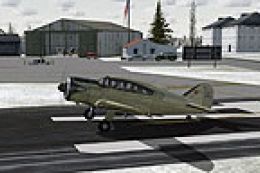
Scenery Marlboro Airport (2N8), New Jersey. Marlboro Airport in Matawan, NJ was closed in 2002. The runway has been modified to reflect its closed status and all taxiways, buildings, etc. have been stripped to show satellite textures. FSX doesn't simulate old broken down runways possibly breaking your landing gear so if you still want to hit that with a touch and go the virtual FAA won't notice. By Drew Sikora.
Scenery constructed with use of satellite images/streetview, the author has not been there in person.
This scenery is meant to be used in conjunction with MegaScenery Earth New Jersey/Delaware 001. It is not required, but apron use is minimized to allow satellite scenery to show through as much as possible, and objects are placed based on the MSE textures - lack of it may make scenery look out of place.
Airport Remarks:
- No Fuel Available.
- Wind Indicator: No.
- Closed since 2002.
Installation:
Unzip the folder 2N8 to wherever you stash your add-on scenery, then activate within the FSX scenery library.
This airport uses no external scenery objects.
NOTE: the airport AD2 file in the main airport directory is the Airport Design Editor file for anyone that wants to further tweak the airport.
Disclaimer:
There is no reason installation of this scenery should harm your computer. I will not be held responsible for any damage occured to your computer as result of installing this scenery. Use at your own risk.
Free for all simmers · 197.58 KB · Scanned clean Oct 2026
Download speed: Free tier is capped at 0.5 Mbps. PRO members download at full line speed.
FSX\Addon Scenery\ containing scenery and texture sub-folders.readme.txt or README file. It tells you exactly where files go, what dependencies are needed, and any quirks specific to this add-on.Use these coordinates to fly directly to this location once the mod is installed.
40.33138900,-74.29138900
Launch FSX or Prepar3D and use Flights → Load to open the downloaded .pln file. Your aircraft will be positioned at this location.
The archive 2n8.zip has 8 files and directories contained within it.
This list displays the first 500 files in the package. If the package has more, you will need to download it to view them.
| Filename/Directory | File Date | File Size |
|---|---|---|
| 2N8 | 10.24.10 | 0 B |
| 2N8_ADEX_DS.ad2 | 10.24.10 | 197.13 kB |
| Scenery | 10.24.10 | 0 B |
| 2N8_ADEX_DS.BGL | 10.24.10 | 917 B |
| 2N8_ADEX_DS_CVX.bgl | 10.24.10 | 228 B |
| ReadMe.txt | 10.24.10 | 2.10 kB |
| flyawaysimulation.txt | 10.29.13 | 959 B |
| Go to Fly Away Simulation.url | 01.22.16 | 52 B |
Only PRO members can place votes.
More FSX & P3D add-ons hand-picked based on this download.
FSX Scenery
Marlboro Airport (9B1), Marlborough, Massachusetts (MA). Features adjusted ap…
 FSX Scenery
Princess Juliana International Airport (TNCM) in Saint Marteen, Netherlands A…
 FSX Scenery
Los Angeles Airport Scenery v3, California (CA). This photoreal scenery is a …
 FSX Scenery
Barbados International Airport (TBPB). Grantley Adams International Airport f…
 FSX Scenery
Paris Charles de Gaulle Airport (CDG, LFPG), France. The entire airport has b…
 FSX Scenery
John F. Kennedy Airport (KJFK), New York, NYU. This is a photoreal scenery re…
 FSX Scenery
Dubai International Airport (OMDB), Dubai. Includes a new passenger terminal …
 FSX Scenery
Soekarno-Hatta International Airport (WIII), Jakarta, Indonesia. An update to…
Be the first to leave a comment on this download.
Be the first to share your thoughts on this download.