

 FSX Scenery
Allegheny County Airport (KAGC)
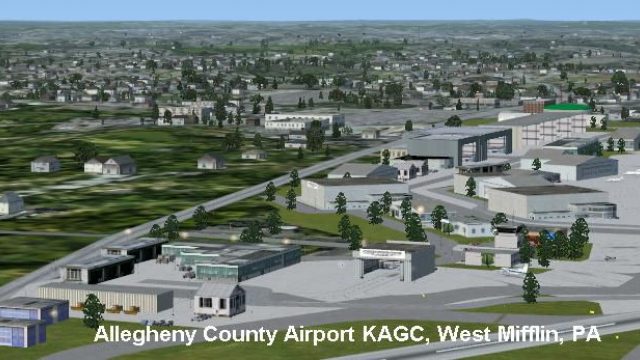
Allegheny County Airport (KAGC), West Mifflin, Pennsylvania (PA). This scener…
Allegheny County Airport (KAGC) in West Mifflin, Pennsylvania gets a refreshed rendition with updated scenery and default AI traffic, capturing a key reliever field for Pittsburgh with high annual operations. Built for FSX as an update to the earlier release, it requires KAGC_V1.ZIP and the author’s scenery library objects.
 Rate
Rate
 United States of America


Allegheny County Airport (KAGC), West Mifflin, PA, is the fifth busiest airport in Pennsylvania. This scenery is an update of the FS2004 version. Requires the FS2004 version, KAGC_V1.ZIP. By John B. Loney, Jr.
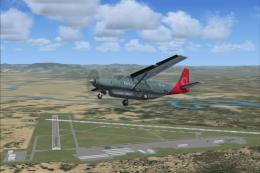
Screenshot of Allegheny County Airport.
WHAT YOU NEED:
This scenery requires the FS9 version (kagc_v1.zip). My scenery library objects are needed also.
For the FSX version, I used all default aircraft for the AI traffic.
INSTALLATION:
Unzip the FS9 version, kagc_v1.zip file to a temporary folder.
Unzip the kagcscen.zip to a temporary folder.
Look in the fs2k4_scenery folder for the KAGC folder.
Move the KAGC folder into the Addon Scenery folder of FSX.
You do not need the Document and Settings folder nor do you need the FS2004 folder.
Now unzip the update zip file allegheny_county_scenery_fsx.zip to a temporary folder.
Navigate to the folder KAGC Allegheny County.
Open the scenery folder and move the contents to the scenery folder in the KAGC folder from the FS9 version.
Overwrite any file when asked.
Activate the scenery in FSX and you're ready to fly.
Note: This scenery was tested on SP2 only, but should work in SP1 and Acceleration.
ABOUT THE AIRPORT:
Allegheny County Airport (AGC), West Mifflin, PA, is the fifth busiest airport in Pennsylvania. The number of operations-139,000 takeoffs and landings per year-outpaces several airports that handle commercial or scheduled flights in Pennsylvania.
The Allegheny County Airport serves as the primary FAA designated reliever airport for Pittsburgh International Airport. In this role the airport supports a high volume of business and corporate-related activity.
ABOUT THE SCENERY:
I designed Allegheny in August of 2005 for FS9. I had the intention of updating it for FSX, but never got around to it until now when I was asked about the facility. I figured I'd better do the update or it might not get done anytime soon. I hope you enjoy it.
THANKS TO:
David J Zumbo who suggested the scenery for FSX.
This scenery is freeware. You do not have my permission to make any monetary gain from this scenery. It started out as freeware and it shall remain freeware.
This scenery can be bundled with any modification to the scenery as long as the proper credit is given to the authors of the scenery and components of the scenery and the original readme file is included with the modification.
I do not accept any responsibility for any damage to any system as a result of running this software.
Have fun and enjoy.
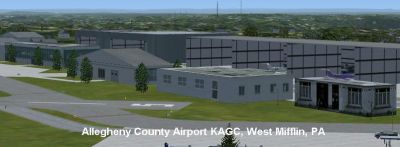
Screenshot of Allegheny County Airport.
Free for all simmers · 616.43 KB · Scanned clean Oct 2026
Download speed: Free tier is capped at 0.5 Mbps. PRO members download at full line speed.
FSX\Addon Scenery\ containing scenery and texture sub-folders.readme.txt or README file. It tells you exactly where files go, what dependencies are needed, and any quirks specific to this add-on.Use these coordinates to fly directly to this location once the mod is installed.
40.35440000,-79.93020000
Launch FSX or Prepar3D and use Flights → Load to open the downloaded .pln file. Your aircraft will be positioned at this location.
The archive allegheny_county_kagc_fsx.zip has 9 files and directories contained within it.
This list displays the first 500 files in the package. If the package has more, you will need to download it to view them.
| Filename/Directory | File Date | File Size |
|---|---|---|
| screenshots.zip | 11.17.10 | 243.01 kB |
| allegheny_county_scenery_fsx.zip | 11.16.10 | 16.90 kB |
| FILE_ID.DIZ | 11.17.10 | 216 B |
| kagc_fsx_1.jpg | 11.17.10 | 66.49 kB |
| kagc_fsx_2.jpg | 11.17.10 | 43.07 kB |
| Readme.doc | 11.17.10 | 275.50 kB |
| readme.txt | 11.17.10 | 4.47 kB |
| flyawaysimulation.txt | 10.29.13 | 959 B |
| Go to Fly Away Simulation.url | 01.22.16 | 52 B |
Only PRO members can place votes.
More FSX & P3D add-ons hand-picked based on this download.
FSX Scenery
Allegheny County Airport (KAGC), West Mifflin, Pennsylvania (PA). This scener…
 FSX Scenery
Saratoga County Airport, New York (5B2) v2.0 for FSX Acceleration. Located in…
FSX Scenery
Aspen-Pitkin County Airport Scenery (KASE), Colorado (CO). This scenery adds …
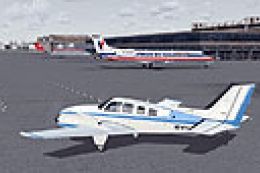 FSX Scenery
Westchester County Airport (KPHN), White Plains, New York (NY). An improved v…
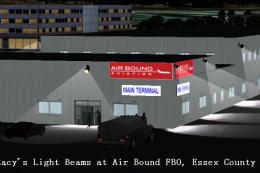 FSX Scenery
Essex County Airport NJ (IATA: CDW, ICAO: KCDW, FAA LID: CDW) is a public air…
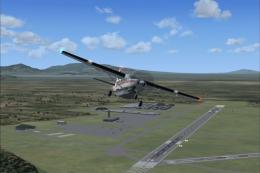 FSX Scenery
Charles M. Schulz - Sonoma County Airport (KSTS), Santa Rosa, California (CA)…
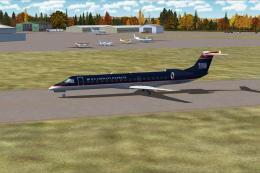 FSX Scenery
Ithaca-Tomkins County Airport (KITH), New York (NY). Here is an improved vers…
 FSX Scenery
Napa County Airport (KAPC), Napa, California (CA). A scenery update for Napa …
Be the first to leave a comment on this download.
Be the first to share your thoughts on this download.