

 FSX Turboprops
Sounds Air Cessna 208B Caravan
This repaint offers a distinctive Sounds Air livery for the default Cessna 20…
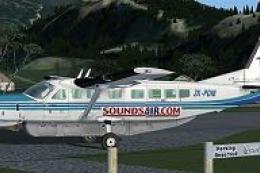
Sounds Air Shuttle livery brings a faithful New Zealand regional look to the default Cessna 208B Grand Caravan, with crisp markings that suit short-hop passenger and cargo operations. Built for Microsoft Flight Simulator X, it refreshes the exterior while retaining the stock virtual cockpit and systems, and requires the default Caravan base aircraft.
 Rate
Rate
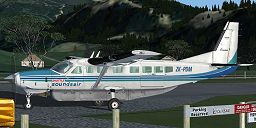
This enhanced repaint set for Microsoft Flight Simulator X provides a specialized Sounds Air Shuttle livery for the default Cessna 208B Caravan. It was meticulously created by Jon Murchison to capture the airline’s distinctive color scheme. Enthusiasts who are interested in the high-wing, single-engine turboprop design of the Cessna 208B will find this repaint adds another level of authenticity. It does not include the base model but can be paired with the default aircraft files. All texture files in this package remain freeware.
Sounds Air is a regional carrier known for ferrying passengers across scenic routes, especially within New Zealand’s rugged landscapes. By combining practical operations with shorter flight sectors, this airline sees a lot of action from the versatile Caravan. The 208B’s large cargo door and sturdy airframe design (based around the PT6A turboprop) make it perfect for these shuttle missions. With this repaint, you can emulate real-world schedules or craft your own cross-country expeditions.
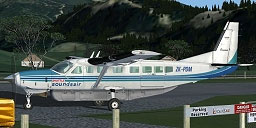
Screenshot of the Sounds Air Shuttle Cessna 208B Caravan with uniquely detailed textures.
In order to make the most of this repaint, you need the default Cessna 208B Grand Caravan included in Microsoft Flight Simulator X. The steps below outline how to integrate the textures. If you wish to find the base model, you can locate it in the Fly Away Simulation mod library.
[fltsim.x]
title=Cessna Grand Caravan "Sounds Air - Shuttle"
sim=Cessna208B
model=
panel=
sound=
texture=SOUNDSAIR_SHUT
kb_checklists=Cessna208B_Check
kb_reference=Cessna208B_ref
atc_id=ZK-PDM
atc_id_color=0xff000000
atc_parking_types=RAMP
ui_manufacturer="Cessna"
ui_type="C208B Grand Caravan"
ui_variation="Sounds Air - Shuttle"
ui_typerole="Single Engine TurboProp"
ui_createdby="Microsoft Corporation"
description="Wherever you want to go today, the Cessna Caravan can get you there. First introduced by Cessna in 1985, the Caravan was designed to land nearly anywhere, on land or water. Undoubtedly, it has lived up to its creators' intentions. Whether supplies need to be brought to a flooded village in the mountains of Peru, an injured person needs to be flown out from a remote lake in Alaska, or an archeologist wants access to a tiny site in the African desert, the Caravan has what's needed to do the job."
This entire repaint project has been authored by Jon Murchison. It is distributed free of charge, so flightsimmers can expand their collection without any cost. As it only supplies exterior visuals, you must possess the original default Caravan files to fully experience the new graphics. With these steps completed, you are ready to shuttle passengers just like the real Sounds Air fleet. Enjoy the crisp textures and the unique look of this genuine airline livery.
Free for all simmers · 1.19 MB · Scanned clean Oct 2026
Download speed: Free tier is capped at 0.5 Mbps. PRO members download at full line speed.
texture.{airline}) inside FSX\SimObjects\Airplanes\{base-aircraft}\.aircraft.cfg in Notepad. Add a new [fltsim.X] section per the readme.readme.txt or README file. It tells you exactly where files go, what dependencies are needed, and any quirks specific to this add-on.The archive arnxz208.zip has 8 files and directories contained within it.
This list displays the first 500 files in the package. If the package has more, you will need to download it to view them.
| Filename/Directory | File Date | File Size |
|---|---|---|
| C208_T.dds | 06.10.07 | 1.00 MB |
| C208_T_Spec.dds | 09.04.06 | 1.33 MB |
| texture.cfg | 08.14.06 | 137 B |
| texture.SOUNDSAIR_SHUT | 06.10.07 | 0 B |
| README _INSTALL.txt | 06.11.07 | 2.29 kB |
| thumbnail.jpg | 06.11.07 | 33.13 kB |
| flyawaysimulation.txt | 10.29.13 | 959 B |
| Go to Fly Away Simulation.url | 01.22.16 | 52 B |
Only PRO members can place votes.
More FSX & P3D add-ons hand-picked based on this download.
FSX Turboprops
This repaint offers a distinctive Sounds Air livery for the default Cessna 20…
 FSX Turboprops
This Cessna 208B repaint showcases the latest Sounds Air livery (registration…
 FSX Turboprops
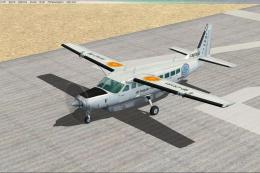
Air Baguio Cessna 208B Grand Caravan, registration RP-C8181. Textures only fo…
 FSX Turboprops
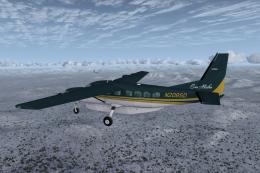
This is one of the original aircraft flown on the Discovery Channel show, "Fl…
 FSX Turboprops
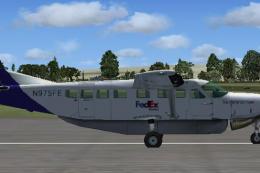
FedEx Cessna 208B Grand Caravan. A repaint by Bashir Ismail of the default Ce…
 FSX Turboprops
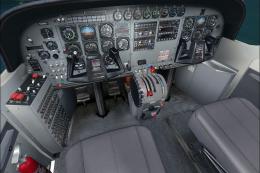
Experience a refined look for the venerable Cessna 208B Caravan in Microsoft …
 FSX Turboprops
Textures only for the default C208B. Repaint by Mike Lanza. Screenshot of Red…
 FSX Turboprops
SafariLink Cessna 208B Grand Caravan. This repaint by Bashir Ismail of the de…
Be the first to leave a comment on this download.
Be the first to share your thoughts on this download.