

 FSX Military Aircraft
SAAF Cessna 208B Grand Caravan SWC2010
The Cessna 208B Grand Caravan is a robust single-engine turboprop renowned fo…
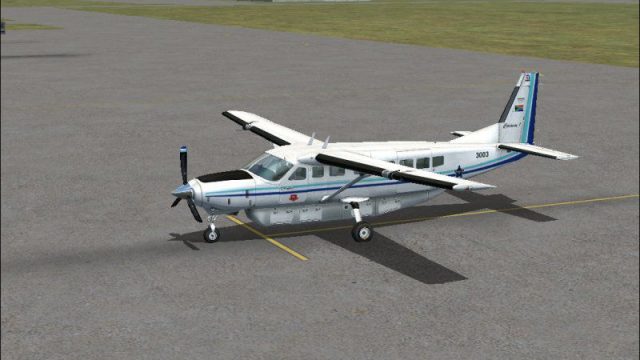
SAAF 41 Squadron’s Cessna 208B Grand Caravan livery recreates aircraft 3003 with the classic Eagle Castle insignia, dark-blue and arctic-blue striping, tailfin national flag, and “The Pointers” emblem for convincing South African Air Force ramp presence. Built for the default Caravan in Microsoft Flight Simulator X, it requires the stock C208B model.
 Rate
Rate
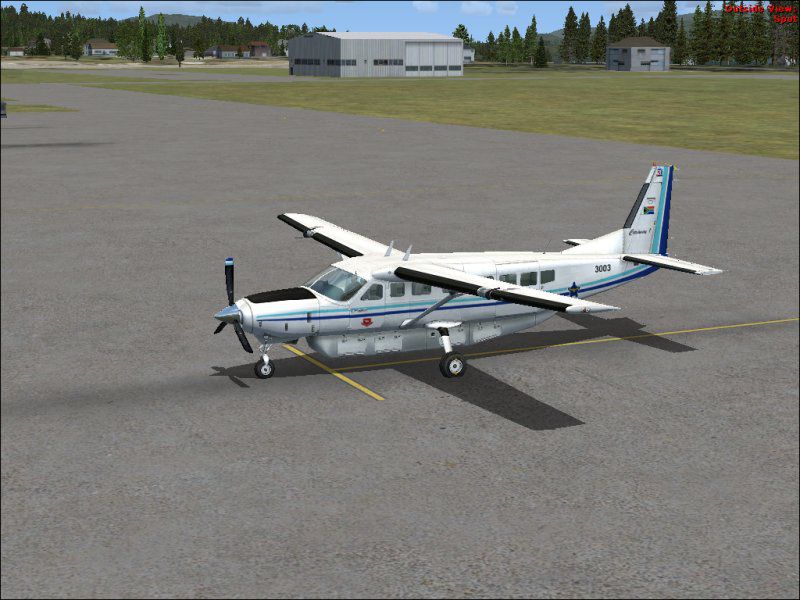


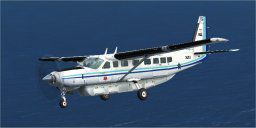
This package introduces a distinctive paint scheme representing the SAAF 41 Squadron’s Cessna 208B Grand Caravan (#3003) adorned with the older Eagle Castle insignia. The repaint was created by Morné Pieters and applies to the default Cessna 208B model in Microsoft Flight Simulator X. It showcases authentic South African Air Force markings, featuring a national flag on the tailfin, along with a dark-blue and arctic-blue fuselage stripe set and nostalgic eagle castle emblem on the fuselage.
The real-world Cessna 208B Grand Caravan is a single-engine turboprop designed to serve remote regions and short-haul routes. With its robust fixed gear and capacity for nine passengers plus one crew member, it sees use in both civilian and military applications. The South African Air Force (SAAF) first acquired the type in 1988, employing civilian registrations initially before introducing exclusive military identifiers, which are now reflected in this specially painted livery.
This livery embraces historical SAAF visuals. The fuselage bears the vintage eagle castle roundel, while the aircraft serial number appears near the horizontal tailplane. You will also find the The Pointers (41 Squadron) emblem adjacent to the door, adding more realism. A suitably painted glare shield on the nose complements the color separation. The tailfin includes the striking South African national flag, preserving the aircraft’s operational identity within SAAF service.
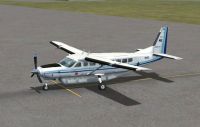
SAAF Cessna 208B Grand Caravan.
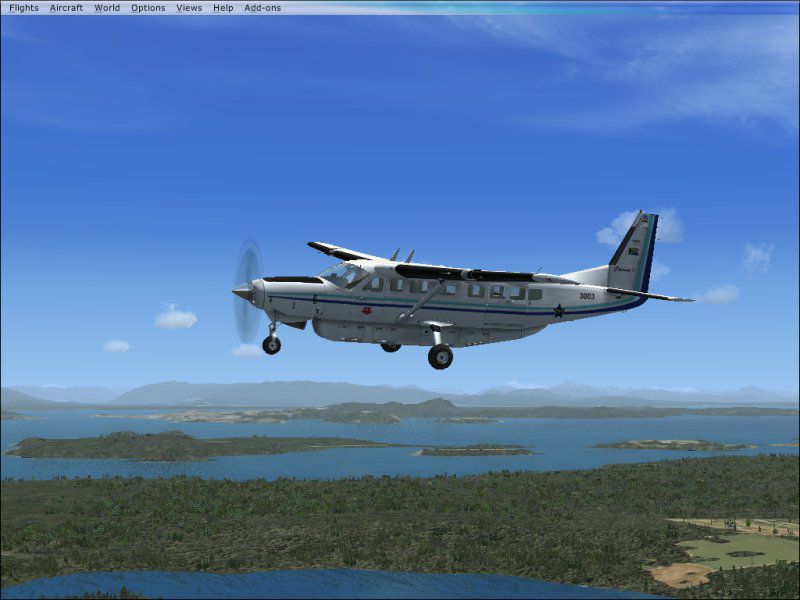
This repaint was meticulously crafted by Morné Pieters and pays tribute to the history of the SAAF’s 41 Squadron, commonly known as The Pointers. The illustration of the legacy eagle castle insignia retains the charm seen when these aircraft were introduced. Several screenshots and one real photo have been included to give a solid impression of the final outcome.
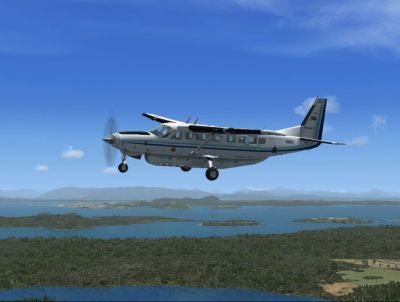
SAAF Cessna 208B Grand Caravan in flight.
The repaint is structured to fit one of the original aircraft options in Microsoft Flight Simulator X, specifically the stock Cessna 208B Grand Caravan. It does not require any additional downloads apart from the core model already available. The steps below outline how to incorporate these textures into your existing simulator setup:
[fltsim.XX]
title=Cessna Grand Caravan_South African Air Force 41 Squadron - 3003
sim=Cessna208B
model=
panel=
sound=
texture=SAAF_41 Squadron_3003_Old
kb_checklists=Cessna208B_Check
kb_reference=Cessna208B_ref
atc_airline=Airforce
atc_id_color=0xff000000
atc_parking_types=RAMP
ui_manufacturer="Cessna"
ui_type="C208B Grand Caravan"
ui_variation="South African Air Force 41 Squadron - 3003 (Old Eagle Castle Insignia)"
ui_typerole="Single Engine TurboProp"
ui_createdby="Microsoft Corporation"
description=
Textures repainted by Morné Pieters

"Wherever you want to go today, the Cessna Caravan can get you there. First introduced by Cessna in 1985, the Caravan was designed to land nearly anywhere, on land or water. Undoubtedly, it has lived up to its creators' intentions. Whether supplies need to be brought to a flooded village in the mountains of Peru, an injured person needs to be flown out from a remote lake in Alaska, or an archaeologist wants access to a tiny site in the African desert, the Caravan has what's needed to do the job."
In Microsoft Flight Simulator X, look under your Cessna aircraft choices to find “South African Air Force 41 Squadron - 3003 (Old Eagle Castle Insignia).”
This freeware repaint is contributed by Morné Pieters and made available for fellow flight simulation enthusiasts. Many thanks are extended to Microsoft for providing the default aircraft. This work also acknowledges Andrew McGowin’s modifications to the default FSX white/blank textures. Feel free to modify or enhance this repaint as you see fit. This version came to light following a request by “C208 aka Robert,” whose perseverance ensured the project’s completion.
Contact details for questions or suggestions are included in the README. Enjoy the repaint, and may your virtual flights be both immersive and rewarding.
Free for all simmers · 2.24 MB · Scanned clean Oct 2026
Download speed: Free tier is capped at 0.5 Mbps. PRO members download at full line speed.
texture.{airline}) inside FSX\SimObjects\Airplanes\{base-aircraft}\.aircraft.cfg in Notepad. Add a new [fltsim.X] section per the readme.readme.txt or README file. It tells you exactly where files go, what dependencies are needed, and any quirks specific to this add-on.The archive fsx_saaf_cessna_208_caravan_3003.zip has 18 files and directories contained within it.
This list displays the first 500 files in the package. If the package has more, you will need to download it to view them.
| Filename/Directory | File Date | File Size |
|---|---|---|
| FSX_SAAF_Cessna_208_Caravan_3003 | 06.01.10 | 0 B |
| C208_3003_Old_Castle_EAgle.jpg | 05.31.10 | 41.57 kB |
| file_id.diz | 06.01.10 | 1.09 kB |
| README!!!!!.txt | 06.01.10 | 4.61 kB |
| SAAF_Cessna_208_Caravan_3003_1.jpg | 06.01.10 | 89.72 kB |
| SAAF_Cessna_208_Caravan_3003_2.jpg | 06.01.10 | 81.21 kB |
| SAAF_Cessna_208_Caravan_3003_3.jpg | 06.01.10 | 61.97 kB |
| texture.SAAF_41 Squadron_3003_Old | 06.01.10 | 0 B |
| C208_Pilot.dds | 05.31.10 | 256.12 kB |
| C208_Spec.dds | 09.04.06 | 1.33 MB |
| C208_T.dds | 05.31.10 | 4.00 MB |
| Prop_C208B.dds | 05.26.10 | 64.12 kB |
| texture.cfg | 08.14.06 | 137 B |
| thumbnail.jpg | 05.26.10 | 6.47 kB |
| Thumbs.db | 06.01.10 | 5.00 kB |
| Thumbs.db | 06.01.10 | 20.00 kB |
| flyawaysimulation.txt | 10.29.13 | 959 B |
| Go to Fly Away Simulation.url | 01.22.16 | 52 B |
Only PRO members can place votes.
More FSX & P3D add-ons hand-picked based on this download.
FSX Military Aircraft
The Cessna 208B Grand Caravan is a robust single-engine turboprop renowned fo…
 FSX Military Aircraft
Afghan Air Force Cessna 208B Grand Caravan, textures only. Repaint of the pay…
 FSX Military Aircraft
Reworked/upgraded textures for the Eckert/Carter/Flahault North American T-6G…
 FSX Military Aircraft
The Atlas Cheetah is a fighter aircraft of the South African Air Force. It is…
 FSX Military Aircraft
FSX SAAF Atlas Aircraft Cheetah C. The aircraft is depicted in the colors of …
 FSX Military Aircraft
This freeware add-on provides a specialized repaint of the Pilatus PC-9A for …
 FSX Military Aircraft
With winglets. This repaint requires the PMDG B737-600/700 NGX expansion. Thi…
 FSX Military Aircraft
Experience a distinctive repaint of the renowned C-17 Globemaster, brought to…
Be the first to leave a comment on this download.
Be the first to share your thoughts on this download.