

 FSX Turboprops
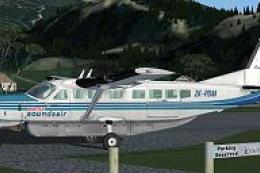
Sounds Air Shuttle Cessna 208B Caravan
This enhanced repaint set for Microsoft Flight Simulator X provides a special…
Sounds Air’s Cessna 208B Caravan livery for registration ZK-PDM brings a crisp New Zealand commuter look to the default Grand Caravan in Microsoft Flight Simulator X, with accurate titles, tail markings, and refined fuselage detailing. It preserves the stock turboprop sounds and flight dynamics for smooth performance, and requires the base default C208B model.
 Rate
Rate
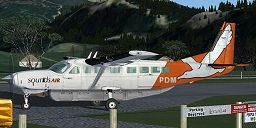
This Cessna 208B repaint showcases the latest Sounds Air livery (registration ZK-PDM) and brings an authentic New Zealand commuter aesthetic into Microsoft Flight Simulator X. Offering a fine balance between realism and performance, these freeware textures were created by Jon Murchison and apply exclusively to the default Cessna 208B. Note that you will need the base model (available in the Fly Away Simulation library) for full functionality.
Sounds Air operates short-haul flights across scenic regions of New Zealand, relying on the versatile Cessna 208B Caravan to navigate through varied landscapes. Their liveries typically include bold titles and brightly colored accents. Registration ZK-PDM is among their fleet, ensuring travelers enjoy low-altitude journeys that highlight New Zealand’s natural beauty. This repaint captures the airline’s characteristic design elements, giving flight simulator enthusiasts an immersive representation of Sounds Air’s service.
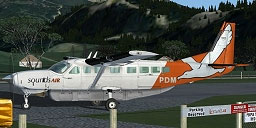
Visual preview of the repainted Sounds Air Cessna 208B.
This repaint package integrates seamlessly with the default 208B model found in Microsoft Flight Simulator X. It is fully optimized to reflect the airline’s current branding while retaining smooth performance even on lower-spec systems. It utilizes the default turboprop sounds and flight dynamics, adding a realistic exterior texture that fits the actual Grand Caravan design. The paint job includes refined fuselage markings, tail registration text, and appropriate color schemes for an accurate representation of ZK-PDM.
The textures contained in this file are FREEWARE. Redistribution or modification for commercial purposes is not permitted, in accordance with the creator’s guidelines. For any personal or group flying sessions, you can apply the repaint with minimal setup.
Texture.SOUNDSAIR” folder into your FSX “SimObjects > Airplanes > C208B” directory.aircraft.cfg” file in the same folder. Copy and paste the following block at the end of your existing [fltsim.x] entries, and then update [fltsim.x] to the next sequential number (for instance, [fltsim.5]):
[fltsim.x]
title=Cessna Grand Caravan 'Sounds Air - ZK-PDM Current Livery'
sim=Cessna208B
model=
panel=
sound=
texture=SOUNDSAIR
kb_checklists=Cessna208B_Check
kb_reference=Cessna208B_ref
atc_id=ZK-PDM
atc_id_color=0xff000000
atc_parking_types=RAMP
ui_manufacturer="Cessna"
ui_type="C208B Grand Caravan"
ui_variation=" Sounds Air - ZK-PDM"
ui_typerole="Single Engine TurboProp"
ui_createdby="Microsoft Corporation"
description="Wherever you want to go today, the Cessna Caravan can get you there..."
All textures in this repaint have been meticulously crafted by Jon Murchison. This freeware package highlights his dedication to replicating real-world aircraft finishes. Fly responsibly and enjoy the operational nuances of the Cessna 208B Caravan under the Sounds Air brand.
Free for all simmers · 1.2 MB · Scanned clean Oct 2026
Download speed: Free tier is capped at 0.5 Mbps. PRO members download at full line speed.
texture.{airline}) inside FSX\SimObjects\Airplanes\{base-aircraft}\.aircraft.cfg in Notepad. Add a new [fltsim.X] section per the readme.readme.txt or README file. It tells you exactly where files go, what dependencies are needed, and any quirks specific to this add-on.The archive arnzs206.zip has 9 files and directories contained within it.
This list displays the first 500 files in the package. If the package has more, you will need to download it to view them.
| Filename/Directory | File Date | File Size |
|---|---|---|
| C208_T.dds | 06.10.07 | 1.00 MB |
| C208_T_Spec.dds | 09.04.06 | 1.33 MB |
| texture.cfg | 08.14.06 | 137 B |
| thumbnail.jpg | 06.11.07 | 33.97 kB |
| texture.SOUNDSAIR | 06.11.07 | 0 B |
| README _INSTALL.txt | 06.11.07 | 2.31 kB |
| FILE_ID.DIZ | 06.18.07 | 140 B |
| flyawaysimulation.txt | 10.29.13 | 959 B |
| Go to Fly Away Simulation.url | 01.22.16 | 52 B |
Only PRO members can place votes.
More FSX & P3D add-ons hand-picked based on this download.
FSX Turboprops
This enhanced repaint set for Microsoft Flight Simulator X provides a special…
 FSX Turboprops
This repaint offers a distinctive Sounds Air livery for the default Cessna 20…
 FSX Turboprops
This repaint package depicts a distinctive Regional Air Services Tanzania Ces…
 FSX Turboprops
This add-on delivers a tailored Air 2 There livery for the default Cessna 208…
 FSX Turboprops
Air Baguio Cessna 208B Grand Caravan, registration RP-C8181. Textures only fo…
 FSX Turboprops
This carefully crafted repaint portrays the Sefofane Air Charters [pty] Ltd l…
 FSX Turboprops
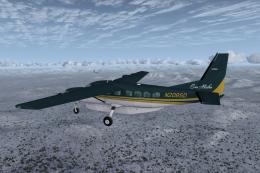
This is one of the original aircraft flown on the Discovery Channel show, "Fl…
 FSX Turboprops
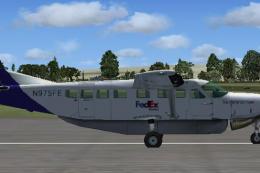
FedEx Cessna 208B Grand Caravan. A repaint by Bashir Ismail of the default Ce…
Be the first to leave a comment on this download.
Be the first to share your thoughts on this download.