


 FSX Turboprops
Beech Starship
This is the Mike Stone Beechcraft Starship updated for Flight Simulator X. Ai…
Beechcraft Starship update refreshes flight dynamics and panel behavior for smoother handling and reliable avionics in Microsoft Flight Simulator X Acceleration, using Ken Mitchell’s Starship panel. It requires the original Mike Stone Starship package SSTARSHP.ZIP and includes updated configuration files plus compatible gauges for a stable, focused 2D cockpit experience.
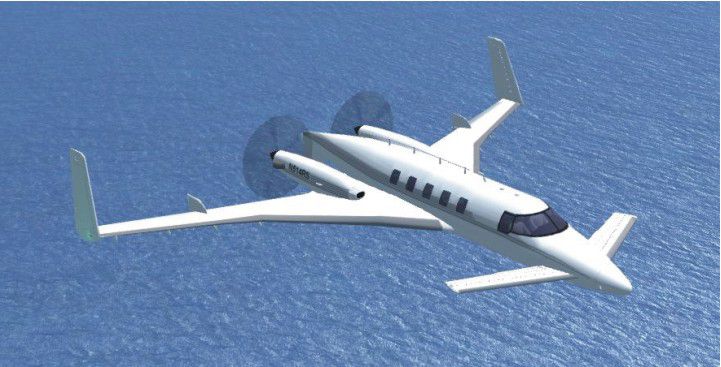
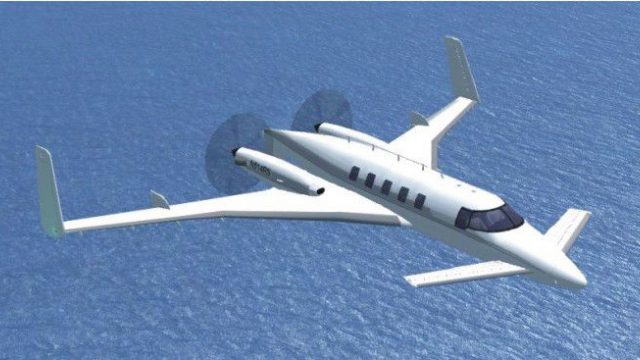
This is an update for FSX Acceleration of the Beechcraft Starship by Mike Stone. The author has updated the flight dynamics, and the panel so it works in FSX Acceleration. No virtual cockpit. You need the original aircraft for this update to work (SSTARSHP.ZIP). By Bob Chicilo.
Screenshot of Beech Starship Update in flight.
Unzip to a folder of your choice. After backing up your air and aircraft.cfg files replace them with the ones in this update. Copy the picture to the aircraft folder. After backing up your panel folder, replace it with the one in this update.
The panel is the Starship panel by Ken Mitchell for FS2004. The gauges in the panel folder can be left there or copied to the main FS gauges folder. The ones presently in the panel folder are the only ones of the original gauges that would work in FS X.
If you have not already done so, copy the .cab files from the the default panel folders that have them, to the main FS gauges folder. For some the .cab files will be .zip files as .cab files are a type of .zip file.
See [reference speeds] section of the aircraft.cfg file for operating speeds.
Anyone: You have my permission to use any of my updates with the following conditions: One, you don't try to make money with them. Two, you don't try to hurt, or take something from anyone by using them.
Bob Chicilo.
Free for all simmers · 1.02 MB · Scanned clean
Download speed: Free tier is capped at 0.5 Mbps. PRO members download at full line speed.
SimObjects\Airplanes\, Addon Scenery\, Effects\, or Gauges\.readme.txt or README file. It tells you exactly where files go, what dependencies are needed, and any quirks specific to this add-on.The archive starupxa.zip has 20 files and directories contained within it.
This list displays the first 500 files in the package. If the package has more, you will need to download it to view them.
| Filename/Directory | File Date | File Size |
|---|---|---|
| starship.air | 09.26.08 | 13.76 kB |
| CPT.F16.gau | 06.26.02 | 1.53 MB |
| cpt.icons.cab | 12.15.02 | 13.49 kB |
| cpt.toggles.777.cab | 11.07.02 | 31.20 kB |
| cpt.toggles.king.cab | 11.07.02 | 30.04 kB |
| cpt.toggles.light.old.cab | 11.07.02 | 29.15 kB |
| cpt.toggles.rocker.r.cab | 11.07.02 | 32.42 kB |
| IFR.bmp | 07.19.03 | 266.23 kB |
| MAIN.bmp | 07.20.03 | 5.49 MB |
| panel.cfg | 09.26.08 | 4.13 kB |
| STAR_EADI.gau | 07.18.03 | 2.27 MB |
| STAR_gps.gau | 12.25.01 | 320.07 kB |
| STAR_kk.gau | 05.01.02 | 48.50 kB |
| THROTTLE1.bmp | 07.20.03 | 791.21 kB |
| aircraft.cfg | 09.26.08 | 11.87 kB |
| Beech Starship.jpg | 09.26.08 | 72.44 kB |
| file_id.diz | 09.26.08 | 291 B |
| read me.txt | 09.26.08 | 1.27 kB |
| flyawaysimulation.txt | 10.29.13 | 959 B |
| Go to Fly Away Simulation.url | 01.22.16 | 52 B |
More FSX & P3D add-ons hand-picked based on this download.
FSX Turboprops
This is the Mike Stone Beechcraft Starship updated for Flight Simulator X. Ai…
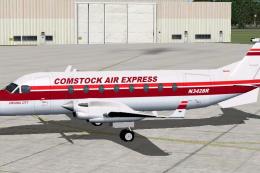 FSX Turboprops
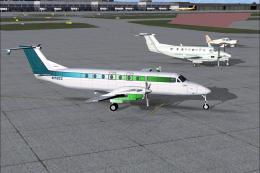
This is the Henry Tomkiewicz freeware Beechcraft 1900 made flyable in FSX by …
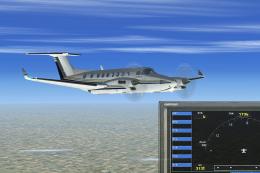 FSX Turboprops
Flight dynamic packages for Beechcraft 300 and 350 Super KingAir. These files…
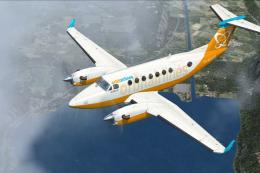 FSX Turboprops
This is a repaint of the default Beechcraft King Air 350 into Orbit Airlines …
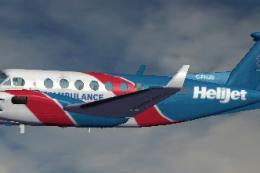 FSX Turboprops
The default airplane in Helijet ambulance livery. C-FHJO is an actual aircraf…
 FSX Turboprops
Alphonse Coletti and Sir Reginald Percival Herringbone Cutlief III, co-propri…
 FSX Turboprops
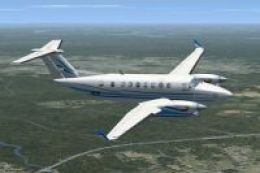
A repaint for the default Beechcraft King Air 350. By Ian Griffith. Screensho…
 FSX Turboprops
This freeware package refines the default Beechcraft King Air 350 in Microsof…
Be the first to leave a comment on this download.
Be the first to share your thoughts on this download.