


 Free Flight Simulators
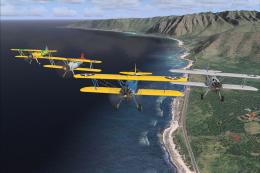
Microsoft Flight Simulator X Demo
For years, Microsoft Flight Simulator X has been one of the most commonly use…
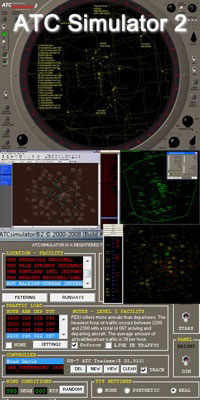
ATC Simulator 2 Demo puts you in the radar scope as an approach or departure controller across 120+ US TRACONs, with an ARTS-IIIa-inspired, photorealistic console and full command set for safe, efficient sequencing. Generate traffic, run scenarios from archived FAA data, print flight strips, and host multiplayer sessions with Microsoft Flight Simulator.
ATCsimulator®2 is the premier Air Traffic Control simulation on the market for the PC. This is as close to the REAL THING! as you can get. Don't be fooled by cheap imitations or cheesy mockups! This is a SERIOUS SIMULATION (er..game)! But, it can also be FUN! ATCsimulator®2 provides you with the most comprehensive set of programs to help boost your air traffic career, or satisfy your thirst for experiencing the REAL THING! ATCsimulator®2 has it all!
ATCsimulator®2 allows you to take on the role as Approach or Departure controller at your choice of over 120 Terminal Radar Approach Control facilities of the United States National Airspace System (NAS), or TRACONs as they are more commonly called. Your goal is to allow for the "safe and expeditious" flow of air traffic. It is your job to assist the pilots arriving at airports inside your airspace boundaries by lining them up for an approach (preparing for a landing).
ATCsimulator®2 was modeled after the ARTS-IIIa radar equipment used at the Mike Monroney Aeronautical Center(MMAC) in Oklahoma City, Radar Training Facility. All of the dials and switches are simulated with photorealistic quality, and perform all of the functions of their real-life counterpart.
ATCsimulator®2 provides many methods to allow the "safe and expeditious" flow of air traffic. There are rules governing separation laterally and vertically. You can issue climb and descents, turns, speed changes, holding instructions, visual and instrument approach clearances. You have every command you need to accomplish your task, but HOW you use those commands is entirely up to you. It's not what you know, it's how well you USE what you know.
One of the most unique features with ATCsimulator®2 is the ability to control LIVE TRAFFIC!! That's right, using Flight Explorer® in conjunction with ATCsimulator®2, you will truly experience what its like to work at some of the busiest approach control facilities in the world. This feature alone sets ATCsimulator®2 apart from any other air traffic simulation. By running Flight Explorer® in the background, and then starting ATCsimulator®2, you can choose to have the LIVE TRAFFIC!! fed straight to the simulator, providing you with the most realistic, heart-pounding experience!
One of the most popular and successful software titles in the world is Microsoft Flight Simulator. Second only to flight simulation, is air traffic control. With ATCsimulator®2, you can host a session and invite your Flight Simulator pilot friends to join you. You control the action!, you control the fun!. No waiting in line to be the "active" controller, nor is there any battery of "tests" you have to complete before you can enjoy controlling traffic. Its true realtime air traffic control on your own terms!
One of your primary goals is to achieve a higher pay based on your job performance. In the real world, controllers are expected to do a good job. Failing to do that can sometimes result in deadly consequences.
ATCsimulator®2 will now allow you to generate traffic on the fly by letting you set the level of arrivals and/or departures that you wish to challenge yourself. Or, you can still select from over 100,000 stored flights that were captured from real world FAA air traffic computer networks.
Another feature of ATCsimulator®2 is the ability to print flight strips while running a scenario. Whether it be a randomly generated scenario, or one of the stored scenarios captured from live FAA flight data, strip printing requires a simple checkbox selction. These strips are printed on your Windows compatible printer and print 10 to a page. The strips will only correspond with the active traffic in the scenario.
Although the sim comes equipped with 120 terminal areas, maybe there is a special area that you would like to control? Now, our in-house design tool is included with the ATCsimulator®2 package and will allow you to create the area of your dreams. It will also allow you to edit/update any of the existing areas as the need arises. Note: Advanced skills using other graphic application software is expected, and advanced knowledge of navigation elements is also required.
Free for all simmers · 20.4 MB · Scanned clean
Download speed: Free tier is capped at 0.5 Mbps (this file takes approximately 6 mins at the cap). PRO members download at full line speed.
readme.txt or README file. It tells you exactly where files go, what dependencies are needed, and any quirks specific to this add-on.Hand-picked add-ons similar to this download.
Free Flight Simulators
For years, Microsoft Flight Simulator X has been one of the most commonly use…
 Free Flight Simulators
PRE-Flight RC Flight Simulator has the powerful Physics and Rendering Engine …
 Free Flight Simulators
Embark on an unparalleled journey across various terrains with the Vehicle Si…
 Free Flight Simulators
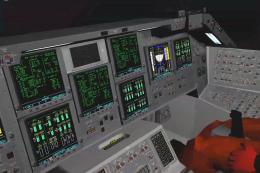
Space Shuttle Mission Simulator is the newest and most exciting Space Shuttle…
 Free Flight Simulators
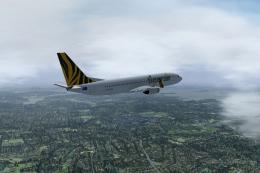
FlightGear Flight Simulator is an open-source project. Users can download it …
 Free Flight Simulators
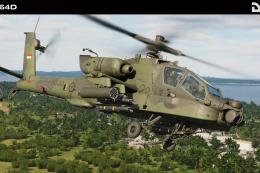
Embark on an unparalleled journey into the heart of modern and historical air…
 Free Flight Simulators
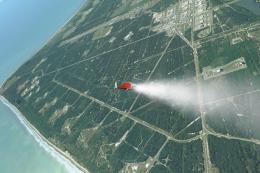
Orbiter is a unique flight simulator that lets users launch manned or unmanne…
 Free Flight Simulators
A demo version of the latest X-Plane version 12 (XP12) released in September …
Read what other simmers think, or add your own.

I have had this program off & on for a long long time. I believe this is one of the better if not the best simulator I’ve ever played. I have Tower 3, & ATC Pro.
I lost my ATC Simulator 2 due to my computer crashing. Trying to find a site where I can download ATC Simulater 2 again. Any help is appreciated.
Thanks.
Jim

I am trying to download the ATC2 Demo, but it won't download without stopping. How can I get the demo?

When I first saw this program it had a great interest.. So I bought the boxed program. After about two weeks of trying to get it to work, I finally gave up. The manuals are very poor at answering the questions i had. I was never able to get the "arts-illa" to come up. I read every thing I could fine on communications but could never figure out how to trans-mit. pushing a key board just don't get it for me. I am afraid to contact the maker for help for fear he will bite my head off. He made it clear not to contact him. At this point I am very disappointed. I have a nice flight simulator which i have enjoyed for years. I thought this program would be a nice addition. If there is any one who could help me, that would be appreciated. Other than that, I guess I have wasted my time and money.

I am the author of ATCsimulator2. The speech recognition with ATClistener works extremely well, as best as any other product out there. Also, I've used the older 4.0a product and am able to get 99% recognition out of the system. Sometimes, it takes work to get the SR system working at an optimum level. One thing Jim that you may have forgotten. The radarscope must have program focus for the simulator to respond to text messages being sent to the keyboard buffer by the SR program(s). If you have selected a switch or dial outside of the radarscope, program focus is outside of the radarscope and will not respond to any keystrokes at all. And the reason I do not support speech recognition is that I didn't create the technology, Microsoft did. I am not a wizard that can make that technology recognize everyone. Sometimes, whether users like or not, they sound like crap and the best SR system in the world would not be able to understand them. I have no control over that and will not refund their purchase price because of it. They purchased a simulator, not a speech recognition program. It's about air traffic control, not an exercise in having their PC respond to their voice. If a user is just concerned about SR, they are missing the point of the simulator altogether. I find SR tiring at best. I can control the program a lot faster without talking. BTW Mr. Chang, ATCsimulator2 is used at numerous universities all over the U.S.

ATC Simulator 2- HD (latest version) is fantastic. However, you need a certain amount of aviation knowledge, in particular clearances and aircraft operation in general. The game has a tutorial, but does not "train" the user in all the lingo and procedures that are needed. The user is directed to some FAA documents that explain this.
This game is advertised on the premise of using speech recognition but the developer distances himself quickly from that and directs the buyers to use ATC Listener which is a free software with no website or any kind of support. While one of the selling points is speech recognition, the developer pointedly states that he does not support it nor will he refund any money for any reason.
So far I have not been able to use the speech features of this program even tho I have good headsets and the ATC Listener seems to work well. The ATC Listener does not communicate with the simulator program.
If you are a user of IVAO or VATSIM and want a simulator for training, maybe this is for you if you don't care about speech recognition. If you want speech then get something else.

When I attempted to run the program, it crashed during the self-extraction process. The error message read: "Run time error 75 Path/File access error"

Hi, I'd like to have ATC Simulators for students trainning course at aviation related school and airport workers.
If you can quote about your ATC Simulators on this purpose, I'll try to supply to our customers as possible as we can.
Your kind cooperation on this matter would be highly appreciated.
B.regards, Paul Chang