Donate To us
It takes lots of hard work and money to keep
one of the web's largest Flight Simulation sites running. Your
donations are greatly appreciated, donations received will be put back into
expanding, improving and paying for Fly Away.
Flight Simulator Downloads and add-ons for Flight Sim
Free FSX, FS2004, FS2002, CFS3 downloads and addons
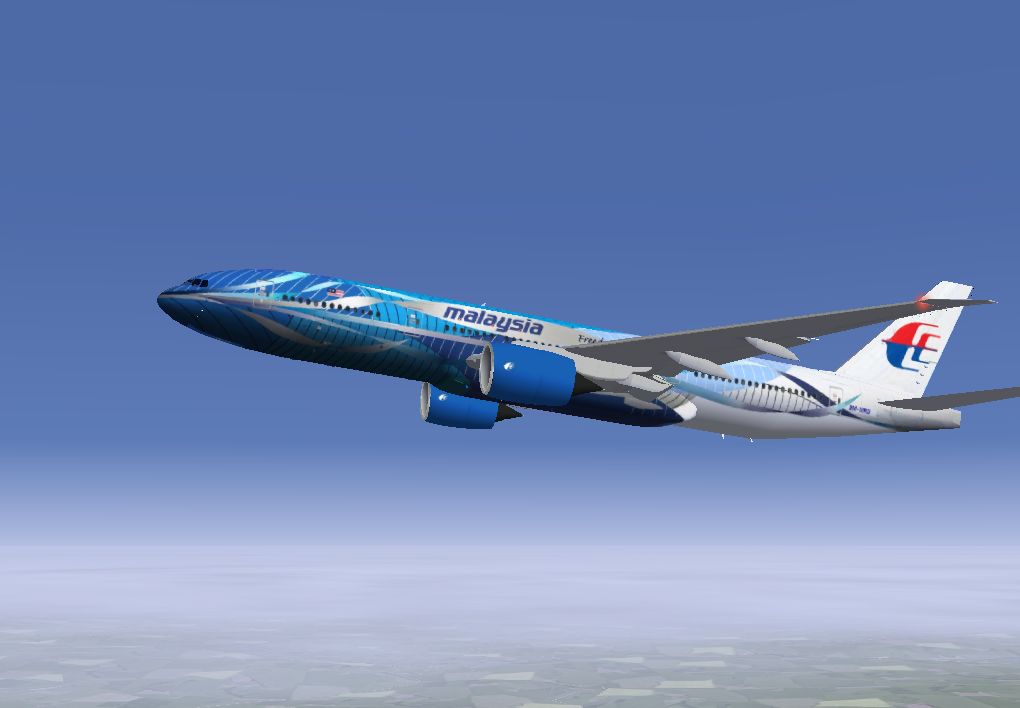
Welcome to the Fly Away download section, the number one place to find the latest Flight Simulator addons for Microsoft Flight Simulator 2004 and the newest Flight Sim X - Flight Simulator X. All of our add-ons are freeware. We also have Microsoft Combat Flight Simulator downloads and addons for CFS3. Here we have Various download categories including Prop Aircraft, Military Aircraft, Jet Aircraft, Helicopters, and lots of Flight Sim utilities and addons. We hope you enjoy the downloads, and your comments are much appreciated.
Our downloads compromise of FSX add-ons such as: FSX Repaints, FSX Aircraft, Flight Simulator X Add-ons, FSX Missions, FSX Planes and much more including flight simulator x planes, flight simulator planes, flight simulator x aircraft and others.
Search the library: You can search our file library using this search box. You can type in any aircraft model, manufacturer, airline or even the registration of the aircraft. When searching for aircraft, please make sure you include what FS version you are searching for, for example "Boeing 787 FSX". If searching for scenery, you may search for the place or area you want to find. You may also search file names (for example b727fsx.zip.)
X-Plane is the world's most comprehensive, powerful flight simulator, and has the most realistic flight model available for personal computers.
Welcome to the world of props, jets, single- and multi-engine airplanes, as well as gliders, helicopters and VTOLs such as the V-22 Osprey and AV8-B Harrier.
X-Plane comes with subsonic and supersonic flight dynamics, sporting aircraft from the Bell 206 Jet-Ranger helicopter and Cessna 172 light plane to the supersonic SR-71 and Space Shuttle. X-Plane comes with about 40 aircraft spanning the aviation industry (and history), and several thousand more are freely downloadable from the internet. (See www.X-Plane.org as a good place to start).
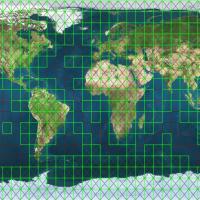
X-Plane scenery is world-wide, with scenery for the entire planet Earth between -60 and +74 degrees lattiude. We also have MARS scenery! (thanks to the Mars Orbiting Laser Altimeter, which mapped that planet's elevation) You can land at any of over 18,000 airports, as well as test your mettle on aircraft carriers, helipads on building tops, frigates that pitch and roll in the waves, and oil rigs.
Weather is variable from clear skies and high visibility to thunderstorms with controllable wind, wind shear, turbulence, and microbursts! Rain, snow and clouds are available for an instrument flying challenge, and thermals are available for the gliders! Real weather conditions can be downloaded from the internet, allowing you to fly in the actual weather that currently exists!
X-Plane also has detailed failure-modeling, with 35 systems that can be failed manually or randomly, when you least expect it! You can fail instruments, engines, flight controls, and landing gear at any moment.
While X-Plane is the world's most COMPREHENSIVE flight sim, your purchase also comes with Plane-Maker (to create your own airplanes) World-Maker (to create your own scenery), and Weather Briefer (to get a weather briefing before the flight if you use real weather conditions downloaded from the net).
X-Plane is also extremely customizable, allowing you to easily create textures, sounds, and instrument panels for your own airplanes that you design or the planes that come with the sim.
Version: 9.22-RC-1 Compatibility: Mac OS X Filesize: 4.77 MB Added on: Jun-01-2009 Downloads: 32
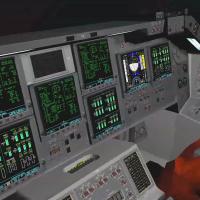
Space Shuttle Mission 2007 is the newest and most exciting Space Shuttle Simulator available today, designed to provide the experience and excitement of the NASA Space Shuttle missions in extreme detail.
Features:
Accurate and detailed 3D models of the Space Shuttle
Accurate 3D model of the International Space Station
Accurate 3D models of satellites and other mission-related objects
Beautifully rendered Space Shuttle 3D virtual cockpit and 3D sound effects
High-Resolution TrueEarthâ„¢ Global Satellite Imagery licensed from TerraMetrics Inc. These are the same textures used by Google Earth.
Watch the countdown and Shuttle Launch from the place that few get to see it: the VIP spot at KSC.
Experience the Liftoff shakes and engines roar right from the Commander's or Pilot's seats.
Perform mission procedures: press buttons, rotate knobs, control and change General Purpose Computer modes and manually guide the Shuttle to a safe landing etc.
First Person View, including EVA you cannot get any closer to the ISS or Hubble than that!
Third Person View and Free Camera View throughout the missions watch the Space Shuttle and any space object from angles that even Astronauts never got to see.
Monitor the progress from the Mission Control Center
Multiple Astronauts login complete with personal Astronauts Achievements records and Multiple Mission Saves
Launch Control, Mission Control, Shuttle and Astronauts audio communications.
Three difficulty modes: from Novice which leads the "astronaut" through the tasks with context arrows and full text subtitles, to "Read the Manual and Checklists Commander!"
Documentation: "Quick Start" and "Commander's Reference Manual".
Variable-difficulty historical missions from STS-1 (the maiden flight) and up to the recent ones.
Expandable: we periodically release new missions and features, enhancing playability and sim life.
TrackIR(tm) Support in 3D Virtual Cockpit and first person view during EVA
Multiple Screens support for Matrox TripleHead2Go(tm) and Nvidia nView (tm)
Native support for Vuzix iWear VR920 Stereoscopic goggles + head tracking. This is the closest you can get to the NASA VR Labs where Shuttle Astronauts train for ISS missions.
Orbiter free space flight simulator for Windows. ORBITER is a free flight simulator that goes beyond the confines of Earth's atmosphere. Launch the Space Shuttle from Kennedy Space Center to deploy a satellite, rendezvous with the International Space Station or take the futuristic Delta-glider for a tour through the solar system - the choice is yours.
But make no mistake - ORBITER is not a space shooter. The emphasis is firmly on realism, and the learning curve can be steep. Be prepared to invest some time and effort to brush up on your orbital mechanics background. Good starting points are JPL's Basics of Space Flight, and R. Braeunig's Rocket & Space Technology.
Realistic physics. Planetary motion, gravitation effects, free space and atmospheric flight are accurately modelled.
You can land your ship at a space port on a planet surface, or dock to an orbital station.
High resolution planetary maps provide some nice visual effects.
Configurable environment. Users can add planets, space ships and space stations to the existing universe, or design a completely new solar system from scratch. The Orbiter Software Development Kit contains libraries and sample C++ code for addon developers who want to write plugins.
Version: v.060929 Compatibility: Windows 98, 2000, ME, XP Filesize: 61.99 MB Added on: Nov-11-2006 Downloads: 4786 Rating: 6.16 (274 Votes)
Version v1.0.0 of FlightGear flight simulator for Mac OS X. FlightGear is an open-source project. This means as long as you abide by the terms of the GPL license you may freely download and copy FlightGear. Anyway can have easy and open access to the latest development source code. Being an open-source project, we have made our file formats open and easily accessible. We support standard 3d model formats and much of the simulator configuration is controlled through xml based ascii files. Writing 3rd party extensions for FlightGear (or even directly modifying the FlightGear source code) is straightforward and doesn't require a large amount of reverse engineering. This makes FlightGear an attractive option for use in private, commercial, research, or hobby projects.
Over 20,000 real world airports included in the full scenery set.
Correct runway markings and placement, correct runway and approach lighting.
Taxiways available for many larger airports (even including the green center line lights when appropriate.)
Sloping runways (runways change elevation like they usually do in real life.)
Directional airport lighting that smoothly changes intensity as your relative view direction changes.
World scenery fits on 3 DVD's. (I'm not sure that's a feature or a problem!) But it means we have pretty detailed coverage of the entire world.
Accurate terrain worldwide, based on the most recently released SRTM terrain data.) 3 arc second resolution (about 90m post spacing) for North and South America, Europe, Asia, Africa, and Australia.
Scenery includes all vmap0 lakes, rivers, roads, railroads, cities, towns, land cover, etc.
Nice scenery night lighting with ground lighting concentrated in urban areas (based on real maps) and headlights visible on major highways. This allows for realistic night VFR flying with the ability to spot towns and cities and follow roads.
Scenery tiles are paged (loaded/unloaded) in a separate thread to minimize the frame rate hit when you need to load new areas.
FlightGear implements extremely accurate time of day modeling with correctly placed sun, moon, stars, and planets for the specified time and date. FlightGear can track the current computer clock time in order to correctly place the sun, moon, stars, etc. in their current and proper place relative to the earth. If it's dawn in Sydney right now, it's dawn in the sim right now when you locate yourself in virtual Sydney. The sun, moon, stars, and planets all follow their correct courses through the sky. This modeling also correctly takes into account seasonal effects so you have 24 hour days north of the arctic circle in the summer, etc. We also illuminate the correctly placed moon with the correctly placed sun to get the correct phase of the moon for the current time/date, just like in real life.
Version: v1.0.0 Compatibility: Mac OS X Filesize: 161.17 MB Added on: Nov-11-2006 Downloads: 616 Rating: 1.71 (14 Votes)
Version v0.9.10 of FlightGear flight simulator for Windows 98, 2000, ME, XP. FlightGear is an open-source project. This means as long as you abide by the terms of the GPL license you may freely download and copy FlightGear. Anyway can have easy and open access to the latest development source code. Being an open-source project, we have made our file formats open and easily accessible. We support standard 3d model formats and much of the simulator configuration is controlled through xml based ascii files. Writing 3rd party extensions for FlightGear (or even directly modifying the FlightGear source code) is straightforward and doesn't require a large amount of reverse engineering. This makes FlightGear an attractive option for use in private, commercial, research, or hobby projects.
Over 20,000 real world airports included in the full scenery set.
Correct runway markings and placement, correct runway and approach lighting.
Taxiways available for many larger airports (even including the green center line lights when appropriate.)
Sloping runways (runways change elevation like they usually do in real life.)
Directional airport lighting that smoothly changes intensity as your relative view direction changes.
World scenery fits on 3 DVD's. (I'm not sure that's a feature or a problem!) But it means we have pretty detailed coverage of the entire world.
Accurate terrain worldwide, based on the most recently released SRTM terrain data.) 3 arc second resolution (about 90m post spacing) for North and South America, Europe, Asia, Africa, and Australia.
Scenery includes all vmap0 lakes, rivers, roads, railroads, cities, towns, land cover, etc.
Nice scenery night lighting with ground lighting concentrated in urban areas (based on real maps) and headlights visible on major highways. This allows for realistic night VFR flying with the ability to spot towns and cities and follow roads.
Scenery tiles are paged (loaded/unloaded) in a separate thread to minimize the frame rate hit when you need to load new areas.
FlightGear implements extremely accurate time of day modeling with correctly placed sun, moon, stars, and planets for the specified time and date. FlightGear can track the current computer clock time in order to correctly place the sun, moon, stars, etc. in their current and proper place relative to the earth. If it's dawn in Sydney right now, it's dawn in the sim right now when you locate yourself in virtual Sydney. The sun, moon, stars, and planets all follow their correct courses through the sky. This modeling also correctly takes into account seasonal effects so you have 24 hour days north of the arctic circle in the summer, etc. We also illuminate the correctly placed moon with the correctly placed sun to get the correct phase of the moon for the current time/date, just like in real life.
Version: v0.9.10 Compatibility: Windows 98, 2000, ME, XP Filesize: 138.28 MB Added on: Nov-11-2006 Downloads: 4926 Rating: 5.71 (503 Votes)