


 FSX Turboprops
Vickers Viscount 810
This is an FS2004 project, modified for FSX with the usual portover caveats. …
Vickers Viscount brings the pioneering turboprop airliner to Microsoft Flight Simulator X with four authentic variants (700, 700D, 800, 810), a period-style virtual cockpit, and tailored gauges for classic operations. A wide livery set covers BEA, Air France, KLM, TCA, Capital, United, and Continental for historically grounded routes.
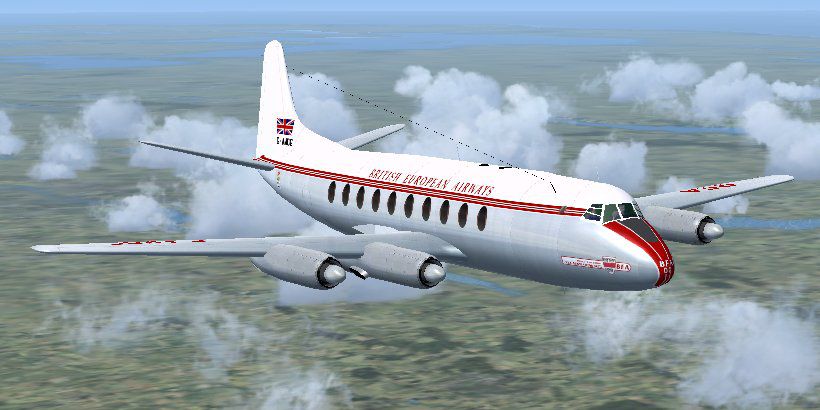
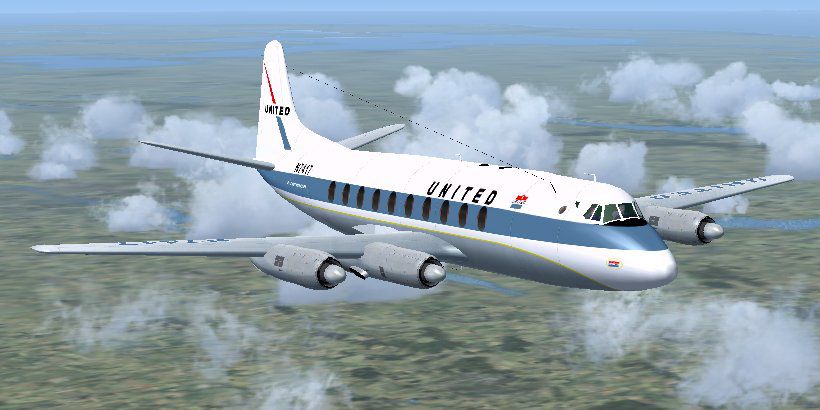
This freeware release showcases a native Microsoft Flight Simulator X rendition of the ground-breaking Vickers Viscount, famously recognized as the first turboprop passenger aircraft. Created by Jens B. Kristensen, this package encompasses four distinct variants (700, 700D, 800, and 810) and a rich assortment of airline-specific paints, including those for British European Airways (BEA), Air France, KLM, Trans-Canada Air Lines (TCA), Capital, United, and Continental. FS2004 enthusiasts should note that a separate download, named Viscount_10.zip, is available for that platform.
The original Vickers Viscount was introduced in the 1950s, spearheading the use of turboprop engines for commercial air travel. Its design swiftly gained acceptance, with carriers worldwide relying on its reliability and performance capabilities. The turboprop layout offered improved fuel efficiency and quieter operation compared to pure jet-powered contemporaries of the era.
In this release, you will find the Viscount 700 series (both standard and “D” edition), alongside the 800 and 810 layouts. Each model features distinct flight characteristics tied closely to the real-world specifications of its time. The supplied liveries celebrate multiple operators from various continents. This offers historical immersion, reflecting the global appeal of this British-built airliner.
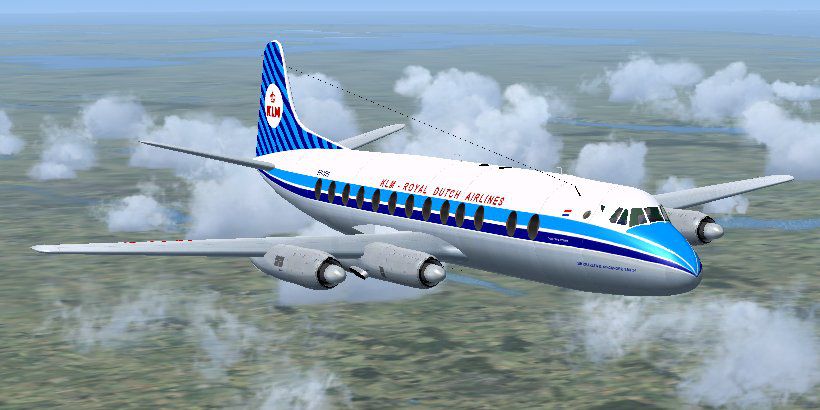
Screenshot of Vickers Viscount in flight.
The installer provided in this freeware package streamlines the entire setup process. Running it places all necessary components into your Microsoft Flight Simulator X directories. If you require more in-depth guidance on flight procedures or operational details, a PDF manual is located under the “JBK Vickers Viscount 700D\Documentation” directory. This document covers startup procedures, configuration steps, and other related functions specific to the aircraft.
In this release, the default King Air audio suite from FSX is used by default. If you prefer a more period-accurate acoustic environment, you are free to integrate any alternative turboprop sound set. Simply follow standard replacement steps within the simulator’s folder structure to modify or enhance engine and cockpit audio.
Many gauges leverage standard Microsoft Flight Simulator X or FS2004 assets, with certain elements tailored or repurposed by Jens B. Kristensen. The ILS readout, for instance, adopts XML code originally authored by Saviero Maurri (credited for Vickers Varsity panel work) and includes custom bitmaps unique to this release. Moreover, select switchgear is adapted, with permission, from Tom Gibson and other contributors like Kevin Trinkle, Ernie Kennedy, and Ken “Mitch” Mitchell. Notably, Hans-Joerg Naegele granted access to his Lockheed 049 Constellation instruments (VNConnie049.cab), some of which are integrated or revised for this application.
Construction of this Viscount package utilized the FSDS 3.5.1 modeling suite in conjunction with FsdsXtweak by Dave Nunez, ensuring fidelity to the aircraft’s external geometry. Texture work was undertaken through Paint Shop Pro, DxtBmp, and Imagetool. As with all Jens B. Kristensen releases, the product remains freeware and is not to be distributed under any commercial license or altered into payware form.
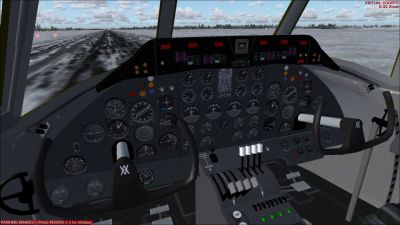
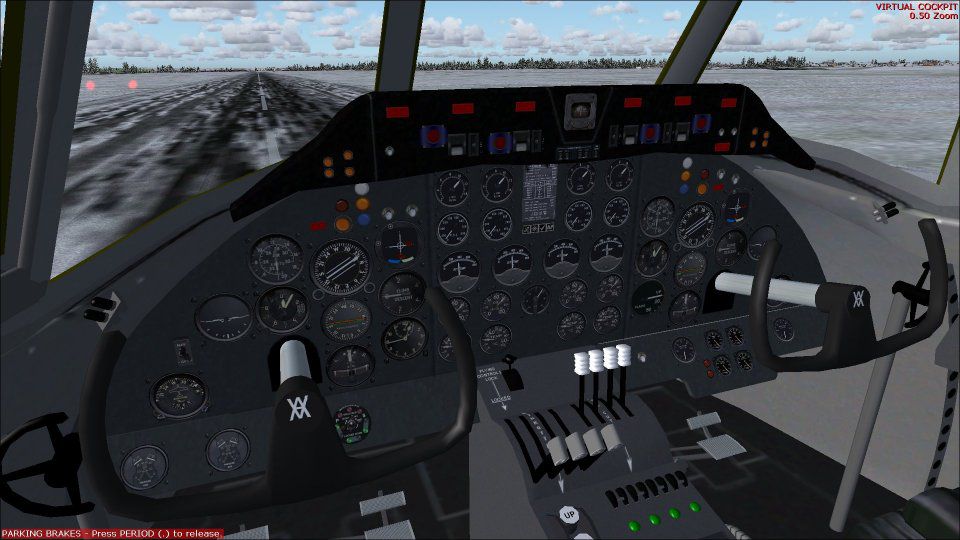
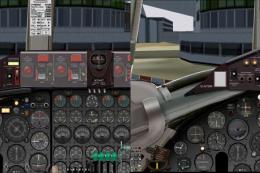
Screenshot of Vickers Viscount cockpit.
This add-on aims to authentically represent the operational nuances of the Viscount, preserving the heritage of an aircraft that set new benchmarks in turboprop technology. Enthusiasts often appreciate its blend of traditional analog flight instruments and early turbine powerplants. Any references to “Viking” are a lighthearted historical nod within the documentation. As a final remark, enjoy piloting the Vickers Viscount in your virtual skies, courtesy of Jens B. Kristensen.
Free for all simmers · 48.31 MB · Scanned clean
Download speed: Free tier is capped at 0.5 Mbps (this file takes approximately 14 mins at the cap). PRO members download at full line speed.
SimObjects\Airplanes\, Addon Scenery\, Effects\, or Gauges\.readme.txt or README file. It tells you exactly where files go, what dependencies are needed, and any quirks specific to this add-on.The archive viscount_10x.zip has 12 files and directories contained within it.
This list displays the first 500 files in the package. If the package has more, you will need to download it to view them.
| Filename/Directory | File Date | File Size |
|---|---|---|
| united.jpg | 02.10.11 | 60.60 kB |
| BEA.jpg | 02.12.11 | 61.86 kB |
| cockpit.jpg | 02.12.11 | 95.82 kB |
| FileID.diz | 03.19.11 | 452 B |
| FileID.txt | 03.19.11 | 452 B |
| KLM.jpg | 02.10.11 | 64.54 kB |
| Licence.rtf | 12.16.10 | 36.94 kB |
| Readme.txt | 03.19.11 | 1.68 kB |
| setup.exe | 03.19.11 | 48.69 MB |
| thumbnail.gif | 02.12.11 | 11.43 kB |
| flyawaysimulation.txt | 10.29.13 | 959 B |
| Go to Fly Away Simulation.url | 01.22.16 | 52 B |
More FSX & P3D add-ons hand-picked based on this download.
FSX Turboprops
This is an FS2004 project, modified for FSX with the usual portover caveats. …
 FSX Turboprops
Experience a carefully adapted rendition of the Vickers Viscount 700, origina…
 FSX Turboprops
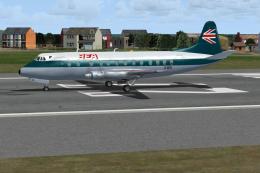
Texture BEA 1970s JF Viscount 800. This is a texture for the JustFlight Visco…
 FSX Turboprops
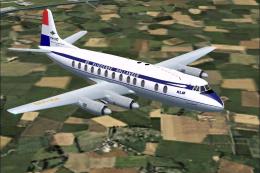
KLM was the first non-British airline to order the Vickers Viscount 800 serie…
 FSX Turboprops
This aircraft is another success story for Bombardier. It is well liked by ai…
 FSX Turboprops
This is a true FSX (SP2) SDK aircraft Version 3.0 brings an entirely new cock…
 FSX Turboprops
Two aircraft pack, with BA (Loganair) G-BVVK and Scilly Skybus G-BIHO. Includ…
 FSX Turboprops
Pakistan International Airlines Aerospatiale ATR 42-500, AP-BHO wearing the n…
Read what other simmers think, or add your own.

A lovely realization, but I can't get the engines to start even with autostart. what am I doing wrong? Battery on/ Fuel valve open/select engine/press starter button. Hear whining but no spinny turn. Cheers, Mike.