

 FSX Misc
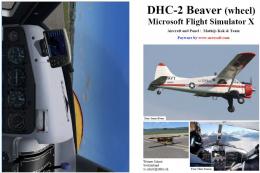
Manual/Checklist DeHavilland DHC-2 Beaver (Wheel)
This PDF-based reference offers a compact series of procedures covering every…
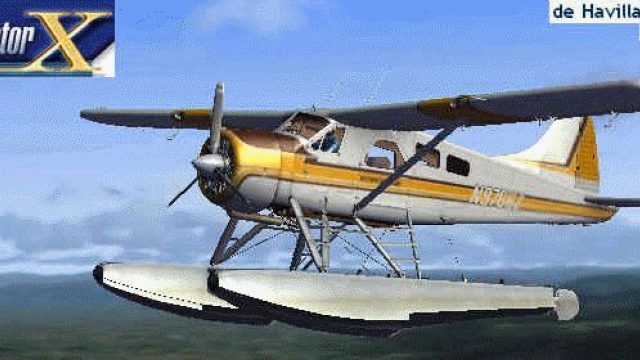
Kenmore Air’s De Havilland DHC-2 Beaver splash screen brings classic Seattle-area floatplane flying to the FSX startup experience, showcasing registration N9766Z in flight with crisp framing and authentic bush-plane character. It replaces the default loading image and highlights the Beaver’s enduring role in regional and remote operations.
 Rate
Rate
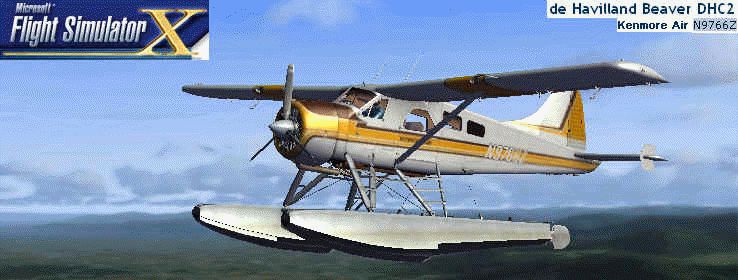
The DeHavilland Beaver DHC-2 is old but used today for flying along lakes near Seattle. This floatplane entered service for Kenmore Air (founded in 1946). This floatplane is a registration number N9766Z. By Victor Vu.
Splash Screen showing Kenmore Air De Havilland Beaver DHC-2 in flight.
The De Havilland DHC-2 Beaver is one of the most popular bush planes in the world. The two variations of the Beaver are the floats and wheels. At the end of production, about 1,657 were built. The purpose of this plane is used by regional and remote air carriers.
Installation:
Simply put the dlgsplash into the Uires folder on the main FSX folder. But be sure to make a backup for the default or your other "dlgsplash" files to "Bdlgsplash" or the same backup file with the number of your splashscreens you have. Then run FSX and there you have it!!!
Notes:
I made the splashscreen by capturing the DHC-2 with the Print Screen button. It doesn't print, even you have a printer, but I run the Paint program to paste the splashscreen I capture. Then I crop the screen to only make the Aircraft Detail window visible. After I saved my wallpaper's name to a name that relates to the splashscreen, I cut the airline callsign, the aircraft name, and the tail number on the top right of the splashscreen. Then I opened dlgstd to crop the Flight Simulator X logo only and pasted into the top left corner of the splashscreen. Then I saved it as "dlgsplash."
Bugs:
My computer is slow because I installed FSX. My program was slow because of my splashscreen, but not because of that... I had a low virtual memory message. Your computer should run normal for this splashscreen.
Free for all simmers · 325.46 KB · Scanned clean Sep 2026
Download speed: Free tier is capped at 0.5 Mbps. PRO members download at full line speed.
SimObjects\Airplanes\, Addon Scenery\, Effects\, or Gauges\.readme.txt or README file. It tells you exactly where files go, what dependencies are needed, and any quirks specific to this add-on.The archive dhc2_spl.zip has 8 files and directories contained within it.
This list displays the first 500 files in the package. If the package has more, you will need to download it to view them.
| Filename/Directory | File Date | File Size |
|---|---|---|
| DHC-2 | 11.12.07 | 0 B |
| dlgsplash3.bmp | 11.12.07 | 605.99 kB |
| File_id.txt | 11.21.07 | 324 B |
| Readme.txt | 11.21.07 | 2.05 kB |
| DHC-2_N9766Z Splashscreen | 11.12.07 | 0 B |
| dlgsplash3.gif | 11.21.07 | 93.81 kB |
| flyawaysimulation.txt | 10.29.13 | 959 B |
| Go to Fly Away Simulation.url | 01.22.16 | 52 B |
Only PRO members can place votes.
More FSX & P3D add-ons hand-picked based on this download.
FSX Misc
This PDF-based reference offers a compact series of procedures covering every…
 FSX Misc
This comprehensive PDF booklet covers every phase of operation for the DeHavi…
 FSX Misc
This convenient PDF guide provides structured procedures for all phases of op…
 FSX Misc
This free PDF-based reference covers every phase of flying a default Beech Ki…
 FSX Misc
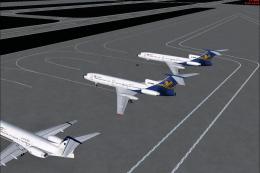
Iran Air Tours Traffic. By Peyman Badri. Screenshot of Iran Air Tours fleet o…
 FSX Misc
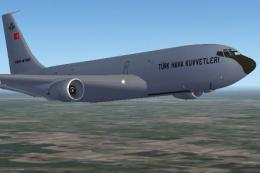
Focus AI Group's Turkish Air Force KC-135 Stratotanker fleet. This is an AI p…
 FSX Misc
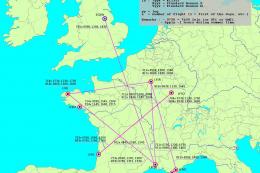
Just a small traffic file to add tankers between five French Air Force Bases.…
 FSX Misc
Mahan Air Traffic. By Peyman Badri.
Be the first to leave a comment on this download.
Be the first to share your thoughts on this download.