

 FSX Misc
Manual/Checklist DeHavilland DHC-2 Beaver (Wheel)
This PDF-based reference offers a compact series of procedures covering every…
De Havilland DHC-6 Twin Otter pilots get a structured PDF manual and checklist that runs from cold-and-dark startup through taxi, takeoff, cruise, approach, shutdown, and securing, with practical torque references for varying field elevations. It supports Microsoft Flight Simulator X, FS2004, and earlier versions to sharpen realistic flows and cockpit discipline.
 Rate
Rate
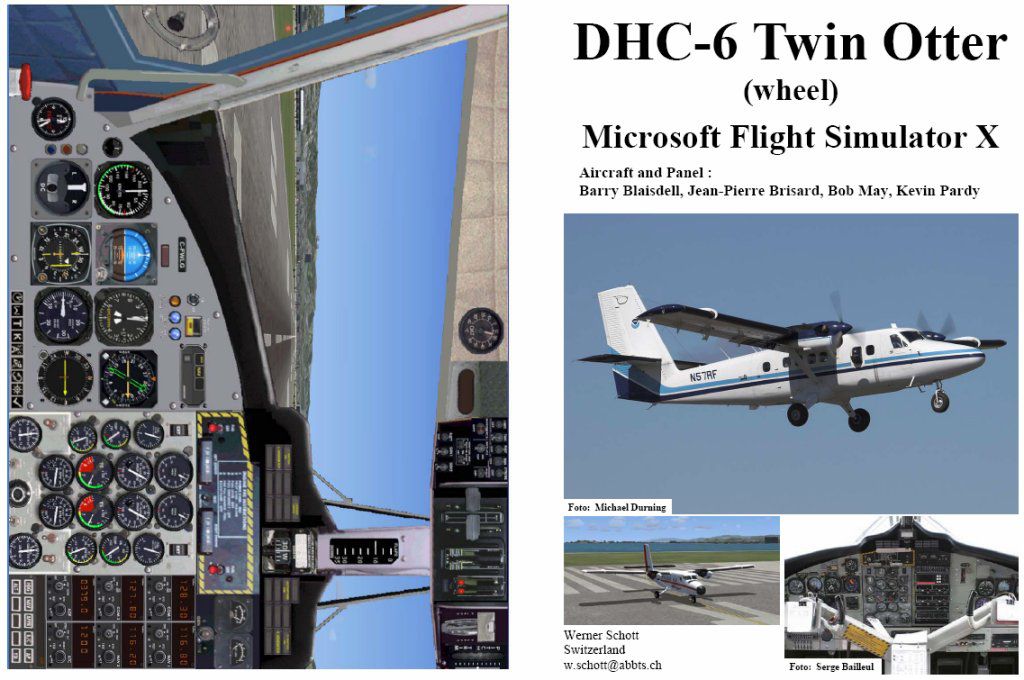
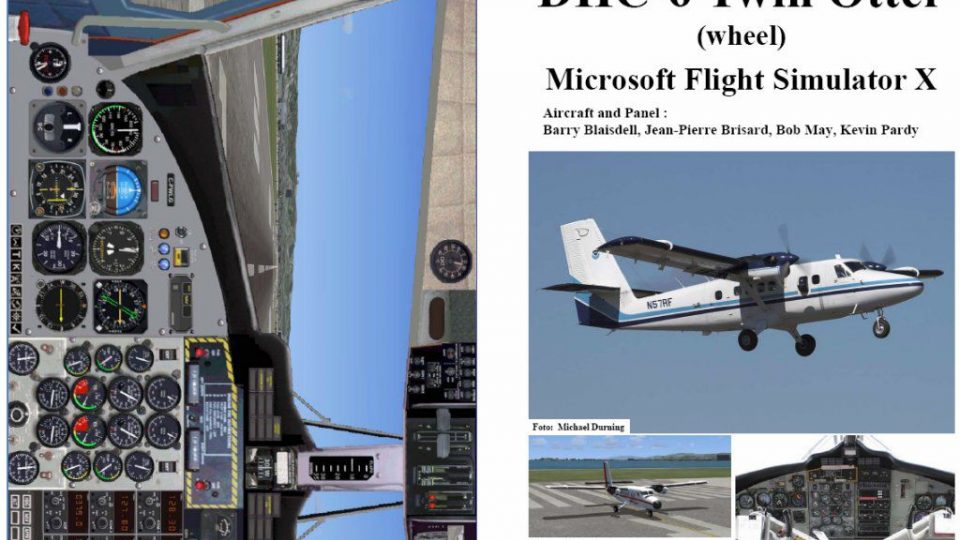
This comprehensive PDF booklet covers every phase of operation for the DeHavilland DHC-6 Twin Otter from a completely shut-down cockpit to final securing. It outlines realistic procedures for ground handling, takeoff, climb, cruise, descent, and landing, ensuring a deep level of immersion for enthusiasts who fly Microsoft Flight Simulator X, Microsoft Flight Simulator 2004, or even earlier versions. Authored by Barry Blaisdell, Jean-Pierre Brisard, Bob May, Kevin Pardy, and Werner Schott, it reflects extensive expertise in sim-based aviation.
This guide is presented in a digital PDF format. It is devised to take sim pilots through an authentic “dark and cold” starting condition, moving step by step to pre-start checks, starting procedures, before-taxi validations, and then systematically guiding through climb, cruise, descent, and approach. Each segment is structured to provide enough information without overwhelming the user.
The manual highlights all major flight segments in a clear sequence: from cold and dark, pre-start, startup, taxi, and takeoff, to final shutdown and securing. Each phase outlines specific tasks, such as verifying torque settings at critical points of flight. Notably, torque references may differ at higher elevation airfields above 2500 ft MSL, reflecting real-world performance deviations of turboprop engines in less dense air.
For users used to placing their Twin Otter on the runway with engines running, there is a recommended method to achieve a cold configuration. Position the aircraft at a gate or parking slot, then follow the instructions from “Taxi to ramp” through “Shutdown” and “Securing” to transition everything to an inert state. Once you have arrived at the desired condition, save it as a new default flight, which gives you the advantage of launching with systems disabled whenever you load your Twin Otter again.
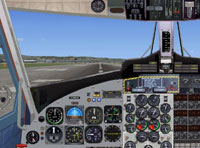
Screenshot of De Havilland DHC-6 panel.
The DHC-6 Twin Otter, originally designed by De Havilland Canada, is renowned for its short takeoff and landing (STOL) capabilities, making it a versatile turboprop for remote operations. Within the simulator, this manual ensures that virtual pilots can replicate realistic procedures representative of actual Twin Otter performance. You will find references to torque settings for different flight stages, which are crucial for maintaining power and ensuring stable flight characteristics under varying conditions.
Although now updated for Microsoft Flight Simulator X, this manual originates from earlier releases compatible with FS2002 and Microsoft Flight Simulator 2004. Past variants have been downloaded more than 8000 times, underscoring the community’s enthusiasm for accurate Twin Otter documentation and checklists. Each revision continues to incorporate feedback and refinements, all while preserving the authenticity of the original procedural structure.
The collaboration of experienced developers—Barry Blaisdell, Jean-Pierre Brisard, Bob May, and Kevin Pardy—combined with the practical approach by Werner Schott delivers a robust checklist. Its focus on real-flow step sequences and torque management details provides unique insight for sim flyers who want the highest accuracy from their DeHavilland DHC-6 Twin Otter experience.
Free for all simmers · 583.5 KB · Scanned clean Oct 2026
Download speed: Free tier is capped at 0.5 Mbps. PRO members download at full line speed.
SimObjects\Airplanes\, Addon Scenery\, Effects\, or Gauges\.readme.txt or README file. It tells you exactly where files go, what dependencies are needed, and any quirks specific to this add-on.The archive fsx_dhc6.zip has 7 files and directories contained within it.
This list displays the first 500 files in the package. If the package has more, you will need to download it to view them.
| Filename/Directory | File Date | File Size |
|---|---|---|
| FILE_ID.diz | 02.09.07 | 554 B |
| FSX_DHC6.gif | 02.09.07 | 12.21 kB |
| FSX DHC-6 Twin Otter.jpg | 02.09.07 | 138.03 kB |
| FSX DHC-6 Twin Otter.pdf | 02.09.07 | 456.76 kB |
| Readme.txt | 02.09.07 | 2.08 kB |
| flyawaysimulation.txt | 10.29.13 | 959 B |
| Go to Fly Away Simulation.url | 01.22.16 | 52 B |
Only PRO members can place votes.
More FSX & P3D add-ons hand-picked based on this download.
FSX Misc
This PDF-based reference offers a compact series of procedures covering every…
 FSX Misc
This convenient PDF guide provides structured procedures for all phases of op…
 FSX Misc
This PDF-based freeware manual and checklist covers every operational phase o…
 FSX Misc
This downloadable handbook serves as a PDF companion covering every major pro…
 FSX Misc
This PDF document provides a structured walkthrough detailing every procedura…
 FSX Misc
This add-on provides a comprehensive, printable PDF document detailing every …
 FSX Misc
This freeware booklet introduces a step-by-step reference for the Default Lea…
 FSX Misc
This PDF-format booklet presents a comprehensive procedure reference that wal…
Be the first to leave a comment on this download.
Be the first to share your thoughts on this download.