


 FSX Civil Aircraft
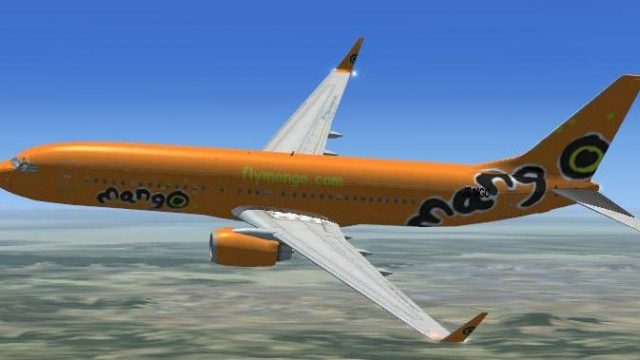
Mango Airlines Boeing 737-800
FSX Mango Airlines Boeing 737-800. Texture only for the default Boeing 737-800.
Mango Airlines Boeing 737-800 v2 brings the carrier’s signature orange-and-white branding to the default 737-800 in Microsoft Flight Simulator X, with refined, true-to-life colors and crisp exterior detailing. This texture set focuses on an authentic South African low-cost look and requires the stock B737-800 model.
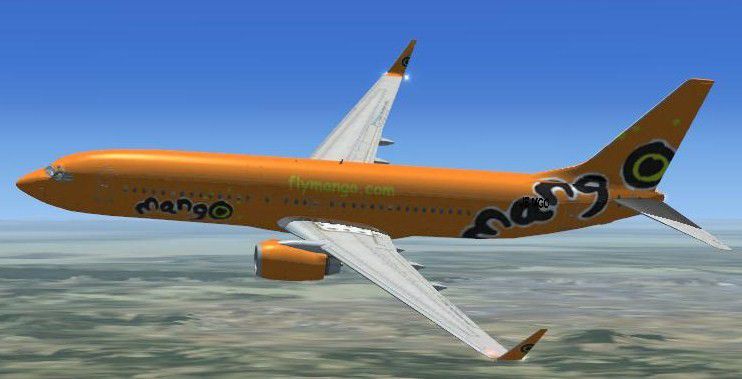
FSX Mango Airlines Boeing 737-800. Textures only for the default B737-800. An upgrade on the previous Mango (FSXMANGO.ZIP); this one with the true Mango airlines color. By Gerrit Visagie.
Free for all simmers · 3.46 MB · Scanned clean
Download speed: Free tier is capped at 0.5 Mbps. PRO members download at full line speed.
This add-on may require the following files to function properly. If this is a repaint, the dependency below is likely the base aircraft package.
FSX\SimObjects\Airplanes\. The folder must contain an aircraft.cfg file. Effects go into FSX\Effects\; gauges go into FSX\Gauges\.readme.txt or README file. It tells you exactly where files go, what dependencies are needed, and any quirks specific to this add-on.The archive mangofsx.zip has 13 files and directories contained within it.
This list displays the first 500 files in the package. If the package has more, you will need to download it to view them.
| Filename/Directory | File Date | File Size |
|---|---|---|
| Texture.mango | 08.12.07 | 0 B |
| b737_800_1_T.dds | 06.12.07 | 1.33 MB |
| b737_800_1_T_Specular.dds | 09.04.06 | 1.33 MB |
| b737_800_2_T_Specular.dds | 09.04.06 | 1.33 MB |
| Fresnel_Ramp.dds | 09.04.06 | 640 B |
| texture.cfg | 08.14.06 | 137 B |
| b737_800_2_T.dds | 09.04.06 | 1.33 MB |
| thumbnail.jpg | 01.14.08 | 9.00 kB |
| ReadMe First.txt | 01.15.08 | 978 B |
| thumbnail.gif | 01.14.08 | 7.95 kB |
| flymango.jpg | 01.14.08 | 58.10 kB |
| flyawaysimulation.txt | 10.29.13 | 959 B |
| Go to Fly Away Simulation.url | 01.22.16 | 52 B |
More FSX & P3D add-ons hand-picked based on this download.
FSX Civil Aircraft
FSX Mango Airlines Boeing 737-800. Texture only for the default Boeing 737-800.
 FSX Civil Aircraft
Textures only for model by FSX AI Bureau (faib7378v13.zip). Texture formats i…
 FSX Civil Aircraft
Textures only for the model by FSX AI Bureau (FAIB_B7373V11.ZIP). Texture for…
 FSX Civil Aircraft
KLM Royal Dutch Airlines, the national carrier of the Netherlands, operates a…
 FSX Civil Aircraft
KLM Royal Dutch Airlines introduces its updated Boeing 737-800 (registration …
 FSX Civil Aircraft
A repaint of the payware PMDG B737-800. Installation Instructions: Unzip Fold…
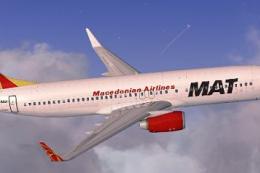 FSX Civil Aircraft
This repaint for Macedonian Airlines’ Boeing 737-800 offers a visually accura…
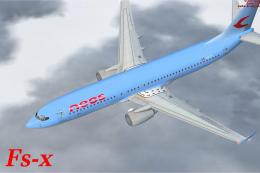 FSX Civil Aircraft
Neos Boeing 737-800 v2. Boeing 737 800 v2 Neos (Citta'di Milano) high res tex…
Read what other simmers think, or add your own.

There is no texture file for Fly mango.com that i downloaded and consequintly, if i add the aircraft to my list of downloads, the aircraft does not show up as an flyable model. I've tried to edit the cfg file but, my pc does not allow me to do it nor can i even open it with help from the web. I would really like to make this aircraft part of my collection, as i make regular use of the airways for transport around South Africa. Is there anyone that can help me to make the texture file so that i can just paste it in, ready for use?