


 FSX Civil Aircraft
McDonnell Douglas MD-83 Multi-Livery Pack
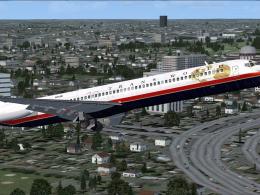
Alejandro Rojas Lucena/FSND MD83 multi-livery pack. Liveries depicted: Aerome…
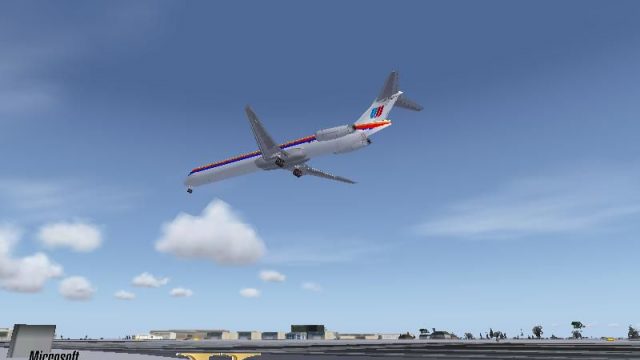
United Airlines’ classic 1980s-style livery comes to life on the default AI McDonnell Douglas MD-83, delivering period-correct stripes, logos, and a cohesive vintage look across fuselage and wings in FSX. The repaint includes a matching splash screen and requires Braden Peters’ MD-83 Flyable pack (MD-83BP.ZIP) for full use.
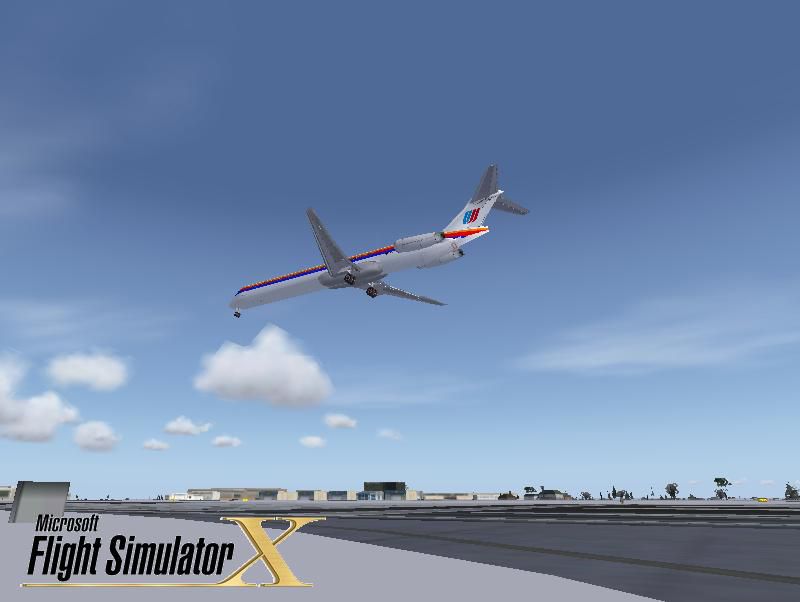
This add-on offers a meticulous adaptation of United Airlines’ heritage paintwork for the default FSX AI McDonnell Douglas MD-83. Although the real airline never operated this specific variant, the depicted color palette captures the classic vibe introduced during the 1980s. The texture set, conceived by Victor Vu, includes a dedicated splash screen and is fully compatible with the MD-83 Flyable pack by Braden Peters (MD-83BP.ZIP), which must be obtained separately to enable all functionality. Users who own prevailing United textures for the MD-83 can keep their existing files if they wish to enjoy multiple liveries under the same virtual airline theme.
The 1980s saw United Airlines introduce a distinctive design, featuring bold stripes and a recognizable logo placement. This fictional remake translates those legacy markings onto an MD-83, which was part of the extended-range branch of the MD-80 lineup. In the real world, the airline concentrated on different aircraft families during that era, so this repaint offers an imaginative interpretation of how an MD-83 would have looked if it had officially joined United’s fleet.
The MD-83 belongs to McDonnell Douglas’ popular mid-range jet family, known for robust JT8D engines and extended fuel capacities. It was introduced to enhance range, enabling carriers to fly longer sectors without compromising performance. Even though United Airlines did not operate this type, these textures enable simmers to experience a faithful approximation of the animated lighting, wing outlines, and fuselage contours in FSX when using the default AI model matched with Braden Peters' flyable pack.
This reworked paint scheme is developed by Victor Vu and configured to function seamlessly with Braden Peters’ base package. Both creators have collaborated—through their separate projects—to capture a well-rounded visual style for simulator pilots interested in United Airlines’ older branding conventions.
Splash screen is also included with this repaint to complement the vintage look.
Free for all simmers · 850.02 KB · Scanned clean
Download speed: Free tier is capped at 0.5 Mbps. PRO members download at full line speed.
This add-on may require the following files to function properly. If this is a repaint, the dependency below is likely the base aircraft package.
texture.{airline}) inside FSX\SimObjects\Airplanes\{base-aircraft}\.aircraft.cfg in Notepad. Add a new [fltsim.X] section per the readme.readme.txt or README file. It tells you exactly where files go, what dependencies are needed, and any quirks specific to this add-on.The archive ual_md83.zip has 17 files and directories contained within it.
This list displays the first 500 files in the package. If the package has more, you will need to download it to view them.
| Filename/Directory | File Date | File Size |
|---|---|---|
| dlgsplash.bmp | 12.10.08 | 1.38 MB |
| Thumbs.db | 12.10.08 | 4.50 kB |
| Splash Screen | 12.10.08 | 0 B |
| fresnel_ramp.dds | 12.09.08 | 1.12 kB |
| MD_83_c.bmp | 05.12.06 | 682.74 kB |
| MD_83_L.dds | 12.09.08 | 64.12 kB |
| MD_83_t.dds | 12.09.08 | 1.00 MB |
| thumbnail.jpg | 12.10.08 | 32.57 kB |
| Thumbs.db | 10.11.08 | 5.00 kB |
| texture.ualo | 12.10.08 | 0 B |
| installation.txt | 12.09.08 | 496 B |
| Readme.txt | 12.10.08 | 1.72 kB |
| screenshot.PNG | 12.10.08 | 11.74 kB |
| FILE_ID.DIZ | 12.13.08 | 554 B |
| UAL_MD83.GIF | 12.13.08 | 6.89 kB |
| flyawaysimulation.txt | 10.29.13 | 959 B |
| Go to Fly Away Simulation.url | 01.22.16 | 52 B |
More FSX & P3D add-ons hand-picked based on this download.
FSX Civil Aircraft
Alejandro Rojas Lucena/FSND MD83 multi-livery pack. Liveries depicted: Aerome…
 FSX Civil Aircraft
FSX United Airlines Boeing 737-800 (old colors). A repaint of the default B73…
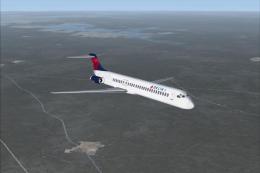 FSX Civil Aircraft
FSX Delta Airlines McDonnell Douglas MD-83. An update for the FSX default MD8…
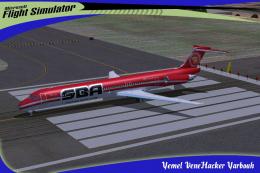 FSX Civil Aircraft
SBA Airlines McDonnell Douglas MD-83, registration YV348T. Textures for the f…
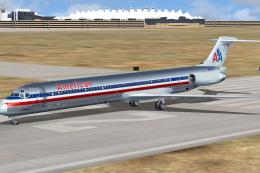 FSX Civil Aircraft
A repaint of SGA MD83 model in the colors of American Airlines, registration …
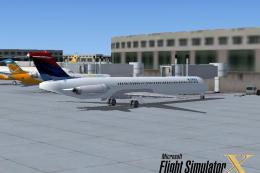 FSX Civil Aircraft
FSX Delta Airlines McDonnell Douglas MD-83. A fictional repaint of the FSX AI…
 FSX Civil Aircraft
This is the latest version (v2) of the FSND MD-83 for Microsoft Flight Simula…
 FSX Civil Aircraft
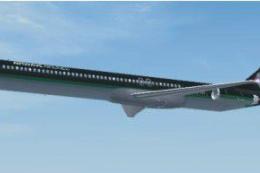
This package is an upgrade for the default MD83 that converts it from an AI a…
Be the first to leave a comment on this download.
Be the first to share your thoughts on this download.