

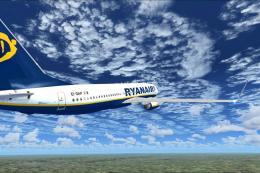
 FSX Civil Aircraft
Ryanair Boeing 737-800, reg EI-DAP
FSX Ryanair Boeing 737-800. EI-DAP textures for the default FSX B737-800. By …
Titan Airways Boeing 737-800 livery G-POWC brings a clean, contemporary charter look to the default narrow-body twinjet in Microsoft Flight Simulator X, with crisp logos, accurate registration, and carefully placed details such as de-icing panels and fuselage decals. Requires the FSX default Boeing 737-800 base model for seamless use.
 Rate
Rate
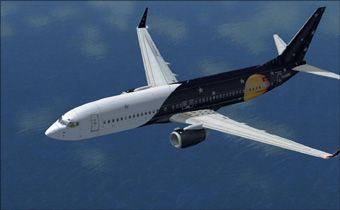
Treat yourself to a precise rendition of Titan Airways’ Boeing 737-800 bearing registration G-POWC. This carefully crafted repaint enhances Microsoft Flight Simulator X by showcasing a sleek charter livery that many enthusiasts appreciate for its understated yet contemporary style. Originally designed for short-notice passenger and cargo charter operations, Titan Airways offers unique services across Europe and beyond.
This repaint captures the distinctive exterior of Titan Airways’ narrow-body twinjet with subtle detailing. It is intended for the default 737-800 model in Microsoft Flight Simulator X. You will see finely rendered markings, including the registration G-POWC, set against Titan Airways’ polished scheme. De-icing panels, fuselage decals, and other nuanced areas maintain fidelity to the real charter aircraft.
The repaint consists of only texture files, so you must own or have access to the freeware base model of the default 737-800 in FSX. Locate it in the Fly Away Simulation mod library if needed. After adding these textures to the appropriate folder and adjusting any relevant configuration entries, your simulator will display the Titan Airways livery seamlessly.
Free for all simmers · 3.06 MB · Scanned clean Oct 2026
Download speed: Free tier is capped at 0.5 Mbps. PRO members download at full line speed.
texture.{airline}) inside FSX\SimObjects\Airplanes\{base-aircraft}\.aircraft.cfg in Notepad. Add a new [fltsim.X] section per the readme.readme.txt or README file. It tells you exactly where files go, what dependencies are needed, and any quirks specific to this add-on.The archive titan2.zip has 6 files and directories contained within it.
This list displays the first 500 files in the package. If the package has more, you will need to download it to view them.
| Filename/Directory | File Date | File Size |
|---|---|---|
| FILE_ID.DIZ | 12.14.08 | 165 B |
| Readme.txt | 12.14.08 | 1.57 kB |
| texture.titan.zip | 12.14.08 | 3.03 MB |
| thumbnail.jpg | 06.08.08 | 32.32 kB |
| flyawaysimulation.txt | 10.29.13 | 959 B |
| Go to Fly Away Simulation.url | 01.22.16 | 52 B |
Only PRO members can place votes.
More FSX & P3D add-ons hand-picked based on this download.
FSX Civil Aircraft
FSX Ryanair Boeing 737-800. EI-DAP textures for the default FSX B737-800. By …
 FSX Civil Aircraft
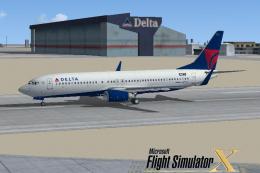
FSX Delta Airlines Boeing 737-800, registration N3744F. A repaint for the def…
 FSX Civil Aircraft
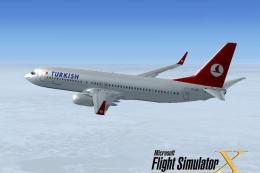
FSX Turkish Airlines Boeing 737-800. A repaint of the default B737 as registr…
 FSX Civil Aircraft
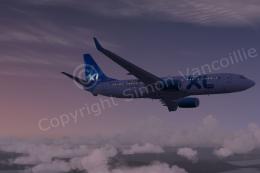
FSX XL Airways Boeing 737-800, registration D-AXLE. Model by Project Open Sky…
 FSX Civil Aircraft
FSX Maersk Air Boeing 737-2L9, registration OY-MBZ. By Jacob Larsen / JELAIR.
 FSX Civil Aircraft
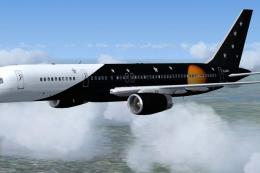
Repaint of the Project Open Sky B757-200 for FSX only in Titan Airways livery…
 FSX Civil Aircraft
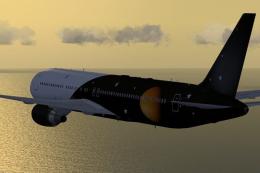
Complete package for FSX only of the Skyspirit2010 B767-300ER v5 in Titan Air…
 FSX Civil Aircraft
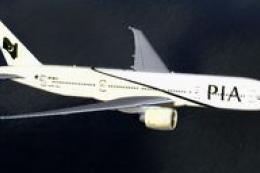
FSX PIA Boeing 777-200 GE, registration AP-BGY. Model by Project Open Sky.
Read what other simmers think, or add your own.
