


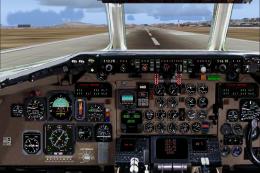
 FS2004 Panels
MD-90 Panel With Wing View
FS2004 Photoreal MD-90 Panel With Wing Views, for the SGA McDonnell Douglas M…
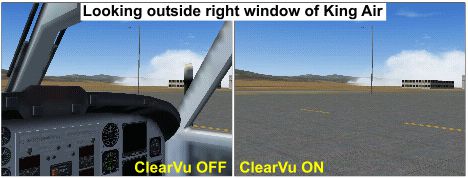
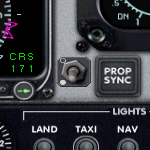
ClearVu1 Clear View Gauge for FS2004 instantly toggles cockpit obstructions on or off to open up external views while keeping the forward instrument panel visible for reference. It responds reliably to joystick or keyboard view changes, and its compact footprint fits neatly on almost any panel layout without clutter.
Free for all simmers · 162.15 KB · Scanned clean
Download speed: Free tier is capped at 0.5 Mbps. PRO members download at full line speed.
FS9\Aircraft\, FS9\Addon Scenery\, FS9\Gauges\, or FS9\Effects\.readme.txt or README file. It tells you exactly where files go, what dependencies are needed, and any quirks specific to this add-on.The archive clearvu1.zip has 9 files and directories contained within it.
This list displays the first 500 files in the package. If the package has more, you will need to download it to view them.
| Filename/Directory | File Date | File Size |
|---|---|---|
| On_Off Example.gif | 01.20.06 | 38.97 kB |
| ClearVu1.cab | 01.19.06 | 7.05 kB |
| ClearVu.gif | 01.23.06 | 16.34 kB |
| FILE_ID.DIZ | 01.20.06 | 370 B |
| Gauge Coordinates.pdf | 09.16.05 | 106.51 kB |
| Info.txt | 01.20.06 | 1.49 kB |
| Legal Notice.txt | 01.13.06 | 608 B |
| flyawaysimulation.txt | 10.29.13 | 959 B |
| Go to Fly Away Simulation.url | 01.22.16 | 52 B |
More FS2004 add-ons hand-picked based on this download.
FS2004 Panels
FS2004 Photoreal MD-90 Panel With Wing Views, for the SGA McDonnell Douglas M…
 FS2004 Panels
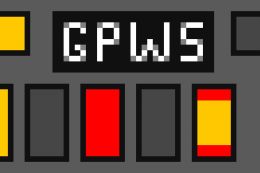
This freeware Ground Proximity Warning System gauge for FS2004 can be added t…
 FS2004 Panels
FS2002/2004 Gauge -- AM/FM Radio CD Player A simulated 12 channel push button…
 FS2004 Panels
FS2004 Cargo Door Gauge. A gauge that makes it easier to open the cargo doors…
 FS2004 Panels
Rob Barendregt's Ground Handling Gauges modified to work with PMDG's 737NG fa…
 FS2004 Panels
Airbus A320 Panel. This is a compiling work of Airbus series panel from Ken M…
 FS2004 Panels
FS2004 - FlightDeck Sound Effects Panel An add-on sub-panel designed to add c…
 FS2004 Panels
FS2004 Panel--Airbus A319/A320/A321. Uses an original bitmap and various gaug…
Read what other simmers think, or add your own.

Hi,
I downloaded and installed this Clear View utility in FS9. Unfortunately, it does not work in my FS9 environment. I used it on Ken Dawson's DH104 De Haviland Dove panel,. The new ClearView switch is visible and adjustable on my main panel, so I see the ON and the OFF bitmap of the switch on my panel, so the Gauge is properly accessed I think.
Also, the mouse hand symbol and tooltip text pop up when hovering the mouse over the switch, so this is correct. I installed it as a new gauge, with a 1 increased numbering, under the last normal gauge entry in this Window0 section of the panel.cfg file.
But the problem is, that this switch has totally no effect on my side views. The side window views (when using the hat switches on my joystick) remain unchained, so no clear transparent side-windows views with me, so I still keep on looking through the DH104 side windows, so side windows views with the DH104 Dove airframe aluminum windows surroundings. Do I something wrong here?
Hope to hear something from you.