

 FS2004 Panels
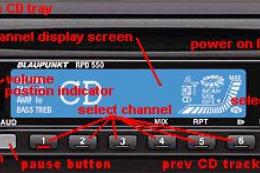
AM/FM Radio CD Player Gauge
FS2002/2004 Gauge -- AM/FM Radio CD Player A simulated 12 channel push button…
GPWS gauge brings authentic ground proximity protection to any retractable-gear, flaps-equipped aircraft in FS2004, with a clickable Test/Inhibit switch, warning light, and eight modes covering pull up, sink rate, terrain, windshear, and altitude callouts. Per-aircraft parameters allow quick tuning, plus adjustable sound handling and an optional master warning light.
 Rate
Rate

Free for all simmers · 251.63 KB · Scanned clean Oct 2026
Download speed: Free tier is capped at 0.5 Mbps. PRO members download at full line speed.
FS9\Aircraft\, FS9\Addon Scenery\, FS9\Gauges\, or FS9\Effects\.readme.txt or README file. It tells you exactly where files go, what dependencies are needed, and any quirks specific to this add-on.The archive rcbgp-33.zip has 50 files and directories contained within it.
This list displays the first 500 files in the package. If the package has more, you will need to download it to view them.
| Filename/Directory | File Date | File Size |
|---|---|---|
| rcbgp-33.gif | 02.09.05 | 434 B |
| FILE_ID.DIZ | 06.03.05 | 884 B |
| GPWS_sound.gau | 04.15.05 | 80.00 kB |
| rcb-gauges | 06.03.05 | 0 B |
| GPWS3_3_Default.xml | 06.03.05 | 32.48 kB |
| GPWS3_3_MasterWarn.xml | 06.03.05 | 4.39 kB |
| GPWS3_Background.bmp | 06.03.05 | 1.45 kB |
| GPWS3_MasterWarnOff.bmp | 06.03.05 | 346 B |
| GPWS3_MasterWarnOn.bmp | 06.03.05 | 346 B |
| GPWS3_ModeS1.bmp | 05.07.05 | 174 B |
| GPWS3_ModeS2.bmp | 05.15.05 | 174 B |
| GPWS3_ModeS3.bmp | 05.15.05 | 174 B |
| GPWS3_ModeS4.bmp | 02.09.05 | 174 B |
| GPWS3_ModeS5.bmp | 05.07.05 | 174 B |
| GPWS3_SwitchAmber.bmp | 05.07.05 | 214 B |
| GPWS3_SwitchGreen.bmp | 05.07.05 | 214 B |
| GPWS3_SwitchOff.bmp | 02.09.05 | 214 B |
| GPWS3_SwitchRed.bmp | 05.07.05 | 214 B |
| README rcbgp-33.txt | 06.03.05 | 17.98 kB |
| UPGRADE GPWS V2.0 to V3.3.txt | 06.03.05 | 2.46 kB |
| GPWS | 06.03.05 | 0 B |
| 10.wav | 01.29.05 | 3.78 kB |
| 100.wav | 01.29.05 | 8.71 kB |
| 1000.wav | 01.29.05 | 9.83 kB |
| 20.wav | 01.29.05 | 4.40 kB |
| 200.wav | 01.29.05 | 7.94 kB |
| 2500.wav | 01.29.05 | 14.75 kB |
| 30.wav | 01.29.05 | 3.46 kB |
| 300.wav | 01.29.05 | 9.39 kB |
| 40.wav | 01.29.05 | 3.56 kB |
| 400.wav | 01.29.05 | 8.89 kB |
| 50.wav | 01.29.05 | 4.33 kB |
| 500.wav | 01.29.05 | 9.41 kB |
| BankAngle.wav | 01.29.05 | 9.23 kB |
| DontSink.wav | 01.29.05 | 8.93 kB |
| Glideslope.wav | 01.29.05 | 8.94 kB |
| Minimums.wav | 01.29.05 | 7.60 kB |
| Sinkrate.wav | 01.29.05 | 7.78 kB |
| SoftClick.wav | 03.07.05 | 551 B |
| Sound.ini | 06.03.05 | 1.56 kB |
| TerrainTerrain.wav | 01.29.05 | 10.17 kB |
| TooLowFlaps.wav | 01.29.05 | 12.72 kB |
| TooLowGear.wav | 01.29.05 | 9.90 kB |
| TooLowTerrain.wav | 01.29.05 | 10.88 kB |
| WhoopWhoopGlideslope.wav | 01.29.05 | 26.94 kB |
| WhoopWhoopPullup.wav | 01.29.05 | 14.56 kB |
| Windshear.wav | 01.29.05 | 32.34 kB |
| avsim.diz | 04.27.04 | 360 B |
| flyawaysimulation.txt | 10.29.13 | 959 B |
| Go to Fly Away Simulation.url | 01.22.16 | 52 B |
Only PRO members can place votes.
More FS2004 add-ons hand-picked based on this download.
FS2004 Panels
FS2002/2004 Gauge -- AM/FM Radio CD Player A simulated 12 channel push button…
 FS2004 Panels
FS2004 Cargo Door Gauge. A gauge that makes it easier to open the cargo doors…
 FS2004 Panels
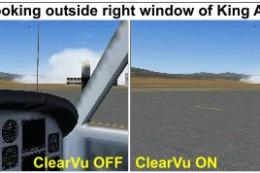
FS2004 Gauge: ClearVu1. This gauge will toggle on/off all obstructions from y…
 FS2004 Panels
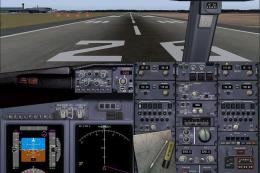
Rob Barendregt's Ground Handling Gauges modified to work with PMDG's 737NG fa…
 FS2004 Panels
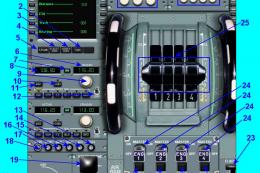
Airbus A320 Panel. This is a compiling work of Airbus series panel from Ken M…
 FS2004 Panels
FS2004 - FlightDeck Sound Effects Panel An add-on sub-panel designed to add c…
 FS2004 Panels
FS2004 Panel--Airbus A319/A320/A321. Uses an original bitmap and various gaug…
 FS2004 Panels
(search 'meljet' on this site) This panel is intended too be used with Melvin…
Read what other simmers think, or add your own.

Have you ever installed the FS2004 GPWS Gauge in FSX: Steam Edition or in regular FSX?
Is it possible to follow the instructions in this YouTube video: https://www.youtube.com/watch?v=FfoWyn8GVFU&t=1s?
I would like to install this add-on in FSX: Steam Edition to run it in the Learjet 45 in my home cockpit. I will be pleased with any kind of help :)