


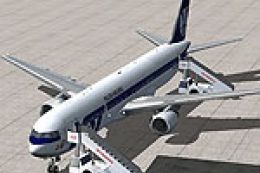
 FSX Civil Aircraft
LOT Polish Airlines Boeing 767-300ER
LOT Polish Airlines Boeing 767-300ER, registration SP-LPC. Textures only; req…
LOT Polish Airlines’ Boeing 767-300ER livery brings authentic national-carrier markings and clean, high-visibility textures to the Overland or Simmers Sky 767-300ER, enhancing immersion in the virtual cockpit and external views. Built for FSX, it includes accurate registration details and airline identification for realistic ATC callsigns and flight-number display.

LOT Polish Airlines Boeing 767-300ER. A repaint for the B767-300ER from Simmers Sky/Overland. By Marcel Fitzgerald Buehrig.
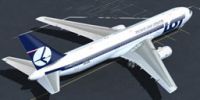
LOT Polish Airlines Boeing 767-300ER.
INSTALLATION
1. Copy the folder texture.LOT into the aircraft folder
2. Open aircraft.cfg
3. insert these lines:
[fltsim.xx]

title=FSPAP 767-300 LOT SP-LPG

sim=boeing767-300ER

model=GE

panel=

sound=

texture=LOT

atc_id=SP-LPG

atc_airline=POLLOT

atc_flight_number=88

ui_manufacturer=Boeing

ui_type=767-300ER

ui_variation=LOT Polish Airlines

description=Overland Co.,Jtd. Products --- Boeing 767-300\n\nL1 Cabin Door [Shift+E] then [1]\nForward Cargo Door [Shift+E] then [2]\nAPU Door Tailhook Extend/Retruct\nAfter Cargo Door Wing fold/extend

atc_id_color=0x00000000

atc_heavy=0

atc_id_font=Verdana,-11,1,600,0

visual_damage=0

ui_createdby=MFitzgerald
Support:
Marcel Fitzgerald Buehrig
THANK YOU FOR DOWNLOADING
Free for all simmers · 4.46 MB · Scanned clean
Download speed: Free tier is capped at 0.5 Mbps (this file takes approximately 1 min at the cap). PRO members download at full line speed.
texture.{airline}) inside FSX\SimObjects\Airplanes\{base-aircraft}\.aircraft.cfg in Notepad. Add a new [fltsim.X] section per the readme.readme.txt or README file. It tells you exactly where files go, what dependencies are needed, and any quirks specific to this add-on.The archive sms_767-300er_lot.zip has 19 files and directories contained within it.
This list displays the first 500 files in the package. If the package has more, you will need to download it to view them.
| Filename/Directory | File Date | File Size |
|---|---|---|
| texture.LOT | 07.10.11 | 0 B |
| b763antenna.bmp | 04.04.06 | 32.07 kB |
| b763belly_t.bmp | 04.04.06 | 512.07 kB |
| b763engine_t.bmp | 07.09.11 | 5.33 MB |
| b763eng_pw_t.bmp | 04.04.06 | 1.00 MB |
| b763forehead.bmp | 04.04.06 | 32.07 kB |
| b763fuse_left_l.bmp | 04.04.06 | 1.00 MB |
| b763fuse_left_t.bmp | 07.09.11 | 5.33 MB |
| b763fuse_right_l.bmp | 04.04.06 | 1.00 MB |
| b763fuse_right_t.bmp | 07.09.11 | 5.33 MB |
| b763wing_left_t.bmp | 07.09.11 | 5.33 MB |
| b763wing_right_t.bmp | 07.09.11 | 5.33 MB |
| cargospace_t.bmp | 04.04.06 | 64.07 kB |
| texture.cfg | 05.25.07 | 137 B |
| thumbnail.jpg | 07.10.11 | 46.30 kB |
| readme.txt | 07.10.11 | 861 B |
| thumbnail.jpg | 07.10.11 | 46.30 kB |
| flyawaysimulation.txt | 10.29.13 | 959 B |
| Go to Fly Away Simulation.url | 01.22.16 | 52 B |
More FSX & P3D add-ons hand-picked based on this download.
FSX Civil Aircraft
LOT Polish Airlines Boeing 767-300ER, registration SP-LPC. Textures only; req…
 FSX Civil Aircraft
LOT Polish Airlines Boeing 767 Livery Pack. Includes all LOT Polish Airlines …
 FSX Civil Aircraft
FSX Lot Polish Airlines Boeing 737-800 v2. The default B737-800 model with ne…
 FSX Civil Aircraft
This comprehensive freeware package offers a faithful representation of the L…
 FSX Civil Aircraft
Experience the refined LOT Polish Airlines Boeing 787-8 package built with en…
 FSX Civil Aircraft
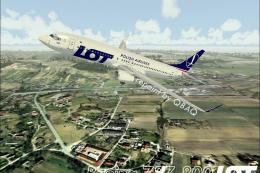
A repaint for the default B737-800. Screenshot of LOT Polish Airlines Boeing …
 FSX Civil Aircraft
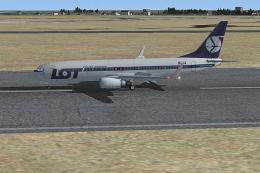
Textures only for the default B737-800 Features new PLL LOT textures; modifie…
 FSX Civil Aircraft
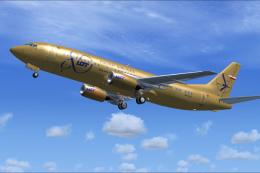
LOT Polish Airlines Boeing 737-45D, registration SP-LLC. Repaint of Vistaline…
Be the first to leave a comment on this download.
Be the first to share your thoughts on this download.