




 FSX Turboprops
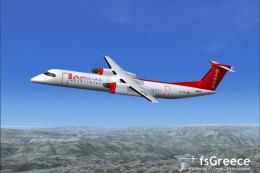
Baboo Bombardier Dash 8-Q400
Baboo, a Swiss airlines, uses its two Dash Q400 on short and medium distance …
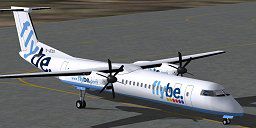
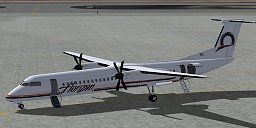
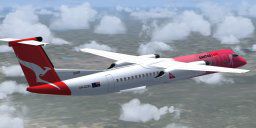
Bombardier Dash 8 Q400 brings a 75-seat twin turboprop regional airliner to Microsoft Flight Simulator X with an all-new model, animated doors and airstair, moving parts and crew, and a fully modeled cabin. A custom glass cockpit, tailored sounds, accurate flight dynamics, comprehensive manuals, and three airline liveries round out the package.
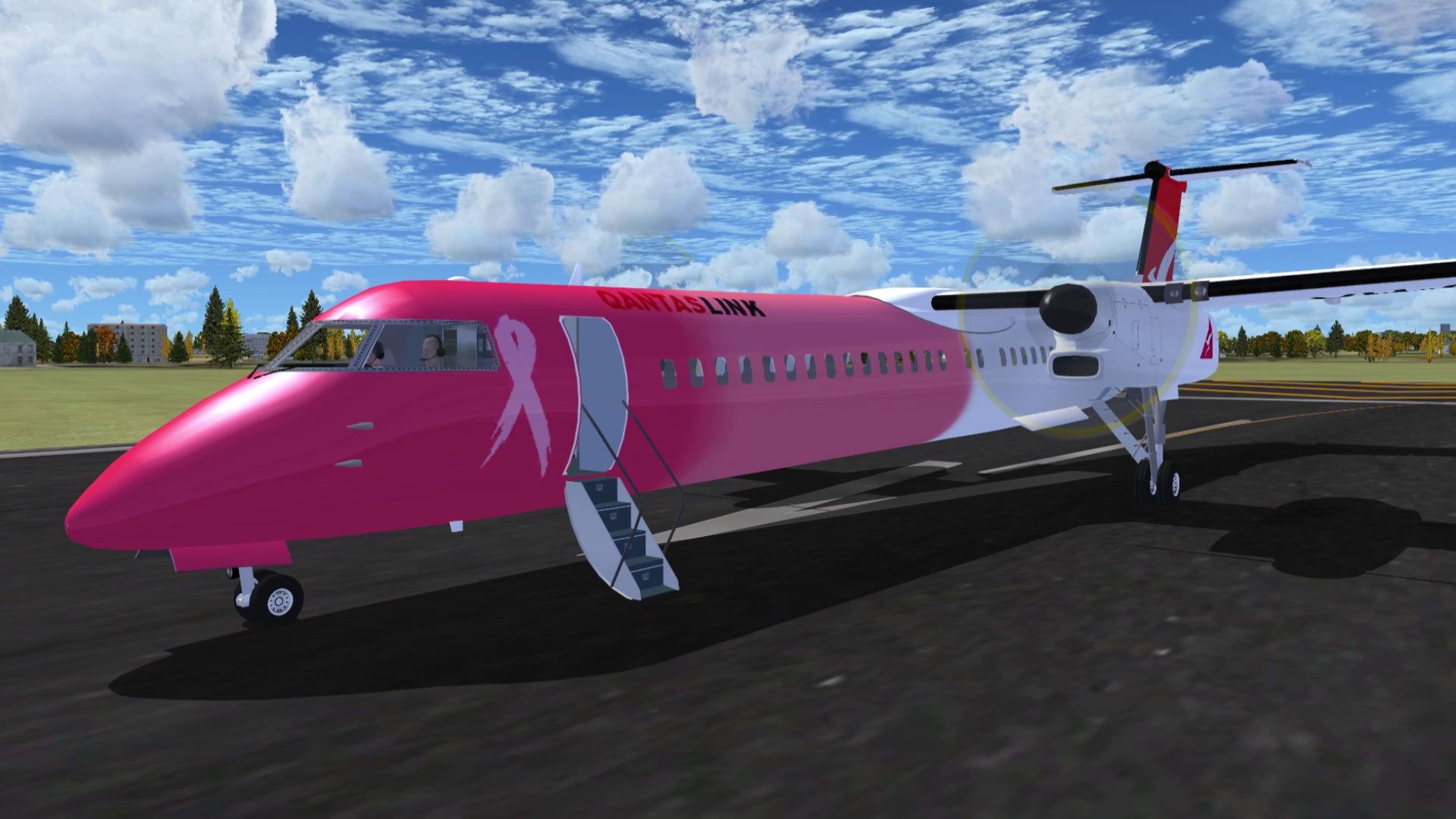
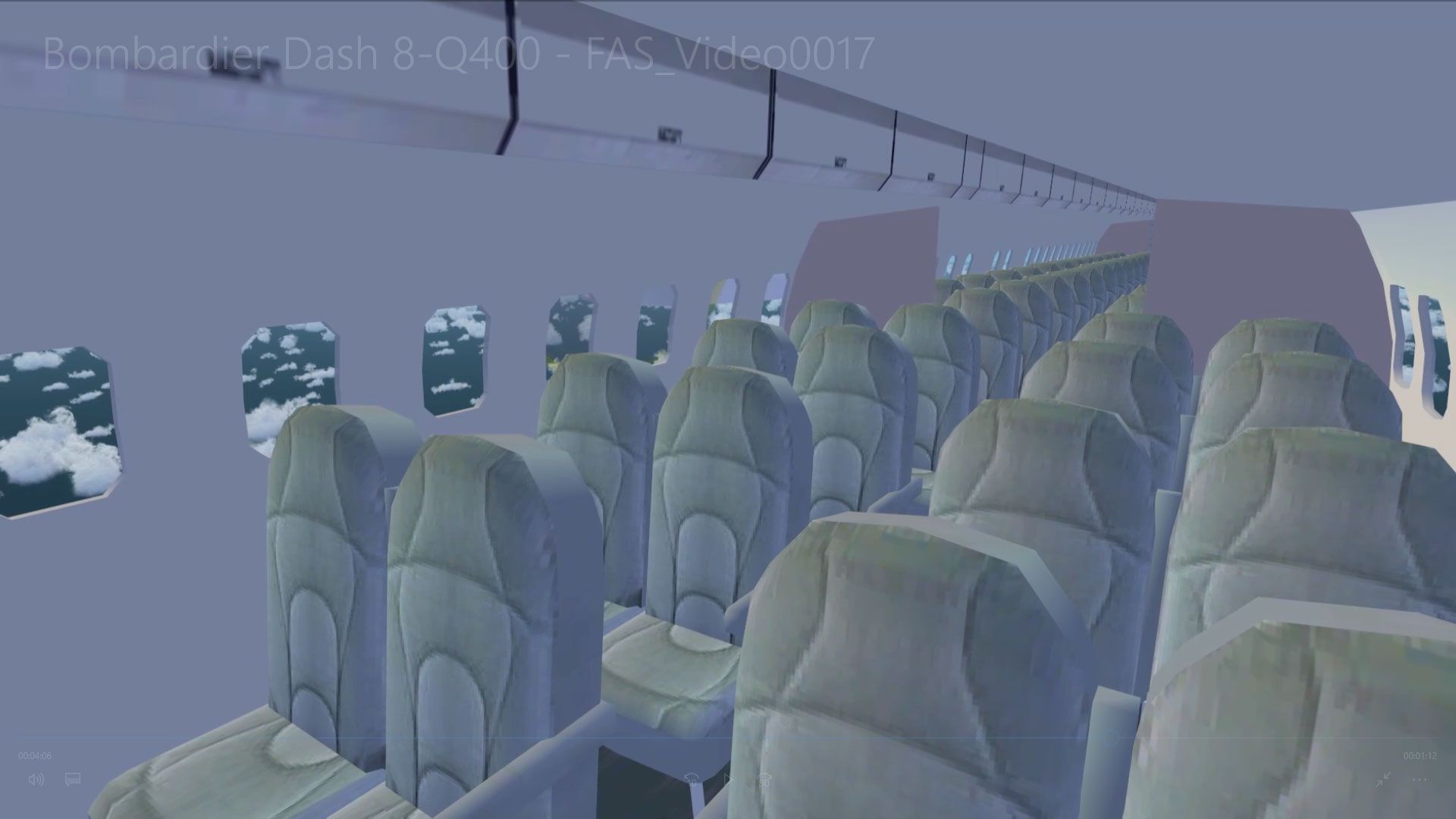
This aircraft is another success story for Bombardier. It is well liked by airlines and passengers. On short haul routes the Q400 combines the gate to gate journey times of a jet with the lower operating costs of a turboprop. 75 seat advanced twin turbo-prop regional airliner. All new model with full moving parts, doors with air stair and animated pilots. Accurate and pleasant flight dynamics. Fully modeled interior. Full documentation including manuals and check/ref lists. Custom panel and VC with digital (glass cockpit) gauges, custom sounds. Complete package for FSX/SP2 (DX9 graphics). Three liveries included, Flybe (UK), Horizon and Qantas Airlink. By Jean-Pierre Brisard and Bob May - Premier Aircraft Design.
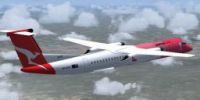
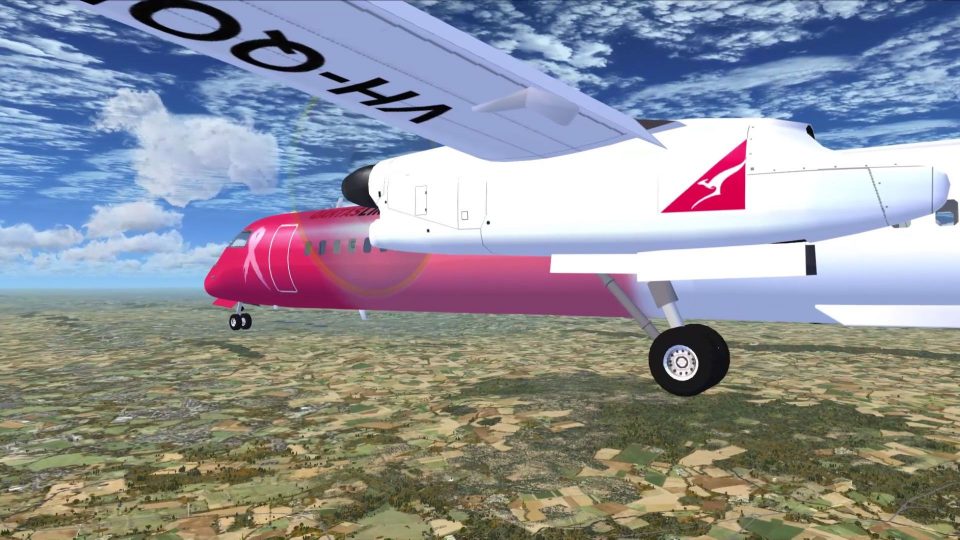
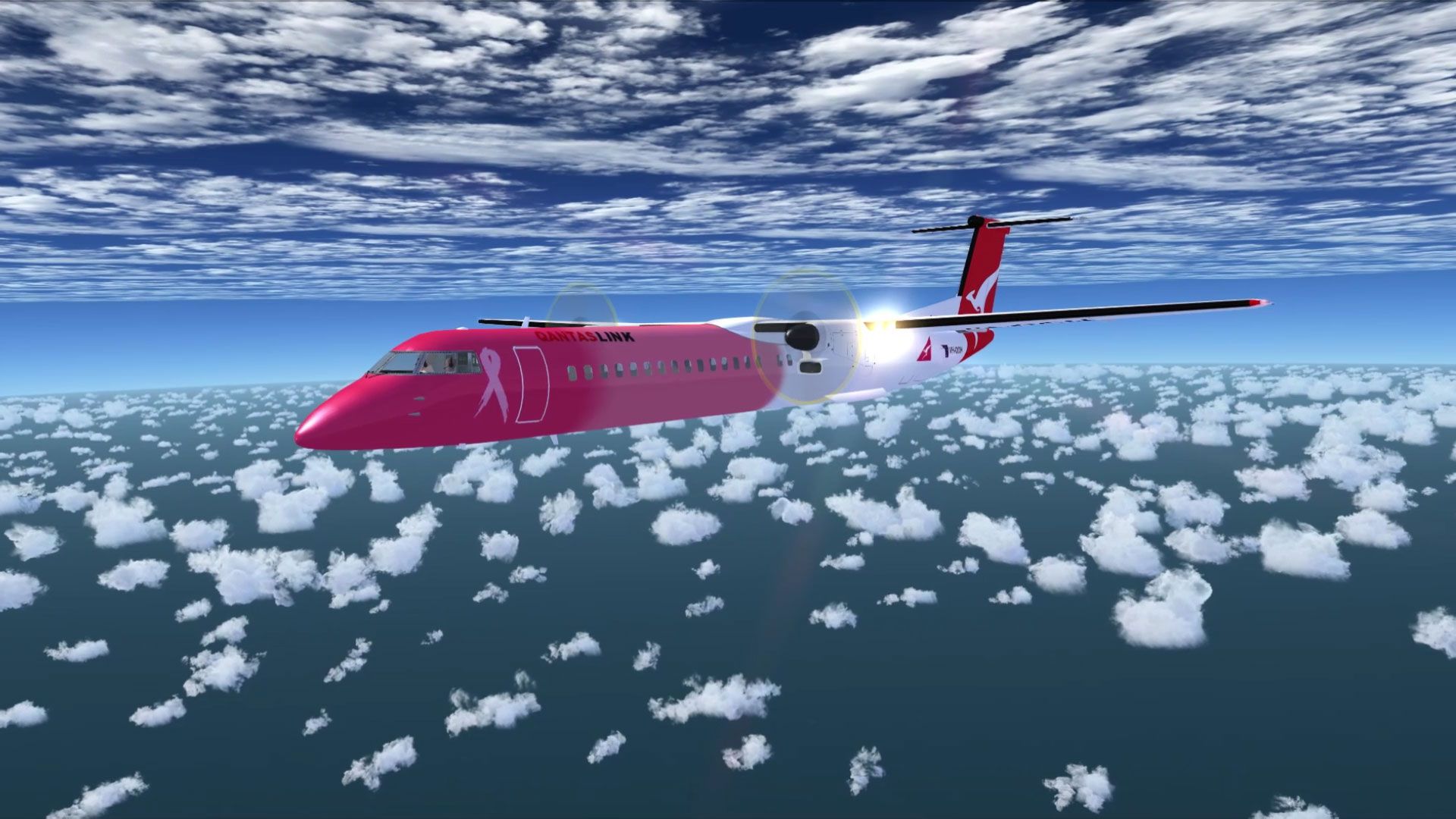
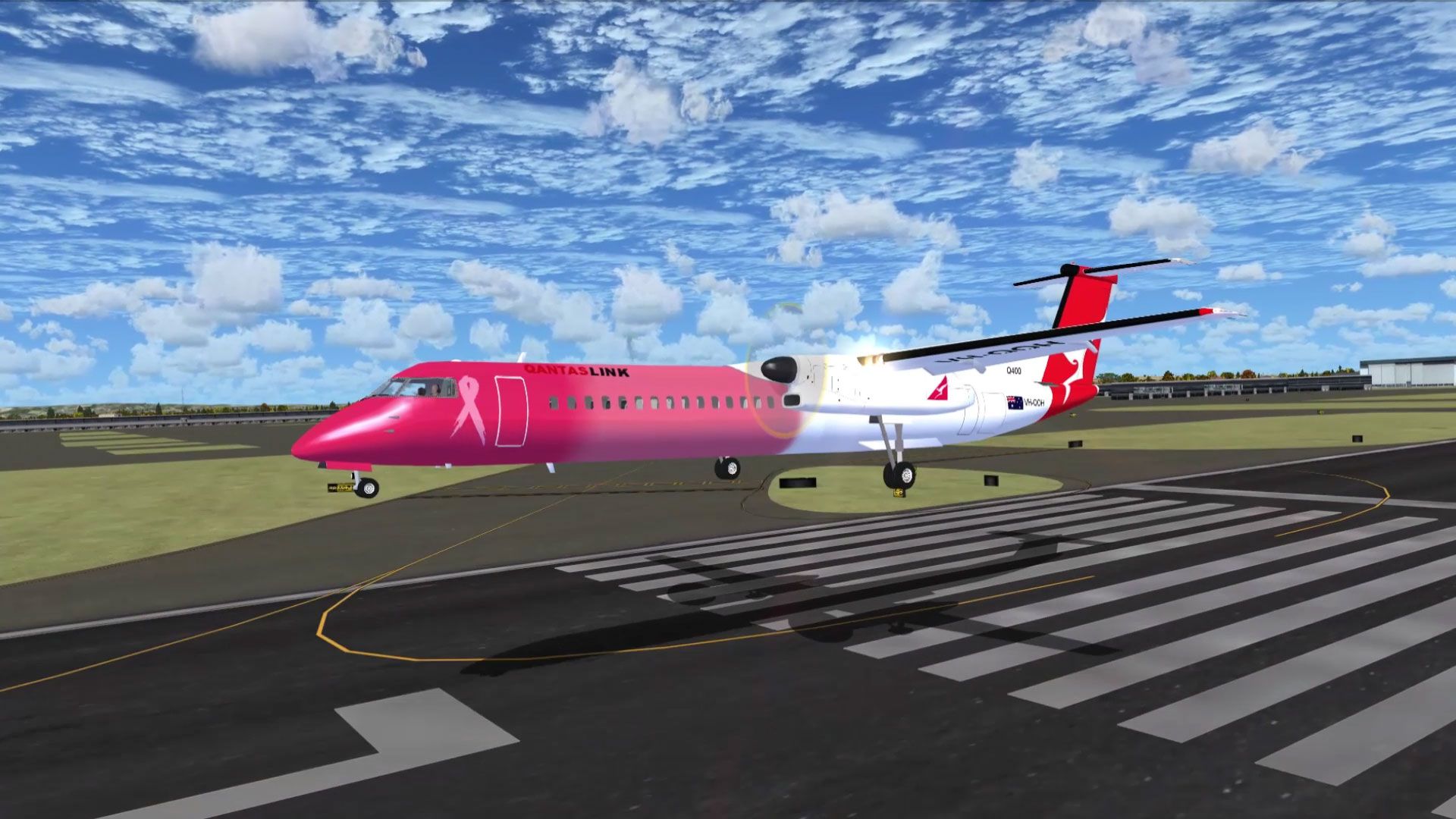
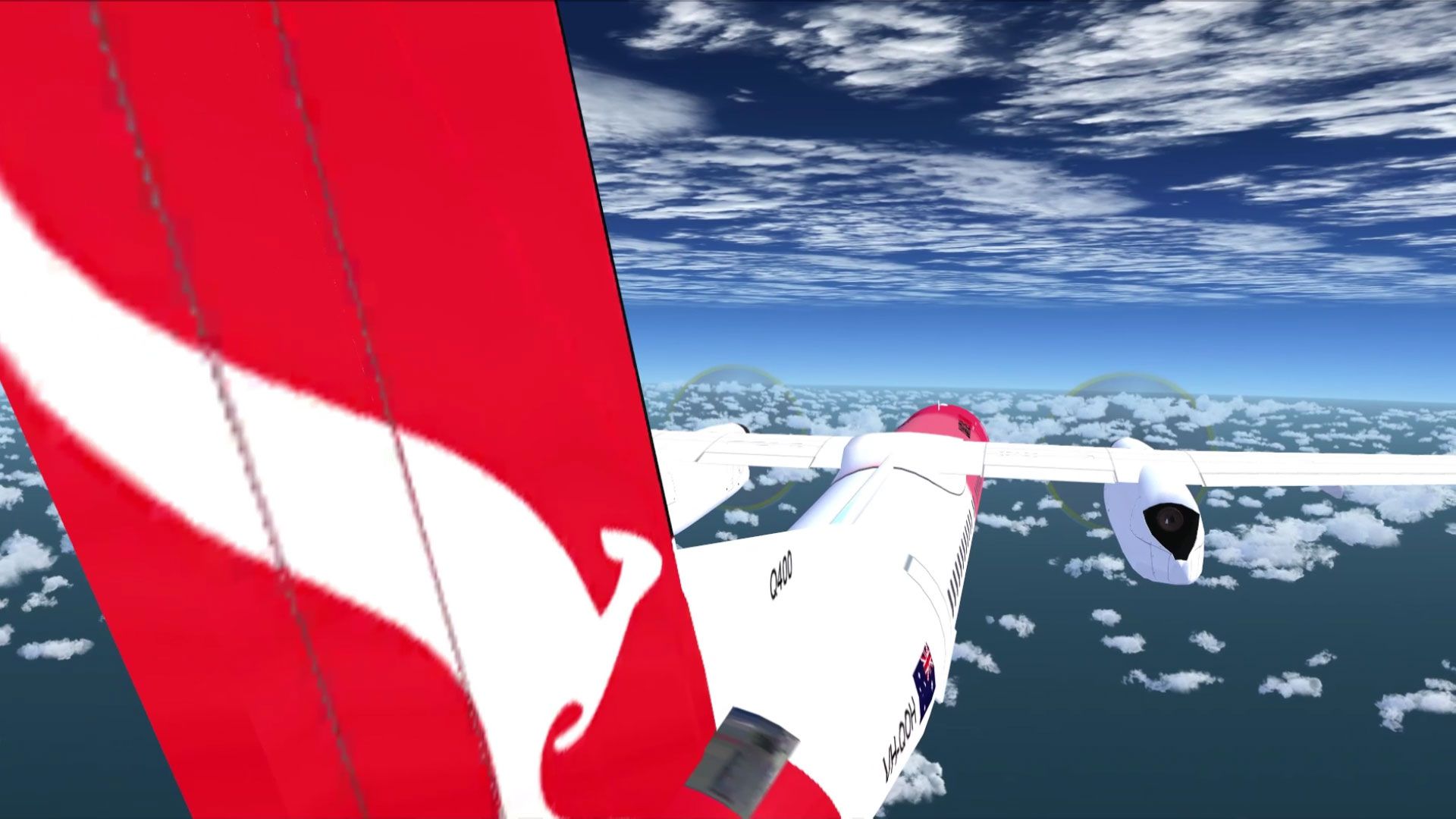
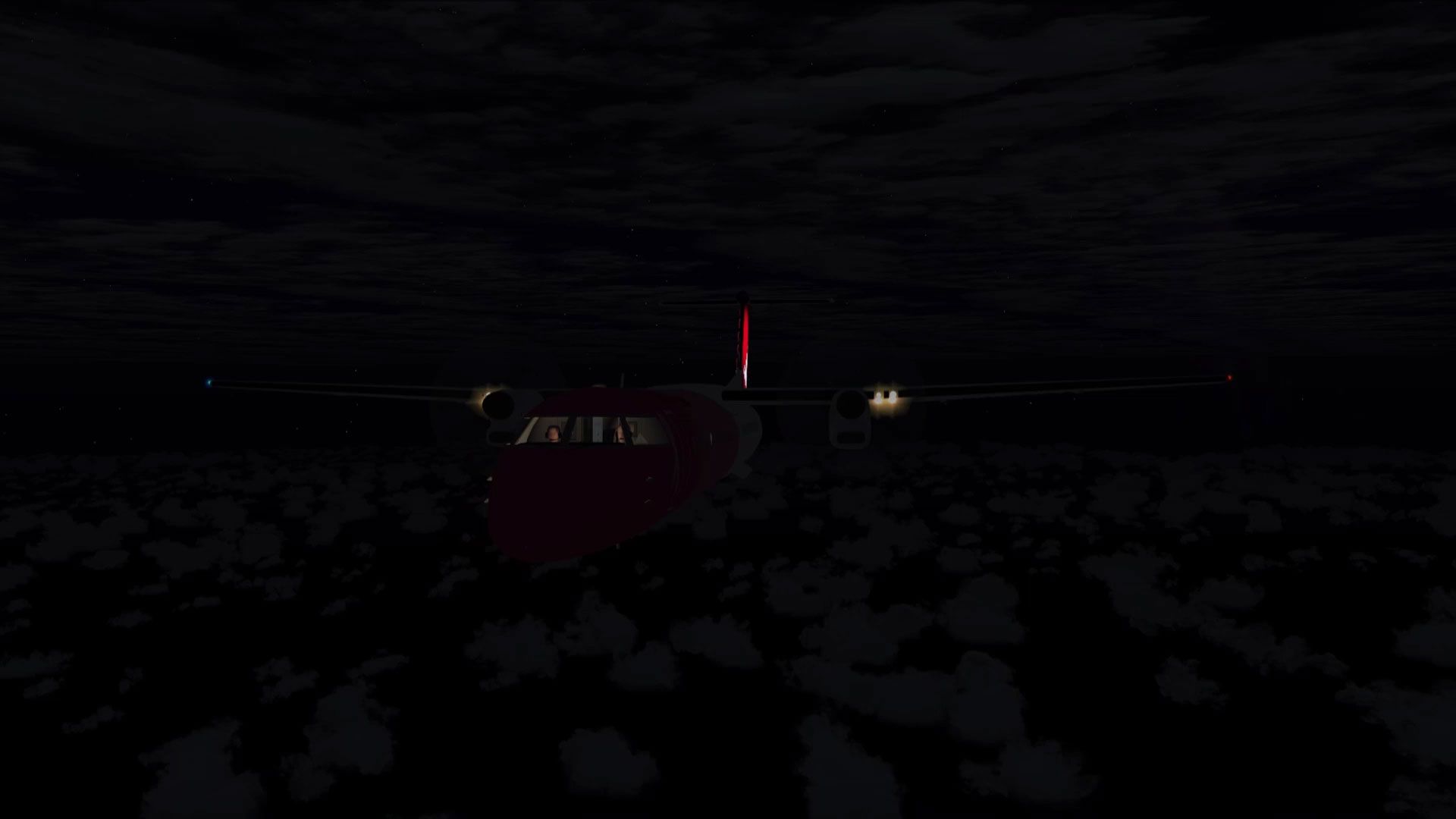
Screenshot of Bombardier Dash 8-Q400 in flight.
PACKAGE INSTALLATION:
Extract ALL (Repeat ...*ALL*) the files into the *FSX MAIN* Folder using WINZIP* in Classic Mode...Do not use the Wizard...Make sure the "Use Folder names" BOX is checked in WINZIP. DO NOT INSTALL TO SIMOBJECTS FOLDER, AIRPLANES FOLDER OR ANY OTHER FOLDER!
New folders will be created and all files automatically installed.
* Other unzip utilities may work as well, we have only tested WinZip.
Vista/Win7 users may need to temporarily disable the UAC (User Account Control) to enable automatic creation of new folders.
Here's how by the numbers...
1. Navigate to where you downloaded the zip file.
2. Double click with your mouse on the zip file.
3. WINZIP should open and show all the files inside the zip.
4. Use keyboard shortcut 'CTRL-A' and this will select ALL the files.
5. Click on upper 'Extract' Button in the Main Tool Bar above.
6. Type in your path in the dialog box, the default location is C:\program files\microsoft games\microsoft flight simulator X.
or Browse to your FSX Location...Open the FSX main folder.
7. Now Click on the 'Extract' button in the upper right.....you're done...go flying.
**** KNOWN ISSUE, VC GAUGE LIGHTING AT NIGHT ****
For some unknown reason the VC gauges sometimes remain dark at night.
We have not found the reason for this (yet) but there is a workaround:
On the Vc panel, located just left of the battery switch, we have installed a panel light switch. Click on this switch once or twice and the VC gauges lights will be restored.
OPERATING TIPS & KEYBOARD COMMANDS
*Check list and reference list available from the cockpit kneeboard command.
*Essential reading ... "Flying Tips" document in the manuals folder.
1. Turn on Tool Tips....Lots of panel information available. Go to Options - Settings - General....Click the "Show Tool Tips" box.)
2. SHIFT-E opens/closes the passenger doors and airstair. The doors will not open in flight.
3. SHIFT-E-2 opens/closes the internal cockpit security door enabling views into the passenger cabin.
4. Wing fold command opens/closes the cargo door. The default wing fold command is Shift + C, yours may be different if you have re-assigned some keyboard commands. There is a cargo door open/close icon on both panels.
5. To raise your seat higher press SHIFT-ENTER (WORKS IN vC ONLY).
6. In the VC, Ctrl-W key toggles yoke on/off. There is also a yoke icon on the VC panel.
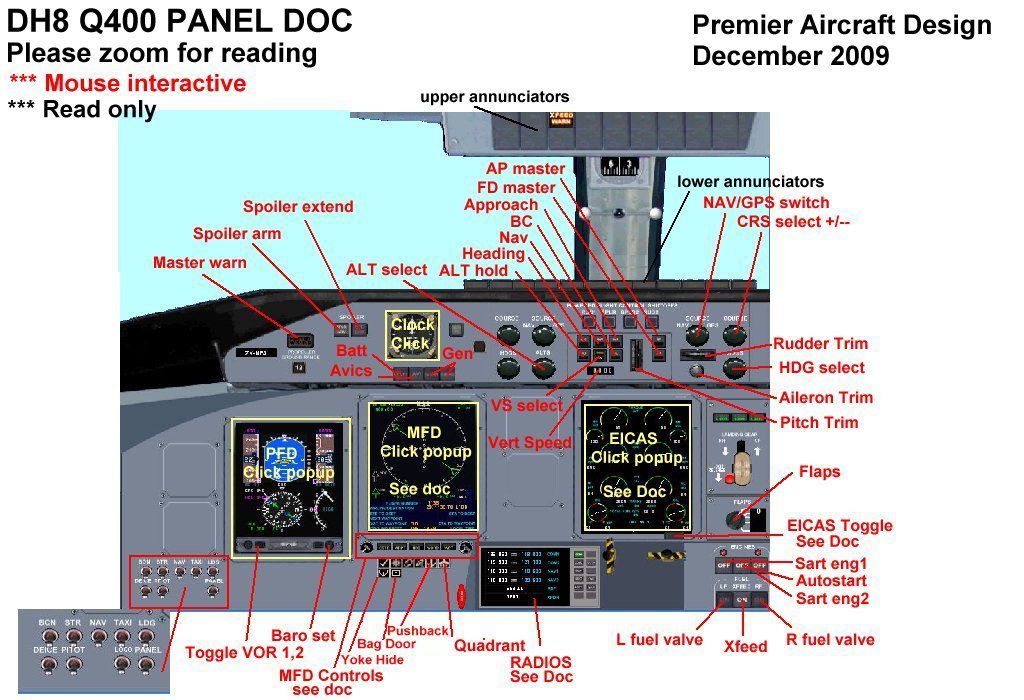
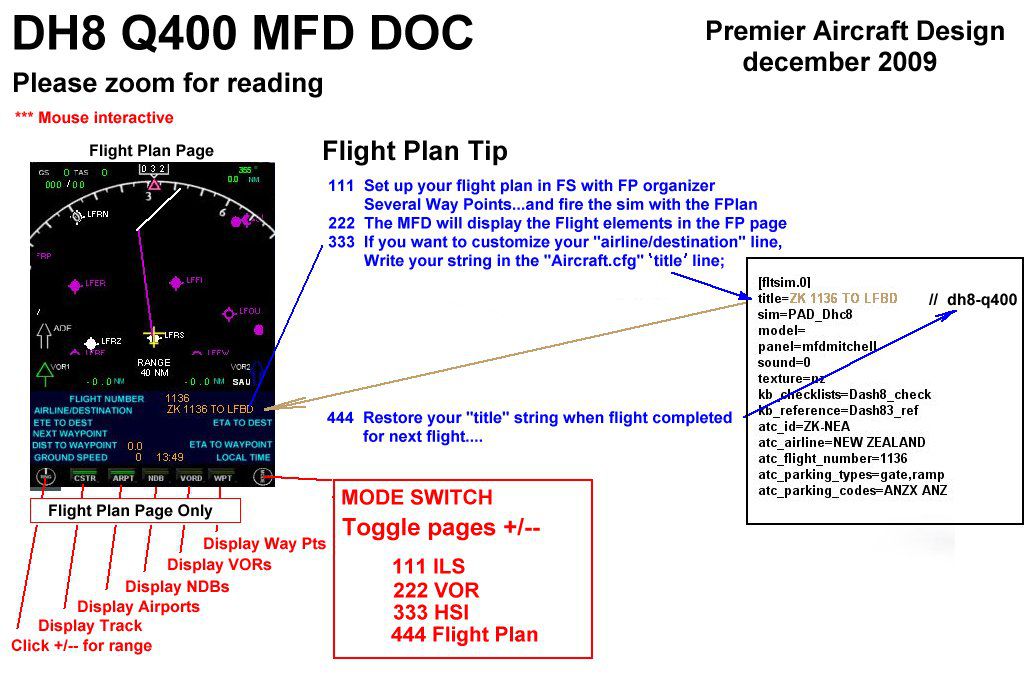
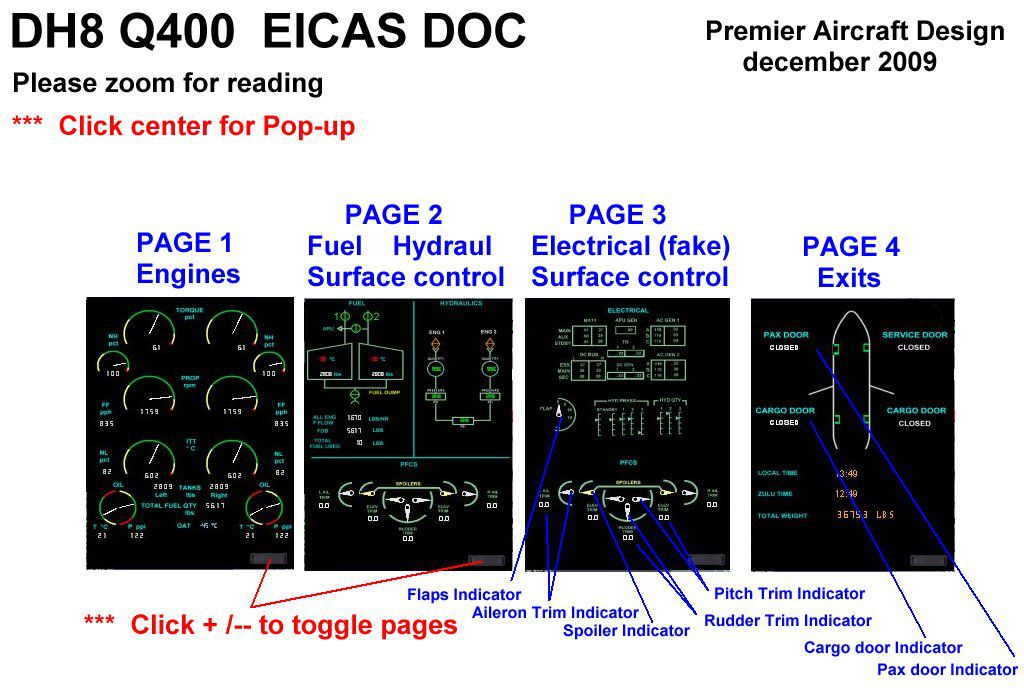
7. The PFD, MFD, EICAS & radio panel displays have magnified pop-ups, use mouse click.
LAST, AND MOST IMPORTANT ... TO GET THE BEST FROM THE AVIONICS AND THE PANEL READ THE DOCS IN THE MANUALS FOLDER.
MOVING AROUND IN THE COCKPIT :
Quick Reference - VC EYEPOINT KEY COMMANDS
Move eyepoint back into passenger cabin
CTRL+ENTER (press and hold)
Move Eyepoint Down
SHIFT+BACKSPACE
Move Eyepoint Forward
CTRL+BACKSPACE
Move Eyepoint Left
CTRL+SHIFT+BACKSPACE
Move Eyepoint Right
CTRL+SHIFT+ENTER
Move Eyepoint Up
SHIFT+ENTER
Reset Eyepoint
SPACE
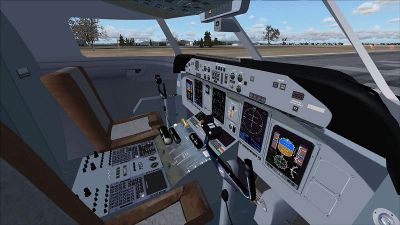
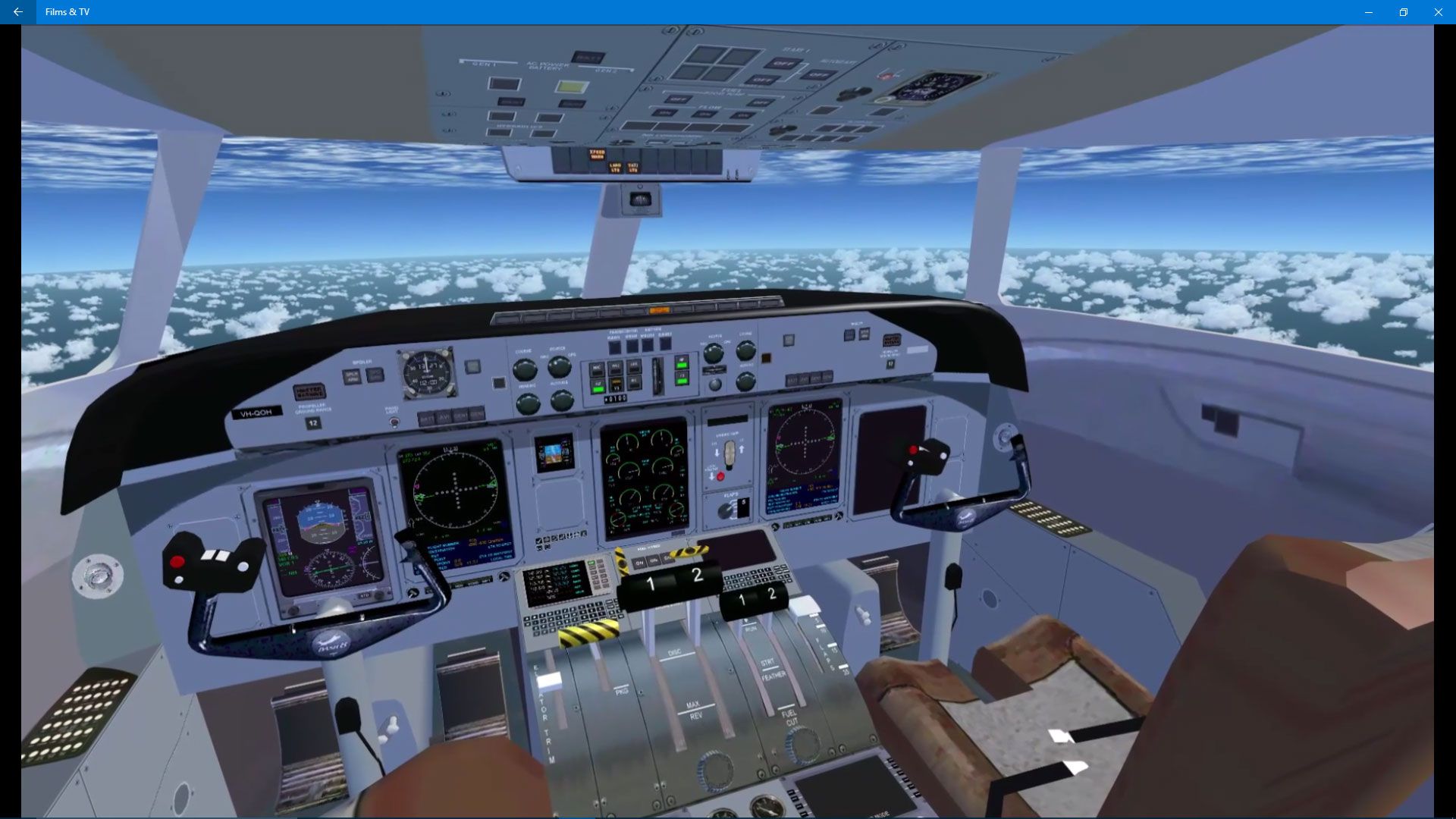
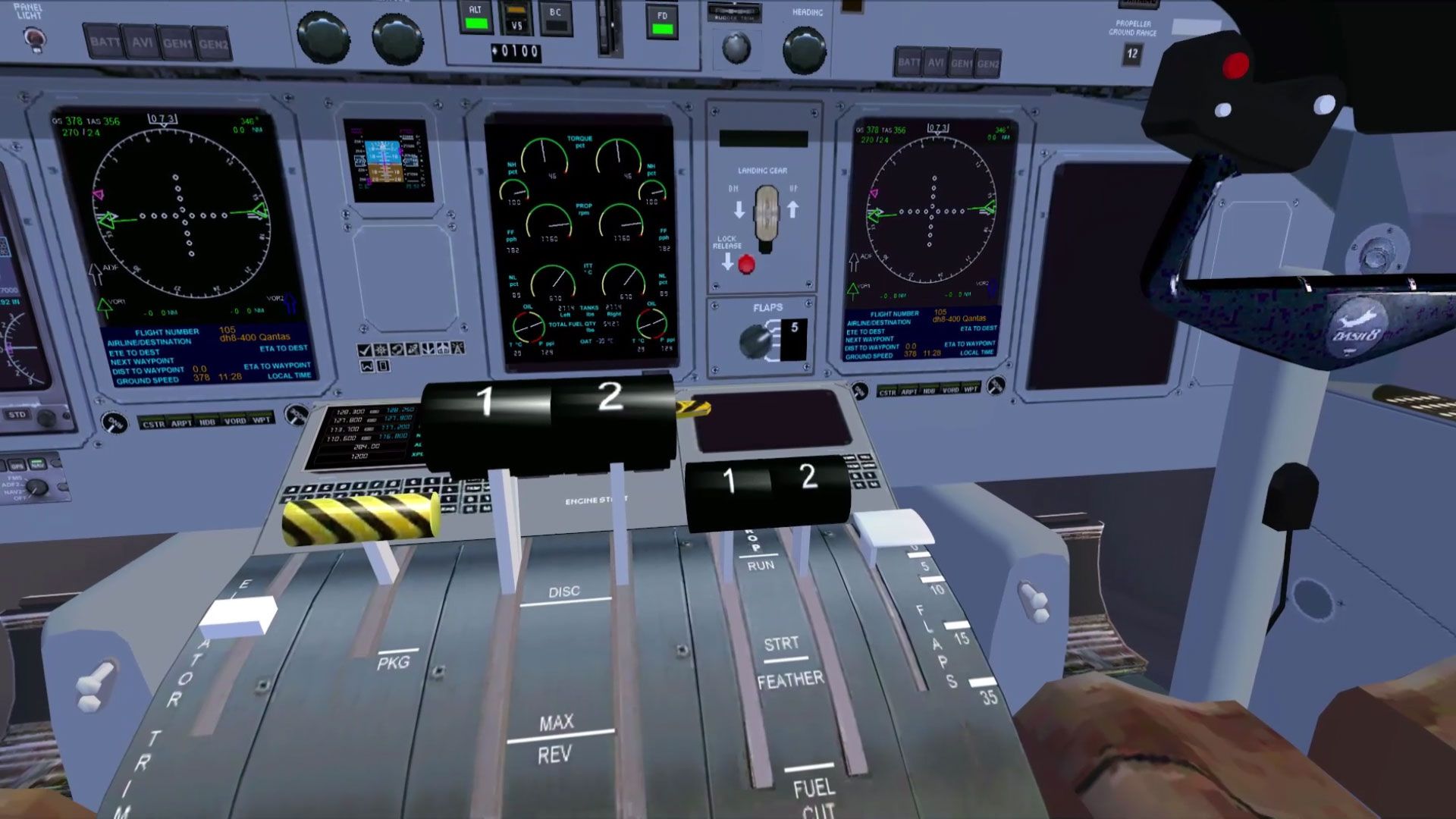
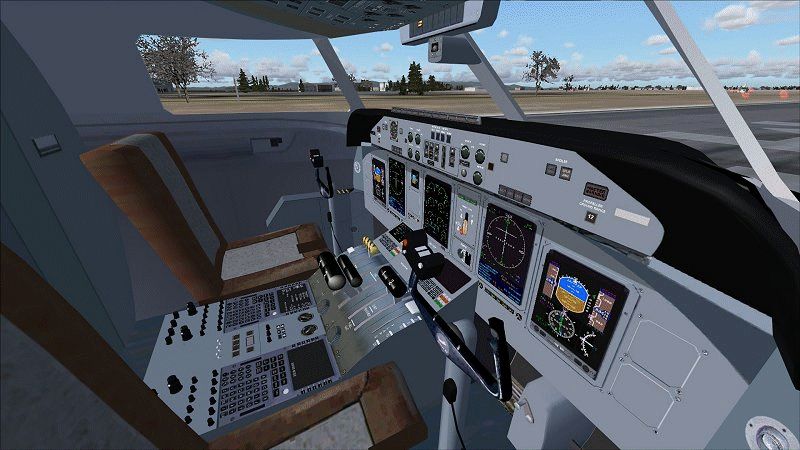
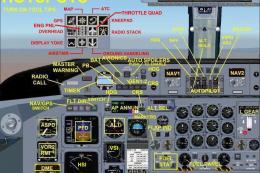
Screenshot of Bombardier Dash 8-Q400 cockpit.
Free for all simmers · 27.96 MB · Scanned clean
Download speed: Free tier is capped at 0.5 Mbps (this file takes approximately 8 mins at the cap). PRO members download at full line speed.
SimObjects\Airplanes\, Addon Scenery\, Effects\, or Gauges\.readme.txt or README file. It tells you exactly where files go, what dependencies are needed, and any quirks specific to this add-on.The archive dhc8-q400_x.zip has 219 files and directories contained within it.
This list displays the first 500 files in the package. If the package has more, you will need to download it to view them.
| Filename/Directory | File Date | File Size |
|---|---|---|
| airplanes | 02.26.10 | 0 B |
| dhc8-q400_x | 02.26.10 | 0 B |
| aircraft.cfg | 02.26.10 | 15.10 kB |
| dash8Q400_800.gif | 02.21.10 | 208.49 kB |
| dh84_check.htm | 01.22.10 | 31.32 kB |
| dh84_ref.htm | 01.28.10 | 5.66 kB |
| dhc8-q400_x.gif | 02.26.10 | 8.46 kB |
| FILE_ID.diz | 02.19.10 | 1.60 kB |
| MANUALS | 02.26.10 | 0 B |
| dh8-Q400 EICAS doc.jpg | 12.29.09 | 133.98 kB |
| dh8-Q400 MFD doc.jpg | 12.29.09 | 145.50 kB |
| dh8-Q400 Panel doc.jpg | 02.19.10 | 159.61 kB |
| Flying_Tips.txt | 02.19.10 | 3.99 kB |
| README Groundhandling5_01.txt | 02.15.10 | 21.04 kB |
| model | 02.26.10 | 0 B |
| dh8-q400_fix16_up.mdl | 02.19.10 | 3.21 MB |
| Model.cfg | 02.19.10 | 36 B |
| PAD_DHC8.air | 01.04.10 | 15.20 kB |
| panel.dh84x_w7 | 02.26.10 | 0 B |
| clock.CAB | 12.29.09 | 79.83 kB |
| DH83.gau | 03.12.07 | 2.20 MB |
| dh84.CAB | 02.04.10 | 47.38 kB |
| dh84_annun.CAB | 12.29.09 | 57.86 kB |
| dh84_autopilot.CAB | 12.20.09 | 130.06 kB |
| dh84_crts.CAB | 12.29.09 | 448.56 kB |
| dh84_quadrant.CAB | 10.08.09 | 202.68 kB |
| dh84_radios.CAB | 11.22.09 | 41.67 kB |
| dh84_sw.CAB | 02.12.10 | 120.67 kB |
| DHC84pnl.bmp | 02.20.10 | 2.25 MB |
| fs9gps.cab | 06.13.03 | 296.71 kB |
| GH_Sound.gau | 04.15.05 | 80.00 kB |
| Lear_45_XML.cab | 09.04.06 | 1.57 MB |
| Panel.cfg | 02.26.10 | 16.44 kB |
| Quadrant.bmp | 12.29.09 | 73.83 kB |
| rcb-gauges.CAB | 12.05.07 | 27.06 kB |
| RCB_Groundhandling5.CAB | 10.20.06 | 26.63 kB |
| RCB_Groundhandling5_Sound.dll | 10.19.06 | 96.80 kB |
| README Groundhandling5_01.txt | 10.22.06 | 20.75 kB |
| RKG_buttons.gau | 02.10.10 | 181.00 kB |
| stby_pfd.CAB | 08.12.05 | 213.39 kB |
| README FIRST.txt | 02.25.10 | 5.87 kB |
| sound.0 | 02.26.10 | 0 B |
| CabinAlert.WAV | 05.12.06 | 70.31 kB |
| d8bn1strt.WAV | 03.20.01 | 853.50 kB |
| d8bn2strt.WAV | 03.20.01 | 187.94 kB |
| d8n1shut.wav | 04.22.05 | 344.61 kB |
| d8n1strt.WAV | 03.20.01 | 853.50 kB |
| d8n2shut.wav | 04.22.05 | 344.61 kB |
| d8n2strt.WAV | 03.20.01 | 187.94 kB |
| dh8apdis.wav | 05.15.00 | 101.67 kB |
| dh8flaps.wav | 04.17.01 | 200.93 kB |
| dh8fltn11.wav | 12.28.01 | 120.06 kB |
| dh8fltn12.wav | 12.28.01 | 119.90 kB |
| dh8fltn13.wav | 12.29.01 | 103.94 kB |
| dh8fltn14.wav | 12.29.01 | 117.94 kB |
| dh8fltn21.wav | 04.17.01 | 332.85 kB |
| dh8fltn22.wav | 04.17.01 | 443.63 kB |
| dh8fltn23.wav | 04.17.01 | 434.87 kB |
| dh8fltn24.wav | 04.17.01 | 450.04 kB |
| dh8geardn.wav | 04.17.01 | 736.94 kB |
| dh8gearup.wav | 04.17.01 | 960.20 kB |
| dh8overspeed.wav | 02.20.03 | 22.23 kB |
| dh8stall.wav | 04.17.01 | 105.28 kB |
| dh8wind.wav | 06.18.00 | 516.98 kB |
| dh8_gyro.wav | 08.14.01 | 2.86 MB |
| door_large_close.wav | 04.09.03 | 131.81 kB |
| door_large_open.wav | 04.09.03 | 116.30 kB |
| kap1a.wav | 04.17.01 | 60.75 kB |
| kap1b.wav | 04.17.01 | 62.75 kB |
| kap1c.wav | 04.17.01 | 34.75 kB |
| kap1d.wav | 04.17.01 | 34.75 kB |
| kap2a.wav | 04.17.01 | 68.25 kB |
| kap2b.wav | 04.17.01 | 73.25 kB |
| kapr.wav | 04.17.01 | 37.31 kB |
| kbp1a.wav | 04.17.01 | 65.25 kB |
| kbp1b.wav | 04.17.01 | 60.75 kB |
| kbp1c.wav | 04.17.01 | 32.75 kB |
| kbp1d.wav | 04.17.01 | 32.75 kB |
| kbp2a.wav | 04.17.01 | 65.25 kB |
| kbp2b.wav | 04.17.01 | 73.75 kB |
| kbpr.wav | 04.17.01 | 24.31 kB |
| sound.CFG | 02.19.10 | 20.48 kB |
| xd8bn1strt.WAV | 05.01.02 | 215.25 kB |
| xd8bn2strt.WAV | 06.16.00 | 65.17 kB |
| xd8n1shut.wav | 04.22.05 | 344.61 kB |
| xd8n1strt.WAV | 05.01.02 | 215.25 kB |
| xd8n2shut.wav | 04.22.05 | 344.61 kB |
| xd8n2strt.WAV | 06.16.00 | 65.17 kB |
| xdh8fltn11.wav | 02.02.01 | 340.25 kB |
| xdh8fltn12.wav | 02.02.01 | 335.28 kB |
| xdh8fltn13.wav | 02.02.01 | 495.51 kB |
| xdh8fltn14.wav | 06.18.00 | 469.24 kB |
| xdh8fltn21.wav | 02.02.01 | 335.29 kB |
| xdh8fltn22.wav | 09.17.05 | 337.54 kB |
| xdh8fltn23.wav | 09.17.05 | 337.54 kB |
| xdh8fltn24.wav | 09.17.05 | 337.54 kB |
| xkap1a.wav | 04.17.01 | 60.75 kB |
| xkap1b.wav | 04.17.01 | 62.75 kB |
| xkap1c.wav | 04.17.01 | 34.75 kB |
| xkap1d.wav | 04.17.01 | 34.75 kB |
| xkap2a.wav | 04.17.01 | 68.25 kB |
| xkap2b.wav | 04.17.01 | 73.25 kB |
| xkapr.wav | 04.17.01 | 37.31 kB |
| xkbp1a.wav | 04.17.01 | 65.25 kB |
| xkbp1b.wav | 04.17.01 | 60.75 kB |
| xkbp1c.wav | 04.17.01 | 32.75 kB |
| xkbp1d.wav | 04.17.01 | 32.75 kB |
| xkbp2a.wav | 04.17.01 | 65.25 kB |
| xkbp2b.wav | 04.17.01 | 73.75 kB |
| xkbpr.wav | 04.17.01 | 35.81 kB |
| texture.flybe | 02.26.10 | 0 B |
| cockpit.bmp | 02.10.10 | 1.00 MB |
| dh84_cabin.bmp | 02.10.10 | 4.00 MB |
| Elevator.bmp | 01.18.10 | 256.07 kB |
| engine1.bmp | 01.25.10 | 1.00 MB |
| Fuse_aft.bmp | 02.11.10 | 1.00 MB |
| Fuse_aft_L.bmp | 01.26.10 | 1.00 MB |
| Fuse_for.bmp | 02.11.10 | 1.00 MB |
| Fuse_for_L.bmp | 01.27.10 | 1.00 MB |
| lights.bmp | 02.08.09 | 32.07 kB |
| lights_L.bmp | 02.08.09 | 65.05 kB |
| misc.bmp | 02.10.10 | 4.00 MB |
| misc_L.bmp | 02.10.10 | 1.00 MB |
| Others.bmp | 02.11.10 | 4.00 MB |
| OVHD.bmp | 02.09.10 | 4.00 MB |
| pilots.bmp | 11.25.08 | 512.07 kB |
| pilots_L.bmp | 10.06.05 | 257.05 kB |
| prop2_TBX.bmp | 02.03.10 | 1.00 MB |
| roue2.bmp | 07.19.04 | 64.07 kB |
| suitcases.bmp | 08.23.09 | 128.07 kB |
| thumbnail.jpg | 02.13.10 | 8.96 kB |
| Thumbs.db | 02.12.10 | 127.50 kB |
| VC_PanelLeft.bmp | 02.21.10 | 1.00 MB |
| VC_PanelRight.bmp | 02.09.10 | 4.00 MB |
| wing.bmp | 01.25.10 | 1.00 MB |
| yoke.bmp | 01.31.10 | 512.07 kB |
| texture.horizon | 02.26.10 | 0 B |
| cockpit.bmp | 02.10.10 | 1.00 MB |
| dh84_cabin.bmp | 02.10.10 | 4.00 MB |
| Elevator.bmp | 01.18.10 | 256.07 kB |
| engine1.bmp | 01.18.10 | 1.00 MB |
| Fuse_aft.bmp | 02.11.10 | 1.00 MB |
| Fuse_aft_L.bmp | 01.26.10 | 1.00 MB |
| Fuse_for.bmp | 01.26.10 | 1.00 MB |
| Fuse_for_L.bmp | 01.27.10 | 1.00 MB |
| lights.bmp | 02.08.09 | 32.07 kB |
| lights_L.bmp | 02.08.09 | 65.05 kB |
| misc.bmp | 02.10.10 | 4.00 MB |
| misc_L.bmp | 02.10.10 | 1.00 MB |
| Others.bmp | 02.11.10 | 4.00 MB |
| OVHD.bmp | 02.09.10 | 4.00 MB |
| pilots.bmp | 11.25.08 | 512.07 kB |
| pilots_L.bmp | 10.06.05 | 257.05 kB |
| prop2_TBX.bmp | 02.03.10 | 1.00 MB |
| roue2.bmp | 07.19.04 | 64.07 kB |
| suitcases.bmp | 08.23.09 | 128.07 kB |
| thumbnail.jpg | 02.13.10 | 8.84 kB |
| Thumbs.db | 01.13.10 | 75.50 kB |
| VC_PanelLeft.bmp | 02.21.10 | 1.00 MB |
| VC_PanelRight.bmp | 02.09.10 | 4.00 MB |
| wing.bmp | 01.18.10 | 1.00 MB |
| yoke.bmp | 01.31.10 | 512.07 kB |
| texture.qantas | 02.26.10 | 0 B |
| cockpit.bmp | 02.10.10 | 1.00 MB |
| dh84_cabin.bmp | 02.10.10 | 4.00 MB |
| Elevator.bmp | 01.18.10 | 256.07 kB |
| engine1.bmp | 01.20.10 | 1.00 MB |
| Fuse_aft.bmp | 02.11.10 | 1.00 MB |
| Fuse_aft_L.bmp | 01.26.10 | 1.00 MB |
| Fuse_for.bmp | 02.02.10 | 1.00 MB |
| Fuse_for_L.bmp | 01.27.10 | 1.00 MB |
| lights.bmp | 02.08.09 | 32.07 kB |
| lights_L.bmp | 02.08.09 | 65.05 kB |
| misc.bmp | 02.10.10 | 4.00 MB |
| misc_L.bmp | 02.10.10 | 1.00 MB |
| Others.bmp | 02.11.10 | 4.00 MB |
| OVHD.bmp | 02.09.10 | 4.00 MB |
| pilots.bmp | 11.25.08 | 512.07 kB |
| pilots_L.bmp | 10.06.05 | 257.05 kB |
| prop2_TBX.bmp | 02.03.10 | 1.00 MB |
| roue2.bmp | 07.19.04 | 64.07 kB |
| suitcases.bmp | 08.23.09 | 128.07 kB |
| thumbnail.jpg | 02.13.10 | 8.12 kB |
| Thumbs.db | 01.21.10 | 77.50 kB |
| VC_PanelLeft.bmp | 02.21.10 | 1.00 MB |
| VC_PanelRight.bmp | 02.09.10 | 4.00 MB |
| wing.bmp | 02.02.10 | 1.00 MB |
| yoke.bmp | 01.31.10 | 512.07 kB |
| Simobjects | 12.22.09 | 0 B |
| Groundhandling | 10.08.09 | 0 B |
| Groundhandling5 | 10.08.09 | 0 B |
| GH01_Conversation1.wav | 10.26.03 | 188.92 kB |
| GH02_Conversation2.wav | 10.29.03 | 76.44 kB |
| GH03_Conversation3.wav | 11.04.03 | 55.39 kB |
| GH04_Conversation4A.wav | 10.14.06 | 114.56 kB |
| GH05_Conversation5.wav | 10.29.03 | 134.51 kB |
| GH06_SoftClick.wav | 03.07.05 | 551 B |
| GH07_Error.wav | 10.26.03 | 8.75 kB |
| GH08_PushbackRoll.wav | 05.11.05 | 44.58 kB |
| GH09_Conversation4B.wav | 10.14.06 | 67.76 kB |
| GH10_Attention.wav | 10.14.06 | 21.57 kB |
| GH11_Brakes.wav | 11.06.03 | 29.74 kB |
| Sound.ini | 03.20.07 | 925 B |
| sound | 11.19.09 | 0 B |
| dhc8-q400_x.gif | 02.26.10 | 8.46 kB |
| FILE_ID.diz | 02.19.10 | 1.60 kB |
| flyawaysimulation.txt | 10.29.13 | 959 B |
| Go to Fly Away Simulation.url | 01.22.16 | 52 B |
| Screenshots | 09.01.17 | 0 B |
| 001.jpg | 09.01.17 | 207.77 kB |
| 002.jpg | 09.01.17 | 228.21 kB |
| 003.jpg | 09.01.17 | 238.91 kB |
| 004.jpg | 09.01.17 | 275.87 kB |
| 005.jpg | 09.01.17 | 198.92 kB |
| 006.jpg | 09.01.17 | 249.08 kB |
| 007.jpg | 09.01.17 | 66.37 kB |
| 008.jpg | 09.01.17 | 133.55 kB |
| 009.jpg | 09.01.17 | 354.01 kB |
| 010.jpg | 09.01.17 | 276.78 kB |
More FSX & P3D add-ons hand-picked based on this download.
FSX Turboprops
Baboo, a Swiss airlines, uses its two Dash Q400 on short and medium distance …
 FSX Turboprops
Aires Colombia Dash 8 Q400, registration HK-4725. This is a repaint of Dreamw…
 FSX Turboprops
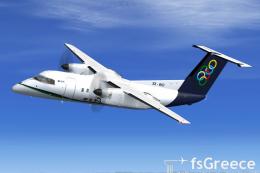
The Dash8-Q202 39 seat regional airliner is a development of the earlier Dash…
 FSX Turboprops
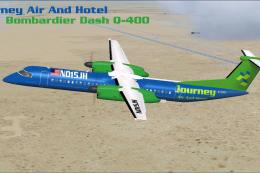
Olympic Air uses the DeHavilland Dash 8-100 on short routes. Complete package…
 FSX Turboprops
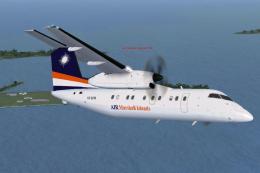
Textures only. Requires the Dreamwings Dash Q-400. By Brenden Geiselhardt. Sc…
 FSX Turboprops
This is The Fruit Stand's DeHavilland DHC 8-100 in Air Marshall Islands paint…
 FSX Turboprops
This is a Bombardier DHC8-Q400 in Airphil Express livery for the Premier Airc…
 FSX Turboprops
All Nippon Airways DeHavilland DHC8-Q400, registration JA849A. A repaint for …
Read what other simmers think, or add your own.


hi,
Like for the Dornier, it's a wonderfull job. But like the Dornier, unable to start the engines. When I press the start button, the button and the light corresponding starts to flicker and engine does not start. Don't tell me, as someone did, to load another plane, start it and then load Dash8 from Premier Aircraft :-(.
Looking forward for your answer .
Cordially
Patrick Pluviaud

I have downloaded two add-ons for FSX: Steam Edition, but I can't get them to work.

I downloaded the plane and followed all instructions but after starting the flight simulator, somehow the paint is not shown on the plane, only the blank model showed up. Can someone tell me how to fix this?

In every download, it says it’s for FSX/P3D. For P3D which version is it? V1/2/3/4. I download one file and it didn’t work for P3D. It’s prob wrong the version. Can you be more specific if it’s version 1,2,3,4 for P3D?

The Dash 8 is a great aircraft but doesn't have speed controls for autopilot hence Overspeed to 300 knots. Any idea how to control the speed?


I have simulator F2004 on my laptop, how can I download the Dash 8 Q400 and add it. Best regards

Might not seem like a flaw to everyone, but I get no overspeed warning on this, and can cruise along at 2500' at about 360kt. Doesn't quite seem realistic. Just tried with a default a/c and it's not my settings.

Great plane! There is just one minor problem: I can't decrease the heading on the autopilot controls, and that made me crash into a mountain on the first flight.

THANKS GUYS/A GREAT AIRCRAFT. I FLY FOR VA S 8 YEARS NOW/YOU NAME IT/CESSNA TO BOEING 777. A GREAT PLANE TO FLY./ IF YOU WANT A CALLSIGN/CAPTAIN2122/MY TWA CALLSIGN.

Great plane I have so far not run into any issues. Then again I also haven't started the plane just free flight with the props going. Everything seems to work fine.


Looks and works great, except the VC controls look a bit flat, but that's just cosmetic. The real concerns are the ILS landing doesn't work well and the fuel truck can't seem to find the plane. Also, should we be concerned about the security warnings when opening the plane in the simulator?

Very simple install without using any WinZip or other program. Just move the dhc8-q400_x file from the Simobj/airplanes folder to the FSX/Simobj/Airplanes folder and the contents of the sound folder to the FSX/sound folder and voila. Flies like a dream and everything works.


The cockpit controls need reworking..maybe layout needs some work too. ShftKey 2 for Radio, ShftKey 3 for GPS etc Pop-ups inoperable. Time for major update?

Hey I have downloaded it and I LOVE IT! It's a very good freeware AC. I was wondering if I could make a repaint of this for FSXCC. You might have heard of it. It's a online landing competition hosted by KiloCharlie1. I will give all original credits to you.


It's ok but for me, the gauges are almost unreadable, even in pop-up mode. I can read them on my 22" screen only in pop-up mode AND with a magnifying glass whilst leaning closer to the screen. Not the most comfy way to be sat whilst flying. I also have to press "W" to get the cockpit out of the way for landing. I am not overly impressed.

Would like to try this appealing download, but WinZip on my PC will not process the files as it deems them 'corrupt'. Any suggestions how to overcome this problem please?
