Subscribe to the Fly Away Simulation newsletter.
Search Fly Away Simulation
Flight sim is a hobby supported by thousands, usually most spend quite a bit keeping up with all the software and hardware... but what about the Free Flight Simulators, who ever mentioned them? In this article, we include a few popular free flight sims for those who like FREE! Click here for more information and to see the free simulators.
Flight simulation is a pastime enjoyed by people from all walks of life. Individuals seemingly from every part of the world appreciate this activity and find great joy in playing these games. They are a great way to kill time, test ones virtual flight abilities and even improve ones real life skills. There are real-life pilots who use flight simulators to improve and practice their flying abilities. There are of course, non-pilots, who like to spend time playing simulation games, considering them to be a hobby and fun past time.
One of the coolest things about flight simulation is that there are a large amount of free flight simulators available. These can be downloaded by anyone who wishes to use them. Below, we will take a look at two of the most notable free flight simulators.
While the most fully functional and developed flight simulator packages such as Microsoft Flight Simulator or X-Plane are paid software, there are some amazing open source and free to use packages available for both PC and Mac. You can even get your hands on the X-Plane demo before you purchase. FlightGear and Orbiter are fully featured simulators with no restrictions on use or time and are both available completely free.
If you're new to virtual aviation, this is a perfect chance to see for yourself how fun and interesting flight simulation can be without making a purchase just yet. Below are some of the downloads we feature.
FlightGear is exciting, open-source fight simulator software that can be freely downloaded. It is compatible with the following Windows versions; 98, 2000, ME, XP, Vista and 7. This simulator is fun to use, accurate in its depictions of airports and scenery. Individuals will have access to the latest updates here. Those who choose to download FlightGear must follow the rules found on the GPL license. If a player agrees to the rules, the software can be both downloaded and copied at their whim.
Information from the FlightGear Wiki Page:
FlightGear Flight Simulator (often shortened to FlightGear or FGFS) is a free, open-source multi-platform flight simulator developed by the FlightGear project since 1997.
David Murr started the project on April 8, 1996. The project had its first release in 1997 and continued in development, the most recent release being version 2.4.0 in August 2011. It has specific builds for a variety of operating systems including Microsoft Windows, Mac OS X, Linux, IRIX, and Solaris. FlightGear code is released under the terms of the GNU General Public License, thus being free software.
The commercial products Flight Pro Sim, Pro Flight Simulator, and others, are direct copies of FlightGear.
Flight Gear is one of the most popular free simulators available. It is an open source program that can be downloaded and copied by anyone. This program does come with a GPL license and it is important that individuals abide by them. As long as they do, they pretty much have free reign.
Flight Gear is a pretty comprehensive program, even though it’s free. A person might expect a free simulator to be underwhelming. After playing flight gear, individuals will find that this isn’t necessarily the case.
Flight Gear includes 20,000 airports, each one of them being an authentic actual airport, complete with markings and proper placements. Runways have approach lighting and slopes, much like they do in real life. The terrain depicted in the software is true to form and is based on wherever a person is flying. The software’s scenery is pretty robust as well. Virtual pilots will see lakes, rivers, highways, towns and the like.
FlightGear boasts many features you expect from an open-source developed flight simulation package, including many advanced features to give you that ultimate realistic simulation experience. Some of the features are mentioned below.
Users will find that FlightGear has ton of great features, including more than 20,000 airports from all over the world. These are real-life airports that one can actually travel to them selves. The airports featured in the game are designed with full scenery sets and runways which slope, proper runway placements, accessories (i.e., lighting) and markings.
FlightGear includes accurate depictions of scenery based on the location. SRTM was utilized to design each area’s terrain so that they were designed accurately. Pilots will find that they can travel via aircraft to every continent in the world (Africa, Asia, Australia, Europe, North and South America).
The scenery designs included in FlightGear are extremely detailed and robust. Players will notice rivers, lakes, cities, railroads and streets as they are in flight. Even ground and highway lighting can be found in major cities. All of these things, plus much more, give pilots an experience that is extremely authentic and realistic.
FlightGear incorporates time of day modeling. Time of day modeling ensures that the scenery accurately depicts whatever time of day it is. For instance, if a pilot arrives at a particular airport at midnight, the sun won’t be shining. Instead, the moon and the stars will be out. The software will also consider the season. During the winter season, there are fewer daylight hours. The simulator will take this into account. Individuals will find that FlightGear’s time of day modeling is one of its best features. Being able to practice flights during specific times of day or night can be quite beneficial for someone who desires to do so in real life or who simply enjoys to do so virtually.
Flight Gear is an open source flight simulator. It is free, feature packed and pretty robust in its offerings. Individuals will find that they are able to travel to more than 20,000 airports, a pretty impressive amount. They will also be able to enjoy accurate day time modeling, sceneries that are authentically based on the location and hours of simulation fun. Download FlightGear below.
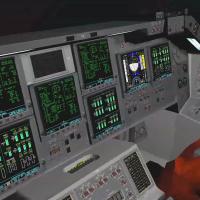
Shows the Nasa Space Shuttle in orbit over the Earth in the latest version of the Orbiter space flight simulator for Windows.
If you are interested in spaced flight simulation, we’re confident that you will enjoy the Orbiter Free Space Flight Simulator. Please note, this is a very realistic simulation and does require a decent degree of skill. If you don’t have it, don’t worry. You can develop the skills necessary to successfully play the game but it may take some time and effort.
Orbiter is another very popular, free flight simulator program. Pilots will find that this simulator allows them to travel into outer space. Players are given the option of launching a satellite from the Kennedy Space Center, navigating a Delta-glider or spending time at the International Space Center. This particular simulator isn’t simply fun and games, though it is enjoyable. It requires some skill. Learning to play the game can be tough, especially for those who have no experience or who aren’t familiar with orbital mechanics. Individuals accumulating some knowledge in this area should refer to Rocket and Space Technology (R. Braeunig).
Information for the Orbiter Wiki page:
Orbiter is a freeware space flight simulator program developed to allow users to operate simulated spacecraft using a detailed and realistic flight model. The developer, Martin Schweiger, felt that space flight simulators at the time were lacking in realistic physics based flight models and decided to write a simulator that made learning physics concepts enjoyable.
The simulator was first released on 27 November 2000 and several new versions have been released, with the most recent version 100830 released for free download on 30 August 2010.
Orbiter has now been used as a teaching aid in classrooms, and a large community of addon developers have created a multitude of addons to allow users to fly assorted real and fictional spacecraft and adding new planets or solar systems.
Orbiter incorporates the effects of planetary motion, physics and gravitational on space flight and navigation. Individuals will thus, need to understand how each of these things will effect their movements and decisions during the game. Unless a person can do the aforementioned, they will this particular simulator will be difficult for them.
Free Flight Simulators can be just as good and comprehensive as paying versions. Many will provide the same level of challenge and number of features as those that cost money, though not all of them. Two of the very best free flight simulator packages are Orbiter and Flight Gear. Both of these are excellent programs and each can be downloaded on this website.
The aim of the Orbiter Free Space Flight Simulator is for the player, to deploy a satellite into space. Players can deploy a satellite from Kennedy Space Center or navigate the Delta Glider through outer space. Once in space, individuals will have the option of engaging the International Space Station or traveling through the solar system.
This is a very serious simulator. While it’s obviously enjoyable to play, it’s very realistic in its depictions and will require that players have a good amount of knowledge and navigational skill. Those that do not have orbital mechanics experience or training, will have trouble with this particular simulator. For those needing to obtain these skills, Basics of Space Flight (Jet Propulsion Laboratory) is a good place to start.
Orbiter is compatible with several Windows versions, including 98, 2000, ME, XP, Vista and 7. Individuals that have any of the aforementioned versions of the software, will be able to use Orbiter.
As mentioned above, Orbiter is pretty serious software. It’s not a silly space game. It’s a simulator. To that end, it includes accurate depictions of the effects of gravity, planetary motion, atmospheric travel and physics. Individuals will have to keep this in mind when they are attempting to navigate throughout outer space.
The program includes gorgeous planetary maps that are brightly colored. These are to be used for successful travel.
The ability to customize outer space is a pretty cool feature offered. Feel free to add space stations, planets and even other space ships. It’s also possible to create an entirely new solar system if one likes.
Orbiter Free Space Flight Simulator comes with a built in developer kit for those interested in developing plug-ins for the software. Those who like to tinker with open source software packages will be able to do so with this particular simulator. Everything one needs to get started is included.
Download Orbiter below. It is an open source simulator and thus can be downloaded for free. Enjoy!
X-Plane is one of the most developed and professional flight simulators available for PC and Mac, so cross platform support is possible. While Microsoft Flight Simulator is for "all" users, X-Plane is the choice of the hardcore sim geeks. It provides great functionality with advanced settings that can be changed to create your virtual world.
X-Plane's advanced engine works by creating the correct wind forces and attributes that flow over the wings and body of the aircraft by looking at how the aircraft you're flying is designed and modeled. This is the most accurate type of simulation, where as Microsoft Flight Simulator aircraft models all have a default wind footprint and settings are changed in configuration files; not based on the shape of the aircraft.
Information from the X-Plane Wiki:
X-Plane is a flight simulator, designed for Mac OS X, but also available for Windows and Linux produced by Laminar Research. X-Plane is packaged with several commercial, military and other aircraft as well as basic global scenery which covers most of the earth. X-Plane also comes with other software to build and customize aircraft and scenery. X-Plane also has a plugin architecture that allows users to create their own modules, extending the functionality of the software by letting users create their own worlds or replicas of places on earth.
As of June 2011, the most recent version is X-Plane 9.70. Mobile versions of the game are also available for Android, iOS (iPad, iPad 2, iPhone, iPod Touch), and webOS platforms. Version 9 comes on 6 double-sided DVDs, most of which comprise the global scenery, which is 78GB uncompressed. X-Plane allows flight from -70 degrees south to 74 degrees north. Switching the planet to Mars is an option that comes with the game, and although the atmosphere is thin, flight is possible.
The X-Plane is an excellent flight simulator. It is extremely robust, has tons of features and both an authentic look and feel.
Tons of aircraft are included in the X-Plane flight simulator package. They include single and multi-engine planes, helicopters, jets, props and VTOLS. This is a wide range of aircraft, making it the perfect simulator for those who are well-rounded in their abilities or who are interested in learning how to fly different types of aircraft.
X-Plane is feature rich. Users will be able to choose from 40 different aircraft. These include aircrafts of all types (ex. helicopters, props, single engines, jets, VTOLS, etc.), both modern and historic. Individuals who can’t find a particular aircraft that they are interested in flying, can find additional ones online.
The scenery in X-Plane is very good and not only includes the earth’s terrain and scenery but also that of outer space, specifically, Mars. On earth, users will find that they can fly in and out of nearly 20,000 airports.
Individuals that would like to test their landing on surfaces beside airport-landing strips will be able to. X-plane allows users to land on oil rigs, frigates, helipads and aircraft carriers. This adds an element of fun and excitement that isn’t always available via flight simulators. Who wouldn’t love to test their mettle and skill by trying to land on surfaces other than airport landing strips?
X-Plane will allow users to manipulate the weather so that they can practice flying in the conditions they want to. They can choose from thunderstorms, turbulence, clouds and rain. Additional weather systems can be purchased online.
This is another feature included in the package. In real life, parts and systems fail. Knowing what to do and how to handle these failures once they do, is very important. X-Plane makes it possible for individuals to practice their response to system failure. Pilots will have the opportunity to experience failed landing gear, instruments, engines, plus much more. Nearly 40 systems can be failed manually. They can also be set up to fail at random and without the user’s knowledge.
In addition to a huge selection of aircraft, great scenery, the ability to manipulate weather conditions and the inclusion of failed modeling, X-Plane also has a built-in Plane Maker. Individuals can use it to make their very own plane.
X-Plane is cross platform compatible and can be run on both Windows computers and Apple's Mac OS X operating system. So if you ever decide to switch your operating system over the years, you'll be able to take your simulation package with you without the risk of having to change engines.
After you have experienced the demo version of X-Plane, you can purchase the full DVD version directly from our online store, SimShack.net. Shipping is provided worldwide and we stock both PC and Mac versions on DVD. Use the links below to view more information including screenshots, videos and a full description from the manufacturer, Laminar Research.
Before you make the purchase, it's worth downloading and testing the demo version of X-Plane! You can get both versions (OS X and PC) right here from the Fly Away Simulation downloads library. Use the links below to begin downloading and view more information on this sim package.
Not a member of Fly Away Simulation? Sign-up for a membership here!
11 comments... read them below or add one
I would like to give it a try
here is another great one - "micro flight"
I used to fly the X-Plane aircraft, but lost the installed software and the CD. I'd like to try it again.
It will be so cool
I have all these. Purchased X-Plane as a result. You also forgot the flight Simulator that comes in Google Earth as a Freebie. Great site! Keep up the good work!
I think that ORBITER needs a new effort from the developers so the Textures and maybe the Graphic engine are both obsolete. Anyway is a really realistic simulator.
Best Regards Frank
Downloaded the flightGear package to try it out. It wouldn't load properly as 6 corrupt files showed up during the install. Don't you guys check these things out?
Is Orbiter a good game with no bugs because I would like to download it.
Thanks
There is a dire need for UAV Simulation Software. There is only one now available from the UK for the Predator. Currently the Predator C is needed.
The academic Community is the arena this will be most used.
Thank you.
I've been in and around aircraft since Nov. 1963, been half-way around this big beautiful planet. As an "Army Brat" with my dad and family, in the military myself (classified) and as a"PILOT", and "I" can say Microsoft and X-Plane 9 are "HIGH ABOVE AND BEYOND" in simulation of ACTUAL FLIGHT.
I have downloaded the first package and its awesome thanks for puttin up this free thing
REGARDS
tizil srivastava