

 FS2004 Civil Jet Aircraft
Texas Int'l Douglas DC-9-10 V2
This repaint showcases a historically significant livery for the Douglas DC-9…
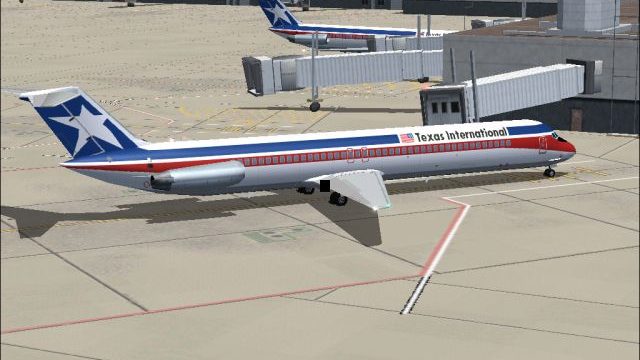
Texas International Airlines’ Douglas DC-9-50 livery brings period-correct AI traffic to Microsoft Flight Simulator 2004 with crisp markings and matching day and night textures for convincing ramp presence after dark. Designed for the efficient AI Aardvark DC-9-50, it requires the base model separately while enhancing historical airline atmosphere across busy hubs.
 Rate
Rate
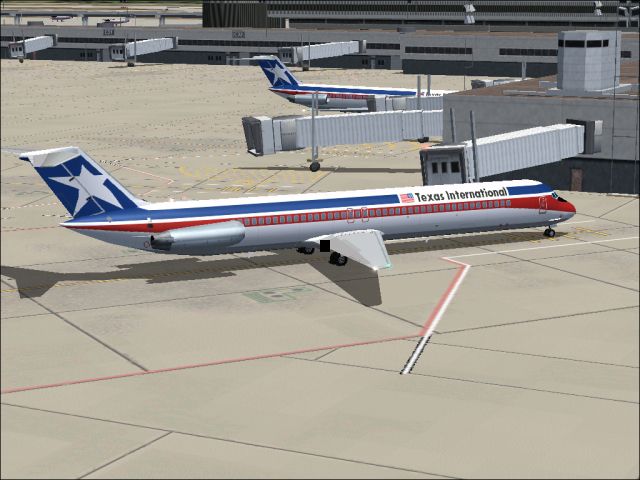
This freeware repaint offers an authentic Texas International Airlines livery for the AI Aardvark DC-9-50, refined for enthusiasts who want realistic traffic within Microsoft Flight Simulator 2004. Crafted by Sheppard Avery, this texture set covers both daytime and nighttime appearances, making it a valuable addition for those seeking a historically accurate homage to one of the most notable regional carriers of its era. The package features only the repainted textures; the AI Aardvark DC-9-50 base model is required separately.
Immersive view of a Texas International DC-9-50 parked at a boarding gate, showing the decal placement and airline branding.
Originally founded under the name Aviation Enterprises, Texas International established a reputation for connecting communities across the Lone Star State. Later rebranded as Trans-Texas Airlines (TTa), the company evolved to meet emerging travel demands and eventually adopted the Texas International designation when it pursued transborder routes. By the early 1980s, its route structure included strategic hubs at both Houston Intercontinental and Dallas/Fort Worth, enabling extensive service into Mexico and numerous domestic destinations. Expansion efforts led to the establishment of New York Air, primarily targeting the bustling Northeast corridor. Although an acquisition attempt with National Airlines did not succeed, it facilitated enough financial leverage to merge with Continental Airlines, causing the Texas International brand to be absorbed into Continental’s broader market presence.
To install these textures, copy each file into the matching folder of your AI Aardvark DC-9-50. Then, open the associated aircraft.cfg file and add a new entry that references these new liveries. Ensure that you direct the simulator to the reflective model for optimal visual fidelity.
This repaint is authored by Sheppard Avery, who has meticulously recreated the look and feel of Texas International’s DC-9-50 era. The result is a faithful depiction for those who wish to relive a significant chapter in American regional aviation.
Free for all simmers · 571.47 KB · Scanned clean Oct 2026
Download speed: Free tier is capped at 0.5 Mbps. PRO members download at full line speed.
FS9\Aircraft\, FS9\Addon Scenery\, FS9\Gauges\, or FS9\Effects\.readme.txt or README file. It tells you exactly where files go, what dependencies are needed, and any quirks specific to this add-on.The archive tid95v2.zip has 7 files and directories contained within it.
This list displays the first 500 files in the package. If the package has more, you will need to download it to view them.
| Filename/Directory | File Date | File Size |
|---|---|---|
| aia_dc_9_50_l.bmp | 08.25.04 | 1.33 MB |
| aia_dc_9_50_t.bmp | 08.31.04 | 1.33 MB |
| READ ME.txt | 09.24.04 | 2.94 kB |
| texasintl.gif | 01.20.04 | 3.02 kB |
| TI.jpg | 09.25.04 | 226.24 kB |
| flyawaysimulation.txt | 10.29.13 | 959 B |
| Go to Fly Away Simulation.url | 01.22.16 | 52 B |
Only PRO members can place votes.
More FS2004 add-ons hand-picked based on this download.
FS2004 Civil Jet Aircraft
This repaint showcases a historically significant livery for the Douglas DC-9…
 FS2004 Civil Jet Aircraft
This repaint package features a distinctive white fuselage scheme for the AI …
 FS2004 Civil Jet Aircraft
This repaint package provides a refined bare metal fuselage scheme for an AI …
 FS2004 Civil Jet Aircraft
Texas International Douglas DC-9-30. By Daniel Halpern and SGA. Screenshot of…
 FS2004 Civil Jet Aircraft
Brand new model from SGA. The SGA DC9-50 with North Central and Northwest Air…
 FS2004 Civil Jet Aircraft
MK Airlines Douglas DC-8-50 in two liveries, 9G-MKC and 9G-MKF. Textures only…
FS2004 Civil Jet Aircraft
Model by AI Aardvark. Painted by Steffen Wengorz. [fltsim.xx] title=AIA DC-9-…
 FS2004 Civil Jet Aircraft
Experience a classic example of USAir’s early 1980s livery in Microsoft Fligh…
Be the first to leave a comment on this download.
Be the first to share your thoughts on this download.