

 FS2004 Civil Jet Aircraft
EAL Douglas DC-9-50 Bare Metal V2.0
This repaint package provides a refined bare metal fuselage scheme for an AI …
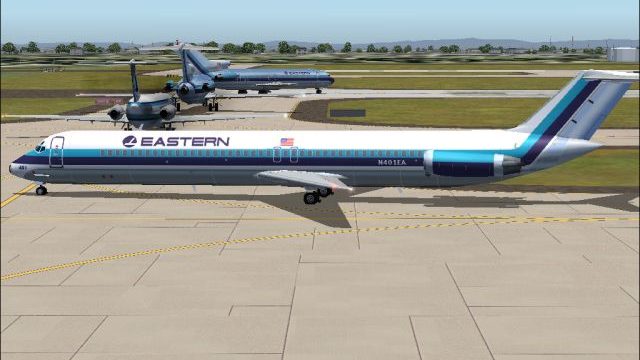
Eastern Air Lines’ modified white livery brings the AI Aardvark Douglas DC-9-50 to life with crisp daytime markings, balanced reflections, and convincing night lighting for busy AI traffic scenes in Microsoft Flight Simulator 2004. The repaint includes optimized textures for smooth performance and requires the AIAFS9UP.ZIP base model.
 Rate
Rate
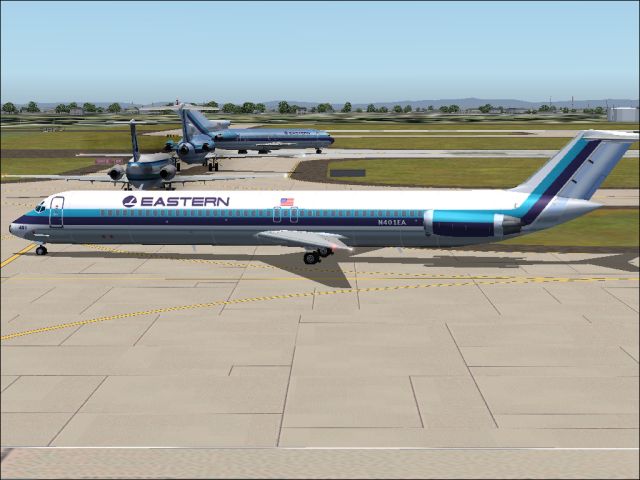
This repaint package features a distinctive white fuselage scheme for the AI Aardvark Douglas DC-9-50, carefully designed to replicate Eastern Air Lines’ tailored look for Microsoft Flight Simulator 2004. It includes transformational day and night textures that enhance AI traffic visuals without compromising performance. You will need the base model (AIAFS9UP.ZIP) from the Fly Away Simulation library for correct functionality.
The McDonnell Douglas DC-9-50 stands out as a short- to medium-range jetliner, an extension of the original DC-9 family launched during the 1960s. While showcasing efficient performance, it also ensured robust operational capabilities for airlines across various route lengths. In this repaint, Sheppard Avery has focused on delivering a faithful adaptation of Eastern Air Lines’ partial white fuselage, originally conceived to streamline paint maintenance and achieve a more modern appearance.
Screenshot of EAL Douglas DC-9-50 on the ground.
Eastern Air Lines, previously headquartered in Miami, was once among the United States’ most recognizable carriers. At various points, it operated vast networks connecting Atlanta, Miami, and hubs in New York, San Juan, and Kansas City. Known for its formidable presence along the eastern seaboard, EAL also offered routes into the Caribbean, Central and South America. By the early 1980s, it was setting new passenger movement records across global markets. Although it ceased operations in the early 1990s, Eastern’s legacy endures in simulators through projects like this repaint.
This repaint emphasizes realism through detailed panel line work and balanced reflective surfaces (if employing the reflective model specification). Daytime textures showcase crisp alignment of markings along the fuselage and tail, while nighttime textures include strategic illumination around windows and doors for a believable presence on ramps and taxiways. Each texture has been carefully optimized for performance to ensure AI traffic can populate busy airports smoothly.
• Day: High-resolution fuselage graphics capturing the modified white layout with Eastern’s branding.
• Night: Subtle lighting effects that highlight cabin windows and cockpit glass, creating an authentic look during after-dark operations.
Model Requirement: These textures are designed exclusively for the AI Aardvark DC-9-50 freeware model (AIAFS9UP.ZIP), not included in this package. Make sure you have the necessary base files installed before proceeding.
Manual Setup: Copy the unzipped texture folder into your existing AI Aardvark DC-9-50 directory within Microsoft Flight Simulator 2004. Then, update your aircraft.cfg by adding a new [fltsim.X] entry, indicating the folder name and ensuring it references these Eastern textures. Selecting the reflective model yields the most accurate depiction of shine and livery detail.
Once installed, this repaint by Sheppard Avery merges historical Eastern Air Lines flair with practical simulation features, delivering an engaging AI accent to busy virtual airports.
Free for all simmers · 932.32 KB · Scanned clean Oct 2026
Download speed: Free tier is capped at 0.5 Mbps. PRO members download at full line speed.
This file is a repaint — the package below is the base model it paints onto. Install it first, or the textures will have nothing to load onto.
FS9\Aircraft\, FS9\Addon Scenery\, FS9\Gauges\, or FS9\Effects\.readme.txt or README file. It tells you exactly where files go, what dependencies are needed, and any quirks specific to this add-on.The archive ea95wtv2.zip has 7 files and directories contained within it.
This list displays the first 500 files in the package. If the package has more, you will need to download it to view them.
| Filename/Directory | File Date | File Size |
|---|---|---|
| aia_dc_9_50_l.bmp | 08.25.04 | 1.33 MB |
| aia_dc_9_50_t.bmp | 09.25.04 | 5.33 MB |
| eastern.gif | 01.25.04 | 1.87 kB |
| EASTERN.jpg | 09.25.04 | 199.12 kB |
| READ ME.txt | 09.24.04 | 1.64 kB |
| flyawaysimulation.txt | 10.29.13 | 959 B |
| Go to Fly Away Simulation.url | 01.22.16 | 52 B |
Only PRO members can place votes.
More FS2004 add-ons hand-picked based on this download.
FS2004 Civil Jet Aircraft
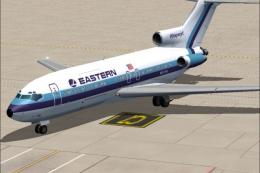
This repaint package provides a refined bare metal fuselage scheme for an AI …
 FS2004 Civil Jet Aircraft
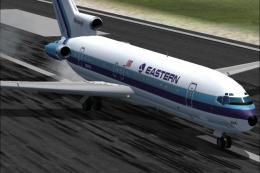
This freeware package features a meticulously crafted repaint of an Eastern A…
 FS2004 Civil Jet Aircraft
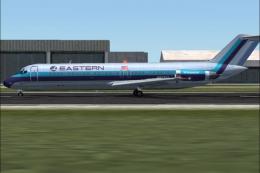
This updated release brings an authentic Eastern Air Lines Boeing 727-200 fro…
 FS2004 Civil Jet Aircraft
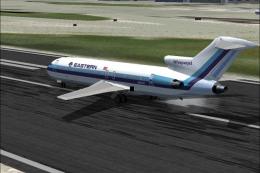
This freeware repaint package offers a meticulously crafted bare metal textur…
 FS2004 Civil Jet Aircraft
This freeware repaint set brings a vivid representation of Eastern Air Lines’…
 FS2004 Civil Jet Aircraft
This freeware package features a meticulously recreated Eastern Airlines Boei…
 FS2004 Civil Jet Aircraft
This updated package offers a retro-themed Boeing 727-100 from Eastern Airlin…
 FS2004 Civil Jet Aircraft
An Eastern Airlines B727-100 in fictional "Wings Of Man" variation, v2.0. Tex…
Be the first to leave a comment on this download.
Be the first to share your thoughts on this download.