

 FS2004 Civil Jet Aircraft
EAL Boeing 727-200 1980 Bare Metal
This repaint offers a meticulously polished metal finish for the iconic Boein…
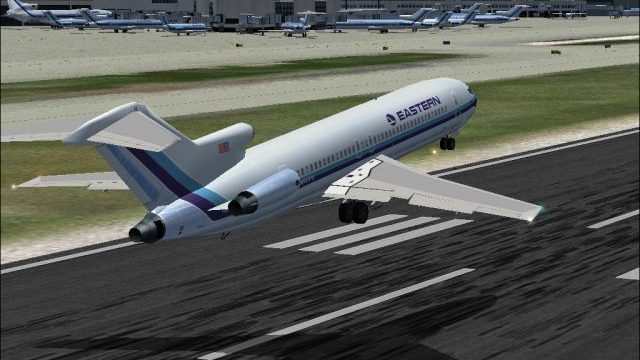
Eastern Air Lines’ Boeing 727-200 returns in a polished 1980s repaint for Microsoft Flight Simulator 2004, featuring a gray metallic fuselage, slender cheat line, and crisp tail markings. Day and night texture sets add believable lighting and sheen, and the package requires the AI Aardvark 727-200 base model for full use.
 Rate
Rate
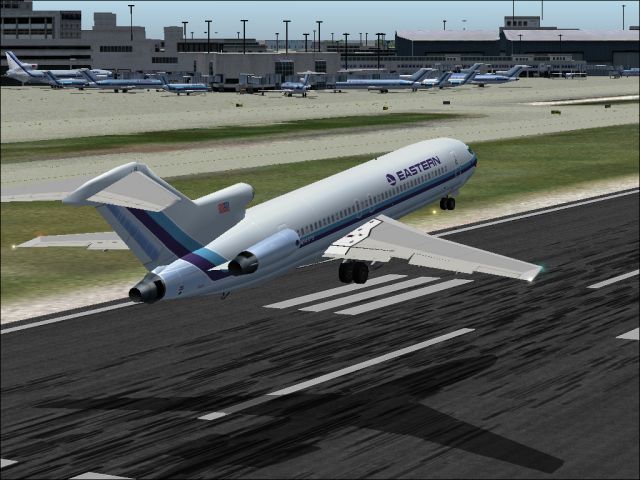
This freeware add-on provides a carefully rendered Eastern Air Lines Boeing 727-200 repaint showcasing a gray metallic exterior and a slender cheat line, all designed for Microsoft Flight Simulator 2004. It is presented as version 2.0 and includes both daytime and nocturnal texture variations. You will need the AI Aardvark base model (AIA721PK.ZIP) for proper functionality. The 727’s trijet configuration, including its T-tail, served Eastern Air Lines extensively for short and medium-haul routes. Crafted by Sheppard Avery (livery) and AI Aardvark (model), this package combines realistic details with historical accuracy.
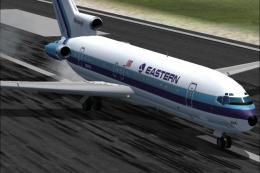
Screenshot featuring Eastern Air Lines Boeing 727-200 on approach.
Originally headquartered in Miami, Eastern Air Lines maintained substantial operations until it ceased activity in the early 1990s. During its heyday, the carrier established major hubs in Atlanta, Miami, New York, San Juan, and Kansas City. It focused heavily on eastern seaboard routes in addition to a notable presence in the Caribbean, as well as Central and South American markets. Throughout the early 1980s, Eastern Air Lines was once recognized for carrying more passengers than any other global carrier of the period. The Boeing 727-200, known for its three-engine arrangement and distinctive T-tail, fit well into these networks by balancing performance with passenger capacity.
The livery presented here reflects the airline’s 1980s-era styling, with a subtle gray fuselage and a narrow cheat line running across the main cabin section. Sheppard Avery has ensured that the tail markings and the metallic sheen faithfully replicate the look Eastern Air Lines adopted in that era. Day and night texture files are included, capturing a convincing glow and reflective finish when flying after dark.
To utilize this repaint, you must obtain the AI Aardvark Boeing 727-200 base model (AIA721PK.ZIP). The individual texture files in this package will not function alone, as they rely on the primary model structure of AI Aardvark's 727 for Microsoft Flight Simulator 2004.
After following these steps, the historic Eastern livery should appear in your AI traffic lineup, offering an authentic glimpse of the airline’s once-prominent trijet fleet.
Free for all simmers · 928.05 KB · Scanned clean Oct 2026
Download speed: Free tier is capped at 0.5 Mbps. PRO members download at full line speed.
FS9\Aircraft\, FS9\Addon Scenery\, FS9\Gauges\, or FS9\Effects\.readme.txt or README file. It tells you exactly where files go, what dependencies are needed, and any quirks specific to this add-on.The archive ea7sgyv2.zip has 7 files and directories contained within it.
This list displays the first 500 files in the package. If the package has more, you will need to download it to view them.
| Filename/Directory | File Date | File Size |
|---|---|---|
| aia_727_200_t.bmp | 09.18.04 | 5.33 MB |
| eastern.gif | 01.25.04 | 1.87 kB |
| EASTERN.jpg | 09.25.04 | 230.92 kB |
| READ ME.txt | 09.24.04 | 1.71 kB |
| aia_727_200_l.bmp | 09.09.04 | 341.43 kB |
| flyawaysimulation.txt | 10.29.13 | 959 B |
| Go to Fly Away Simulation.url | 01.22.16 | 52 B |
Only PRO members can place votes.
More FS2004 add-ons hand-picked based on this download.
FS2004 Civil Jet Aircraft
This repaint offers a meticulously polished metal finish for the iconic Boein…
 FS2004 Civil Jet Aircraft
This updated release brings an authentic Eastern Air Lines Boeing 727-200 fro…
 FS2004 Civil Jet Aircraft
This freeware texture pack showcases the last variation bare metal thin cheat…
 FS2004 Civil Jet Aircraft
This freeware add-on features a genuine Eastern Airlines Boeing 727-200 in a …
 FS2004 Civil Jet Aircraft
This freeware repaint set brings a vivid representation of Eastern Air Lines’…
 FS2004 Civil Jet Aircraft
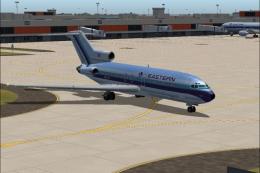
This package offers a detailed Boeing 727-100 repaint that showcases Eastern …
 FS2004 Civil Jet Aircraft
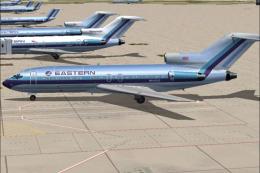
This freeware package features a meticulously recreated Eastern Airlines Boei…
 FS2004 Civil Jet Aircraft
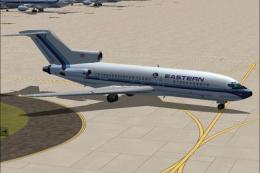
Bring the spirit of a major American airline’s past to your flight lineup wit…
Be the first to leave a comment on this download.
Be the first to share your thoughts on this download.