

 FS2004 Civil Jet Aircraft
Trans World Airlines Boeing 727-200 1970
Transport yourself back to a mid-century era of aviation with this meticulous…
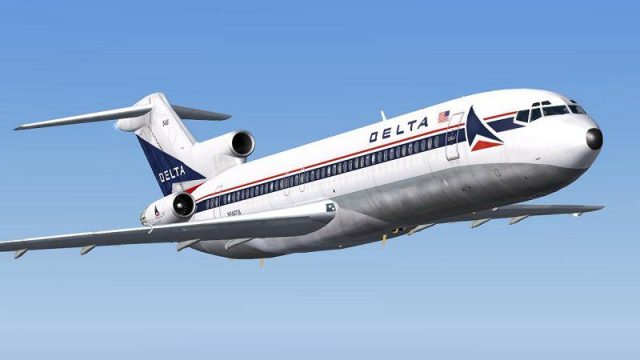
Delta Air Lines’ 1970s white-nose Boeing 727-200 livery brings authentic factory-era colors to Erick Cantu’s Vistaliners tri-jet in FS2004, with crisp DXT3 textures tuned for clarity and performance. Textures-only package requires B72720VL.ZIP and delivers a period-correct exterior finish suited to classic U.S. airline routes.
 Rate
Rate
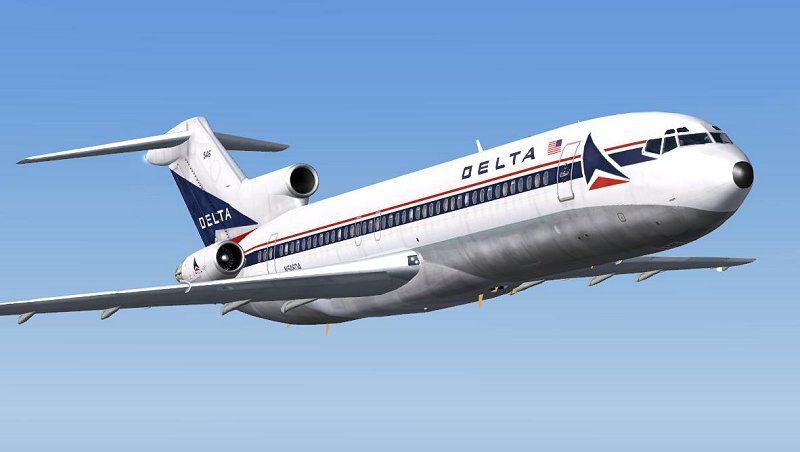
Boeing 727-200 in white nose livery from the 1970's. Textures only for Erick Cantu's Vistaliners B727-200; requires B72720VL.ZIP. Repainted by Jim Campisi.
Screenshot of Delta Airlines Boeing 727-200 in flight.
Textures only for Erick Cantu's new 727-200. This is the white nose delivery colors from the 70's. First 727's for Delta were delivered with this paintjob from the factory. DXT 3 bitmaps with no mipmaps for speed and clarity.
You will need Erick's model available in the file libraries and at Eastern Virtual Air Lines. Install these files into a texture folder and add the appropriate lines to the aircraft.cfg file.
Textures are freeware, not to be used for monetary gain. I take no responsibility for any harm these files may cause. Enjoy!
Jim "Hornit" Campisi
Free for all simmers · 1.22 MB · Scanned clean Oct 2026
Download speed: Free tier is capped at 0.5 Mbps. PRO members download at full line speed.
This file is a repaint — the package below is the base model it paints onto. Install it first, or the textures will have nothing to load onto.
FS9\Aircraft\, FS9\Addon Scenery\, FS9\Gauges\, or FS9\Effects\.readme.txt or README file. It tells you exactly where files go, what dependencies are needed, and any quirks specific to this add-on.The archive 727dalwn.zip has 12 files and directories contained within it.
This list displays the first 500 files in the package. If the package has more, you will need to download it to view them.
| Filename/Directory | File Date | File Size |
|---|---|---|
| B727_C_T.BMP | 11.28.04 | 1.00 MB |
| B727_A_L.bmp | 11.16.04 | 1.00 MB |
| B727_A_T.bmp | 11.21.04 | 1.00 MB |
| B727_B_L.bmp | 11.18.04 | 1.00 MB |
| B727_B_T.bmp | 11.11.04 | 1.00 MB |
| B727_C_L.bmp | 11.16.04 | 1.00 MB |
| 727 readme.pdf | 11.17.04 | 223.69 kB |
| Readme.txt | 12.02.04 | 622 B |
| dalWNs.gif | 12.02.04 | 8.00 kB |
| dalWN.JPG | 12.02.04 | 40.15 kB |
| flyawaysimulation.txt | 10.29.13 | 959 B |
| Go to Fly Away Simulation.url | 01.22.16 | 52 B |
Only PRO members can place votes.
More FS2004 add-ons hand-picked based on this download.
FS2004 Civil Jet Aircraft
Transport yourself back to a mid-century era of aviation with this meticulous…
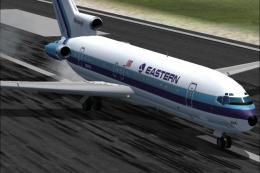 FS2004 Civil Jet Aircraft
This updated release brings an authentic Eastern Air Lines Boeing 727-200 fro…
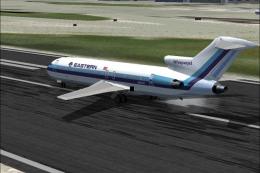 FS2004 Civil Jet Aircraft
This freeware repaint set brings a vivid representation of Eastern Air Lines’…
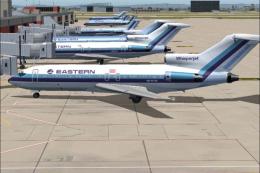 FS2004 Civil Jet Aircraft
This freeware release showcases an iconic Eastern Air Lines Boeing 727-100 fi…
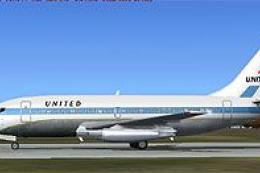 FS2004 Civil Jet Aircraft
This specialized freeware package recreates United Airlines' iconic Boeing 73…
 FS2004 Civil Jet Aircraft
Photoreal retrojet livery, 75th Spirit of Delta. Features fully animated cont…
 FS2004 Civil Jet Aircraft
Enjoy a meticulously crafted representation of the early 1970s Delta tri-jet …
 FS2004 Civil Jet Aircraft
Delta's 1776-1976 Bicentennial livery. These textures are based on Jim Campis…
Be the first to leave a comment on this download.
Be the first to share your thoughts on this download.