

 FS2004 Civil Jet Aircraft
Trans World Airlines Boeing 727-200 2000
Vistaliners SilverJet B727 TWA textures. Textures only for Vistaliners latest…
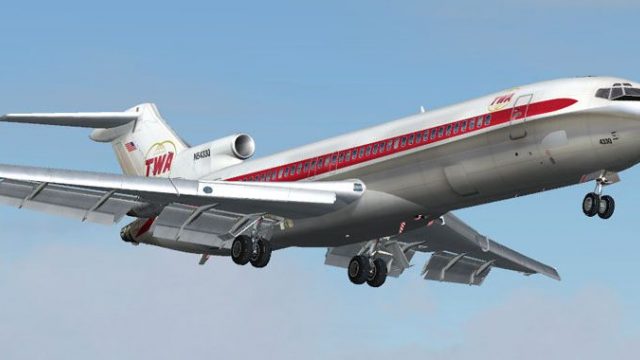
Trans World Airlines’ 1970 Boeing 727-200 livery brings the classic polished-metal tri-jet back to life with an era-correct cheatline, tail lettering, and aircraft N54330 markings for Microsoft Flight Simulator 2004. Designed for the Vistaliners model, it adds a historically faithful exterior finish and requires the Vistaliners 727-200 base package.
 Rate
Rate
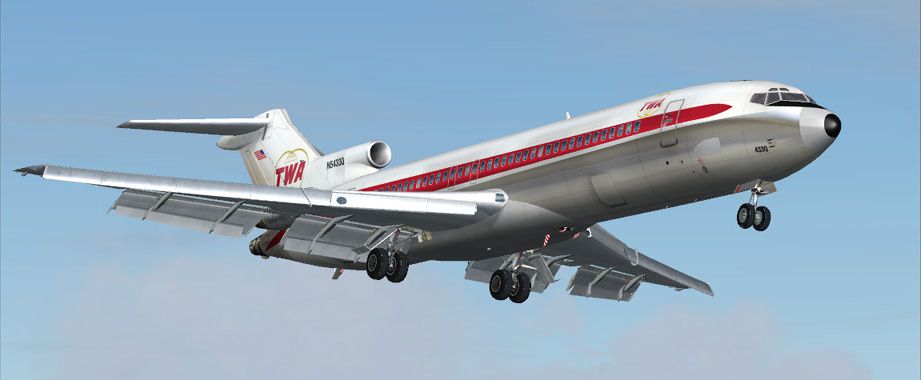
Transport yourself back to a mid-century era of aviation with this meticulous rendition of a Boeing 727-200 in Trans World Airlines’ 1970 color scheme. Emulating the original blend of polished metal and distinctive cheatline, this texture set showcases historical detail for use with Microsoft Flight Simulator 2004. Crafted by Vistaliners and refined by Frank Idone, it highlights TWA’s commitment to sleek branding and the effortless handling of the three-engine layout.
This repaint captures the mirrored silver fuselage and 1970 Trans World Airlines palette, reflecting the carrier’s focus on visually striking aesthetics. The vertical stabilizer displays TWA lettering, while the fuselage includes era-correct markings of N54330 (45783/128), offering a snapshot of Boeing’s celebrated low-bypass turbofan jet technology.
The Boeing 727-200 was admired for its aft-mounted engines, each featuring a low-bypass turbofan design. This advanced configuration provided excellent thrust and allowed operations from relatively short runways, a factor that gave TWA flexibility across hubs and regional airports. The layout also facilitated lighter control surfaces and lower cabin noise levels.
Screenshot of Trans World Airlines Boeing 727-200 in flight.
This download provides only the livery files. Make sure you have the freeware Vistaliners 727 base model (file: B72720VL.ZIP) already installed. That model is available in the Fly Away Simulation library.
Unzip the enclosed folder directly into your “aircraft” directory. Then, append the following lines to your aircraft configuration (aircraft.cfg) file, taking care to replace XX with the next available number:
[fltsim.XX]

title=Vistaliners Boeing 727-200 TWA 1970

sim=B727200_VL

model=

panel=

sound=

texture=twa70

atc_id=N54330

atc_heavy=0

atc_flight_number=487

atc_airline=

ui_manufacturer=Boeing

ui_type=727-231

ui_variation=Trans World Airlines (1970)

description=One of the most successful commercial jet airliners ever designed. Production totaled 1,831 aircraft between the early 1960s and 1984.

visual_damage=1

atc_id_color=0x00000000

atc_id_font=Verdana,-11,1,600,0
The original design of this well-known tri-jet comes from Vistaliners, while Frank Idone developed this period-accurate Trans World Airlines repaint. This package pays homage to an influential carrier and the engineering achievements of the Boeing 727 family, an aircraft that reshaped commercial travel through its efficient operation and wide appeal.
Free for all simmers · 3.54 MB · Scanned clean Oct 2026
Download speed: Free tier is capped at 0.5 Mbps. PRO members download at full line speed.
This file is a repaint — the package below is the base model it paints onto. Install it first, or the textures will have nothing to load onto.
FS9\Aircraft\, FS9\Addon Scenery\, FS9\Gauges\, or FS9\Effects\.readme.txt or README file. It tells you exactly where files go, what dependencies are needed, and any quirks specific to this add-on.The archive tw1722fi.zip has 14 files and directories contained within it.
This list displays the first 500 files in the package. If the package has more, you will need to download it to view them.
| Filename/Directory | File Date | File Size |
|---|---|---|
| texture.twa70 | 11.22.04 | 0 B |
| B727_A_L.BMP | 11.22.04 | 256.07 kB |
| B727_A_T.bmp | 11.22.04 | 4.00 MB |
| B727_B_L.BMP | 11.22.04 | 256.07 kB |
| B727_B_T.bmp | 11.22.04 | 4.00 MB |
| B727_C_L.BMP | 11.17.04 | 256.07 kB |
| B727_C_T.BMP | 11.22.04 | 1.00 MB |
| AAL Legal readme .txt | 10.29.04 | 130 B |
| 727 readme.pdf | 11.17.04 | 223.69 kB |
| Install.txt | 11.23.04 | 1.47 kB |
| file_id.diz | 12.01.04 | 152 B |
| tw1.jpg | 12.02.04 | 66.70 kB |
| flyawaysimulation.txt | 10.29.13 | 959 B |
| Go to Fly Away Simulation.url | 01.22.16 | 52 B |
Only PRO members can place votes.
More FS2004 add-ons hand-picked based on this download.
FS2004 Civil Jet Aircraft
Vistaliners SilverJet B727 TWA textures. Textures only for Vistaliners latest…
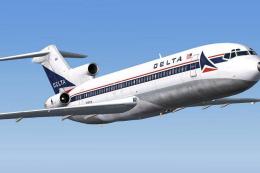 FS2004 Civil Jet Aircraft
Boeing 727-200 in white nose livery from the 1970's. Textures only for Erick …
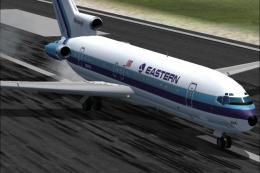 FS2004 Civil Jet Aircraft
This updated release brings an authentic Eastern Air Lines Boeing 727-200 fro…
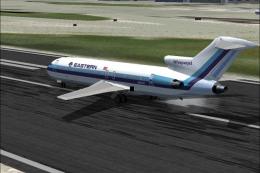 FS2004 Civil Jet Aircraft
This freeware repaint set brings a vivid representation of Eastern Air Lines’…
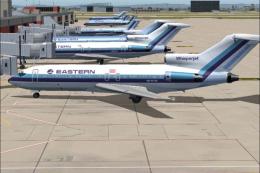 FS2004 Civil Jet Aircraft
This freeware release showcases an iconic Eastern Air Lines Boeing 727-100 fi…
 FS2004 Civil Jet Aircraft
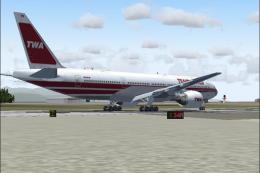
Trans World Airlines Boeing 777-236ER, registration N765TW in the old TWA pai…
 FS2004 Civil Jet Aircraft
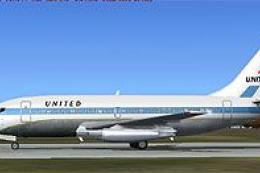
This specialized freeware package recreates United Airlines' iconic Boeing 73…
 FS2004 Civil Jet Aircraft
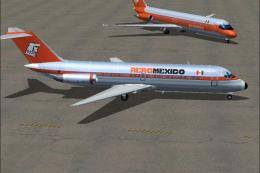
Enhance your virtual fleet in Microsoft Flight Simulator 2004 by adding this …
Be the first to leave a comment on this download.
Be the first to share your thoughts on this download.