


 United States of America
  FSX Scenery
V1.01 NAS North Island
NAS North Island (KNZY), v1.01. After a hard day of trapping it's nice to hav…
NAS Whiting Field North and South brings the Navy’s busiest training hub to Flight Simulator X with detailed buildings, service water towers, helipads, and outlying fields 8A and Spencer NOLF. Enhanced nav aids include an ILS for KNDZ runway 32, updated NSE VORTAC radials, a new tower and beacon, plus fuel and support vehicles.
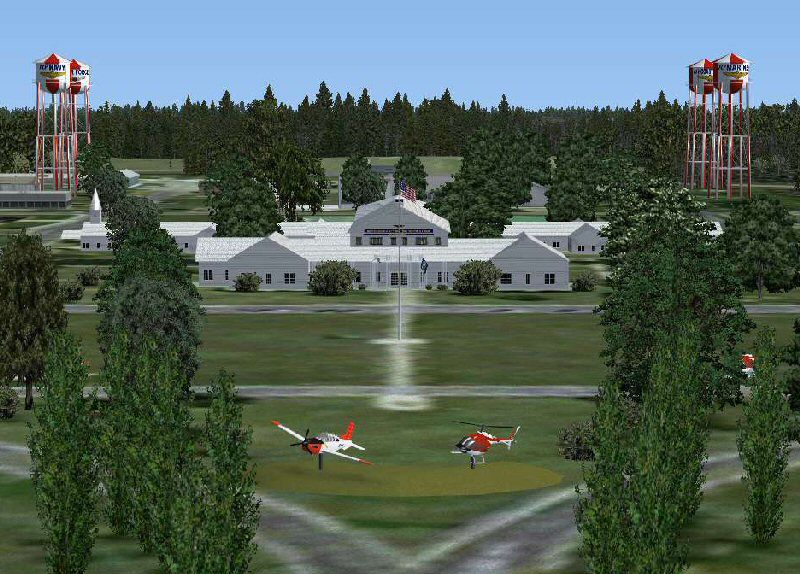

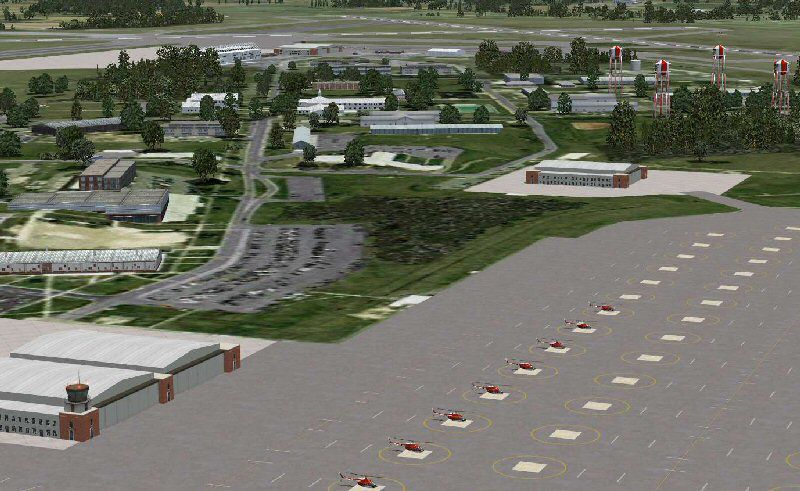
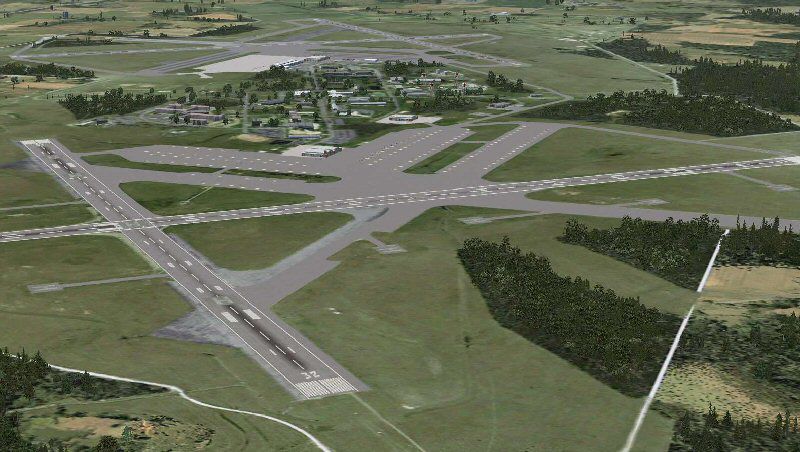
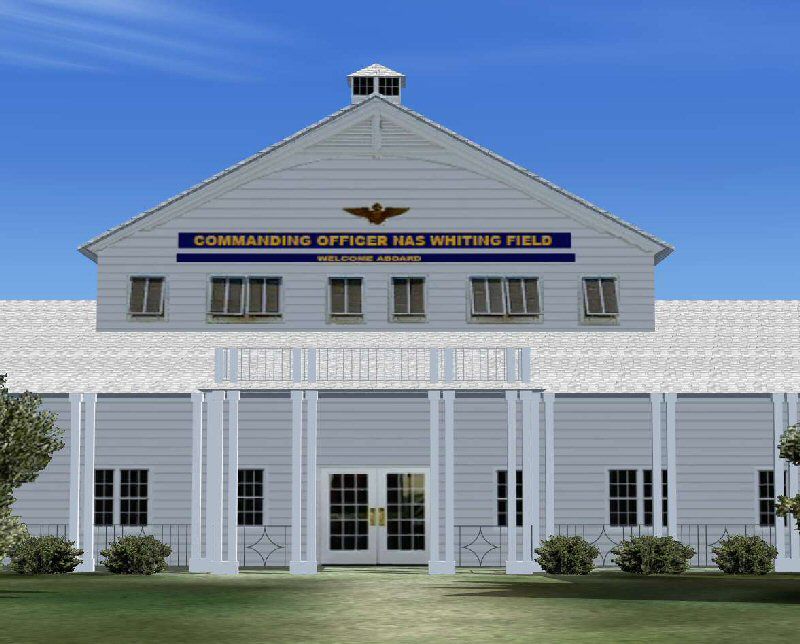
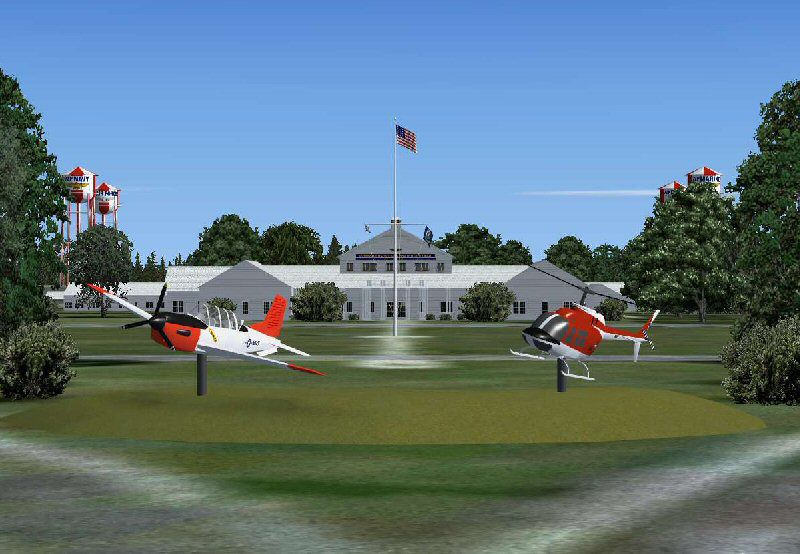

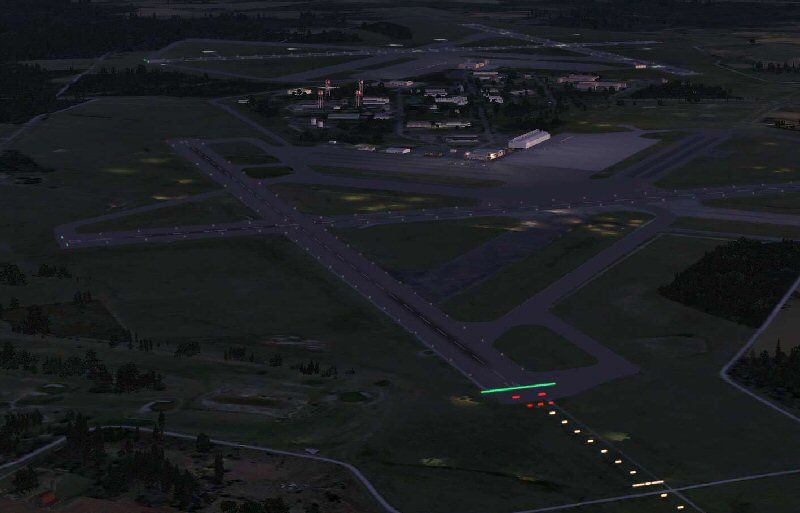
NAS Whiting field is the busiest Naval Air Station in the Navy. Approximately 40% of all Naval Aviators will receive their primary flight training at Whiting Field. Whiting Field North caters to the fixed wing contingent and Whiting Field South serves rotary wing aviators in training.
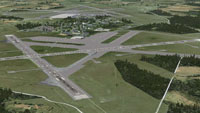
Aerial view of Whiting Field.
The base actually serves the Navy, Air Force, Coast Guards and Marines and has water towers representing the services served. Pilots fly the T34C Turbo Mentor, T-6A Texan II (future), and for rotary wing pilots, the TH-57 Sea Ranger, which is the military version of the FSX default Bell 206 Jet Ranger. Taxiway Z connects the two airports, but since the airports are at different elevations, the taxiways were connected with a platform ramp which can be traveled with most aircraft, but cannot be used with AI. There are some acceleration objects installed. This version adds ILS on KNDZ runway 32 along with the six strobe MALSR. It adds radial data to the default NSE VORTAC that was DME only (112.3), and adds various support buildings and fuel trucks. There is a new control tower under construction at KNDZ. The tower has been added as well as the airport beacon on the "Fly Navy" water tower. Outlying fields 8A (KN8A) and Spencer NOLF (NRQ) have been added to this scenery as well. Dodosim 206/TH57 owners will be happy to note that all the helo landing pads and parking places have been appended with the "NO CRASH" .xml stub so you will be able to keep crash sensing on during take offs and landings. Be careful during hover-taxiing!
Original Buildings include:
Installation:
By Jim Dhaenens.
Free for all simmers · 78.2 MB · Scanned clean Oct 2026
Download speed: Free tier is capped at 0.5 Mbps (this file takes approximately 22 mins at the cap). PRO members download at full line speed.
SimObjects\Airplanes\, Addon Scenery\, Effects\, or Gauges\.readme.txt or README file. It tells you exactly where files go, what dependencies are needed, and any quirks specific to this add-on.Use these coordinates to fly directly to this location once the mod is installed.
30.72420000,-87.02300000
Launch FSX or Prepar3D and use Flights → Load to open the downloaded .pln file. Your aircraft will be positioned at this location.
The archive knse_kndz.zip has 87 files and directories contained within it.
This list displays the first 500 files in the package. If the package has more, you will need to download it to view them.
| Filename/Directory | File Date | File Size |
|---|---|---|
| knse_kndz | 08.18.12 | 0 B |
| nse1.jpg | 01.08.09 | 123.91 kB |
| nse2.jpg | 01.08.09 | 87.23 kB |
| nse3.jpg | 01.08.09 | 95.23 kB |
| nse4.gif | 01.08.09 | 13.72 kB |
| nse4.jpg | 01.08.09 | 105.99 kB |
| nse5.jpg | 01.08.09 | 51.73 kB |
| nse6.jpg | 01.08.09 | 95.48 kB |
| nse7.jpg | 01.08.09 | 101.72 kB |
| nse8.jpg | 01.18.09 | 77.28 kB |
| nsethumb.gif | 01.08.09 | 13.35 kB |
| readme.txt | 08.18.12 | 3.32 kB |
| Scenery | 08.20.12 | 0 B |
| AFX_KN8A.bgl | 05.26.08 | 1.01 kB |
| AFX_KNDZ.bgl | 08.18.12 | 20.51 kB |
| AFX_KNSE.bgl | 08.18.12 | 35.40 kB |
| AFX_NRQ.bgl | 07.16.09 | 4.40 kB |
| CVN71.bgl | 01.11.09 | 140 B |
| cvxKNSE.BGL | 12.22.08 | 794 B |
| cvxSPENCER.BGL | 07.14.09 | 361 B |
| cvxUTILEXC.BGL | 05.26.08 | 228 B |
| KN8Ap.bgl | 05.26.08 | 14.76 kB |
| kndzp.bgl | 08.18.12 | 6.14 kB |
| KNSEbeacon.BGL | 01.16.09 | 140 B |
| knsegeo.bgl | 12.21.08 | 24.63 MB |
| knseobj.bgl | 08.18.12 | 4.37 MB |
| knseobj.txt | 08.18.12 | 1.75 kB |
| knsep.bgl | 08.18.12 | 48.11 kB |
| olf8a.bgl | 05.25.08 | 28.39 MB |
| spencer.bgl | 07.14.09 | 21.73 MB |
| splib.bgl | 07.17.09 | 322.27 kB |
| splib.txt | 07.17.09 | 455 B |
| spplace.bgl | 07.17.09 | 38.62 kB |
| Texture | 08.18.12 | 0 B |
| 003120211021031an.agn | 01.04.09 | 1.91 kB |
| 003120211021032an.agn | 01.04.09 | 1008 B |
| 003120211021033an.agn | 01.04.09 | 260 B |
| 003120211021210an.agn | 01.04.09 | 632 B |
| 003120211021211an.agn | 01.04.09 | 2.25 kB |
| 003120211021213an.agn | 01.04.09 | 392 B |
| 003120211021300an.agn | 01.04.09 | 612 B |
| 003120211021302an.agn | 01.04.09 | 212 B |
| 003120211021320an.agn | 01.04.09 | 260 B |
| almwht.dds | 03.08.08 | 32.12 kB |
| baroof.dds | 03.15.08 | 32.12 kB |
| brick.dds | 07.21.08 | 32.12 kB |
| cab7.dds | 07.14.09 | 8.12 kB |
| chgrside.dds | 03.15.08 | 1.00 MB |
| concrete.dds | 03.15.08 | 128.12 kB |
| dw1.dds | 01.03.09 | 128.12 kB |
| flags.dds | 01.08.09 | 128.12 kB |
| grasss.dds | 01.04.09 | 32.12 kB |
| gray.dds | 12.24.08 | 256.12 kB |
| helospot_H.dds | 12.25.08 | 128.12 kB |
| helospot_H_lm.dds | 12.25.08 | 128.12 kB |
| JGSE.dds | 11.29.08 | 512.12 kB |
| JGSE_2.dds | 11.29.08 | 512.12 kB |
| knsebldg.dds | 01.04.09 | 2.00 MB |
| lights1.dds | 11.06.08 | 32.12 kB |
| nsebrick.dds | 01.03.09 | 128.12 kB |
| nsetwr.dds | 01.17.09 | 32.12 kB |
| roof2.dds | 01.03.09 | 640 B |
| rwytex.dds | 12.24.08 | 128.12 kB |
| shingleGRY.dds | 12.27.08 | 32.12 kB |
| spdkspot.dds | 07.14.09 | 256.12 kB |
| SPNOLF.dds | 07.14.09 | 128.12 kB |
| stat57.dds | 12.23.08 | 128.12 kB |
| stobld.dds | 01.04.09 | 128.12 kB |
| stucco2.dds | 04.13.08 | 128.12 kB |
| t34.dds | 12.26.08 | 128.12 kB |
| t6tex.dds | 12.26.08 | 512.12 kB |
| Thumbs.db | 07.14.09 | 5.50 kB |
| woodfence.dds | 03.04.08 | 16.12 kB |
| wtbody.dds | 01.02.09 | 128.12 kB |
| wtbodyaf.dds | 01.07.09 | 128.12 kB |
| wtbodyaf_N.dds | 01.07.09 | 128.12 kB |
| wtbodyCGpsd.dds | 01.07.09 | 128.12 kB |
| wtbodyCG_N.dds | 01.07.09 | 128.12 kB |
| wtbodyMR.dds | 01.07.09 | 128.12 kB |
| wtbodyMR_N.dds | 01.07.09 | 128.12 kB |
| wtbody_N.dds | 01.02.09 | 128.12 kB |
| wttex.dds | 07.15.09 | 256.12 kB |
| wttop.dds | 01.02.09 | 128.12 kB |
| ylostripe.dds | 03.08.08 | 64.12 kB |
| ylotex.dds | 12.21.08 | 64.12 kB |
| flyawaysimulation.txt | 10.29.13 | 959 B |
| Go to Fly Away Simulation.url | 01.22.16 | 52 B |
Only PRO members can place votes.
More FSX & P3D add-ons hand-picked based on this download.
FSX Scenery
NAS North Island (KNZY), v1.01. After a hard day of trapping it's nice to hav…
 FSX Scenery
This enhanced freeware package focuses on NAS North Island (KNZY), a prominen…
 FSX Scenery
Scenery NAS North Island High Mast. On 13, October 1923, a special USN board …
 FSX Scenery
KXNO North Field Auxiliary, South Carolina (SC). It is owned by the US Air Fo…
 FSX Scenery
Ashley's Field And Hanley. UK. Ashley's and Hanley Farm Strips, companions to…
 FSX Scenery
NAS Pensacola (KNPA), Florida (FL). An improved version with added parking, r…
 FSX Scenery
NAS Fallon, Nevada (NV). Now where else in the world can someone do a vertica…
 FSX Scenery
NAS Corpus Christi, Texas (TX). Just as Whiting field serves both primary and…
Read what other simmers think, or add your own.

I am a VR tech at Whiting Field, and I was wondering if you could update the ILS to 111.75 instead of 112.30. https://www.airnav.com/airport/KNSE

Not sure if you can fix this but if you run this package with IRIS Flight Simulation Beechcraft T-6/B Texan II package as well it makes the game glitch and the plane go invisible or make the landscape all sorts of weird.

I live near here and I have been here some few times. Truly realistic scenery and works perfectly in P3D (2.5) Love how he included NRQ too. Overall I would highly recommend this scenery to anyone who lives near here or just wants to recreate being at the busiest NAS in the world! Thanks Jim, you have GREAT sceneries.