

 FSX Scenery
V1.01 NAS North Island
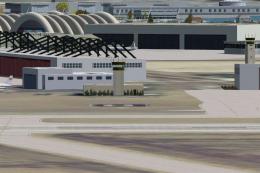
NAS North Island (KNZY), v1.01. After a hard day of trapping it's nice to hav…
NAS North Island (KNZY) scenery refreshes the San Diego naval air station with expanded military parking, refined aprons and taxiways, and more convincing base structures in Microsoft Flight Simulator X. Expect added fire station detail, repositioned control tower elements, static helicopters and vehicles, and accurate placement informed by charts and imagery, using only stock objects.
 Rate
Rate
 United States of America
This enhanced freeware package focuses on NAS North Island (KNZY), a prominent naval aviation facility located in San Diego, California. Created by Jim Cook, it introduces meticulous improvements to the default scenery in Microsoft Flight Simulator X, including additional parking spots, more realistic structures, and refined aprons. This mod leverages stock FSX elements for authenticity and simplicity, ensuring no extra libraries are necessary for installation and operation.
NAS North Island, situated on the northern tip of Coronado, is often regarded as a cradle of naval aviation. Reflecting its real-world significance, this scenery overhaul adds a fire station complete with firefighting vehicles, repositioned control tower structures, and various static elements such as helicopters and fuel trucks. These details combine to give flight simulator enthusiasts a more dynamic and lifelike military environment, capturing the atmosphere of an active Naval Air Station on the U.S. West Coast.
NAS North Island Scenery.
In order to accommodate realistic military operations, Jim Cook integrated numerous Military_Combat and Military_Cargo parking spaces throughout the station. Ground service vehicles, parking lots with cars, and well-placed light poles further expand immersion for virtual pilots. Careful adjustment of aprons and taxiway paths helps synchronize the layout with real-world chart data. The result is a faithful rendition of the base that supports diverse aircraft types, including cargo transports and combat helicopters.
The developer references AirNav charts and high-resolution satellite imagery to ensure positional accuracy of essential installations. Meanwhile, the addition or removal of certain default buildings corrects the original FSX depiction of NAS North Island. This scenery also proves compatible with Just Flight’s Military Plus Packs, as well as Ultimate Terrain and FSGenesis landclass solutions, though these are not compulsory. All added objects rely solely on FSX’s default asset library, eliminating the need to track down external dependencies.
AFX_KNZY_JC.bgl and KNZY_JC.bgl files.You will immediately notice enhanced realism once the sim is relaunched, especially around the parking ramps and facility locales.
Jim Cook created and fine-tuned this upgrade using Flight 1’s AFX and Instant Scenery tools. The attention to detail ensures an optimal balance between visual fidelity and stable performance. Future updates to other military installations may be released whenever scheduling allows, making this an excellent addition for those interested in exploring more authentic naval environments in their simulator setup.
Free for all simmers · 19.05 KB · Scanned clean Oct 2026
Download speed: Free tier is capped at 0.5 Mbps. PRO members download at full line speed.
FSX\Addon Scenery\ containing scenery and texture sub-folders.readme.txt or README file. It tells you exactly where files go, what dependencies are needed, and any quirks specific to this add-on.Use these coordinates to fly directly to this location once the mod is installed.
32.69920000,-117.21530000
Launch FSX or Prepar3D and use Flights → Load to open the downloaded .pln file. Your aircraft will be positioned at this location.
The archive n_island.zip has 6 files and directories contained within it.
This list displays the first 500 files in the package. If the package has more, you will need to download it to view them.
| Filename/Directory | File Date | File Size |
|---|---|---|
| AFX_KNZY_JC.bgl | 06.11.08 | 37.78 kB |
| KNZY_JC.bgl | 06.11.08 | 4.18 kB |
| n_island_read_me.txt | 06.11.08 | 1.11 kB |
| FILE_ID.DIZ | 06.16.08 | 239 B |
| flyawaysimulation.txt | 10.29.13 | 959 B |
| Go to Fly Away Simulation.url | 01.22.16 | 52 B |
Only PRO members can place votes.
More FSX & P3D add-ons hand-picked based on this download.
FSX Scenery
NAS North Island (KNZY), v1.01. After a hard day of trapping it's nice to hav…
 FSX Scenery
Scenery NAS North Island High Mast. On 13, October 1923, a special USN board …
 FSX Scenery
NAS Whidbey Island (KNUW), Oak Harbor, Washington (WA). An improved version w…
 FSX Scenery
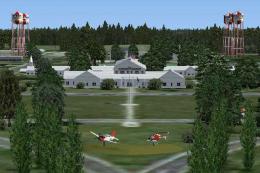
NAS Whiting field is the busiest Naval Air Station in the Navy. Approximately…
 FSX Scenery
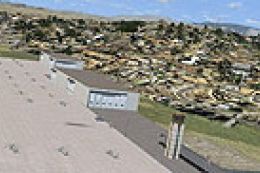
NAS Pensacola (KNPA), Florida (FL). An improved version with added parking, r…
 FSX Scenery
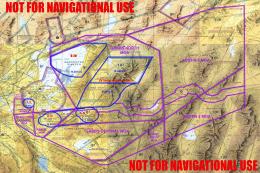
NAS Fallon, Nevada (NV). Now where else in the world can someone do a vertica…
 FSX Scenery
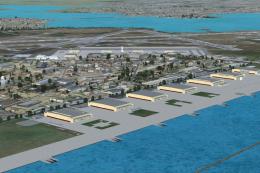
NAS Corpus Christi, Texas (TX). Just as Whiting field serves both primary and…
 FSX Scenery
NAS Key West (KNQX), Key West, Florida (FL). Features removed and replaced st…
Be the first to leave a comment on this download.
Be the first to share your thoughts on this download.