

 FS2004 Propeller Aircraft
Heather Aviation Ltd. Ju52 - Float
This complete freeware package introduces a float-enabled adaptation of the w…
Heather Aviation Ltd. Junkers Ju52 brings classic tri-motor flying to FS2004 with an animated model, tuned flight dynamics, a fully usable virtual cockpit and cabin, plus a 2D panel with XML metric gauges and instrument lighting. Reflective, crisp 32-bit textures complement HTML checklists and a manual; recommended original model JU52V60.ZIP.
 Rate
Rate
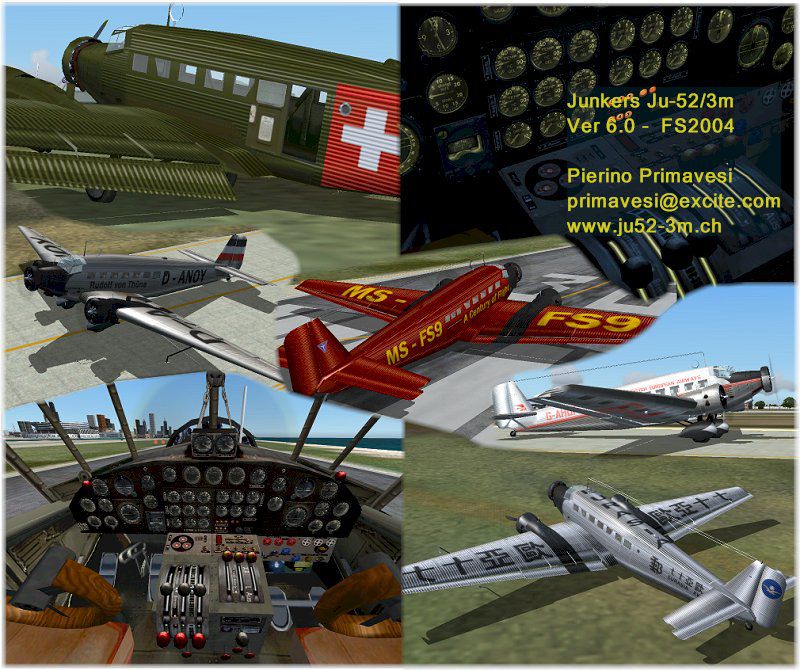
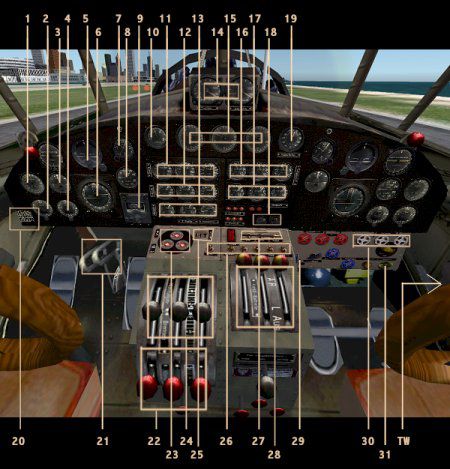
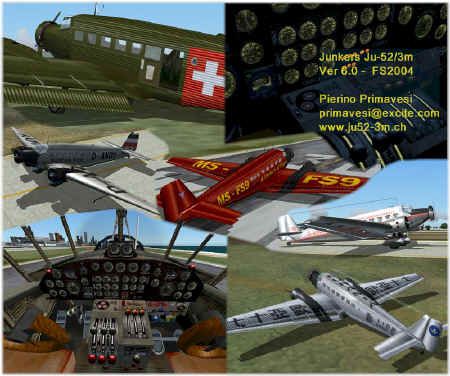
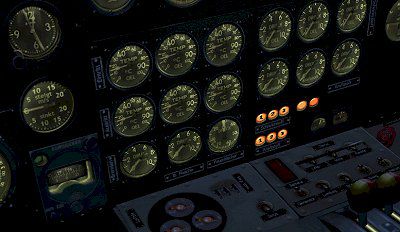
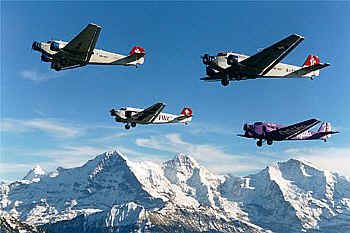
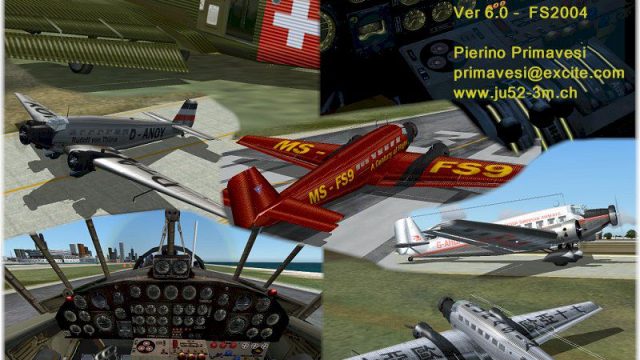
Complete package with animated model, flight model, 2D panel, XML metric gauges, virtual cockpit and cabin, instrument lighting, reflective texture, HTML check/ref lists, HTML manual. The plane is perfectly flyable from inside the 3D cockpit. The textures are 32 bit format with no mip-maps to preserve image clarity. Model by Pierino Primavesi. Flight dynamic tweaks by Herb Morse. It is not necessary but recommended to download the original model with numerous historical liveries, filename JU52V60.ZIP. Repaint by Heather Sherman.
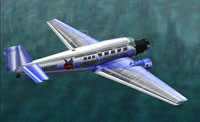
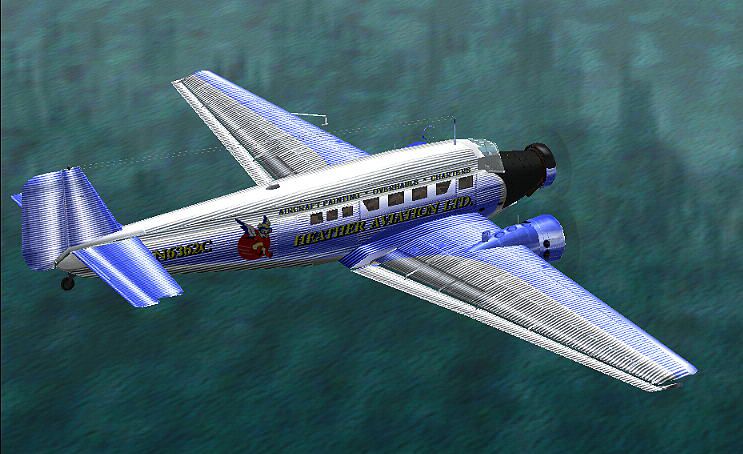
Screenshot of Heather Aviation Ltd. Junkers Ju52 flying over the water.
Installation instructions:
Free for all simmers · 5.66 MB · Scanned clean Sep 2026
Download speed: Free tier is capped at 0.5 Mbps (this file takes approximately 2 mins at the cap). PRO members download at full line speed.
This add-on may require the following files to function properly. If this is a repaint, the dependency below is likely the base aircraft package.
FS9\Aircraft\, FS9\Addon Scenery\, FS9\Gauges\, or FS9\Effects\.readme.txt or README file. It tells you exactly where files go, what dependencies are needed, and any quirks specific to this add-on.The archive ju52hal.zip has 110 files and directories contained within it.
This list displays the first 500 files in the package. If the package has more, you will need to download it to view them.
| Filename/Directory | File Date | File Size |
|---|---|---|
| Please Read.txt | 11.14.03 | 1.60 kB |
| fx_smoke_bju.fx | 02.09.04 | 2.22 kB |
| fx_vclight_ju.fx | 02.09.04 | 1.30 kB |
| Effects | 03.16.04 | 0 B |
| Aircraft | 03.16.04 | 0 B |
| Junkers Ju52_v60-HAL | 03.15.04 | 0 B |
| about.txt | 02.09.04 | 382 B |
| ju52ver60small.jpg | 02.09.04 | 9.05 kB |
| ju52ver60small2.jpg | 02.09.04 | 3.91 kB |
| Ju52_v60.air | 01.23.04 | 7.60 kB |
| Ju52_v60_check.htm | 02.09.04 | 17.72 kB |
| Ju52_v60_ref.htm | 02.09.04 | 28.37 kB |
| manual.htm | 02.09.04 | 37.16 kB |
| readme.txt | 02.09.04 | 3.50 kB |
| Texture | 03.15.04 | 0 B |
| engine.bmp | 02.05.04 | 65.05 kB |
| Ju52Cabin_6.bmp | 02.05.04 | 257.05 kB |
| Ju52Cabin_s.bmp | 02.06.04 | 2.67 MB |
| Ju52Cockpit_6.bmp | 02.05.04 | 257.05 kB |
| Ju52Cockpit_c.bmp | 03.15.04 | 4.00 MB |
| Ju52damage_6.bmp | 06.30.03 | 42.75 kB |
| Ju52exterior_r.bmp | 03.15.04 | 4.00 MB |
| Ju52panel_6.bmp | 02.01.04 | 1.33 MB |
| Ju52propeller_6.bmp | 01.20.04 | 341.40 kB |
| Ju52window_6.bmp | 01.30.04 | 85.43 kB |
| Ju52winframes_b.bmp | 02.07.04 | 257.05 kB |
| Ju52winframes_f.bmp | 02.05.04 | 257.05 kB |
| pilot.bmp | 02.05.04 | 65.05 kB |
| tire.bmp | 02.05.04 | 17.05 kB |
| sound | 03.15.04 | 0 B |
| Sound.cfg | 02.01.04 | 6.71 kB |
| ju1.wav | 04.01.03 | 55.57 kB |
| ju1a.wav | 04.03.03 | 62.12 kB |
| ju2.wav | 04.01.03 | 54.07 kB |
| ju2a.wav | 04.03.03 | 62.12 kB |
| ju3.wav | 04.01.03 | 51.41 kB |
| ju4.wav | 04.01.03 | 45.27 kB |
| jublylnd.wav | 04.01.03 | 78.41 kB |
| juflaps.wav | 04.01.03 | 51.11 kB |
| jup1a.wav | 04.01.03 | 52.51 kB |
| jup1b.wav | 04.01.03 | 50.72 kB |
| jup2a.wav | 04.01.03 | 58.06 kB |
| jup2b.wav | 04.01.03 | 64.12 kB |
| juroll.wav | 04.01.03 | 34.78 kB |
| juroll6.wav | 04.01.03 | 62.19 kB |
| jushutb.wav | 04.01.03 | 28.70 kB |
| justall.wav | 04.01.03 | 32.30 kB |
| justarta.wav | 04.01.03 | 8.15 kB |
| justartb.wav | 04.01.03 | 54.15 kB |
| jutoucc.wav | 04.01.03 | 6.92 kB |
| jutoucl.wav | 04.01.03 | 12.72 kB |
| jutoucr.wav | 04.01.03 | 10.90 kB |
| juwind.wav | 04.01.03 | 61.57 kB |
| juwngscr.wav | 04.01.03 | 40.78 kB |
| tcmflaph.wav | 04.01.03 | 4.35 kB |
| xju1.wav | 04.01.03 | 50.37 kB |
| xju1a.wav | 04.23.03 | 68.64 kB |
| xju2.wav | 04.01.03 | 53.08 kB |
| xju2a.wav | 04.23.03 | 61.35 kB |
| xju3.wav | 04.01.03 | 57.05 kB |
| xju4.wav | 04.01.03 | 70.56 kB |
| xjup1a.wav | 04.01.03 | 52.51 kB |
| xjup2a.wav | 04.01.03 | 58.06 kB |
| xjup2b.wav | 04.01.03 | 64.12 kB |
| xjushutb.wav | 04.03.03 | 28.70 kB |
| xjustarta.wav | 04.01.03 | 8.15 kB |
| xjustartb.wav | 04.01.03 | 54.23 kB |
| Panel | 03.15.04 | 0 B |
| JUmainpanel.bmp | 01.12.04 | 769.05 kB |
| Junkers_Ju52.cab | 02.01.04 | 857.15 kB |
| Panel.cfg | 02.01.04 | 10.60 kB |
| Model.hal | 03.15.04 | 0 B |
| ju52_v60_hal.mdl | 02.08.04 | 1.12 MB |
| Model.cfg | 03.14.04 | 31 B |
| Docs | 03.15.04 | 0 B |
| ALLE4_GR.JPG | 01.21.02 | 14.01 kB |
| condorju52RHM2C111.jpg | 01.21.02 | 2.51 kB |
| HUNG.JPG | 01.21.02 | 3.84 kB |
| ju-52a02.jpg | 03.25.02 | 3.42 kB |
| ju-52a10.jpg | 03.25.02 | 4.34 kB |
| ju-52a11.jpg | 03.25.02 | 3.81 kB |
| ju-52a13.jpg | 03.25.02 | 2.39 kB |
| ju-52a15.jpg | 03.25.02 | 4.10 kB |
| ju-52a39.jpg | 03.25.02 | 2.80 kB |
| Ju52-3m-g6e-1s.jpg | 01.21.02 | 2.34 kB |
| ju5201.jpg | 01.21.02 | 2.65 kB |
| ju52Betr1.jpg | 01.21.02 | 5.67 kB |
| JU52PERU.JPG | 03.25.02 | 3.38 kB |
| ju52ver60.jpg | 02.08.04 | 150.60 kB |
| ju52ver60b.jpg | 02.09.04 | 28.31 kB |
| ju52wfloa2.jpg | 01.21.02 | 2.99 kB |
| JU52_E.JPG | 01.21.02 | 2.47 kB |
| JU52_G.JPG | 01.21.02 | 2.52 kB |
| JU52_H.JPG | 01.21.02 | 2.60 kB |
| JU52___.JPG | 01.21.02 | 5.31 kB |
| maua_varig_brasil_ju_52.jpg | 01.21.02 | 2.39 kB |
| pierino.jpg | 02.08.04 | 22.06 kB |
| Poster_Ju52_Luftreisen.jpg | 03.19.02 | 29.42 kB |
| Poster_Winternacht.jpg | 03.19.02 | 25.99 kB |
| sanitat.jpg | 01.21.02 | 2.34 kB |
| vcockpit1.jpg | 02.08.04 | 59.03 kB |
| vcockpit2.jpg | 02.08.04 | 19.88 kB |
| vcockpit3.jpg | 02.08.04 | 25.87 kB |
| wittstock.jpg | 01.21.02 | 7.60 kB |
| Aircraft.cfg | 03.16.04 | 10.79 kB |
| Flight Simulator 9 | 03.16.04 | 0 B |
| HAL-02.JPG | 03.16.04 | 69.50 kB |
| Installation.txt | 03.16.04 | 1.49 kB |
| flyawaysimulation.txt | 10.29.13 | 959 B |
| Go to Fly Away Simulation.url | 01.22.16 | 52 B |
Only PRO members can place votes.
More FS2004 add-ons hand-picked based on this download.
FS2004 Propeller Aircraft
This complete freeware package introduces a float-enabled adaptation of the w…
 FS2004 Propeller Aircraft
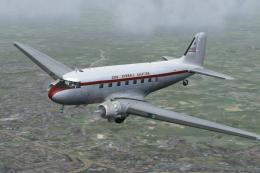
Repaint by John Payne. Original DC3 base textures courtesy of Mark Beaumont. …
 FS2004 Propeller Aircraft
The Junkers Ju 52 equipped with floats brings a fresh dimension to bush flyin…
 FS2004 Propeller Aircraft
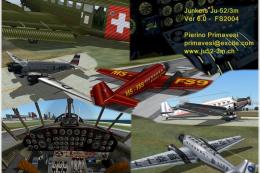
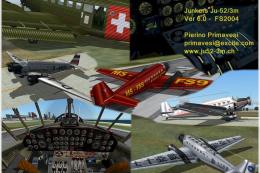
Features Ju-52/3m 3ge 4ge models on wheels, full FS2004 animation and lights,…
 FS2004 Propeller Aircraft
This freeware package provides a blank-liveried rendition of the classic Junk…
 FS2004 Propeller Aircraft
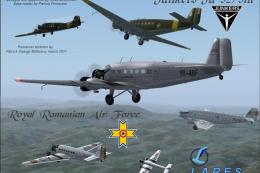
Eleven Romanian repaints for Pierino Primavesi's FS2004 Junkers Ju-52/3m pack…
 FS2004 Propeller Aircraft
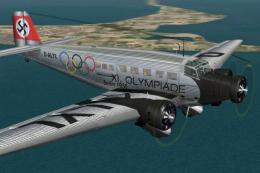
This highly detailed repaint showcases the iconic tri-motor aircraft operated…
 FS2004 Propeller Aircraft
Textures only; requires JU52RGV2.ZIP. Model by Pierino Primavesi. Livery by L…
Be the first to leave a comment on this download.
Be the first to share your thoughts on this download.