

 FS2004 Propeller Aircraft
Heather Aviation Ltd. Junkers Ju52
Complete package with animated model, flight model, 2D panel, XML metric gaug…
Heather Aviation Ltd.’s Junkers Ju 52 floatplane brings a rugged 1930s tri-motor to Microsoft Flight Simulator 2004 with water-ready handling, fully animated surfaces, and an immersive virtual cockpit backed by metric XML gauges. Crisp 32-bit textures, reflections, and night lighting complete the package; requires the original Ju 52 v60 base model for extra liveries.
 Rate
Rate
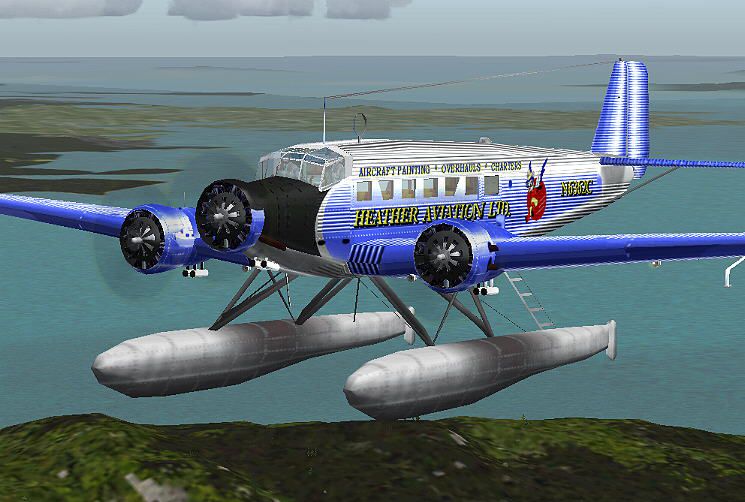
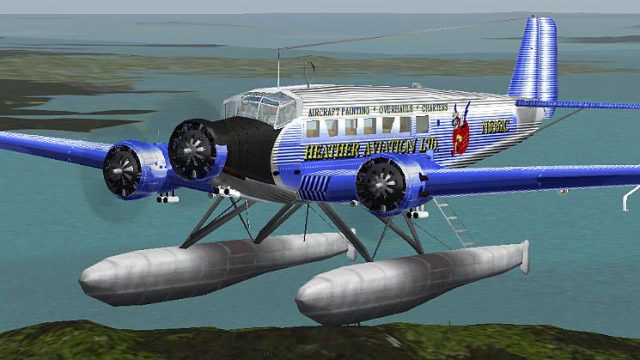
This complete freeware package introduces a float-enabled adaptation of the well-known Junkers Ju 52, originally crafted for Microsoft Flight Simulator 2004. Developed by Pierino Primavesi and repainted by Heather Sherman under the “Heather Aviation Ltd.” banner, it presents a historically influenced aircraft that expertly merges a robust airframe with amphibious features. Designed in the early 1930s, the Ju 52 was once a reliable workhorse for passenger and cargo flights, and this particular version emphasizes extensive water-based operation.
Animated Model and Immersive Cockpit
Every control surface is rigged with custom animations, and the 3D cockpit comes with a fully functional view. You can navigate all essential flight instruments from this internal perspective, removing any need to rely on a separate 2D panel—though a traditional panel is included for those who prefer the classic interface.
Advanced Flight Model and Metric XML Gauges
The bespoke flight handling profile replicates the buoyant feel of float-equipped landings over lakes or open seas, enhancing realism when you operate in coastal or river regions. Moreover, the interior systems employ metric XML gauges that deliver accurate performance measurements aligned with original specifications.
Enhanced Visual Layers
High-resolution 32-bit textures preserve clarity by excluding mip-maps, ensuring crisp visuals at all angles. Meanwhile, reflective surfaces and distinct instrument lighting accentuate key elements during dusk or dawn sorties. Additional internal lights benefit night flights and foster an authentic cockpit environment.
Optional Historical Liveries
Although the included repaint provides a distinctive float configuration, the developer recommends the original Junkers Ju 52 model (filename JU52V60.ZIP) if you wish to expand your repertoire of authentic paint schemes and historical markings.
Screenshot displaying the floatplane variant in action.
This release is a freeware product intended solely for enjoyment. There is nothing inherently harmful to your system within these files; however, should any issues arise that “let the smoke genie out” of your machine, neither the creator nor the repaint artist will be held accountable for any resulting damage. Please proceed with care while adding or modifying your simulator’s content.
Free for all simmers · 4.54 MB · Scanned clean Oct 2026
Download speed: Free tier is capped at 0.5 Mbps (this file takes approximately 1 min at the cap). PRO members download at full line speed.
This add-on may require the following files to function properly. If this is a repaint, the dependency below is likely the base aircraft package.
FS9\Aircraft\, FS9\Addon Scenery\, FS9\Gauges\, or FS9\Effects\.readme.txt or README file. It tells you exactly where files go, what dependencies are needed, and any quirks specific to this add-on.The archive ju52half.zip has 54 files and directories contained within it.
This list displays the first 500 files in the package. If the package has more, you will need to download it to view them.
| Filename/Directory | File Date | File Size |
|---|---|---|
| Please Read.txt | 11.14.03 | 1.60 kB |
| Effects | 04.16.04 | 0 B |
| fx_smokeju.fx | 03.18.04 | 2.28 kB |
| fx_sprayju.fx | 03.18.04 | 4.95 kB |
| fx_taxi_ju.fx | 03.18.04 | 3.37 kB |
| fx_vclighth.fx | 03.18.04 | 1.30 kB |
| fx_vclight_ju.fx | 03.18.04 | 1.30 kB |
| fx_wakeju.fx | 03.18.04 | 2.06 kB |
| Aircraft | 04.16.04 | 0 B |
| Ju52_v60_Float_HAL | 04.16.04 | 0 B |
| Aircraft.cfg | 04.16.04 | 11.83 kB |
| Ju52_v60_check.htm | 03.30.04 | 3.02 kB |
| Ju52_v60_Float.air | 03.29.04 | 7.69 kB |
| Ju52_v60_ref.htm | 03.30.04 | 3.08 kB |
| manual.htm | 03.30.04 | 3.49 kB |
| Texture | 04.16.04 | 0 B |
| engine.bmp | 02.05.04 | 65.05 kB |
| Ju52Cabin_c.bmp | 02.05.04 | 257.05 kB |
| Ju52Cabin_s.bmp | 02.07.04 | 2.67 MB |
| Ju52Cockpit_6.bmp | 02.05.04 | 257.05 kB |
| Ju52Cockpit_c.bmp | 03.15.04 | 4.00 MB |
| Ju52damage_6.bmp | 06.30.03 | 42.75 kB |
| Ju52exterior_a.bmp | 03.15.04 | 4.00 MB |
| Ju52exterior_l.bmp | 03.25.04 | 1.33 MB |
| Ju52floal.bmp | 03.07.04 | 170.75 kB |
| Ju52float.bmp | 03.31.03 | 85.43 kB |
| Ju52panel_6.bmp | 02.01.04 | 1.33 MB |
| Ju52propeller_6.bmp | 01.20.04 | 341.40 kB |
| Ju52window_6.bmp | 01.31.04 | 85.43 kB |
| Ju52winframes_6.bmp | 02.05.04 | 257.05 kB |
| Ju52winframes_f.bmp | 02.07.04 | 257.05 kB |
| pilot.bmp | 02.05.04 | 65.05 kB |
| tire.bmp | 02.05.04 | 17.05 kB |
| Sound | 04.16.04 | 0 B |
| sound.cfg | 03.29.04 | 32 B |
| Panel | 04.16.04 | 0 B |
| JUmainpanel.bmp | 01.12.04 | 769.05 kB |
| Junkers_Ju52.cab | 02.01.04 | 857.15 kB |
| panel.cfg | 03.29.04 | 10.60 kB |
| Model.aqui | 04.16.04 | 0 B |
| Ju52_v60_Float_aqui.mdl | 03.07.04 | 1.06 MB |
| Model.cfg | 03.07.04 | 36 B |
| Effects | 04.16.04 | 0 B |
| fx_smokeju.fx | 03.18.04 | 2.28 kB |
| fx_sprayju.fx | 03.18.04 | 4.95 kB |
| fx_taxi_ju.fx | 03.18.04 | 3.37 kB |
| fx_vclighth.fx | 03.18.04 | 1.30 kB |
| fx_vclight_ju.fx | 03.18.04 | 1.30 kB |
| fx_wakeju.fx | 03.18.04 | 2.06 kB |
| Flight Simulator 9 | 04.16.04 | 0 B |
| 52HAL-1.JPG | 04.16.04 | 69.62 kB |
| Installation.txt | 04.16.04 | 1.84 kB |
| flyawaysimulation.txt | 10.29.13 | 959 B |
| Go to Fly Away Simulation.url | 01.22.16 | 52 B |
Only PRO members can place votes.
More FS2004 add-ons hand-picked based on this download.
FS2004 Propeller Aircraft
Complete package with animated model, flight model, 2D panel, XML metric gaug…
 FS2004 Propeller Aircraft
The Junkers Ju 52 equipped with floats brings a fresh dimension to bush flyin…
 FS2004 Propeller Aircraft
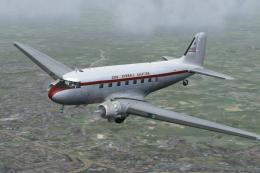
Repaint by John Payne. Original DC3 base textures courtesy of Mark Beaumont. …
 FS2004 Propeller Aircraft
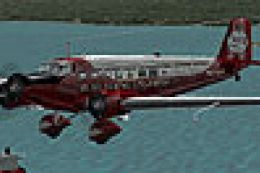
For those who have downloaded and installed both the float and wheeled versio…
 FS2004 Propeller Aircraft
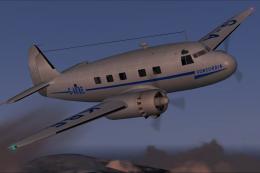
Cunliffe Owen Aircraft Ltd Concordia (1947). Twin engined 550 hp Alvis Leonid…
 FS2004 Propeller Aircraft
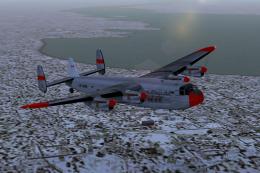
Requires AVROYORK.ZIP basepack; Avro York Merlin 500 FDE and panel update rec…
 FS2004 Propeller Aircraft
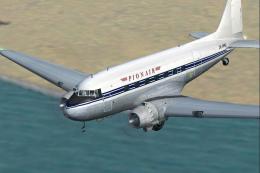
A repaint of the default Douglas DC3 that represents DC-3D ZK-AMS operated to…
 FS2004 Propeller Aircraft
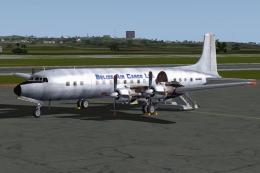
These textures depict N6354C (c/n 45111) originally delivered to BOAC as G-AO…
Be the first to leave a comment on this download.
Be the first to share your thoughts on this download.