

 FS2004 Propeller Aircraft
Pan Am Douglas DC-4
(Ex C-54G). Pan American World Airways "Clipper Berlin"; early livery. Featur…
Pan Am’s Douglas DC-7B comes to life with a polished external model, period-correct Pan American livery, and a carefully reworked virtual cockpit featuring classic gauges, a navigator’s station, and functional engine instrumentation in Microsoft Flight Simulator 2004. Integrated weather radar enhances situational awareness and requires FSUIPC for proper data display.
 Rate
Rate
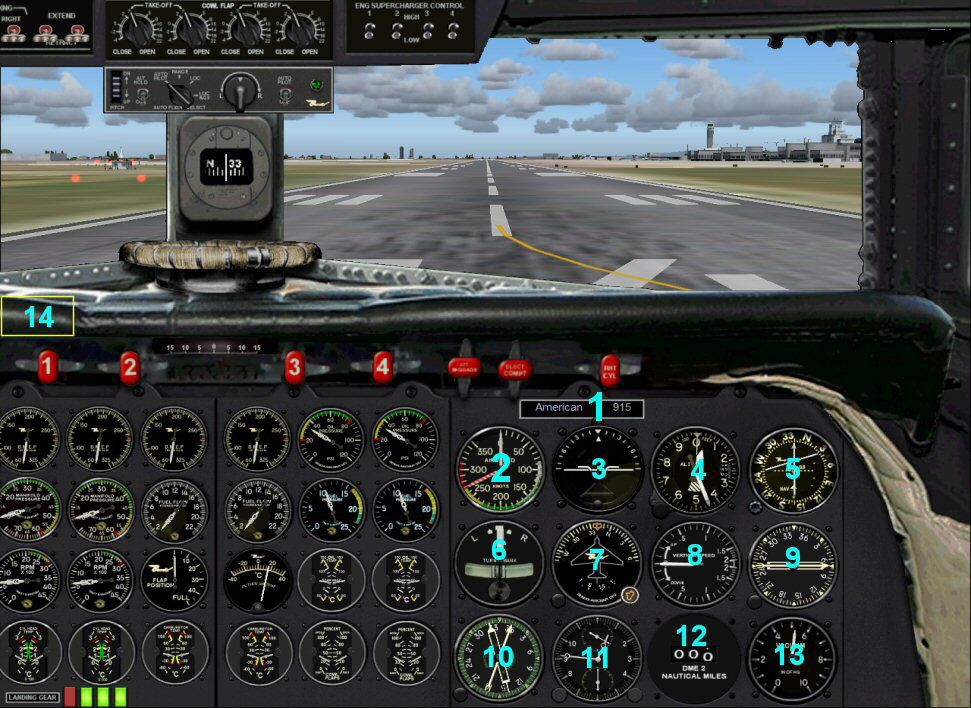

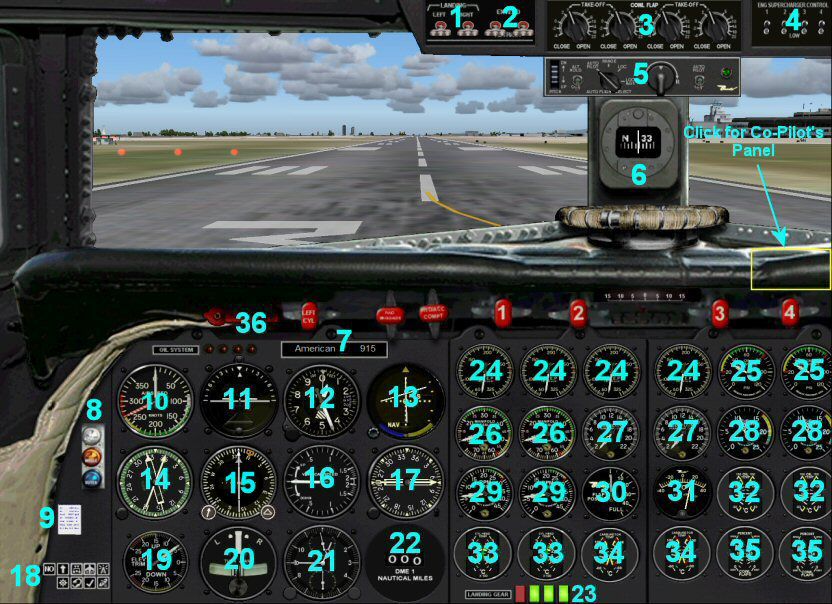
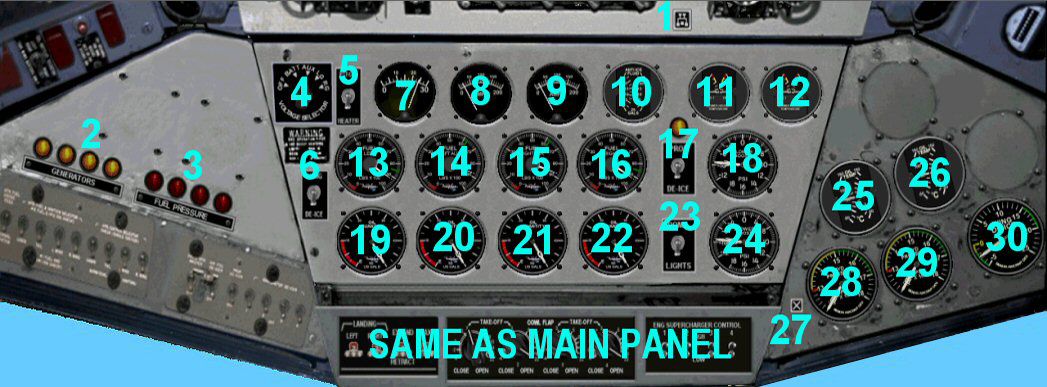
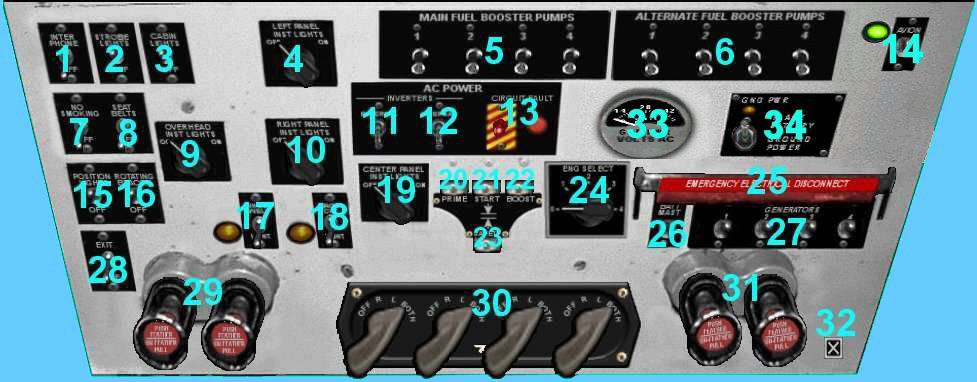
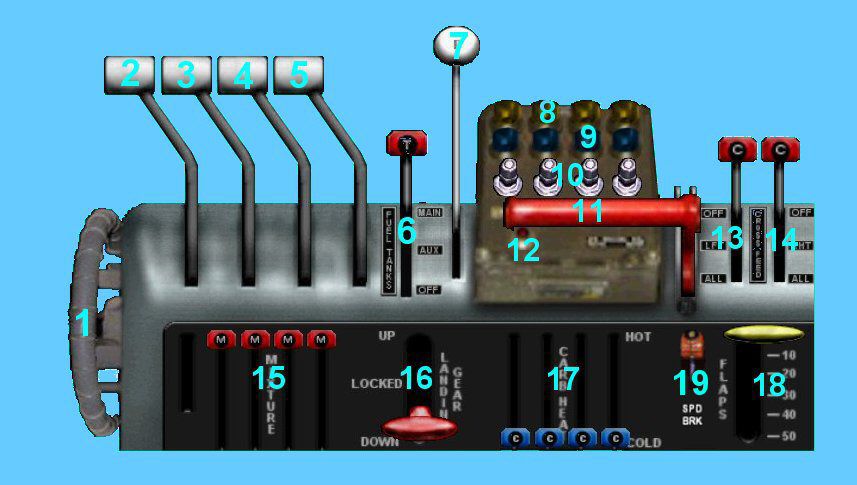

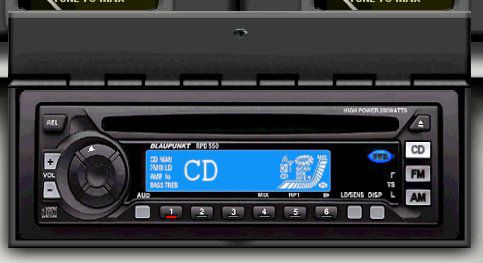



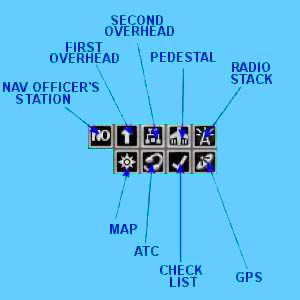
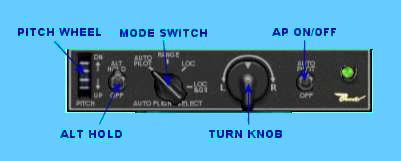
Experience the distinctive charm of the Douglas DC-7B in the colors of Pan American, fully adapted for Microsoft Flight Simulator 2004. This freeware package offers refined flight deck components, an authentic external model, and functional weather radar displays. Created by George Carty, based on original work by Ken Mitchell, Tom Gibson, and Greg Pepper, this comprehensive release includes all necessary files without requiring paid extras.
Originally introduced in the mid-1950s, the DC-7 series was developed to meet increasing demand for long-haul, piston-engine aircraft. Pan American, often referred to as Pan Am, was a pioneering carrier that operated these sleek Douglas airliners across vast oceanic routes. With advanced four-engine powerplants, the DC-7B offered faster transcontinental and transatlantic service when compared to earlier models, making it a popular choice for global carriers.
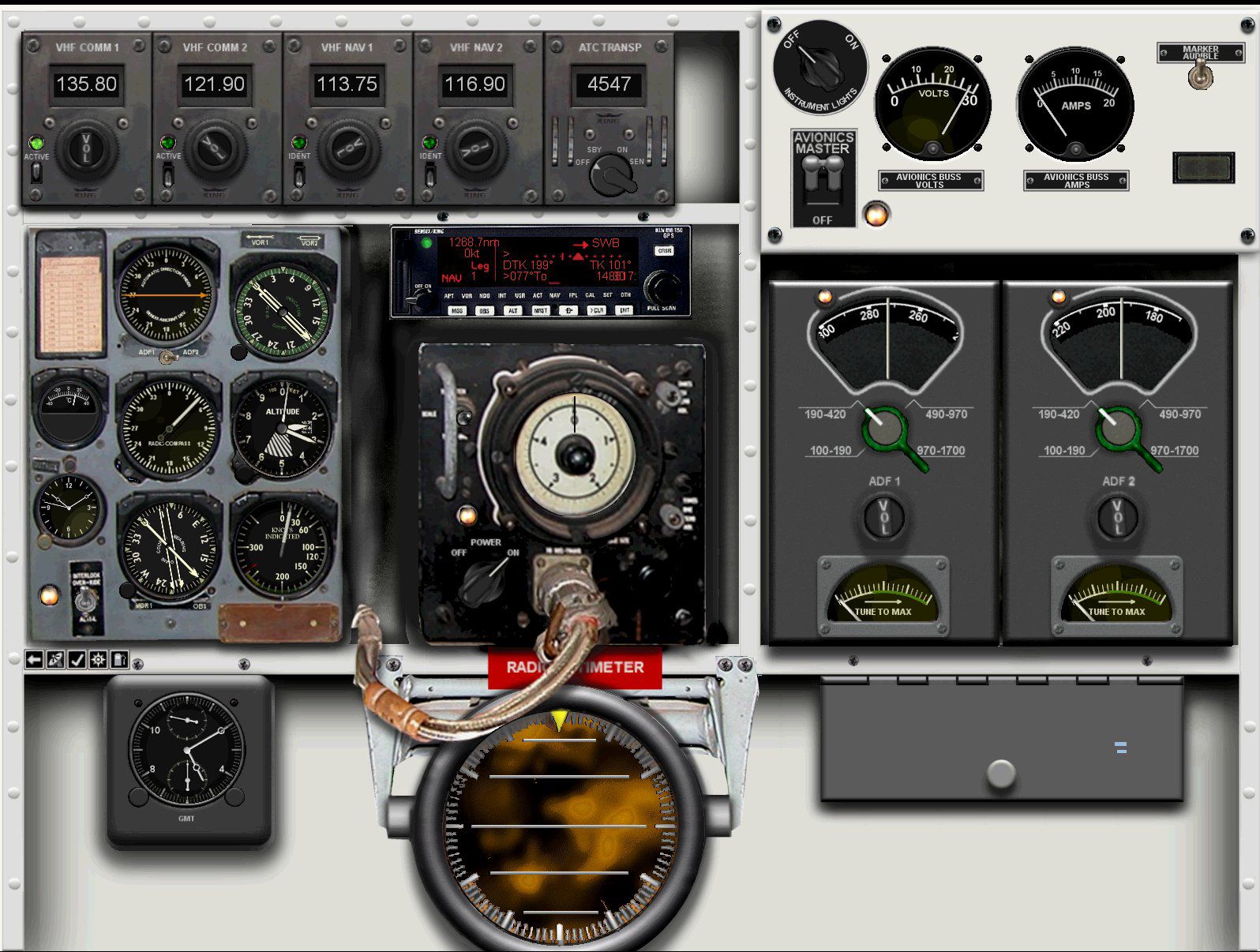
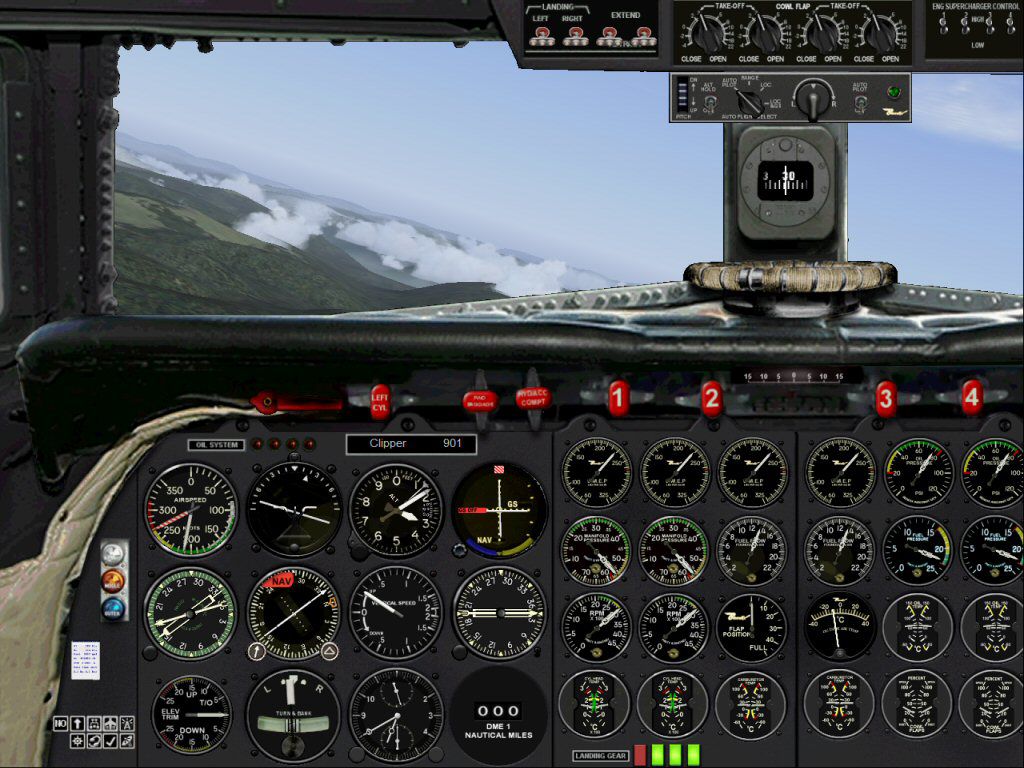
This variant’s panel is meticulously modified by George Carty using Ken Mitchell and Tom Gibson’s foundational cockpit layout. You will find historically inspired gauges, a navigator’s station, and accurate engine instrumentation. Such attention to detail helps simulate the unique operational procedures of classic propliners, including engine start sequences and prop synchronization.
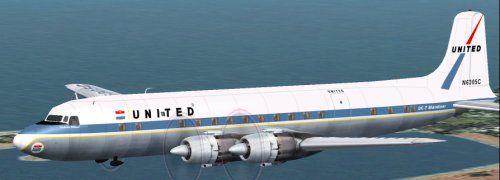
The exterior is derived from the original work of Greg Pepper and Tom Gibson, further refined by George Carty to enhance fuselage detailing, wing shapes, and landing gear animations. The iconic Pan American paint scheme is faithfully recreated, capturing the airline’s classic branding elements that were instantly recognizable at airports worldwide.
For improved situational awareness, a functional weather radar is integrated into the navigator’s panel. To ensure correct data display, installing FSUIPC is necessary, as it bridges real-time meteorological information into your simulator environment.
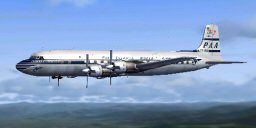
Screenshot of the Pan Am Douglas DC-7B airborne.
Unzip all files into the main Flight Simulator directory (by default located at “C:\Program Files\Microsoft Games\Flight Simulator 9\”). This process installs the aircraft files, panel configuration, and paint scheme in one step. After extracting, you can locate the aircraft in your simulator’s roster under Douglas DC-7B Pan American. Created as freeware by George Carty, Ken Mitchell, Tom Gibson, and Greg Pepper, this package stands ready for immediate operation in Microsoft Flight Simulator 2004.
Free for all simmers · 26.17 MB · Scanned clean Aug 2026
Download speed: Free tier is capped at 0.5 Mbps (this file takes approximately 7 mins at the cap). PRO members download at full line speed.
FS9\Aircraft\, FS9\Addon Scenery\, FS9\Gauges\, or FS9\Effects\.readme.txt or README file. It tells you exactly where files go, what dependencies are needed, and any quirks specific to this add-on.The archive dc7b_mgc.zip has 215 files and directories contained within it.
This list displays the first 500 files in the package. If the package has more, you will need to download it to view them.
| Filename/Directory | File Date | File Size |
|---|---|---|
| DC-7B Panel.jpg | 08.04.08 | 174.09 kB |
| file_id.diz | 08.05.08 | 279 B |
| Installation.txt | 08.05.08 | 1.68 kB |
| Legal Stuff.txt | 08.03.08 | 1.69 kB |
| DC-7 Panel Manual | 08.02.08 | 0 B |
| CD Radio.html | 07.27.08 | 4.93 kB |
| Co-Pilots Panel.html | 07.27.08 | 1.70 kB |
| Credits.html | 07.27.08 | 4.19 kB |
| IMAGES | 08.02.08 | 0 B |
| AP.jpg | 07.21.08 | 11.49 kB |
| CD RADIO userguide.gif | 11.15.03 | 26.69 kB |
| CD.jpg | 04.10.05 | 27.70 kB |
| CLOCK.jpg | 07.21.08 | 24.70 kB |
| CP_INDEX.jpg | 08.02.08 | 146.35 kB |
| CP_RADIO.jpg | 07.22.08 | 27.17 kB |
| dc7ual.jpg | 07.07.03 | 17.16 kB |
| ICONS.jpg | 07.21.08 | 15.10 kB |
| NO.jpg | 04.10.05 | 343.35 kB |
| NO_ICON.jpg | 04.11.05 | 1014 B |
| NO_ICONS.jpg | 07.22.08 | 9.09 kB |
| NO_INDEX.jpg | 07.27.08 | 160.18 kB |
| OH1_ICON.jpg | 04.11.05 | 1.00 kB |
| OH1_INDEX.jpg | 07.27.08 | 114.31 kB |
| OH2_ICON.jpg | 04.11.05 | 1.03 kB |
| OH2_INDEX.jpg | 07.27.08 | 86.18 kB |
| PED_ICON.jpg | 04.11.05 | 1.02 kB |
| PED_INDEX.jpg | 07.27.08 | 68.59 kB |
| RS_ICON.jpg | 04.11.05 | 1.02 kB |
| SO_INDEX.jpg | 08.02.08 | 172.07 kB |
| TGF_ICON.jpg | 04.11.05 | 978 B |
| WIND.jpg | 07.21.08 | 20.34 kB |
| Lower Overhead Panel.html | 08.02.08 | 4.05 kB |
| Main panel.html | 08.02.08 | 7.19 kB |
| Modifying Aircraft.cfg.html | 07.27.08 | 5.41 kB |
| Nav Officer's Station.html | 07.27.08 | 5.51 kB |
| Start Here.html | 07.27.08 | 5.28 kB |
| Throttle Quadrant and Pedestal.html | 07.27.08 | 5.92 kB |
| Troubleshooting.html | 08.05.08 | 3.58 kB |
| Upper Overhead Panel.html | 07.27.08 | 10.71 kB |
| DC-7 Panel | 08.03.08 | 0 B |
| COPILOT.bmp | 07.30.08 | 5.49 MB |
| Left.bmp | 04.13.05 | 781.05 kB |
| Left_Forward.bmp | 04.13.05 | 781.05 kB |
| Left_Rear.bmp | 04.14.05 | 781.05 kB |
| MAIN.bmp | 07.30.08 | 5.49 MB |
| NO_PANEL.bmp | 06.29.08 | 1.83 MB |
| Overhead.bmp | 07.30.08 | 4.31 MB |
| Overhead2.bmp | 12.29.06 | 1.18 MB |
| panel.cfg | 08.03.08 | 17.44 kB |
| panel-fsx.cfg | 08.05.08 | 17.45 kB |
| Pedestal.bmp | 04.06.05 | 754.74 kB |
| Radio.bmp | 04.02.05 | 355.51 kB |
| Rear.bmp | 04.14.05 | 781.05 kB |
| Reara.bmp | 04.14.05 | 781.05 kB |
| Right.bmp | 04.13.05 | 781.05 kB |
| Right_Forward.bmp | 04.13.05 | 781.05 kB |
| Right_Rear.bmp | 04.14.05 | 781.05 kB |
| DC-7 Sound | 08.05.08 | 0 B |
| 1-1.wav | 09.12.06 | 222.69 kB |
| 1-2.wav | 09.12.06 | 317.97 kB |
| 1-3.wav | 09.12.06 | 197.22 kB |
| 1-4.wav | 09.12.06 | 252.75 kB |
| 2-1.wav | 09.12.06 | 222.69 kB |
| 2-2.wav | 09.12.06 | 316.10 kB |
| 2-3.wav | 09.12.06 | 203.26 kB |
| 2-4.wav | 09.12.06 | 279.14 kB |
| 3-1.wav | 09.12.06 | 222.69 kB |
| 3-2.wav | 09.12.06 | 317.97 kB |
| 3-3.wav | 09.12.06 | 203.16 kB |
| 3-4.wav | 09.12.06 | 252.75 kB |
| 4-1.wav | 09.12.06 | 222.69 kB |
| 4-2.wav | 09.12.06 | 317.97 kB |
| 4-3.wav | 09.12.06 | 198.78 kB |
| 4-4.wav | 09.12.06 | 279.14 kB |
| flaps.wav | 08.05.08 | 191.73 kB |
| geardown.wav | 08.05.08 | 295.87 kB |
| gearup.wav | 08.05.08 | 312.94 kB |
| gearwn.wav | 11.13.03 | 48.89 kB |
| HGHB_ALTWARN.wav | 05.26.98 | 11.64 kB |
| L.wav | 10.27.03 | 75.08 kB |
| R.wav | 10.27.03 | 65.80 kB |
| README.txt | 07.26.05 | 1.17 kB |
| Reverse-1.wav | 11.01.06 | 217.80 kB |
| Reverse-2.wav | 11.01.06 | 217.80 kB |
| Reverse-3.wav | 11.01.06 | 230.88 kB |
| Reverse-4.wav | 11.01.06 | 220.04 kB |
| SCFA_gyro.wav | 08.05.08 | 1.13 MB |
| shut1.wav | 08.05.08 | 126.95 kB |
| shut2.wav | 08.05.08 | 126.95 kB |
| shut3.wav | 08.05.08 | 126.95 kB |
| shut4.wav | 08.05.08 | 126.95 kB |
| sign.wav | 06.26.98 | 16.89 kB |
| sound.cfg | 09.21.06 | 16.44 kB |
| stall.wav | 06.28.05 | 160.84 kB |
| start1.wav | 07.13.08 | 82.47 kB |
| start2.wav | 07.13.08 | 82.47 kB |
| start3.wav | 07.13.08 | 82.47 kB |
| start4.wav | 07.13.08 | 82.47 kB |
| starter1.wav | 05.11.02 | 268.18 kB |
| starter2.wav | 05.11.02 | 268.18 kB |
| starter3.wav | 05.11.02 | 268.18 kB |
| starter4.wav | 05.11.02 | 268.18 kB |
| Wind.wav | 10.26.03 | 465.35 kB |
| x1-1.wav | 09.13.06 | 429.82 kB |
| x1-2.wav | 08.24.06 | 444.20 kB |
| x1-3.wav | 08.24.06 | 264.93 kB |
| x1-4.wav | 09.20.06 | 204.63 kB |
| x2-1.wav | 09.12.06 | 457.76 kB |
| x2-2.wav | 09.13.06 | 523.35 kB |
| x2-3.wav | 08.24.06 | 264.93 kB |
| x2-4.wav | 09.20.06 | 197.06 kB |
| x3-1.wav | 09.13.06 | 507.65 kB |
| x3-2.wav | 09.13.06 | 523.35 kB |
| x3-3.wav | 08.24.06 | 264.93 kB |
| x3-4.wav | 09.20.06 | 221.49 kB |
| x4-1.wav | 09.13.06 | 436.27 kB |
| x4-2.wav | 09.13.06 | 478.07 kB |
| x4-3.wav | 08.24.06 | 264.93 kB |
| x4-4.wav | 09.20.06 | 198.51 kB |
| xprop1.wav | 11.12.03 | 53.86 kB |
| xprop2.wav | 11.12.03 | 65.98 kB |
| xprop3.wav | 11.12.03 | 68.03 kB |
| xprop4.wav | 11.12.03 | 92.28 kB |
| XReverse-1.wav | 11.01.06 | 252.19 kB |
| XReverse-2.wav | 11.01.06 | 251.99 kB |
| XReverse-3.wav | 11.01.06 | 249.23 kB |
| XReverse-4.wav | 11.01.06 | 235.09 kB |
| xshut1.wav | 08.05.08 | 126.95 kB |
| xshut2.wav | 08.05.08 | 126.95 kB |
| xshut3.wav | 08.05.08 | 126.95 kB |
| xshut4.wav | 08.05.08 | 126.95 kB |
| xstart1.wav | 02.06.01 | 82.47 kB |
| xstart2.wav | 02.06.01 | 82.47 kB |
| xstart3.wav | 02.06.01 | 82.47 kB |
| xstart4.wav | 02.06.01 | 82.47 kB |
| xstarter1.wav | 05.11.02 | 268.18 kB |
| xstarter2.wav | 05.11.02 | 268.18 kB |
| xstarter3.wav | 05.11.02 | 268.18 kB |
| xstarter4.wav | 05.11.02 | 268.18 kB |
| DC-7B | 08.03.08 | 0 B |
| aircraft.cfg | 08.02.08 | 9.92 kB |
| aircraft-fsx.cfg | 08.02.08 | 9.92 kB |
| DC7B.air | 12.03.06 | 7.92 kB |
| DC7B_ref.txt | 01.15.07 | 5.42 kB |
| model | 07.28.08 | 0 B |
| dc7b.mdl | 07.13.08 | 1.46 MB |
| model.cfg | 07.05.03 | 23 B |
| panel | 07.28.08 | 0 B |
| panel.cfg | 07.13.08 | 28 B |
| sound | 07.28.08 | 0 B |
| sound.cfg | 07.13.08 | 26 B |
| texture.panam | 08.03.08 | 0 B |
| blurred_prop.bmp | 09.25.02 | 64.07 kB |
| DC6b_cockpit.bmp | 03.23.03 | 257.05 kB |
| dc6b-3.bmp | 03.29.03 | 341.43 kB |
| dc6b-4.bmp | 04.01.03 | 341.43 kB |
| DC7_leftaft_L.bmp | 07.06.03 | 1.00 MB |
| DC7_leftaft_t.bmp | 07.07.03 | 1.00 MB |
| DC7_leftfwd_L.bmp | 07.06.03 | 1.00 MB |
| DC7_leftfwd_t.bmp | 07.06.03 | 1.00 MB |
| DC7_rtaft_L.bmp | 07.06.03 | 1.00 MB |
| DC7_rtaft_t.bmp | 07.07.03 | 1.00 MB |
| DC7_rtfwd_L.bmp | 07.04.03 | 1.00 MB |
| DC7_rtfwd_t.bmp | 07.06.03 | 1.00 MB |
| DC7cowl_flaps_L.bmp | 03.01.03 | 192 B |
| dc7cowl_flaps_t.bmp | 06.25.03 | 32.07 kB |
| dc7cowl1_L.bmp | 08.17.03 | 1.43 kB |
| dc7cowl1_t.bmp | 07.05.03 | 256.07 kB |
| dc7cowl2_L.bmp | 08.17.03 | 1.43 kB |
| dc7cowl2_t.bmp | 07.05.03 | 256.07 kB |
| dc7cowl3_L.bmp | 08.17.03 | 1.43 kB |
| dc7cowl3_t.bmp | 07.05.03 | 256.07 kB |
| dc7cowl4_L.bmp | 08.17.03 | 1.43 kB |
| dc7cowl4_t.bmp | 07.05.03 | 256.07 kB |
| thumbnail.jpg | 08.03.08 | 6.65 kB |
| DC7_EngStart.fx | 03.10.05 | 14.22 kB |
| DC-7_HP_Flame.fx | 03.05.05 | 12.98 kB |
| DC-7_LP_Flame.fx | 03.05.05 | 13.02 kB |
| fx_engstrt_propliner.fx | 02.16.03 | 5.17 kB |
| Textures | 08.02.08 | 0 B |
| fx_wt3.bmp | 03.04.05 | 5.05 kB |
| fx_wt5.bmp | 03.04.05 | 5.05 kB |
| dc6b_config.ini | 07.31.08 | 2.23 kB |
| dc6b_sound.ini | 07.29.08 | 496 B |
| DC6KMGC.CAB | 08.02.08 | 3.45 MB |
| DC6wradar.gau | 07.28.08 | 757.00 kB |
| dsd_fsx_xml_config.gau | 10.23.06 | 60.81 kB |
| dsd_fsx_xml_sound2.dll | 10.23.06 | 80.80 kB |
| dsd_supercharger.gau | 11.21.06 | 92.00 kB |
| dsd_xml_config.gau | 04.24.05 | 56.00 kB |
| dsd_xml_sound2.gau | 07.17.05 | 64.00 kB |
| FRANCONFIGTG.cfg | 04.30.05 | 32.48 kB |
| FRANPlaneTG.gau | 02.23.03 | 291.00 kB |
| FuelPlan.exe | 07.11.01 | 23.00 kB |
| km_random_number.gau | 04.26.05 | 48.00 kB |
| radiocd4.gau | 11.15.03 | 368.00 kB |
| WTDC7 | 08.01.08 | 0 B |
| DC7_HP_Flame.xml | 03.03.05 | 505 B |
| DC7_LP_Flame.xml | 03.03.05 | 533 B |
| KM | 07.28.08 | 0 B |
| km_xml_00.wav | 01.09.98 | 32.34 kB |
| km_xml_01.wav | 06.09.00 | 78.96 kB |
| km_xml_02.wav | 07.19.02 | 6.51 kB |
| km_xml_03.wav | 02.14.00 | 1.35 kB |
| km_xml_04.wav | 04.18.01 | 17.34 kB |
| km_xml_05.wav | 01.27.02 | 652 B |
| km_xml_06.wav | 04.18.01 | 37.61 kB |
| km_xml_07.wav | 03.25.03 | 99.99 kB |
| km_xml_08.wav | 03.30.05 | 110.31 kB |
| km_xml_09.wav | 03.27.05 | 96.55 kB |
| km_xml_10.wav | 12.30.06 | 168.47 kB |
| km_xml_11.wav | 07.12.08 | 44.94 kB |
| DC7B_MGC.gif | 08.05.08 | 12.44 kB |
| flyawaysimulation.txt | 10.29.13 | 959 B |
| Go to Fly Away Simulation.url | 01.22.16 | 52 B |
Only PRO members can place votes.
More FS2004 add-ons hand-picked based on this download.
FS2004 Propeller Aircraft
(Ex C-54G). Pan American World Airways "Clipper Berlin"; early livery. Featur…
 FS2004 Propeller Aircraft
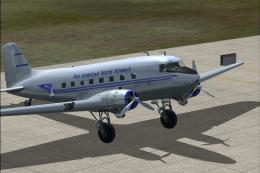
Textures for the default DC3 in Pan American Airways livery circa 1942. Pan A…
 FS2004 Propeller Aircraft
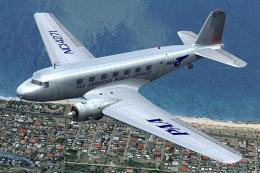
Pan American World Airways Virtual repaint of the default DC3. Also includes …
 FS2004 Propeller Aircraft
Based on original textures by Gerard Kranenbarg and Jan Visser, this texture …
 FS2004 Propeller Aircraft
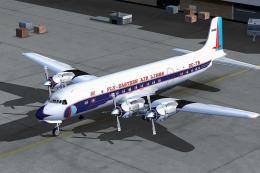
These layered PSD files can be used in Paint Shop Pro or Photoshop to allow e…
 FS2004 Propeller Aircraft
Designed to be added to the CalClassic DC-7B. Livery by Eric Joiner. Aircraft…
 FS2004 Propeller Aircraft
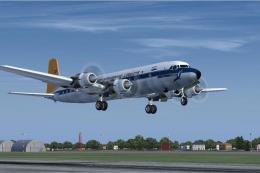
This freeware repaint features the later-era South African Airways (SAA) mark…
 FS2004 Propeller Aircraft
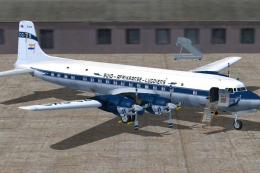
The Douglas DC-7B in early South African Airways markings offers a historical…
Read what other simmers think, or add your own.

I like your site very much I hope you will improve your site in the near future. I have used FS2004 since it came out in 2003. But now I never see any new airplanes anymore for FS2004 why is that? I will not update to FS2020 because of the high cost involved and complaints about this fltsim.
I will just stay with FS2004. In closing, I would like to say that I see a number of sites giving away their airplanes to sites like FLTSIM>COM and AVSIM don't they realize they have lost their ownership of their airplanes and let these sites create a monopoly so they can make money with their files. Thanks For Your site again.