

 FS2004 Propeller Aircraft
Pan Am Douglas DC-7B Package
Experience the distinctive charm of the Douglas DC-7B in the colors of Pan Am…
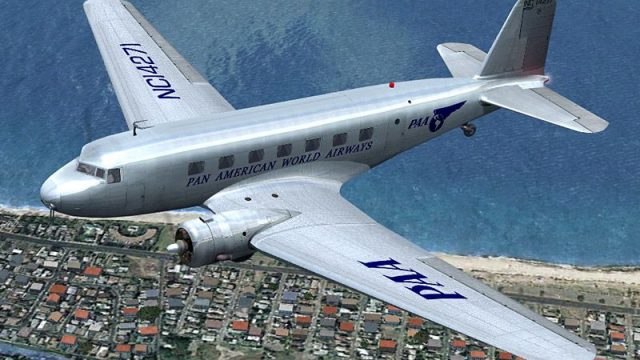
Pan American World Airways colors for Douglas DC-2 NC14271 bring 1935-era airline character to FS2004, with crisp period markings and refined prop disc visuals for authentic in-flight presentation. The repaint requires the base DC-2 package and includes matching registration details to complete the classic Pan Am look.
 Rate
Rate
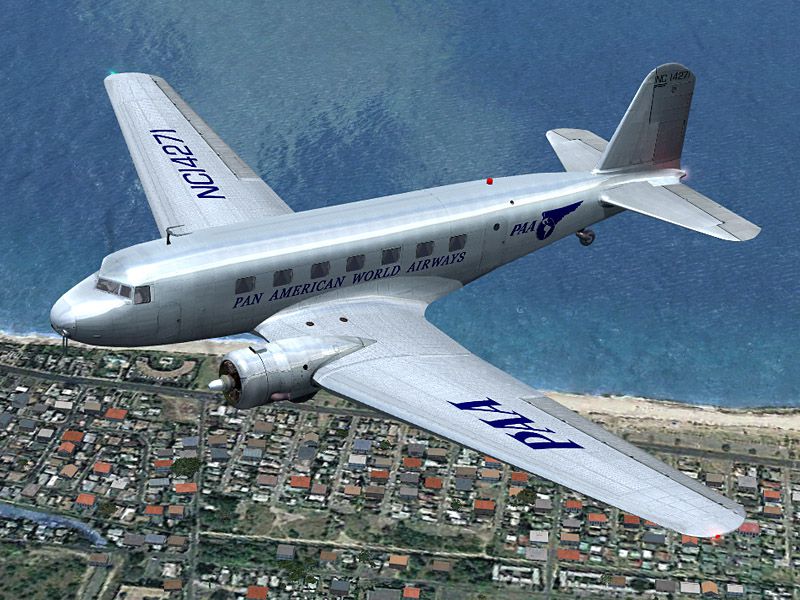

Based on original textures by Gerard Kranenbarg and Jan Visser, this texture set in Pan American World Airways livery requires the base DC-2 package. Spinprop textures by Bob Rivera. By Tim Scharnhop.
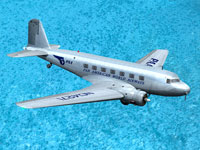
Screenshot of Pan Am Douglas DC-2 flying over water.
[fltsim.XX]

title=Douglas DC-2 Pan American World Airways

sim=uiver_aviodrome

model=

panel=

sound=

texture=panam

checklists=

kb_checklists=douglas_dc2_check

kb_reference=douglas_dc2_ref

atc_id_enable=1

atc_id=NC14271

description=DC-2-118B (MSM 1368) was delivered to Pan American World Airways during March 1935 and immediately went into service as NC14271. Later it was transferred to PAA's Mexican affiliate Mexicana. After a few years in the serivce with Avianca it was sold to Johnson Flying Service in Montanan, now registered N4867V. Today this DC-2 is owned by the Museum of Flight in Seattle and painted in the colors of TWA with the registration N1934D.\nFS9 Flight Dynamics: Tom Falley\nModel: Alexander Schreijnders, Jan Visser\nLivery: Tim Scharnhop, Gerard Kranenbarg, Jan Visser\nPanel, VC, Interior: Rob Cappers, Jan Visser\nGauges: XML Programming: HansJoerg Naegele, Gauge bitmaps: Rob Cappers\n

ui_manufacturer=Douglas

ui_type=DC-2

ui_variation=Pan American World Airways

ui_typerole="Twin Engine Prop"

ui_createdby=""Uiver" Team"

atc_airline=Panam

atc_heavy=0

atc_flight_number=997

atc_id_color=0x00000000

atc_id_font=Verdana,-11,1,600,0

visual_damage=0

atc_parking_types=RAMP
Save the file. You're done. Your new aircraft will now appear in the aircraft selection menu within the sim.
If you have installed the FSX Service Pack 2 please open the dc2_fsx-sp2.zip file and copy the contained 'A_spinprop.bmp' into the 'texture.panam' folder.
Free for all simmers · 8.5 MB · Scanned clean Oct 2026
Download speed: Free tier is capped at 0.5 Mbps (this file takes approximately 2 mins at the cap). PRO members download at full line speed.
FS9\Aircraft\, FS9\Addon Scenery\, FS9\Gauges\, or FS9\Effects\.readme.txt or README file. It tells you exactly where files go, what dependencies are needed, and any quirks specific to this add-on.The archive dc2panam.zip has 40 files and directories contained within it.
This list displays the first 500 files in the package. If the package has more, you will need to download it to view them.
| Filename/Directory | File Date | File Size |
|---|---|---|
| dc2_panam.jpg | 06.27.08 | 183.40 kB |
| file_id.diz | 06.27.08 | 428 B |
| readme.txt | 06.27.08 | 3.65 kB |
| thumbnail.gif | 06.27.08 | 4.97 kB |
| A_spinprop.bmp | 06.26.08 | 1.00 MB |
| belly_t.bmp | 06.26.08 | 1.00 MB |
| dc2_cockpit.bmp | 03.25.04 | 64.07 kB |
| dc2_engineparts.bmp | 11.16.04 | 64.07 kB |
| dc2_kleren.bmp | 06.26.08 | 64.07 kB |
| dc2_pilot2.bmp | 06.26.08 | 64.07 kB |
| dc2_propblade_t.bmp | 06.26.08 | 256.07 kB |
| dc2_rc1.bmp | 06.03.03 | 85.40 kB |
| dc2_spin_t.bmp | 09.02.02 | 16.07 kB |
| dc2_vc_cabin.bmp | 06.26.08 | 1.00 MB |
| dc2_vc_floor.bmp | 12.17.06 | 1.00 MB |
| dc2_vc_luggage.bmp | 06.27.08 | 64.07 kB |
| dc2_vc_misc.bmp | 06.26.08 | 1.00 MB |
| dc2_vc_oh.bmp | 06.26.08 | 1.00 MB |
| dc2_vc_quad.bmp | 09.12.07 | 1.00 MB |
| dc2_vc_r.bmp | 06.26.08 | 1.00 MB |
| dc2_vc_side.bmp | 06.26.08 | 1.00 MB |
| dc2_vcl.bmp | 06.26.08 | 1.00 MB |
| fuse_t.bmp | 06.26.08 | 4.00 MB |
| glas_cp_in_t.bmp | 07.22.07 | 8.07 kB |
| glas_t.bmp | 07.22.07 | 8.07 kB |
| glosspin_t.bmp | 10.31.04 | 16.07 kB |
| Lamp_glas.BMP | 07.22.07 | 8.07 kB |
| motor.bmp | 12.25.05 | 32.07 kB |
| neus_t.bmp | 06.26.08 | 256.07 kB |
| thumbnail.jpg | 06.26.08 | 19.95 kB |
| Uiver_hs_t.bmp | 06.26.08 | 1.00 MB |
| Uiver_vs_t.bmp | 06.26.08 | 1.00 MB |
| wheel.bmp | 06.21.03 | 85.40 kB |
| Wheels_32.bmp | 05.14.04 | 341.40 kB |
| wingl_t.bmp | 06.26.08 | 4.00 MB |
| wingr_t.bmp | 06.26.08 | 4.00 MB |
| dc2_fsx-sp2.zip | 03.06.08 | 40.95 kB |
| dc2_panam2.jpg | 06.27.08 | 185.35 kB |
| flyawaysimulation.txt | 10.29.13 | 959 B |
| Go to Fly Away Simulation.url | 01.22.16 | 52 B |
Only PRO members can place votes.
More FS2004 add-ons hand-picked based on this download.
FS2004 Propeller Aircraft
Experience the distinctive charm of the Douglas DC-7B in the colors of Pan Am…
 FS2004 Propeller Aircraft
(Ex C-54G). Pan American World Airways "Clipper Berlin"; early livery. Featur…
 FS2004 Propeller Aircraft
Textures for the default DC3 in Pan American Airways livery circa 1942. Pan A…
 FS2004 Propeller Aircraft
Pan American World Airways Virtual repaint of the default DC3. Also includes …
 FS2004 Propeller Aircraft
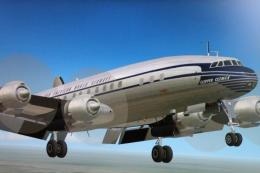
A repaint of N6213C in Pan American colors. Pan Am leased this aircraft for f…
 FS2004 Propeller Aircraft
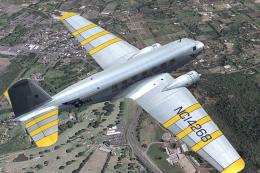
Based on original textures by Gerard Kranenbarg and Jan Visser, this texture …
 FS2004 Propeller Aircraft
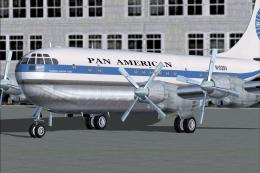
Pan American Boeing 377 Stratocruiser. This is a repaint (textures and model)…
 FS2004 Propeller Aircraft
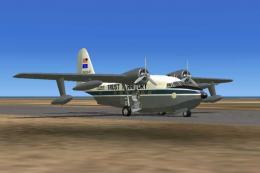
Revisit a storied chapter of island-hopping aviation with this freeware Grumm…
Be the first to leave a comment on this download.
Be the first to share your thoughts on this download.