


 FS2004 AFCAD Files
EDDF, AFCAD2 File
Frankfurt/Main Airport, Germany, for use with AMEDDF11.ZIP. Should solve most…
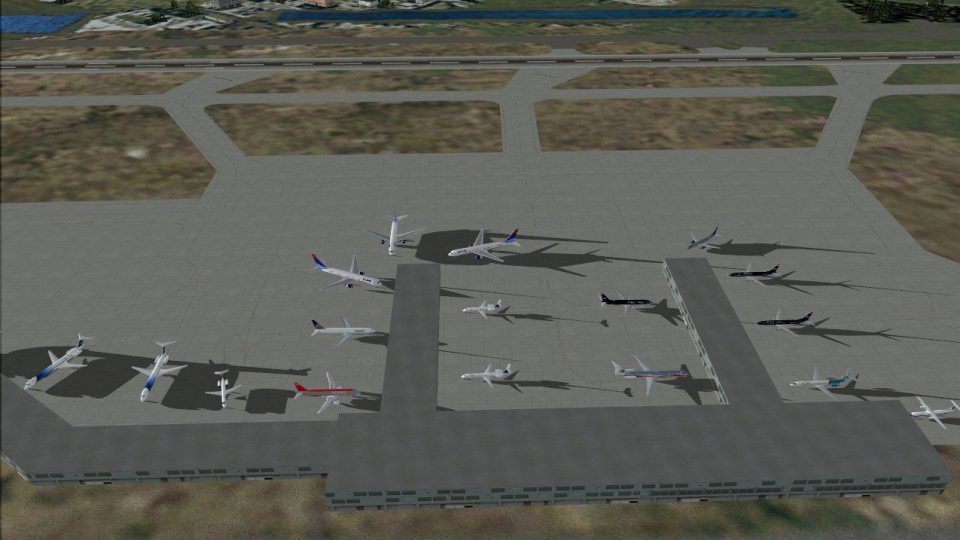
KRSW Southwest Florida International Airport AFCAD2 refresh sharpens Fort Myers operations in FS2004 with more accurate taxiways, realistic gate numbering, and airline-specific parking across the terminal, cargo, and general aviation ramps. It also adds the new parallel taxiway in its unfinished state, improving traffic flow and day-to-day ground realism.
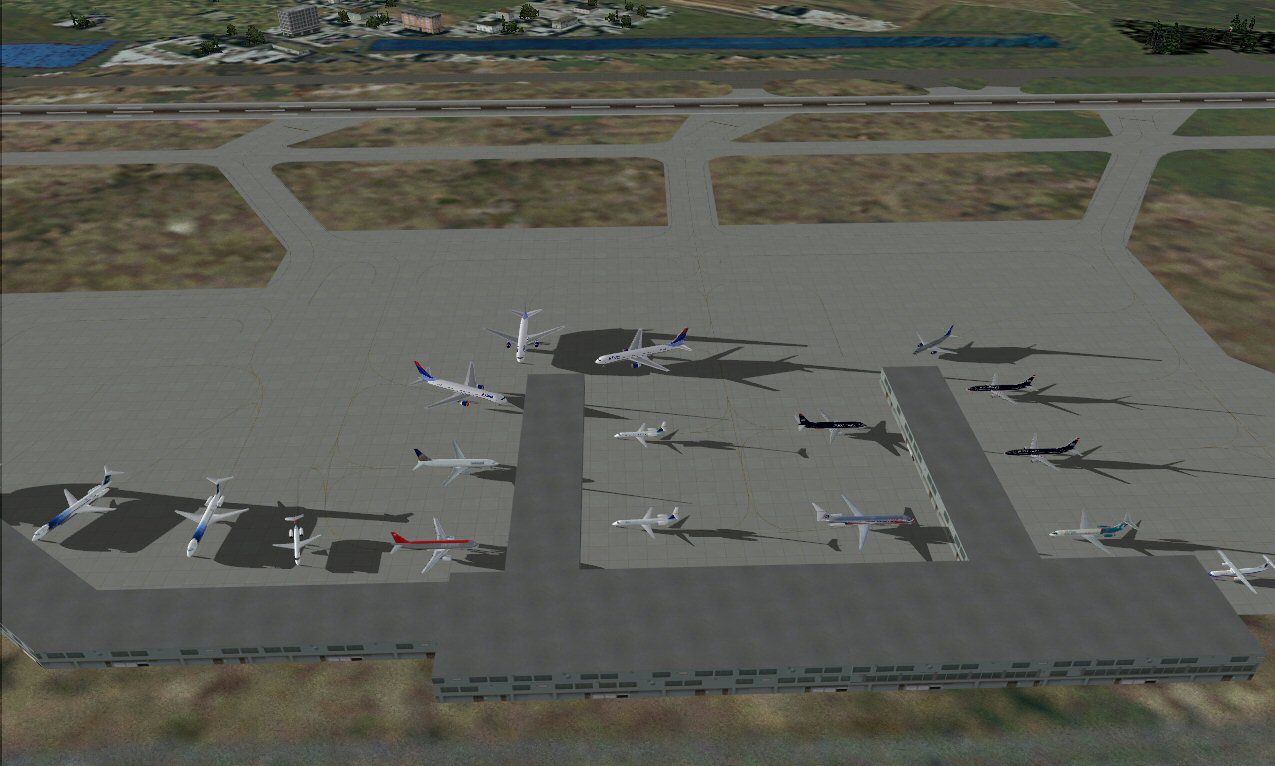
KRSW, Southwest Florida International Airport, Fort Myers, FL. By Jason Diaz.
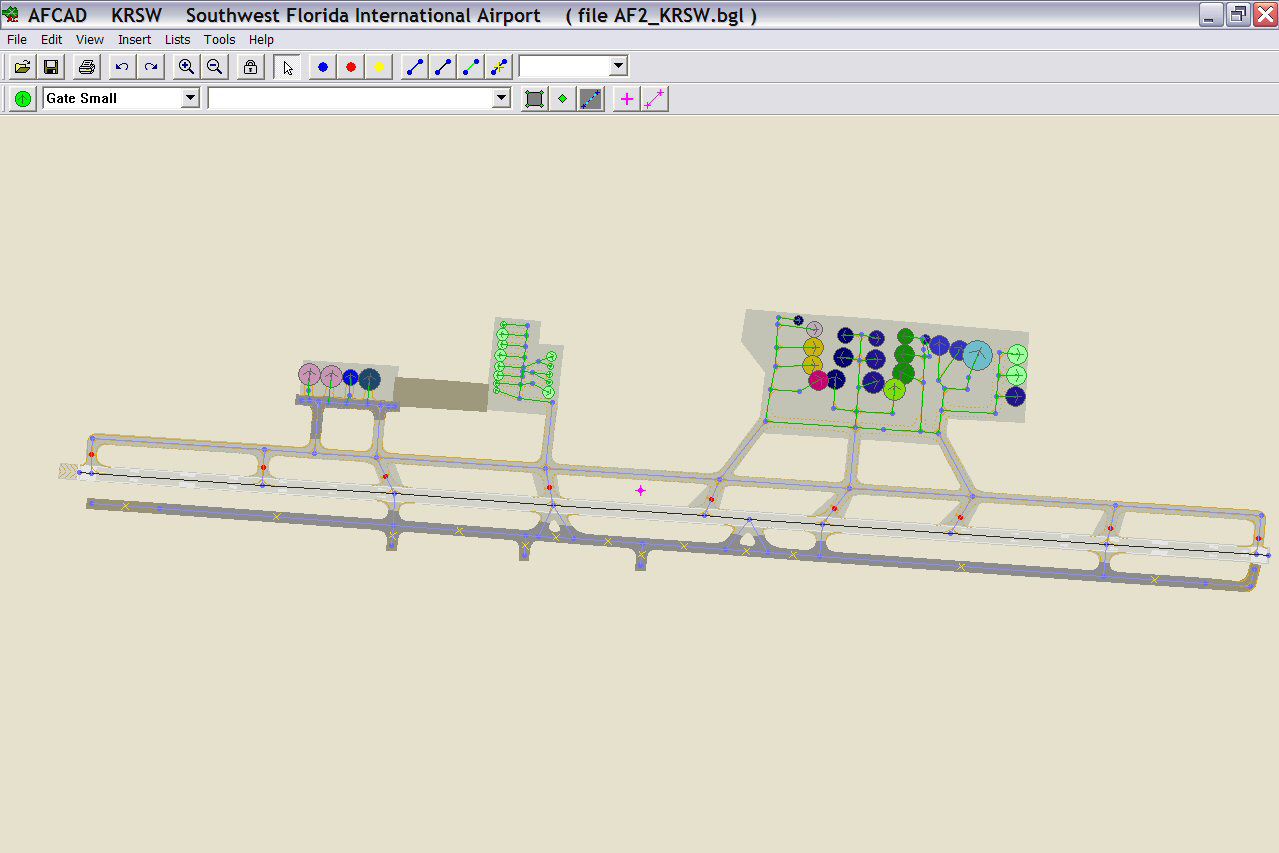
Overview of Southwest Florida International Airport.
This is not an airport I fly into often but I did and I realized there was no good AFCAD for this airport aside from the dreadful default one that MS did so I decided to make my own. I made it as accurate as I could. I wanted to include a blank ramp area to denote the new midfield terminal but that area is covered with trees and such in the scenery and I don't really know how to work with removing all that. I have, however, included the new parallel taxi way that is being built to accommodate the new midfield terminal. This taxiway is not open in real life and it has been modeled as such an in incomplete state.
A ramp area for cargo and general aviation is included. Appropriate cargo airlines are assigned parking space. The current terminal also has accurate gate space with the exact number of gates that the real airport has along with accurate gate numbers as per the airport's website. Airlines are assigned to the correct terminal, it seems that airlines with smaller schedules don't have one specific arrival gate but rather arrive at whichever gate ground assigns them in their respective concourse so you might so airlines at different gates on different days but they all arrive/depart from the terminal they operate out of. All airlines operating into the airport are assigned gates.
Hope this helps to make your trips in and out of the RSW airport a little more realistic and enjoyable.
Simply copy/cut and paste the file into the addon scenery\scenery folder and FS will do the rest. You will know the file is being read if when you start FS again a pop up window will load that says it is building a new database for scenery files.
Free for all simmers · 220.58 KB · Scanned clean
Download speed: Free tier is capped at 0.5 Mbps. PRO members download at full line speed.
FS9\Aircraft\, FS9\Addon Scenery\, FS9\Gauges\, or FS9\Effects\.readme.txt or README file. It tells you exactly where files go, what dependencies are needed, and any quirks specific to this add-on.The archive krswaf2.zip has 6 files and directories contained within it.
This list displays the first 500 files in the package. If the package has more, you will need to download it to view them.
| Filename/Directory | File Date | File Size |
|---|---|---|
| AF2_KRSW.bgl | 06.26.04 | 9.25 kB |
| KRSW Readme!.txt | 06.26.04 | 1.96 kB |
| rsw.jpg | 06.26.04 | 140.88 kB |
| RSWaf2.jpg | 06.26.04 | 97.73 kB |
| flyawaysimulation.txt | 10.29.13 | 959 B |
| Go to Fly Away Simulation.url | 01.22.16 | 52 B |
More FS2004 add-ons hand-picked based on this download.
FS2004 AFCAD Files
Frankfurt/Main Airport, Germany, for use with AMEDDF11.ZIP. Should solve most…
 FS2004 AFCAD Files
FS2004 AFCAD2 File For RCKH and RCSS, Taipei Sungshan Airport and Kaohsiung A…
 FS2004 AFCAD Files
Tokyo Narita Airport (RJAA), Japan (not for the default FS2004 airport; detai…
 FS2004 AFCAD Files
Updated gates and taxiways for Amsterdam Schiphol Int'l Airport, The Netherla…
 FS2004 AFCAD Files
WSSS for Samsoft's Singapore Changi scenery (not for the default FS2004 airpo…
 FS2004 AFCAD Files
An AFCAD2 file for Soekarno-Hatta Airport, Jakarta, Indonesia (WIII) for use …
 FS2004 AFCAD Files
An AFCAD2 file for Ngurah Rai Int'l Airport, Denpasar Bali, Indonesia (WRRR),…
FS2004 AFCAD Files
Dubai Int'l Airport, United Arab Emirates. Upgrades the stock airport to prov…
Be the first to leave a comment on this download.
Be the first to share your thoughts on this download.