

 FSX Civil Aircraft
Vietnam Airlines Airbus A350-900 V4
Experience a carefully modeled Vietnam Airlines Airbus A350-900 package for F…
Lufthansa’s Airbus A350-900 comes to life in FSX with a detailed exterior model, authentic landing-gear tilt, and Animated Ground Servicing that brings vehicles and trailer hookups into busy turnarounds. A complete base package flies straight away, with animated passenger and cargo doors plus night-lighting effects for more convincing ramp and taxi scenes.
 Rate
Rate

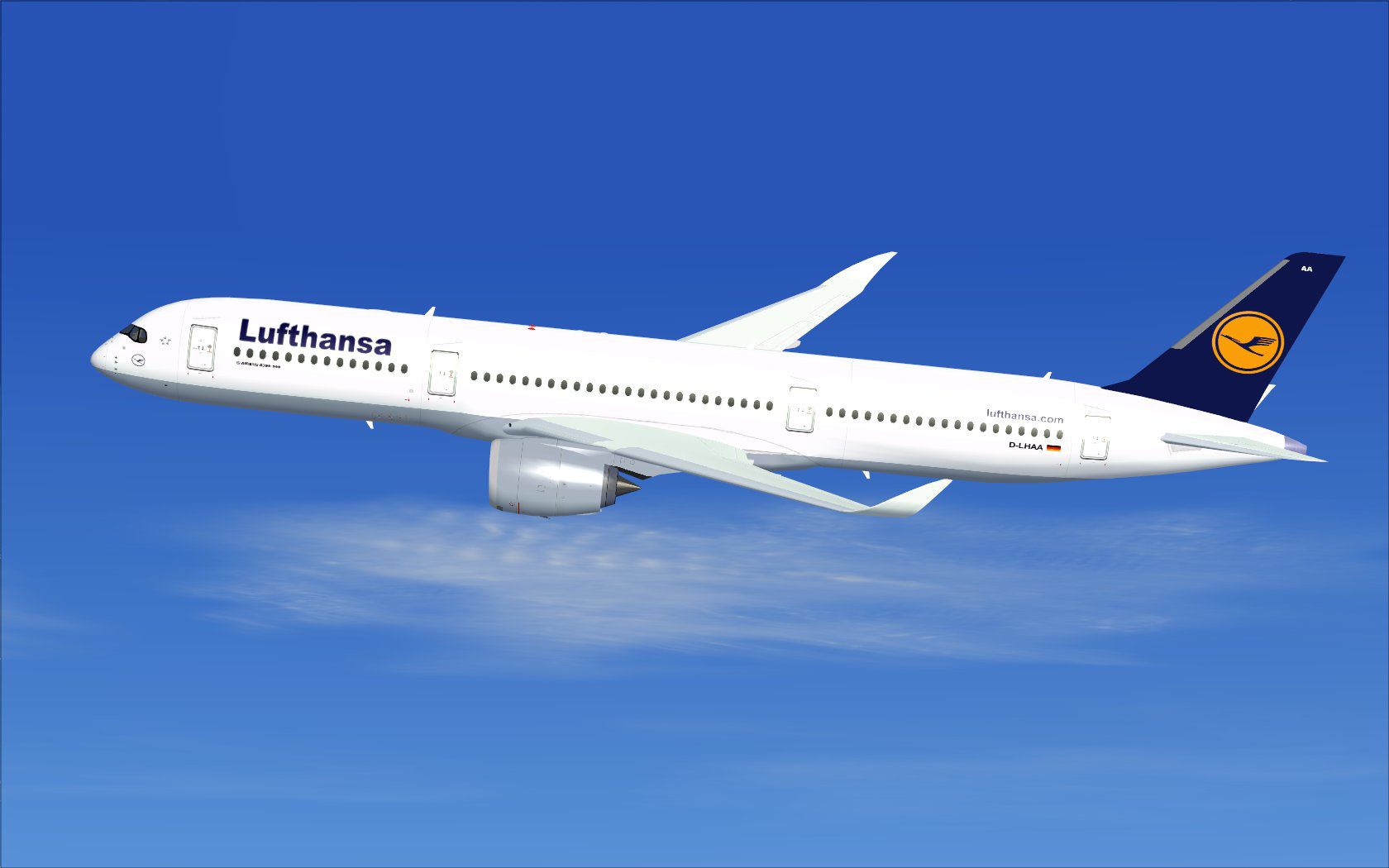

This updated freeware package delivers a meticulously modeled Lufthansa Airbus A350-900 brought to you by the authors at CamSim, specifically crafted by Camil Valiquette. It is designed for enthusiasts who appreciate comprehensive flight simulation with detailed external modeling, animated ground services, and realistic behaviors. The package includes a fully operational base model so you can begin flying right away, without relying on additional dependencies.
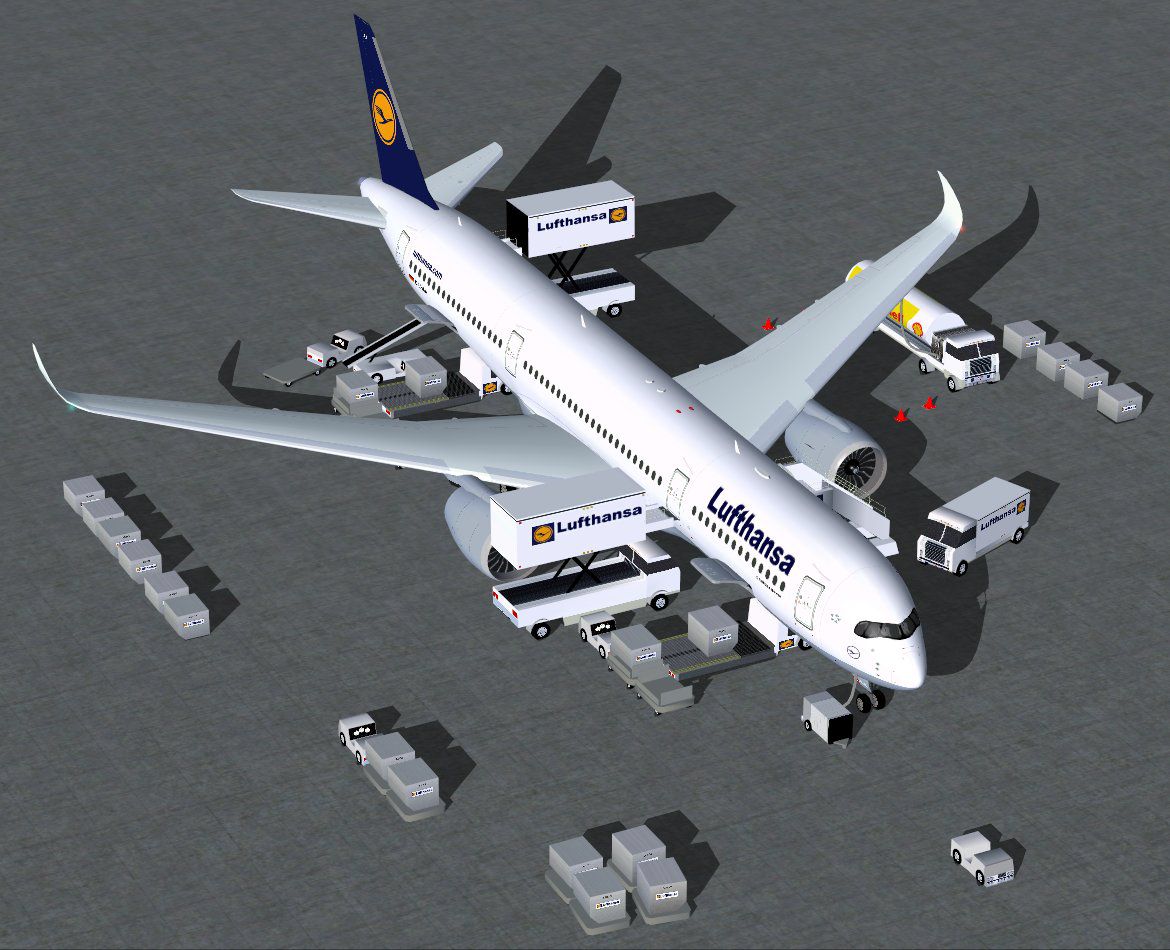
CamSim has implemented AGS (Animated Ground Servicing) to elevate immersion, showcasing service vehicles that can hook and detach their trailers. In addition, the main landing gear units feature an authentic tilt mechanism for a more true-to-life representation. These refinements allow for better ground-handling realism as you taxi and park.
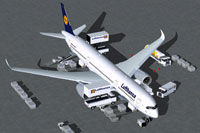
Screenshot of Lufthansa Airbus A350-900 prepared for ground support.
This aircraft includes dedicated control assignments for ground handling animations. Refer to the following commands for optimal functionality:
To engage these advanced features in FSX, map the following controls by navigating to Options > Settings > Controls > Buttons/Keys > Change Assignment and assigning specific hotkeys:
The Lufthansa-liveried Airbus A350-900 represented in this package embodies a modern long-hauler renowned for its fuel efficiency and advanced aerodynamics. Incorporating details such as tilted gear bogies and supplementary ground equipment animations, this rendition captures the sleek design and operating environment of the real aircraft. The creators, including Camil Valiquette, have integrated these features to deliver a more authentic simulation experience when flying one of Lufthansa’s flagship widebodies.
Free for all simmers · 5.25 MB · Scanned clean Oct 2026
Download speed: Free tier is capped at 0.5 Mbps (this file takes approximately 1 min at the cap). PRO members download at full line speed.
This add-on may require the following files to function properly. If this is a repaint, the dependency below is likely the base aircraft package.
FSX\SimObjects\Airplanes\. The folder must contain an aircraft.cfg file. Effects go into FSX\Effects\; gauges go into FSX\Gauges\.readme.txt or README file. It tells you exactly where files go, what dependencies are needed, and any quirks specific to this add-on.The archive 359v4lhx.zip has 37 files and directories contained within it.
This list displays the first 500 files in the package. If the package has more, you will need to download it to view them.
| Filename/Directory | File Date | File Size |
|---|---|---|
| CamSim Airbus 350-900 V4 Lufthansa | 09.24.13 | 0 B |
| 350-900.air | 02.28.12 | 12.75 kB |
| 359v4lh tilt bog fow.jpg | 09.23.13 | 56.50 kB |
| 359v4lh_.jpg | 09.23.13 | 87.83 kB |
| 369v4lh ags_.jpg | 09.24.13 | 172.50 kB |
| aircraft.cfg | 09.24.13 | 15.37 kB |
| Effects.zip | 03.25.06 | 1.80 kB |
| file_id.diz | 09.24.13 | 273 B |
| FSX Installation Aircraft and AGS Animations Read Me.htm | 09.24.13 | 6.54 kB |
| model.350-900 ags v4 | 09.24.13 | 0 B |
| 350-900 ags v4.mdl | 09.19.13 | 2.79 MB |
| Model.cfg | 06.11.12 | 33 B |
| PANEL | 09.24.13 | 0 B |
| 787_350_panel_background.bmp | 02.25.10 | 2.25 MB |
| 787_350_panel_background_night.bmp | 02.25.10 | 2.25 MB |
| Airbus_A321.cab | 09.04.06 | 2.72 MB |
| panel.cfg | 02.25.10 | 5.48 kB |
| panel camsim 787-350 afx_2.jpg | 04.09.10 | 182.86 kB |
| Read Me How to setup Animations (AGS).txt | 09.16.13 | 869 B |
| Read Me_FSX.txt | 09.24.13 | 2.34 kB |
| SOUND | 09.24.13 | 0 B |
| Sound.cfg | 11.04.09 | 35 B |
| texture.lh | 09.24.13 | 0 B |
| 359fuse_t.bmp | 09.23.13 | 1.00 MB |
| 35eng_t.bmp | 09.23.13 | 1.00 MB |
| 35int_l.bmp | 09.24.13 | 4.00 MB |
| 35int_t.bmp | 09.24.13 | 1.00 MB |
| 35tail_t.bmp | 09.23.13 | 1.00 MB |
| 35wings_t.bmp | 08.14.13 | 1.00 MB |
| 787ext_L.bmp | 09.24.13 | 4.00 MB |
| 787ext_t.bmp | 09.24.13 | 1.00 MB |
| gris_t.bmp | 12.09.09 | 16.07 kB |
| tail.bmp | 12.02.12 | 1.00 MB |
| thumbnail.jpg | 09.24.13 | 4.97 kB |
| w_t.bmp | 09.19.13 | 16.07 kB |
| flyawaysimulation.txt | 10.29.13 | 959 B |
| Go to Fly Away Simulation.url | 01.22.16 | 52 B |
Only PRO members can place votes.
More FSX & P3D add-ons hand-picked based on this download.
FSX Civil Aircraft
Experience a carefully modeled Vietnam Airlines Airbus A350-900 package for F…
 FSX Civil Aircraft
The Airbus A350-900 in Iberia's livery, presented here as a fully integrated …
 FSX Civil Aircraft
This comprehensive freeware package offers a fully modeled Airbus A350-900, c…
 FSX Civil Aircraft
The latest freeware rendition of American Airlines’ Airbus A350-900 from CamS…
 FSX Civil Aircraft
The latest CamSim release of the SAS Scandinavian Airbus A350-900, created by…
 FSX Civil Aircraft
Experience a detailed rendition of the Airbus A350-900 in United Airlines liv…
 FSX Civil Aircraft
This freeware package features the Aeroflot Airbus A350-900, incorporating an…
 FSX Civil Aircraft
This fully realized freeware package brings the CamSim fourth iteration of th…
Read what other simmers think, or add your own.

Hey, really cool design.
The only thing I have to say is the virtual cockpit didn't work for me. Maybe I'm doing something wrong? Anyway, good job :)