

 FSX Civil Aircraft
Vietnam Airlines Airbus A350-900 V4
Experience a carefully modeled Vietnam Airlines Airbus A350-900 package for F…
Aeroflot Airbus A350-900 V4 brings CamSim’s widebody to FSX with crisp, authentic livery textures, updated tilted main-gear bogies, and an animated ground-servicing suite. Service trucks, stairs, and cargo equipment connect and disconnect through standard door and function commands, adding believable ramp activity and operational detail to every turnaround.
 Rate
Rate

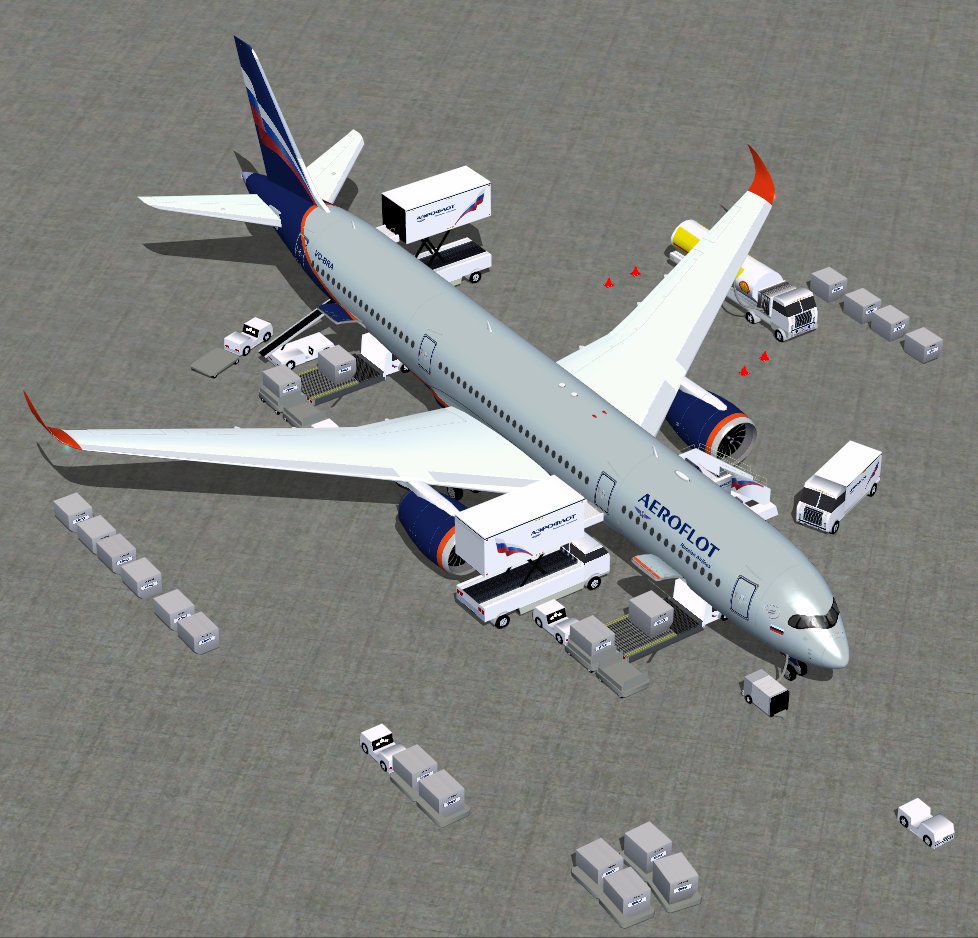
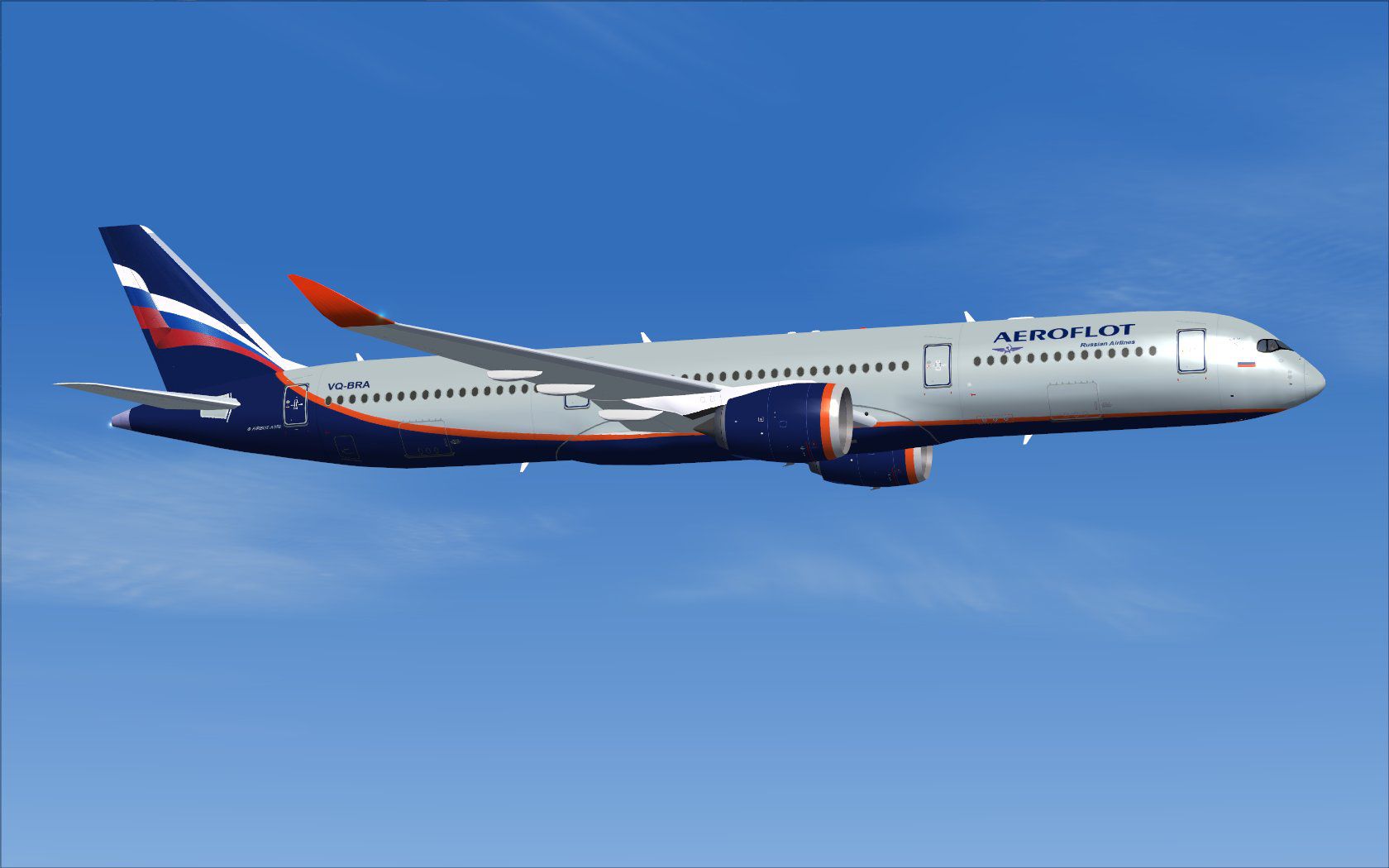
This freeware package features the Aeroflot Airbus A350-900, incorporating an advanced implementation of Animated Ground Servicing (AGS) for enhanced realism. Developed and painted by Camil Valiquette, this CamSim version 4 introduces refined ground service truck animations and updated bogies for the tilted main gear. Enthusiasts seeking an up-to-date widebody experience will find the combination of visuals, animations, and operational details especially immersive.
The aircraft’s exterior showcases meticulous texturing that accurately reflects the Aeroflot livery, a hallmark of Russia’s flag carrier. [Livery] stands for the airline's standardized paint scheme, reproducing logos and color gradients in high detail. Additionally, the developer has modernized the main landing gear assemblies to reflect the real A350-900’s pronounced tilt, lending a lifelike stance on the apron or runway.
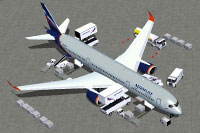
Screenshot of Aeroflot Airbus A350-900 and ground services.
This version refines AGS by introducing moving service trucks that connect and disconnect from their trailers. [Animated Ground Servicing] indicates a system where passenger stairs, cargo loaders, and other vehicles respond to user input. When using Shift+E or Shift+E+2, you can open and close different cabin doors, while Shift+D and Shift+C govern cargo hatches and additional special functions. Setting up your simulator controls through the menu ensures all these interactive features remain fully operational.
To enable all AGS functionalities, you should map specific simulator keystrokes within the FSX controls menu:
This aircraft and all associated AGS implementations were designed and painted by Camil Valiquette. The package is offered as freeware, meaning that it includes the complete base model for full compatibility with FSX. Designed to bring the Aeroflot Airbus A350-900’s technical components to life, this add-on merges accurate visuals, realistic animations, and user-friendly operations for pilot enthusiasts.
Free for all simmers · 5.6 MB · Scanned clean Oct 2026
Download speed: Free tier is capped at 0.5 Mbps (this file takes approximately 2 mins at the cap). PRO members download at full line speed.
This add-on may require the following files to function properly. If this is a repaint, the dependency below is likely the base aircraft package.
FSX\SimObjects\Airplanes\. The folder must contain an aircraft.cfg file. Effects go into FSX\Effects\; gauges go into FSX\Gauges\.readme.txt or README file. It tells you exactly where files go, what dependencies are needed, and any quirks specific to this add-on.The archive 359v4sux.zip has 38 files and directories contained within it.
This list displays the first 500 files in the package. If the package has more, you will need to download it to view them.
| Filename/Directory | File Date | File Size |
|---|---|---|
| CamSim Airbus 350-900 V4 Aeroflot | 10.30.13 | 0 B |
| 350-900.air | 02.28.12 | 12.75 kB |
| 359v4su_.jpg | 10.30.13 | 85.46 kB |
| 359v4su_ags.jpg | 10.30.13 | 167.45 kB |
| aircraft.cfg | 10.30.13 | 15.36 kB |
| Effects.zip | 03.25.06 | 1.80 kB |
| file_id.diz | 10.30.13 | 272 B |
| FSX Installation Aircraft and AGS Animations Read Me.htm | 10.30.13 | 6.56 kB |
| model.350-900 ags v4 | 10.30.13 | 0 B |
| 350-900 ags v4.mdl | 09.19.13 | 2.79 MB |
| Model.cfg | 06.11.12 | 33 B |
| PANEL | 10.30.13 | 0 B |
| 787_350_panel_background.bmp | 02.25.10 | 2.25 MB |
| 787_350_panel_background_night.bmp | 02.25.10 | 2.25 MB |
| Airbus_A321.cab | 09.04.06 | 2.72 MB |
| panel.cfg | 02.25.10 | 5.48 kB |
| panel camsim 787-350 afx_2.jpg | 04.09.10 | 182.86 kB |
| Read Me How to setup Animations (AGS).txt | 10.30.13 | 875 B |
| Read Me_FSX.txt | 10.30.13 | 2.34 kB |
| SOUND | 10.30.13 | 0 B |
| Sound.cfg | 11.04.09 | 35 B |
| texture.su | 10.30.13 | 0 B |
| 359fuse_t.bmp | 10.25.13 | 1.00 MB |
| 35eng_t.bmp | 10.25.13 | 1.00 MB |
| 35int_l.bmp | 10.30.13 | 4.00 MB |
| 35int_t.bmp | 10.30.13 | 1.00 MB |
| 35int_t_24_350 V4_ab.bmp | 10.25.13 | 3.00 MB |
| 35tail_t.bmp | 10.24.13 | 1.00 MB |
| 35wings_t.bmp | 10.24.13 | 1.00 MB |
| 787ext_L.bmp | 05.24.10 | 4.00 MB |
| 787ext_t.bmp | 10.30.13 | 1.00 MB |
| 787ext_t_2_su.bmp | 02.28.11 | 3.00 MB |
| gris_t.bmp | 12.09.09 | 16.07 kB |
| tail.bmp | 12.02.12 | 1.00 MB |
| thumbnail.jpg | 10.30.13 | 4.62 kB |
| w_t.bmp | 10.22.13 | 16.07 kB |
| flyawaysimulation.txt | 10.29.13 | 959 B |
| Go to Fly Away Simulation.url | 01.22.16 | 52 B |
Only PRO members can place votes.
More FSX & P3D add-ons hand-picked based on this download.
FSX Civil Aircraft
Experience a carefully modeled Vietnam Airlines Airbus A350-900 package for F…
 FSX Civil Aircraft
This updated freeware package delivers a meticulously modeled Lufthansa Airbu…
 FSX Civil Aircraft
The Airbus A350-900 in Iberia's livery, presented here as a fully integrated …
 FSX Civil Aircraft
This comprehensive freeware package offers a fully modeled Airbus A350-900, c…
 FSX Civil Aircraft
The latest freeware rendition of American Airlines’ Airbus A350-900 from CamS…
 FSX Civil Aircraft
The latest CamSim release of the SAS Scandinavian Airbus A350-900, created by…
 FSX Civil Aircraft
Experience a detailed rendition of the Airbus A350-900 in United Airlines liv…
 FSX Civil Aircraft
This fully realized freeware package brings the CamSim fourth iteration of th…
Be the first to leave a comment on this download.
Be the first to share your thoughts on this download.