

 X-Plane Civil Heavy Aircraft
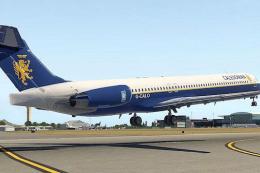
Caledonian Airways McDonnell Douglas MD-80
This is a Caledonian Airways repaint for the default X-Plane 11 MD80. To inst…
British Caledonian livery brings retro Gatwick-era style to Heinz’s Boeing 787 Dreamliner in X-Plane 10, inspired by the airline’s late Airbus A310 scheme and the “John Logie Baird” name. Crisp window detailing and authentic BCAL colors suit modern long-haul operations while celebrating a classic British carrier.
 Rate
Rate

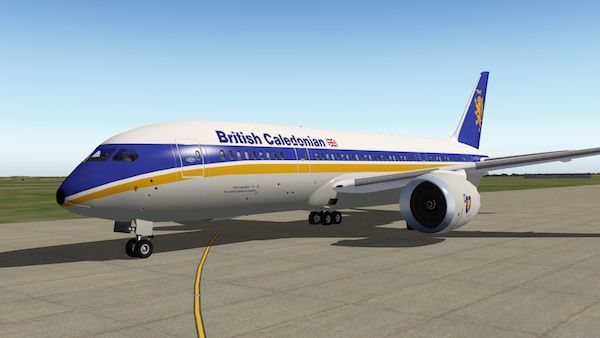
This is a livery for Heinz's B787 Dreamliner. I've decided to go with doing some paints of now-defunct British airlines (many of which have become part of BA), starting with British Caledonian (BCAL). BCAL was a british airline operating out of Gatwick Airport from 1970 to 1988. It was formed after the merger of BUA and Caledonian, and was taken over by British Airways after reaching financial difficulties. This particular livery is based off BCAl's late a310s, specifically the aircraft named 'John Logie Baird'.
British Caledonia 787 in X-Plane 10
The next liveries I plan to complete are: -BA Landor -BOAC -CAl Air -BEA
Also, Big thanks to hemlockson for help and those great windows!
To install: Place the BCAL folder into the liveries folder of your copy of Heinz's 787, load the plane, select file -> open livery, then select 'BCAL' from the list.
Free for all simmers · 2.02 MB · Scanned clean Oct 2026
Download speed: Free tier is capped at 0.5 Mbps. PRO members download at full line speed.
{aircraft-folder}/liveries/.readme.txt or README file. It tells you exactly where files go, what dependencies are needed, and any quirks specific to this add-on.The archive bcal-1.zip has 21 files and directories contained within it.
This list displays the first 500 files in the package. If the package has more, you will need to download it to view them.
| Filename/Directory | File Date | File Size |
|---|---|---|
| BCAL | 04.05.14 | 0 B |
| image1.jpg | 04.05.14 | 52.31 kB |
| __MACOSX | 04.05.14 | 0 B |
| BCAL | 04.05.14 | 0 B |
| image2.jpg | 04.05.14 | 69.18 kB |
| objects | 04.04.14 | 0 B |
| objects | 04.05.14 | 0 B |
| ENGINES.png | 11.13.11 | 485.37 kB |
| FUSE.png | 11.14.11 | 1.40 MB |
| Readme.txt | 11.14.11 | 1.15 kB |
| flyawaysimulation.txt | 10.29.13 | 959 B |
| Go to Fly Away Simulation.url | 01.22.16 | 52 B |
Only PRO members can place votes.
More X-Plane add-ons hand-picked based on this download.
X-Plane Civil Heavy Aircraft
This is a Caledonian Airways repaint for the default X-Plane 11 MD80. To inst…
 X-Plane Civil Heavy Aircraft
Citation Sovereign (C680) converted to X-Plane 10.04rc3. Screenshot of Citati…
 X-Plane Civil Heavy Aircraft
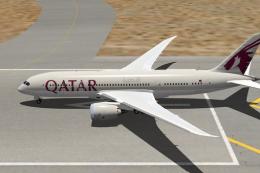
This is a livery for Heinz's B787 Dreamliner. This time around it is of Qatar…
 X-Plane Civil Heavy Aircraft
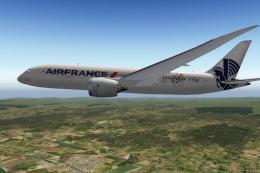
X-Plane Air France Boeing 787 - Tour de France 100 Logo. This is a livery for…
 X-Plane Civil Heavy Aircraft
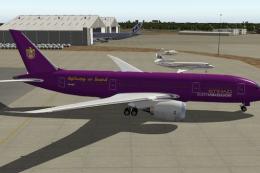
X-Plane Etihad Boeing 787 Guest Ambassadors. This is a fictional livery for H…
 X-Plane Civil Heavy Aircraft
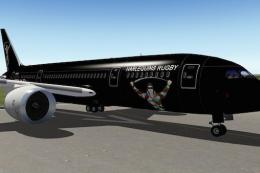
X-Plane Etihad Boeing 787 Harlequins Rugby. This is a livery for Heinz Dziuro…
 X-Plane Civil Heavy Aircraft
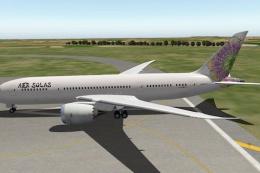
X-Plane Aer Solas Boeing 787. This is a livery for the B787 by Heinz Dziurowi…
 X-Plane Civil Heavy Aircraft
There is one 848 aircraft in this download package. Screenshot of Boeing 848-…
Be the first to leave a comment on this download.
Be the first to share your thoughts on this download.