

 FSX Civil Aircraft
KLM Royal Dutch Airlines Airbus A310-203
This repaint offers a faithful depiction of KLM Royal Dutch Airlines’ “Rembra…
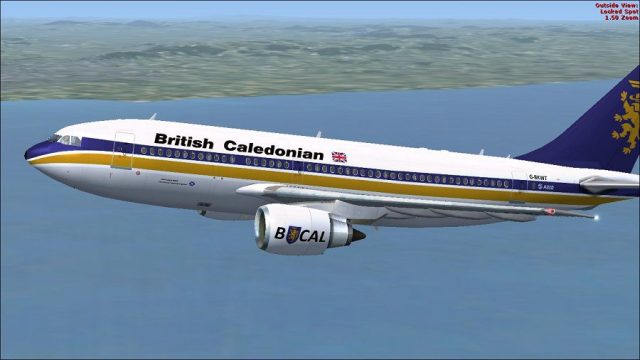
British Caledonian Airbus A310-203 repaint brings registration G-BKWT to life with crisp, period-correct detailing on Tom Ruth’s A310-100, capturing the airline’s classic lion branding for authentic retro airline operations. Built for Microsoft Flight Simulator X, it requires the TOMA310.ZIP base model and adds instant historical character to the virtual cockpit.
 Rate
Rate


This add-on provides a high-fidelity repaint of Tom Ruth’s Airbus A310-100 model in the distinct British Caledonian color scheme, accurately depicting registration G-BKWT (construction number 295). Enthusiasts can explore this classic livery within Microsoft Flight Simulator X, adding historical flair to their virtual hangar.
The Airbus A310-203 is a twin-engine widebody jet designed for medium-range operations. This variant features efficient aerodynamics and reliable General Electric engines. Many real-world airlines, including British Caledonian, operated the A310 family across multiple routes. Notably, the “-203” designation combines the original airframe characteristics with specific engine and performance configurations. Users will notice the shorter fuselage compared to larger Airbus models, providing agile handling and a comfortable passenger capacity.
British Caledonian, frequently recognized by its stylized lion emblem, was an independent UK carrier that competed on various international routes. The airline cultivated a reputation for attentive service and operated several widebodies during its history, including the Airbus A310. Recreating this livery in a flight simulator environment offers a nostalgic journey back to an era where British Caledonian’s distinctive branding stood apart from other carriers.
British Caledonian Airbus A310-203 in flight.
First, acquire the freeware base model by Tom Ruth (file name: TOMA310.ZIP) from the Fly Away Simulation library. After extracting the repaint package into a temporary directory, copy the texture.BCAL folder into your Tom_A310-100 directory. By default, this directory may be found in:
Next, locate your aircraft.cfg file in the same directory. Before editing, make a safety backup. Append the following entry at the bottom of the existing [fltsim.x] entries and increment the “X” to the next fltsim number:
[fltsim.X]
title=British Caledonian A310
sim=TomA310
model=GE
panel=310GE
sound=
texture=BCAL
kb_checklists=
kb_reference=
atc_id=G-BKWT
atc_airline=British Caledonian
atc_flight_number=1124
atc_heavy=1
ui_manufacturer=Airbus
ui_typerole=Commercial Airliner
ui_createdby=Thomas Ruth
ui_type=A310-203
ui_variation=British Caledonian
If you have any issues updating the aircraft.cfg file, move it outside the simulator’s folder, edit it there, and then place it back into the aircraft directory. This method often circumvents permission-related errors.
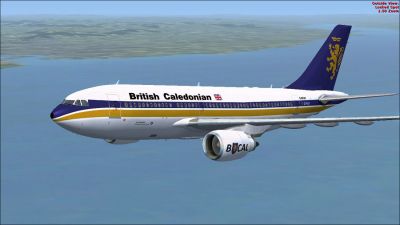
British Caledonian Airbus A310-203 in flight.
This repaint, created by Paul Craig, requires the original Tom Ruth A310-100 base model. The user assumes all risks related to the use of these files, and the author is not liable for any technical issues that may arise. For optimal performance, ensure that you maintain a clean simulator environment and observe best practices during installation.
Free for all simmers · 1.54 MB · Scanned clean Oct 2026
Download speed: Free tier is capped at 0.5 Mbps. PRO members download at full line speed.
This file is a repaint — the package below is the base model it paints onto. Install it first, or the textures will have nothing to load onto.
texture.{airline}) inside FSX\SimObjects\Airplanes\{base-aircraft}\.aircraft.cfg in Notepad. Add a new [fltsim.X] section per the readme.readme.txt or README file. It tells you exactly where files go, what dependencies are needed, and any quirks specific to this add-on.The archive bcala310-203.zip has 18 files and directories contained within it.
This list displays the first 500 files in the package. If the package has more, you will need to download it to view them.
| Filename/Directory | File Date | File Size |
|---|---|---|
| British Caledonian Airbus A310-203 (1).jpg | 05.01.11 | 82.29 kB |
| British Caledonian Airbus A310-203 (2).jpg | 05.01.11 | 93.27 kB |
| British Caledonian Airbus A310-203.jpg | 05.01.11 | 109.41 kB |
| FILE_ID.DIZ | 05.01.11 | 203 B |
| Readme.txt | 05.01.11 | 1.53 kB |
| texture.BCAL | 05.01.11 | 0 B |
| glass.dds | 03.13.10 | 64.12 kB |
| main.dds | 05.01.11 | 4.00 MB |
| main_bump.dds | 03.12.10 | 4.00 MB |
| main_light.dds | 03.21.10 | 1.00 MB |
| main_spec.dds | 05.01.11 | 256.12 kB |
| texture.cfg | 03.31.10 | 159 B |
| thumbnail.jpg | 05.01.11 | 12.25 kB |
| wing_l.dds | 03.19.10 | 1.00 MB |
| wing_r.dds | 03.19.10 | 1.00 MB |
| thumbnail.jpg | 05.01.11 | 12.25 kB |
| flyawaysimulation.txt | 10.29.13 | 959 B |
| Go to Fly Away Simulation.url | 01.22.16 | 52 B |
Only PRO members can place votes.
More FSX & P3D add-ons hand-picked based on this download.
FSX Civil Aircraft
This repaint offers a faithful depiction of KLM Royal Dutch Airlines’ “Rembra…
 FSX Civil Aircraft
Lufthansa Airbus A310-203. Repaint of Tom Ruth's A310-100, representing Airbu…
 FSX Civil Aircraft
This freeware repaint showcases the beloved KLM Royal Dutch Airlines Airbus A…
 FSX Civil Aircraft
Experience a meticulously crafted “Prins Bernhard Red Cross” paint scheme cre…
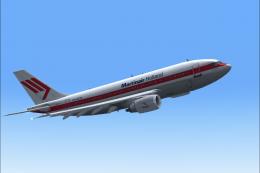 FSX Civil Aircraft
Experience a carefully crafted livery for the payware Commercial Level Simula…
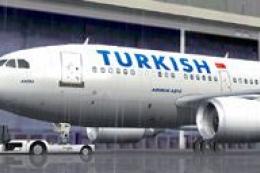 FSX Civil Aircraft
Features hand painted textures only for use with the payware Commercial Level…
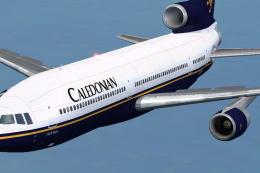 FSX Civil Aircraft
This freeware repaint showcases Caledonian’s “Loch Earn” Lockheed L1011 TriSt…
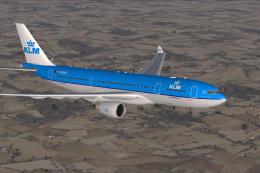 FSX Civil Aircraft
KLM Airbus A330-203. Textures only of KLM Royal Dutch Airlines with registrat…
Be the first to leave a comment on this download.
Be the first to share your thoughts on this download.