

 MSFS General Aviation Aircraft
Cessna C-152 II N95508 Repaint
This repaint is for one of the Cessnas I flew out of GFW Aeroservices at Boir…
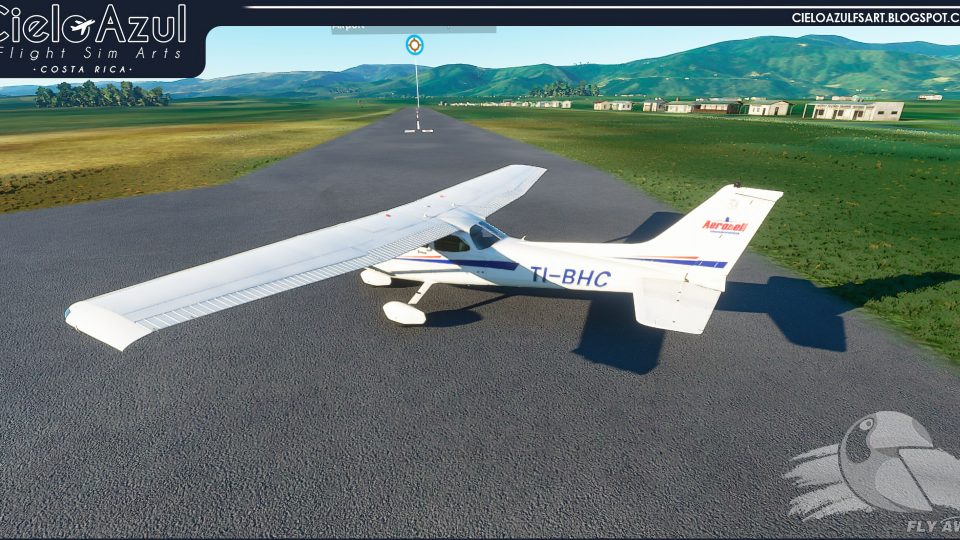
Aerobell Flight School liveries bring Costa Rica’s training fleet to the default Cessna 172SP G1000 and 172SP Classic in Microsoft Flight Simulator, including authentic registration TI-BHC. The pack delivers clean, realistic exterior paintwork tailored to both variants for believable student and instructor flights with matching regional identity.
 Rate
Rate
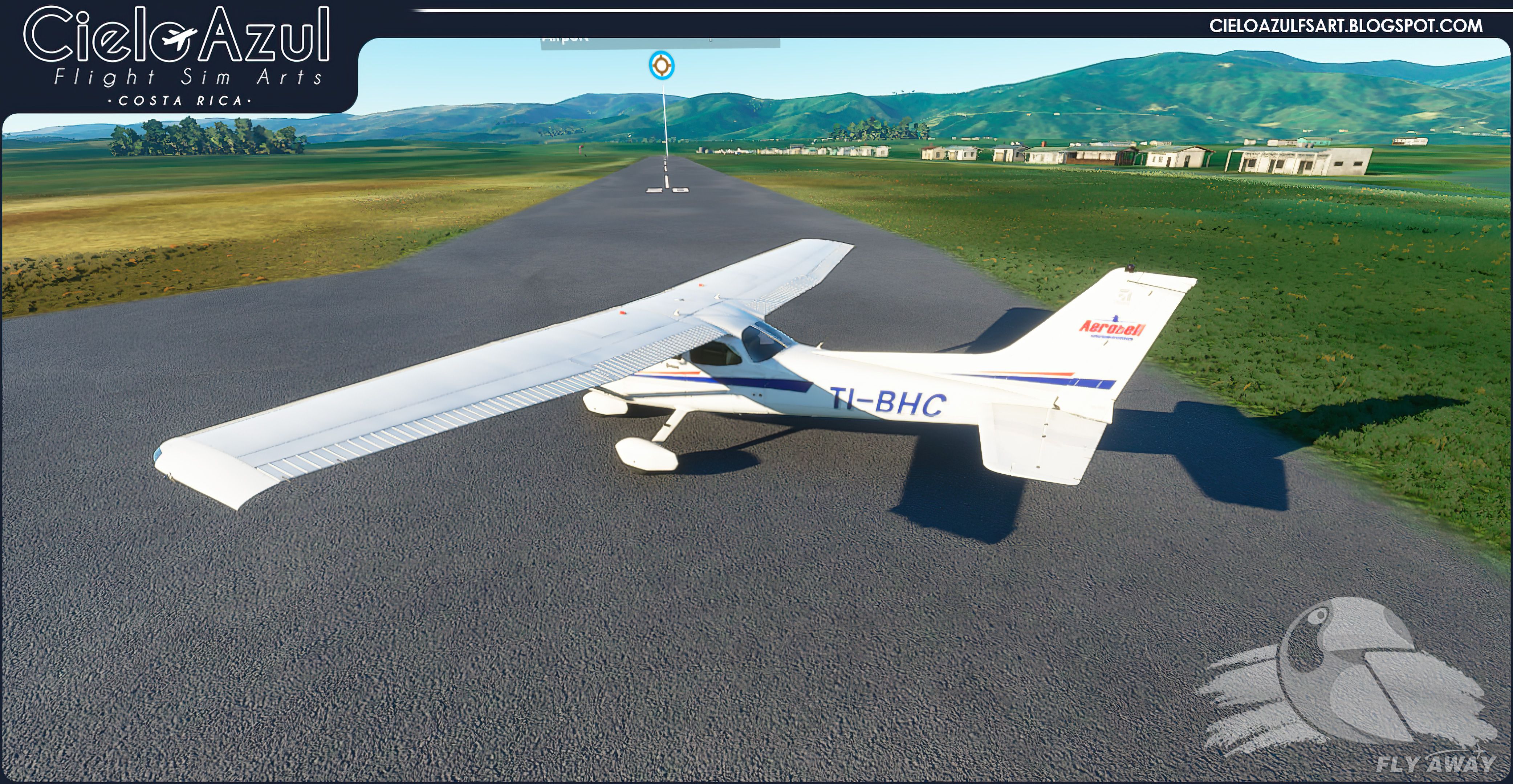
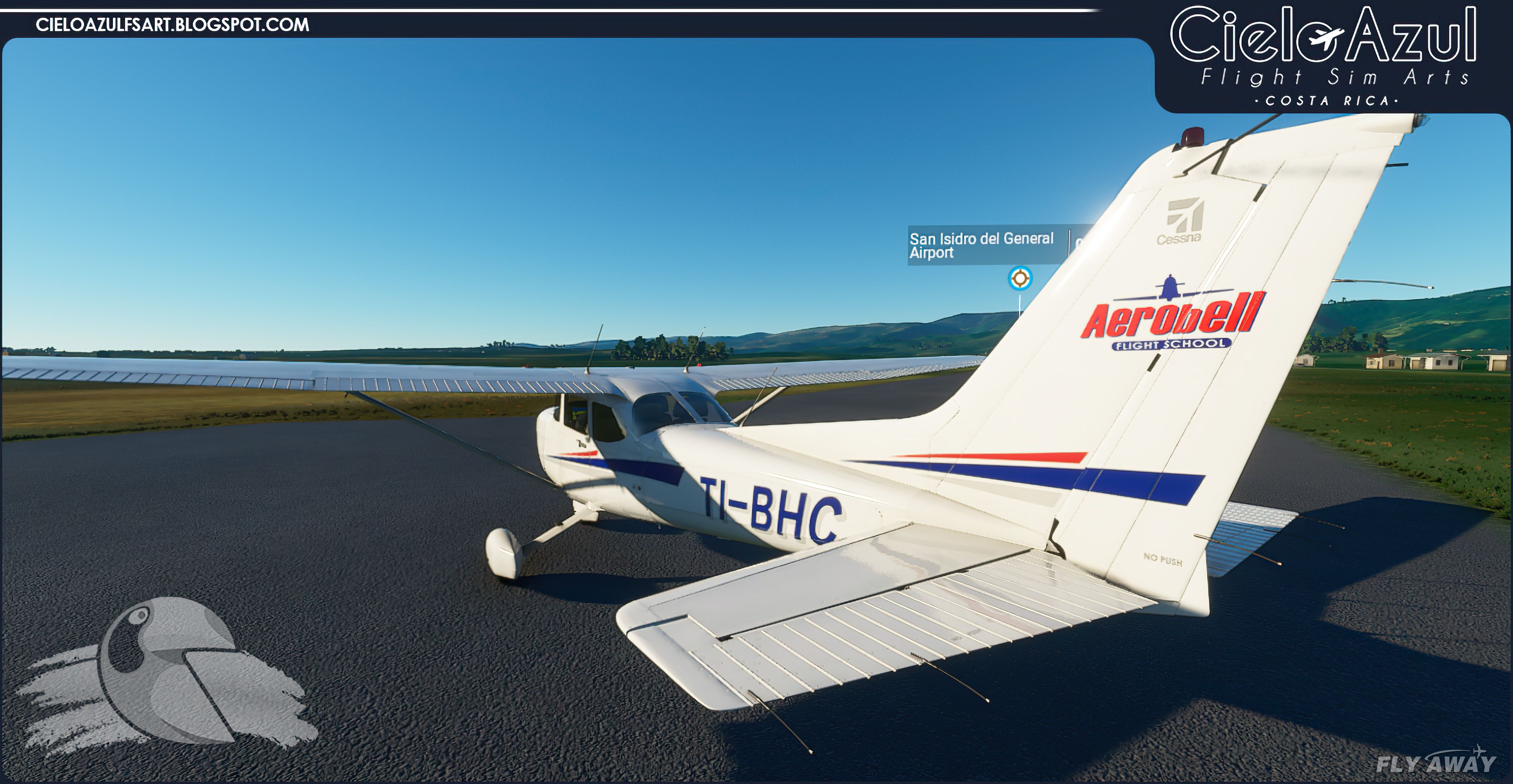

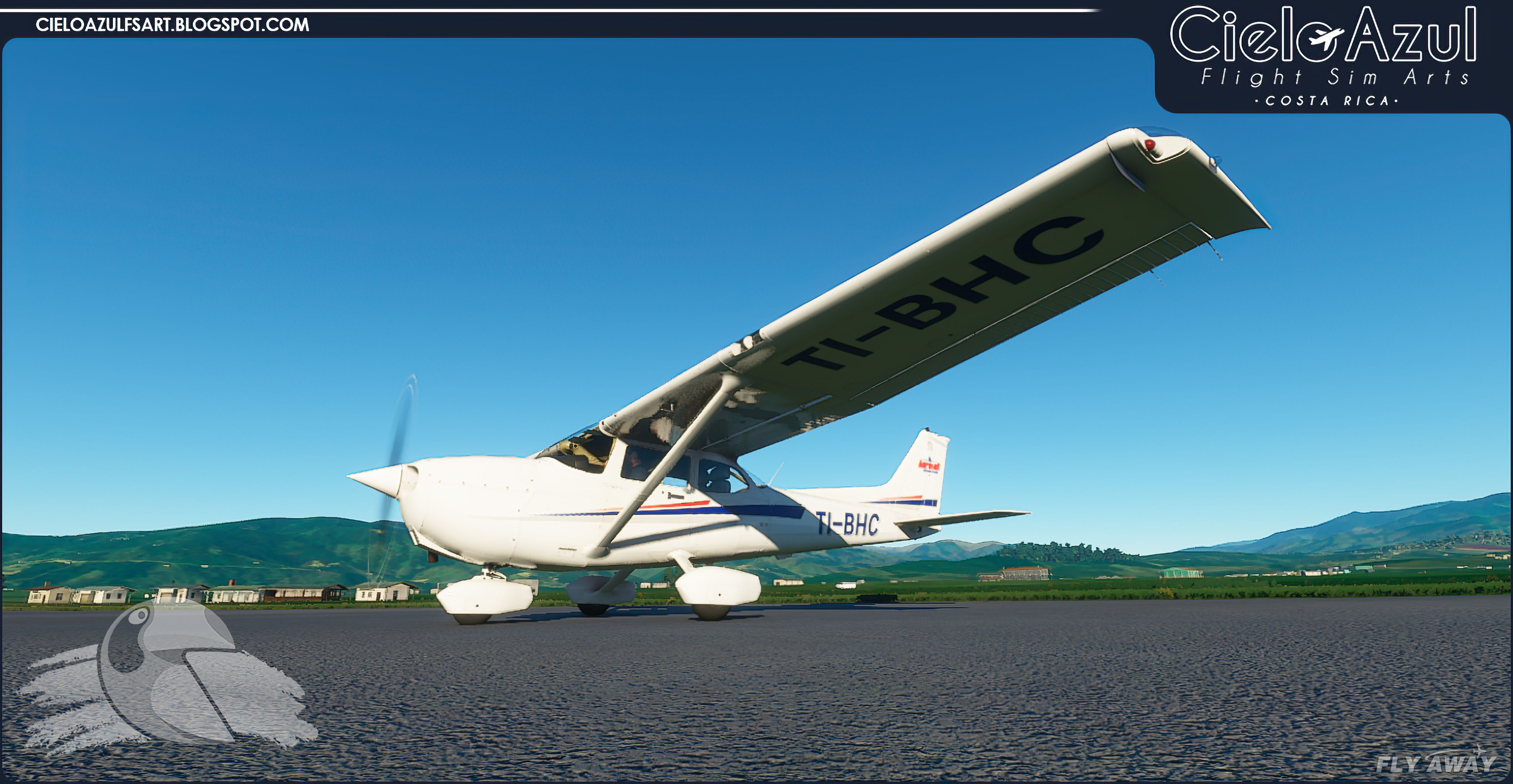
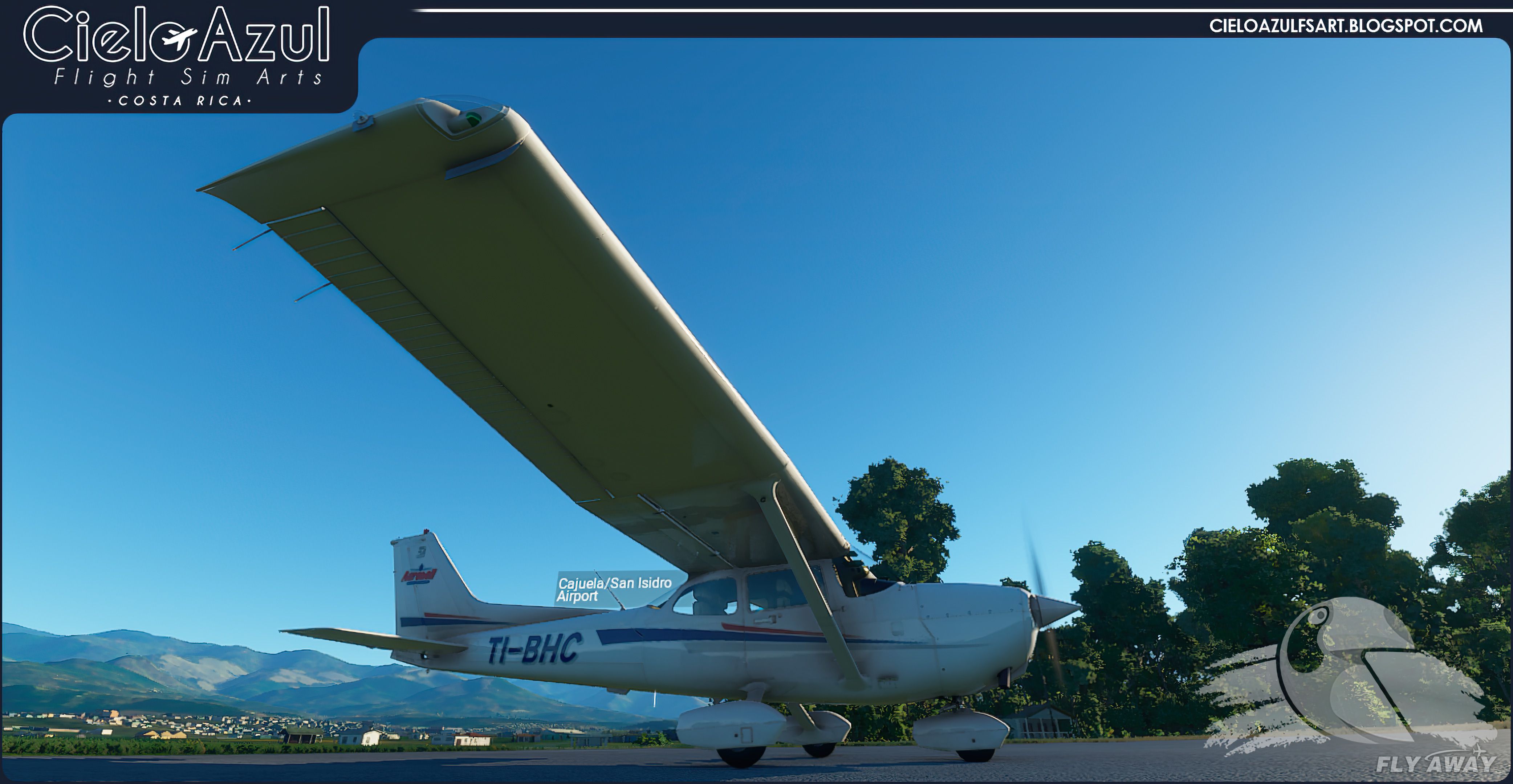

This expertly crafted repaint pack brings Aerobell Flight School’s vibrant Costa Rican branding to both the Cessna 172SP G1000 and Classic models in Microsoft Flight Simulator. Meticulously modeled after the real-world TI-BHC registration, these repaints capture the distinct training-livery colors and authenticity of Aerobell’s operational fleet. As someone who has flown the sim for decades and personally tested this pack, I can confirm that each high-resolution texture reflects the developer’s dedication to realism and immersion.
With sharply rendered exterior details and an accurate representation of Aerobell’s visual identity, this add-on is ideal for virtual pilots eager to replicate genuine flight training scenarios. Whether you prefer the modern G1000 avionics suite or the traditional gauges of the C172 Classic, the cohesive design of the livery unifies both variations, bringing a professional, real-world feel to your hangar. In my experience, this mod bolsters the sense of authenticity in Microsoft Flight Simulator, making every flight lesson and cross-country trip more engaging and rewarding.
A pack containing repaints for the default Cessna 172SP G1000 and Cessna 172SP Classic (Asobo) in Aerobell Flight School liveries. Aerobell is a Costa Rican airline that runs a flight school and these repaints represent their aircraft used for training.
 The real-world aircraft that has been repainted has the official registration, TI-BHC.
Installation instructions for both aircraft models.
IF YOU DO NOT HAVE TEXTURES INSTALLED:
Copy the entire folder included in this file to your "Community" folder and start the game.
IF YOU HAVE MORE TEXTURES INSTALLED:
Copy the folder (s) TEXTURE.XXX in the folder where you already have the other textures installed within "Community".
Make sure to add the texture details from Aircraft.cfg and renumber accordingly.
Also, add the texture details from layout.json to your own file as well.
Copy the texture "TEXTURE" and "TEXTURE.BACKUP" inside the folder:
... Official \ OneStore \ asobo-aircraft-c172sp-classic \ SimObjects \ Airplanes \ Asobo_C172sp_classic
ATTENTION:
If you enjoy this livery pack, we ask you to kindly make a donation to the developer using the link below. It takes lots of hard work and effort to produce these freeware creations that the flight sim community enjoys using.
Developer: Cielo Azul FS Arts 2020 / Leonardo Corrales.
Visit the developer's website and make a donation here.
Free for all simmers · 465.05 MB · Scanned clean Oct 2026
Download speed: Free tier is capped at 2 Mbps (this file takes approximately 33 mins at the cap). PRO members download at full line speed.
%LOCALAPPDATA%\Packages\Microsoft.FlightSimulator_8wekyb3d8bbwe\LocalCache\Packages\Community\. Steam version: %APPDATA%\Microsoft Flight Simulator\Packages\Community\. Tip: enable Developer Mode in MSFS to see your exact Community folder path.readme.txt or README file. It tells you exactly where files go, what dependencies are needed, and any quirks specific to this add-on.Only PRO members can place votes.
More MSFS add-ons hand-picked based on this download.
MSFS General Aviation Aircraft
This repaint is for one of the Cessnas I flew out of GFW Aeroservices at Boir…
 MSFS General Aviation Aircraft
A complete freeware aircraft pack featuring the Van's RV-7 and RV-7A in accur…
 MSFS General Aviation Aircraft
In the realm of Microsoft Flight Simulator 2020, the Beast Horus Microjet sta…
 MSFS General Aviation Aircraft
Enhance your Microsoft Flight Simulator (MSFS) 2020 release experience with t…
 MSFS General Aviation Aircraft
This is a complete (and experimental) performance mod for the Asobo Aviat Hus…
 MSFS General Aviation Aircraft
This freeware release brings a refined rendition of Van's RV-7 into the new M…
 MSFS General Aviation Aircraft
Deejing’s freeware JMB VL3 915iS brings a Rotax-powered, four-blade ultraligh…
 MSFS General Aviation Aircraft
This mod for the Asobo Aviat Husky A-1C is a quick patch and fix that provide…
Read what other simmers think, or add your own.
