

 FSX Civil Aircraft
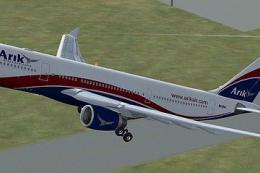
Arik Air Airbus A330-200
This freeware repaint adds Arik Air’s distinctive Airbus A330-200 livery to t…
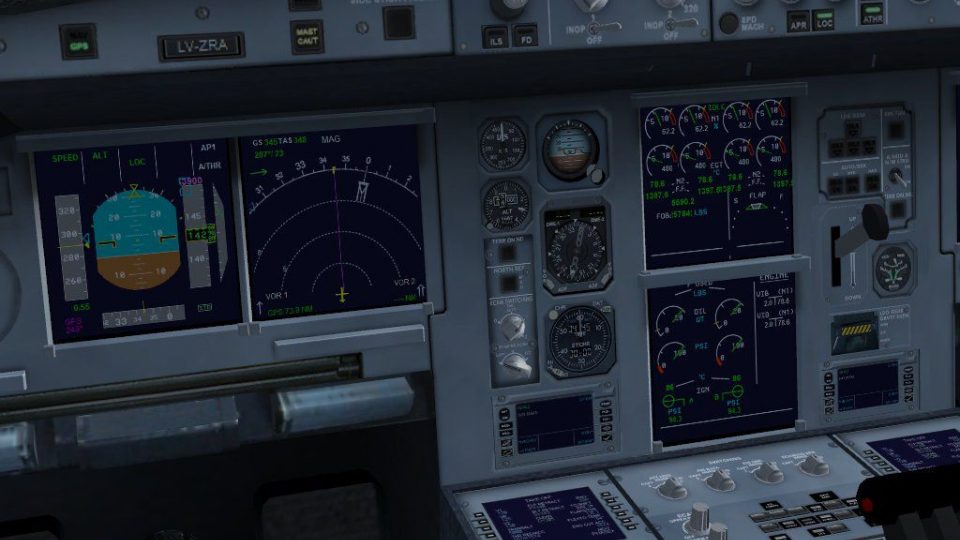
Airbus A340-500 in Arik Air colors brings an ultra-long-haul widebody to Microsoft Flight Simulator X with a detailed exterior model, fully mapped textures, functioning virtual cockpit, tailored panels, and custom lighting effects for day and night ops. It requires the default FSX Airbus_A321 gauges, panel files, and sound folders for seamless integration.
 Rate
Rate
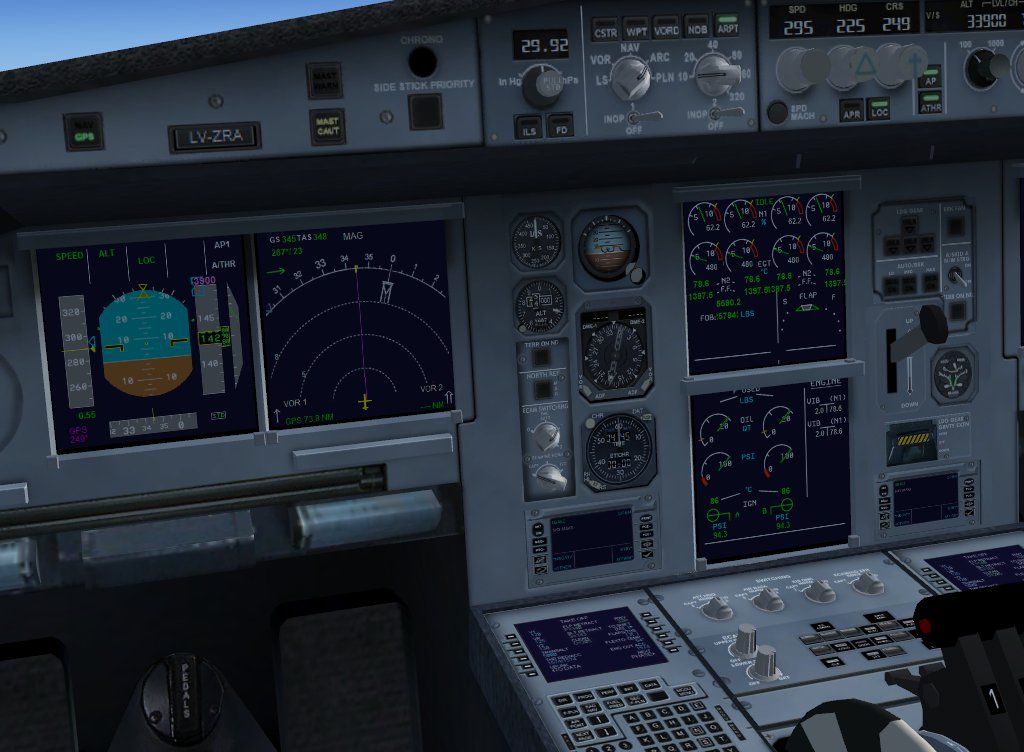
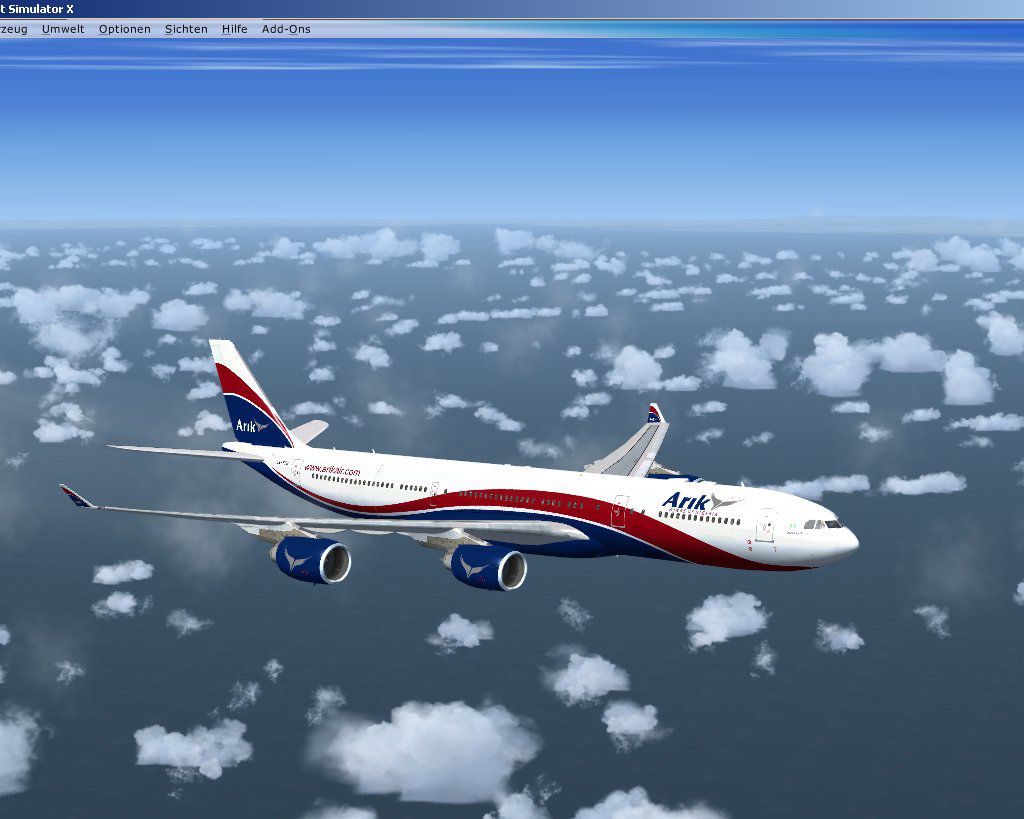
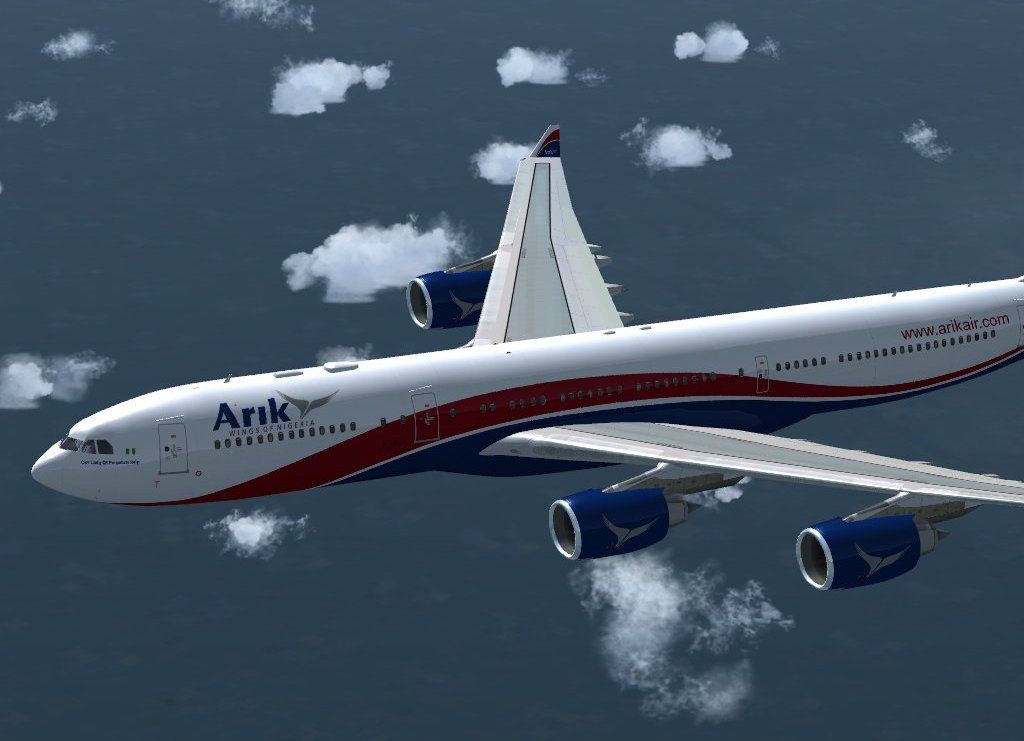
This complete freeware aircraft package integrates the long-haul Airbus A340-500 in Arik Air’s livery into Microsoft Flight Simulator X. Created by Thomas Ruth, it includes a functioning virtual cockpit, fully mapped textures, panel configurations, and detailed installation instructions. The final result is a realistic representation of both the aircraft model and Arik Air’s distinctive paint scheme, ideal for sim pilots seeking an intercontinental airliner experience without any commercial purchase.
The Airbus A340-500 is a four-engine, wide-body airliner designed for ultra-long-range routes. This variant has extended fuel capacity and refined aerodynamics compared to earlier A340 models, allowing it to cover significant distances between major global hubs. Arik Air, a Nigerian carrier, has operated various wide-body aircraft to satisfy long-distance travel requirements, and their recognizable livery can now be experienced in virtual form through this add-on. Thomas Ruth’s A340-500 rendition emphasizes both the exterior details and the operational aspects of the real aircraft.
Before proceeding, confirm you have the default Microsoft Flight Simulator X Airbus_A321 folders accessible. Follow these essential steps accurately to configure everything correctly:
For detailed visuals and clarifications, consult the MFP.PDF located in the Manual subfolder. It provides illustrations for each critical installation stage.
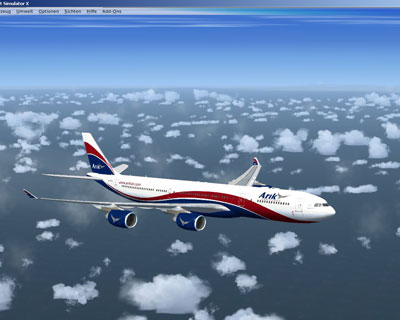
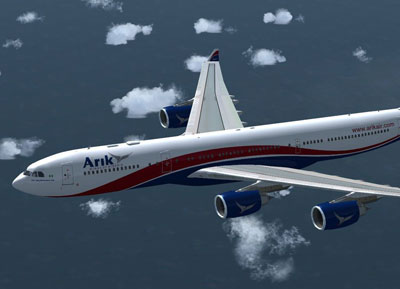
The model has been tested with Service Pack 1 (SP1) and Service Pack 2 (SP2) integrations in Microsoft Flight Simulator X. DirectX 10 functionality remains unverified. Overall, this package serves as a comprehensive solution for enthusiasts eager to experience the Arik Air A340-500 in FSX, offering the extended range, distinct livery, and refined panel arrangements guided by the talents of Thomas Ruth.
Free for all simmers · 16.82 MB · Scanned clean Oct 2026
Download speed: Free tier is capped at 0.5 Mbps (this file takes approximately 5 mins at the cap). PRO members download at full line speed.
FSX\SimObjects\Airplanes\. The folder must contain an aircraft.cfg file. Effects go into FSX\Effects\; gauges go into FSX\Gauges\.readme.txt or README file. It tells you exactly where files go, what dependencies are needed, and any quirks specific to this add-on.The archive toma345.zip has 149 files and directories contained within it.
This list displays the first 500 files in the package. If the package has more, you will need to download it to view them.
| Filename/Directory | File Date | File Size |
|---|---|---|
| readme_multiplayer.txt | 05.21.09 | 365 B |
| thanks.txt | 05.24.09 | 258 B |
| Thumbs.db | 05.21.09 | 15.00 kB |
| toma345.gif | 05.21.09 | 8.04 kB |
| vc340.jpg | 05.21.09 | 118.50 kB |
| fx_T332beacon.fx | 11.11.08 | 3.55 kB |
| fx_T332eng.fx | 11.17.08 | 1.21 kB |
| fx_T332land.fx | 11.11.08 | 1.22 kB |
| fx_T332land2.fx | 07.11.08 | 3.01 kB |
| fx_T332logo.fx | 11.11.08 | 1.21 kB |
| fx_T332wing.fx | 11.17.08 | 1.21 kB |
| install.txt | 04.01.09 | 57 B |
| aircraft.cfg | 05.21.09 | 22.55 kB |
| gauges | 05.31.09 | 0 B |
| tom340 | 05.31.09 | 0 B |
| 1024 | 05.31.09 | 0 B |
| Annun_AftDoor_on.bmp | 02.16.09 | 57.80 kB |
| Thumbs.db | 03.20.09 | 5.00 kB |
| 640 | 05.31.09 | 0 B |
| Annun_AftDoor_on.bmp | 01.08.80 | 1.38 kB |
| Thumbs.db | 03.20.09 | 5.00 kB |
| ecams.xml | 03.20.09 | 35.63 kB |
| ecams_engine_primary_background.bmp | 03.20.09 | 78.95 kB |
| eng2off.bmp | 03.20.09 | 7.71 kB |
| eng2off_night.bmp | 03.24.09 | 7.71 kB |
| eng2on.bmp | 03.20.09 | 7.71 kB |
| eng2on_night.bmp | 03.24.09 | 7.71 kB |
| eng3off.bmp | 03.20.09 | 7.71 kB |
| eng3off_night.bmp | 03.24.09 | 7.71 kB |
| eng3on.bmp | 03.20.09 | 7.71 kB |
| eng3on_night.bmp | 03.24.09 | 7.71 kB |
| eng4off.bmp | 03.20.09 | 7.71 kB |
| eng4off_night.bmp | 03.24.09 | 7.71 kB |
| eng4on.bmp | 03.20.09 | 7.71 kB |
| eng4on_night.bmp | 03.24.09 | 7.71 kB |
| FCUdummy.xml | 02.16.09 | 459 B |
| popup_ecu.xml | 03.23.09 | 45.06 kB |
| popup_ecu_background.bmp | 03.24.09 | 361.81 kB |
| popup_ecu_background_night.bmp | 03.24.09 | 361.81 kB |
| popup_ecu_button_eng_1_out_annunciators_off_night.bmp | 03.24.09 | 4.57 kB |
| popup_ecu_button_eng_2_out_annunciators_off.bmp | 03.20.09 | 2.11 kB |
| popup_ecu_button_eng_2_out_annunciators_off_night.bmp | 03.24.09 | 2.11 kB |
| popup_ecu_button_eng_2_out_fault _and _fire_annunciators_on.bmp | 03.20.09 | 1.74 kB |
| popup_ecu_button_eng_2_out_fault_annunciator_on.bmp | 03.20.09 | 1.33 kB |
| popup_ecu_button_eng_2_out_fire_annunciator_on.bmp | 03.20.09 | 1.18 kB |
| popup_ecu_knob_eng_mode_ign_start.bmp | 03.20.09 | 3.11 kB |
| popup_ecu_knob_eng_mode_ign_start_night.bmp | 03.24.09 | 5.87 kB |
| popup_ecu_knob_eng_mode_norm.bmp | 03.20.09 | 3.11 kB |
| popup_ecu_knob_eng_mode_norm_night.bmp | 03.24.09 | 5.87 kB |
| popup_ecu_lever_throttle_left.bmp | 03.20.09 | 9.43 kB |
| popup_ecu_lever_throttle_left_night.bmp | 03.24.09 | 9.43 kB |
| popup_ecu_lever_throttle_right.bmp | 03.20.09 | 9.43 kB |
| popup_ecu_lever_throttle_right_night.bmp | 03.24.09 | 9.43 kB |
| popup_ecu_switch_eng_1_off.bmp | 03.20.09 | 7.71 kB |
| popup_ecu_switch_eng_1_off_night.bmp | 03.24.09 | 7.71 kB |
| popup_ecu_switch_eng_1_on.bmp | 03.20.09 | 7.71 kB |
| popup_ecu_switch_eng_1_on_night.bmp | 03.24.09 | 7.71 kB |
| popup_overhead.xml | 03.25.09 | 115.57 kB |
| popup_overhead_background.bmp | 03.24.09 | 762.88 kB |
| popup_overhead_background_night.bmp | 03.24.09 | 762.88 kB |
| popup_overhead_button_adirs_eng_1_both_off.bmp | 03.23.09 | 5.48 kB |
| popup_overhead_button_adirs_eng_1_both_off_night.bmp | 03.24.09 | 13.03 kB |
| popup_overhead_button_anti_ice_eng_1_both_off.bmp | 03.23.09 | 3.79 kB |
| popup_overhead_button_anti_ice_eng_1_both_off_night.bmp | 03.24.09 | 8.26 kB |
| popup_overhead_button_electrical_gen_1_both_off.bmp | 03.23.09 | 4.66 kB |
| popup_overhead_button_electrical_gen_1_both_off_night.bmp | 03.24.09 | 10.37 kB |
| popup_overhead_button_fire_apu_both_off.bmp | 03.23.09 | 2.85 kB |
| popup_overhead_button_fire_apu_both_off_night.bmp | 03.24.09 | 5.27 kB |
| popup_overhead_button_fire_apu_both_on.bmp | 03.23.09 | 2.85 kB |
| popup_overhead_button_fire_apu_out_annunciator_off.bmp | 03.23.09 | 4.45 kB |
| popup_overhead_button_fire_apu_out_annunciator_off_night.bmp | 03.24.09 | 10.25 kB |
| popup_overhead_button_fire_apu_out_annunciator_on.bmp | 03.23.09 | 4.45 kB |
| popup_overhead_button_fire_apu_squib_on.bmp | 03.23.09 | 2.84 kB |
| popup_overhead_button_fire_eng_1_both_off.bmp | 03.23.09 | 2.68 kB |
| popup_overhead_button_fire_eng_1_both_off_night.bmp | 03.24.09 | 4.66 kB |
| popup_overhead_button_fire_eng_1_both_on.bmp | 03.23.09 | 2.69 kB |
| popup_overhead_button_fire_eng_1_disch_on.bmp | 03.23.09 | 2.66 kB |
| popup_overhead_button_fire_eng_1_in_annunciator_off.bmp | 03.23.09 | 4.92 kB |
| popup_overhead_button_fire_eng_1_in_annunciator_off_night.bmp | 03.24.09 | 11.66 kB |
| popup_overhead_button_fire_eng_1_in_annunciator_on.bmp | 03.23.09 | 4.92 kB |
| popup_overhead_button_fire_eng_1_out_annunciator_off.bmp | 03.23.09 | 4.92 kB |
| popup_overhead_button_fire_eng_1_out_annunciator_off_night.bmp | 03.24.09 | 11.66 kB |
| popup_overhead_button_fire_eng_1_out_annunciator_on.bmp | 03.23.09 | 4.92 kB |
| popup_overhead_button_fire_eng_1_squib_on.bmp | 03.23.09 | 2.69 kB |
| popup_overhead_button_fire_eng_2_both_off.bmp | 03.23.09 | 2.73 kB |
| popup_overhead_button_fire_eng_2_both_off_night.bmp | 03.24.09 | 4.93 kB |
| popup_overhead_button_fire_eng_2_both_on.bmp | 03.23.09 | 3.24 kB |
| popup_overhead_button_fire_eng_2_disch_on.bmp | 03.23.09 | 2.73 kB |
| popup_overhead_button_fire_eng_2_in_annunciator_off.bmp | 03.23.09 | 4.92 kB |
| popup_overhead_button_fire_eng_2_in_annunciator_off_night.bmp | 03.24.09 | 11.66 kB |
| popup_overhead_button_fire_eng_2_in_annunciator_on.bmp | 03.23.09 | 4.92 kB |
| popup_overhead_button_fire_eng_2_out_annunciator_off.bmp | 03.23.09 | 4.92 kB |
| popup_overhead_button_fire_eng_2_out_annunciator_off_night.bmp | 03.24.09 | 11.66 kB |
| popup_overhead_button_fire_eng_2_out_annunciator_on.bmp | 03.23.09 | 4.92 kB |
| popup_overhead_button_fire_eng_2_squib_on.bmp | 03.23.09 | 2.73 kB |
| popup_overhead_button_fuel_eng_1_both_off.bmp | 03.23.09 | 4.45 kB |
| popup_overhead_button_fuel_eng_1_both_off_night.bmp | 03.24.09 | 9.80 kB |
| popup_overhead_button_x_bleed_eng_1_both_off.bmp | 03.23.09 | 5.83 kB |
| popup_overhead_button_x_bleed_eng_1_both_off_night.bmp | 03.24.09 | 14.40 kB |
| popup_overhead_switch_strobe_off.bmp | 03.24.09 | 6.89 kB |
| popup_overhead_switch_strobe_off_night.bmp | 03.24.09 | 16.91 kB |
| popup_overhead_switch_strobe_on.bmp | 03.24.09 | 6.89 kB |
| popup_overhead_switch_strobe_on_night.bmp | 03.24.09 | 16.91 kB |
| Thumbs.db | 03.20.09 | 478.50 kB |
| manual | 05.31.09 | 0 B |
| FCM.pdf | 05.15.09 | 2.86 MB |
| MFP.pdf | 05.22.09 | 2.66 MB |
| readme_multiplayer.txt | 05.21.09 | 365 B |
| model | 05.31.09 | 0 B |
| model.cfg | 05.15.09 | 55 B |
| multiplayer | 05.31.09 | 0 B |
| TomA345.MDL | 05.24.09 | 7.84 MB |
| TomA345.mdl | 05.24.09 | 7.84 MB |
| TomA345_interior.MDL | 05.24.09 | 1.48 MB |
| TomA345NG_interior.MDL | 05.24.09 | 1.49 MB |
| panel.340 | 05.31.09 | 0 B |
| $A321_2.bmp | 02.20.09 | 768.05 kB |
| panel.cfg | 05.17.09 | 6.32 kB |
| texture.AA | 05.31.09 | 0 B |
| A321_1_L.dds | 03.24.09 | 1.00 MB |
| A321_2_L.dds | 02.21.09 | 256.12 kB |
| A330_VC01L.dds | 03.24.09 | 1.00 MB |
| A340_VC01.dds | 03.19.09 | 1.00 MB |
| Airbus_A321_1_L.dds | 02.19.09 | 1.00 MB |
| Airbus_A321_2_L.dds | 02.19.09 | 1.00 MB |
| Airbus_A321_3_L.dds | 02.19.09 | 4.12 kB |
| Airbus_A321_4_L.dds | 02.19.09 | 1.00 MB |
| glass.dds | 05.04.09 | 64.12 kB |
| glass_spec.dds | 11.24.08 | 4.12 kB |
| main.dds | 05.21.09 | 4.00 MB |
| main_bump.dds | 05.14.09 | 4.00 MB |
| main_grid.dds | 04.03.09 | 4.00 MB |
| main_light.dds | 04.30.09 | 1.00 MB |
| main_spec.dds | 03.23.09 | 64.12 kB |
| texture.cfg | 05.21.09 | 140 B |
| thumbnail.jpg | 05.03.09 | 4.47 kB |
| VCblend.dds | 02.09.09 | 1.12 kB |
| wing_bump.dds | 05.13.09 | 1.00 MB |
| wing_l.dds | 05.13.09 | 1.00 MB |
| wing_r.dds | 05.13.09 | 1.00 MB |
| wing_spec.dds | 11.21.08 | 64.12 kB |
| TomA345.air | 05.02.09 | 8.26 kB |
| a3451.jpg | 05.21.09 | 93.26 kB |
| a3452.jpg | 05.27.09 | 71.54 kB |
| copyright.txt | 03.25.09 | 732 B |
| FILE_ID.DIZ | 05.31.09 | 233 B |
| install.txt | 05.21.09 | 1.20 kB |
| flyawaysimulation.txt | 10.29.13 | 959 B |
| Go to Fly Away Simulation.url | 01.22.16 | 52 B |
Only PRO members can place votes.
More FSX & P3D add-ons hand-picked based on this download.
FSX Civil Aircraft
This freeware repaint adds Arik Air’s distinctive Airbus A330-200 livery to t…
 FSX Civil Aircraft
EgyptAir Airbus A340-500, last livery, registration SU-HOW, named "Horus". Te…
 FSX Civil Aircraft
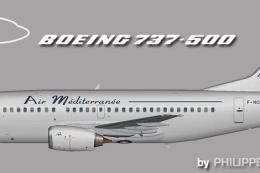
Elevate your simulation setup with this freeware package featuring Air Medite…
 FSX Civil Aircraft
This is a release of a Maersk Air retro painted 737-500 for your AI traffic. …
 FSX Civil Aircraft
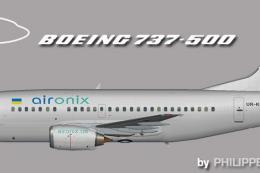
This repaint brings a faithful rendition of the Air Onix Boeing 737-500 to yo…
 FSX Civil Aircraft
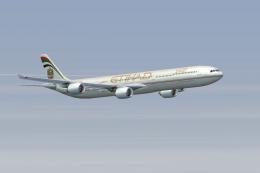
Etihad Airbus Airbus A340-642. xsRepaint of Etihad Airways A340-600 A6-EHI fo…
 FSX Civil Aircraft
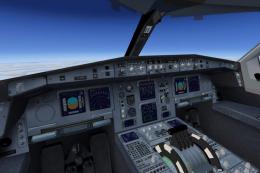
This freeware Airbus A340-300 package in Gulf Air’s distinctive paint scheme …
 FSX Civil Aircraft
Air Tahiti Nui Airbus A340-300 Fleet. Repaint of Tom Ruth's A340-300. Texture…
Read what other simmers think, or add your own.


i dont kown if im downloding it right but the plane shows up all black exsept the wings im really disapointed and even the cokpit is all black can someone tell me if i did something wrong?