

 FS2004 Civil Jet Aircraft
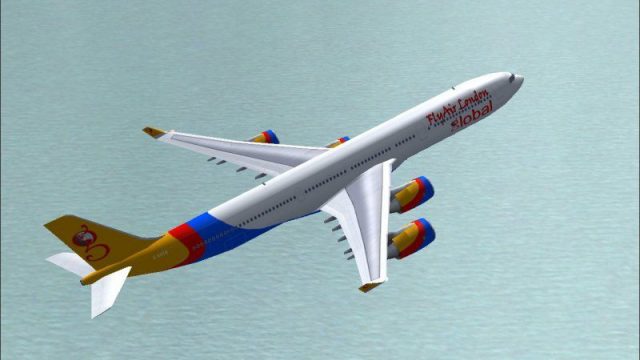
FlyAir London Airbus A340-300
Experience a striking visual take on a classic four-engine widebody with this…
FlyAir London’s Airbus A340-500 brings ultra-long-haul style to Microsoft Flight Simulator 2004 with a frame-friendly FSPainter model, accurate airframe proportions, and stable high-altitude cruise behavior. Michael Pearson’s bespoke repaint delivers a crisp modern U.K. carrier look, ideal for close-up viewing or efficient AI traffic across busy airports.
 Rate
Rate
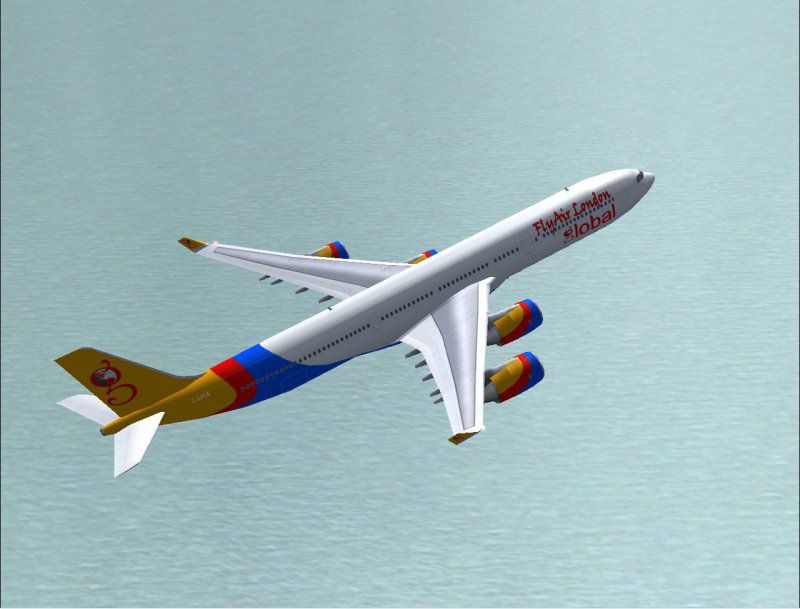
This high-fidelity package introduces FlyAir London’s striking Airbus A340-500 into Microsoft Flight Simulator 2004. The virtual carrier, envisioned by Nick Parker, operates various routes from its U.K. base to numerous destinations both regionally and worldwide. Michael Pearson has carefully completed the exterior textures, producing a bespoke paint scheme that aligns with the airline’s modern theme. The robust model was originally crafted by FSPainter and is included in this freeware release.
The Airbus A340-500, equipped with Rolls-Royce powerplants, is renowned for its ultra-long-haul capabilities. In reality, it can connect distant airports by taking advantage of a larger fuel capacity and modified wing structures. Within this virtual rendition, flight sim enthusiasts will notice stable handling during high-altitude cruise, along with realistic climb profiles when departing heavily loaded. The aircraft’s layout also reflects accurate door placements, wing views, and engine positions.
Nick Parker’s FlyAir London paint concept incorporates a stylish yet professional look. Bold use of color around the fuselage and tail ensures high visibility, making it ideal for AI traffic. The graphical details on the tail fin, accompanied by clear airline titling, are excellent for close-up inspection in spot view. Meanwhile, the fuselage curvature remains well-defined due to Michael Pearson’s sharp and consistent repaint work, preserving alignment across all angles.
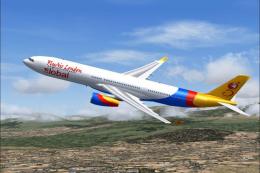
Screenshot of FlyAir London Airbus A340-500 in flight.
FSPainter designed this model with AI performance in mind. Consequently, it runs smoothly when populated at multiple airports, allowing users to maintain frame rates even in busy skies. Despite focusing on efficiency, it preserves detailed visual elements such as gear struts and wingtip geometry. Therefore, it balances pleasing aesthetics and processor-friendly operation.
Overall, this release brings an innovative carrier to the simulator world. The enclosed files enable enthusiasts to operate FlyAir London’s extensive flights, recreate realistic AI traffic flows, and enjoy a refined long-range Airbus experience from takeoff to touchdown. Nick Parker’s concept, combined with Michael Pearson’s craftsmanship and FSPainter’s reliable model, makes for a rewarding addition to any collection within Microsoft Flight Simulator 2004.
Free for all simmers · 963.37 KB · Scanned clean Oct 2026
Download speed: Free tier is capped at 0.5 Mbps. PRO members download at full line speed.
FS9\Aircraft\, FS9\Addon Scenery\, FS9\Gauges\, or FS9\Effects\.readme.txt or README file. It tells you exactly where files go, what dependencies are needed, and any quirks specific to this add-on.The archive fs345fal.zip has 21 files and directories contained within it.
This list displays the first 500 files in the package. If the package has more, you will need to download it to view them.
| Filename/Directory | File Date | File Size |
|---|---|---|
| a340-500.air | 11.04.02 | 9.12 kB |
| aircraft.cfg | 07.09.04 | 15.59 kB |
| fsp a345 fal readme.txt | 07.09.04 | 497 B |
| fsp a345 fal small.gif | 07.09.04 | 9.33 kB |
| fsp a345 fal.jpg | 07.09.04 | 63.38 kB |
| model | 07.09.04 | 0 B |
| fsp_a345.mdl | 06.20.03 | 567.68 kB |
| model.cfg | 12.21.02 | 27 B |
| panel | 07.09.04 | 0 B |
| panel.cfg | 04.16.04 | 35 B |
| sound | 07.09.04 | 0 B |
| sound.cfg | 06.25.04 | 41 B |
| texture.fal | 07.09.04 | 0 B |
| fsp_a345_l.bmp | 01.05.03 | 1.00 MB |
| fsp_a345_nt_l.bmp | 01.05.03 | 341.40 kB |
| fsp_a345_nt_t.bmp | 07.09.04 | 1.00 MB |
| fsp_a345_t.bmp | 07.09.04 | 4.00 MB |
| Thumbs.db | 07.09.04 | 18.50 kB |
| Thumbs.db | 07.09.04 | 7.50 kB |
| flyawaysimulation.txt | 10.29.13 | 959 B |
| Go to Fly Away Simulation.url | 01.22.16 | 52 B |
Only PRO members can place votes.
More FS2004 add-ons hand-picked based on this download.
FS2004 Civil Jet Aircraft
Experience a striking visual take on a classic four-engine widebody with this…
 FS2004 Civil Jet Aircraft
Immerse yourself in a newly developed liveried experience with this freeware …
 FS2004 Civil Jet Aircraft
This comprehensive package features a striking Boeing 737-800W (including win…
 FS2004 Civil Jet Aircraft
Welcome to the world of FlyAir London, a new virtual airline from the U.K. Fr…
 FS2004 Civil Jet Aircraft
The fleet of Singapore Airlines that operates flights to more than 60 world d…
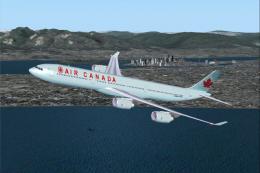 FS2004 Civil Jet Aircraft
An Airbus A340-500 in Air Canada's new livery, utilizing FS Painter's A345 mo…
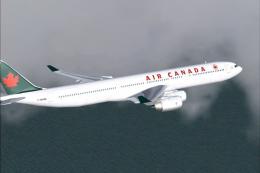 FS2004 Civil Jet Aircraft
A complete AI Airbus model having LOD and dynamic shine. Model by FSPainter. …
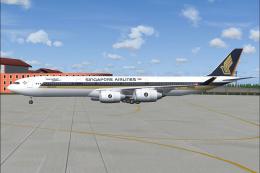 FS2004 Civil Jet Aircraft
A repaint of Singapore Airlines Airbus A340-500 "Leadership" based on the FSP…
Be the first to leave a comment on this download.
Be the first to share your thoughts on this download.