

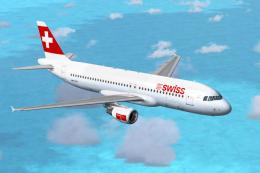
 FSX Civil Aircraft
Swiss International Airbus A320-214
This comprehensive freeware package brings the Swiss International Airlines A…
Swiss International Air Lines’ Airbus A320 livery pairs with the Project Airbus model to deliver a polished short-haul airliner for Microsoft Flight Simulator X. Expect a fully functional virtual cockpit, XML-driven systems touches like pressurisation and dynamic jetwash, plus operable doors, custom lighting, realistic reflections, wing views, and accurate gear sequencing.
 Rate
Rate
The Airbus A320, sporting Swiss International Air Lines’ distinctive livery, brings an authentic touch to your virtual flights. This freeware package integrates the Project Airbus model and has been tested in Microsoft Flight Simulator X with Service Pack 2, including a fully functional virtual cockpit. Repainted by Tobias Viltz, it ensures you enjoy a faithful rendition of the Swiss fleet’s short-haul mainstay. Below, you will find instructions and details regarding the aircraft’s technical features, installation process, door operations, and contributors, all designed to enhance your simulation experience.
Swiss Airbus A320.
The A320 family revolutionized short to medium-range airline service with its advanced fly-by-wire controls and ergonomic flight deck, and the Project Airbus rendition integrates several unique elements. These include:
The package offers a high-fidelity exterior model under the Project Airbus framework. In addition to the iconic Swiss branding, various functions are XML-controlled to emulate correct system responses. You will also enjoy:
Swiss International Air Lines is the flag carrier of Switzerland, primarily operating the Airbus A320 family across its European network. The real-world A320 complements their short-haul operations with modern avionics, efficient engines, and streamlined cabin designs. This repaint, crafted by Tobias Viltz, closely mirrors the airline’s official paint scheme, reflecting the signature red tail fin married with Swiss iconography. Enthusiasts seeking an immersive recreation of Central European routes can therefore enjoy detailed fidelity both externally and within the virtual cockpit.
Installing this freeware package is straightforward. Extract the ZIP file into your Microsoft Flight Simulator X “Aircraft” directory. Locate the included “Effects” folder and move its contents to the main “Effects” directory in your simulator. Once installed, the Swiss International A320 should appear in your aircraft selection menu, ready to operate on your favorite short or medium-haul routes.
This comprehensive A320 build is a testament to the collaborative efforts of the Project Airbus Team, both past and present. Below are the key contributors to the external model, flight dynamics, and liveries:
Repaint by Tobias Viltz, incorporating Swiss International Airlines’ official markings.
Special thanks to guest painters Ben Jones, Dickson Chan, Jaco du Preez, Sheldon Fernandes, and Terence Pereira, as well as flight dynamics testers Capt. Manny Osias, F/O Spike Acenas, Mark Bolatete, and Kester Masias for their valuable input.
Free for all simmers · 16.84 MB · Scanned clean Oct 2026
Download speed: Free tier is capped at 0.5 Mbps (this file takes approximately 5 mins at the cap). PRO members download at full line speed.
FSX\SimObjects\Airplanes\. The folder must contain an aircraft.cfg file. Effects go into FSX\Effects\; gauges go into FSX\Gauges\.readme.txt or README file. It tells you exactly where files go, what dependencies are needed, and any quirks specific to this add-on.The archive pa320-swiss.zip has 58 files and directories contained within it.
This list displays the first 500 files in the package. If the package has more, you will need to download it to view them.
| Filename/Directory | File Date | File Size |
|---|---|---|
| Aircraft.cfg | 01.27.10 | 16.08 kB |
| Effects.zip | 11.25.09 | 6.42 kB |
| intelliscene.cfg | 08.03.08 | 142 B |
| model | 01.27.10 | 0 B |
| A320_200_CFM_NoVC.mdl | 03.04.09 | 2.04 MB |
| Airbus_A321_interior.mdl | 08.22.07 | 1.06 MB |
| Model.cfg | 09.21.09 | 67 B |
| pa320-cfm56-2.air | 06.18.07 | 8.76 kB |
| panel | 01.27.10 | 0 B |
| Airbus_A321.cab | 09.26.07 | 2.72 MB |
| airbus_a321_panel_background.bmp | 06.18.07 | 769.05 kB |
| airbus_a321_panel_background_night.bmp | 06.18.07 | 769.05 kB |
| panel.cfg | 10.09.07 | 5.64 kB |
| Readme.txt | 01.27.10 | 4.50 kB |
| sound | 01.27.10 | 0 B |
| Sound.cfg | 08.08.07 | 33 B |
| texture.swiss | 01.31.10 | 0 B |
| A320_1_l.bmp | 10.21.09 | 4.00 MB |
| A320_1_t.bmp | 01.27.10 | 4.00 MB |
| A320_2_l.bmp | 07.29.07 | 256.07 kB |
| A320_2_t.bmp | 01.27.10 | 4.00 MB |
| A320_fuse_1_l.bmp | 12.02.08 | 4.00 MB |
| A320_fuse_1_t.bmp | 01.27.10 | 4.00 MB |
| A320_fuse_2_l.bmp | 12.02.08 | 4.00 MB |
| A320_fuse_2_t.bmp | 01.27.10 | 4.00 MB |
| A320_fuse_3_l.bmp | 12.02.08 | 4.00 MB |
| A320_fuse_3_t.bmp | 01.27.10 | 4.00 MB |
| A320_misc_1.bmp | 07.07.07 | 1.33 MB |
| A320_misc_2.bmp | 01.20.08 | 1.00 MB |
| A320_wing_1_l.bmp | 12.02.08 | 1.00 MB |
| A320_wing_1_t.bmp | 01.27.10 | 4.00 MB |
| A320_wing_2_l.bmp | 12.02.08 | 1.00 MB |
| A320_wing_2_t.bmp | 01.27.10 | 4.00 MB |
| A321_1_T.dds | 06.18.07 | 1.33 MB |
| A321_1_T_Bump.dds | 06.18.07 | 1.00 MB |
| A321_1_T_LM.dds | 06.18.07 | 170.79 kB |
| A321_1_T_spec.dds | 06.18.07 | 1.33 MB |
| A321_2_T.dds | 06.18.07 | 1.33 MB |
| A321_2_T_Bump.dds | 06.18.07 | 1.00 MB |
| A321_2_T_LM.dds | 06.18.07 | 170.79 kB |
| A321_2_T_spec.dds | 06.18.07 | 1.33 MB |
| A321_Interior_T.dds | 06.18.07 | 341.45 kB |
| A321_reflection.dds | 06.18.07 | 170.79 kB |
| Airbus_A321_1_C.dds | 06.18.07 | 682.79 kB |
| Airbus_A321_1_night_C.dds | 06.18.07 | 682.79 kB |
| Airbus_A321_2_C.dds | 06.18.07 | 682.79 kB |
| Airbus_A321_2_night_C.dds | 06.18.07 | 682.79 kB |
| Airbus_A321_3_C.dds | 06.18.07 | 682.79 kB |
| Airbus_A321_3_night_C.dds | 06.18.07 | 682.79 kB |
| Airbus_A321_4_C.dds | 06.18.07 | 682.79 kB |
| Airbus_A321_4_night_C.dds | 06.18.07 | 682.79 kB |
| Airbus_Pilots.dds | 06.18.07 | 42.79 kB |
| Fresnel_Ramp.dds | 06.18.07 | 640 B |
| Jetheat_t.bmp | 11.30.07 | 16.07 kB |
| thumbnail.jpg | 11.30.09 | 42.63 kB |
| Thumbs.db | 01.18.02 | 92.50 kB |
| flyawaysimulation.txt | 10.29.13 | 959 B |
| Go to Fly Away Simulation.url | 01.22.16 | 52 B |
Only PRO members can place votes.
More FSX & P3D add-ons hand-picked based on this download.
FSX Civil Aircraft
This comprehensive freeware package brings the Swiss International Airlines A…
 FSX Civil Aircraft
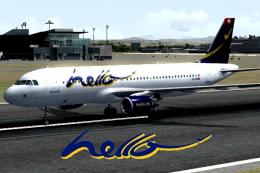
Repaint package includes three aircraft: The Helvetic Airways, Hello Airline …
 FSX Civil Aircraft
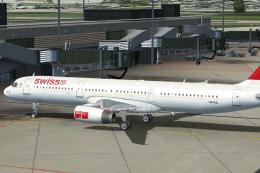
Swiss International Airlines Airbus A321, registration HB-IOL. Textures and t…
 FSX Civil Aircraft
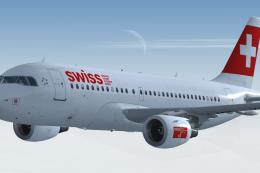
Enhance your virtual flying sessions with a meticulously crafted Airbus A319 …
 FSX Civil Aircraft
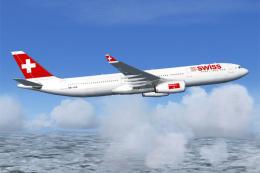
Swiss Airbus A330-300. This is a repaint of Swiss International Air Lines on …
 FSX Civil Aircraft
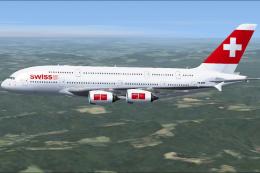
Enhance your simulation library with this fictional Swiss International Airli…
 FSX Civil Aircraft
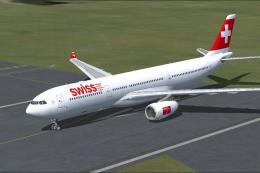
Swiss International Airlines Airbus A330-300. Repaint of Tom Ruth's A330-300.…
 FSX Civil Aircraft
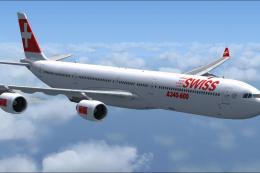
Swiss Airbus A340-600. Livery only for the Thomas Ruth A340-600 package. By L…
Read what other simmers think, or add your own.
