

 FSX Civil Aircraft
Default Boeing 747-400 Blurred Texture Fix
This package resolves the blurry exterior textures that sometimes appear on t…
Sharper exterior textures bring the default Bombardier CRJ-700 in Microsoft Flight Simulator X into crisp focus, replacing select .dds surface files that caused blurred fuselage and wing detail. The update preserves the stock paint layout and lighting behavior while improving edge definition, rivet lines, and smooth color transitions for a cleaner regional jet profile.
 Rate
Rate
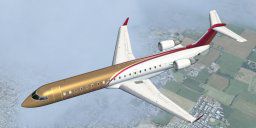
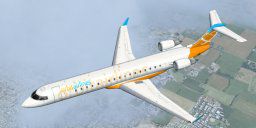

This freeware package provides replacement surface detail files for the standard Bombardier CRJ-700 included within Microsoft Flight Simulator X, addressing an annoying blur on the aircraft’s fuselage and wings. Created by Paul Craig, this update substitutes select .dds files to enhance clarity across the external model without impacting other elements of the simulation. Developed with texture fidelity in mind, it refines the visual aspect of this twin-engine regional jet, ensuring sharper edges and coherent color transitions in all lighting conditions.
The Bombardier CRJ-700 is a popular short-to-medium range aircraft, often accommodating around 70 passengers. Operators value its efficiency, and many virtual pilots enjoy its responsive handling in simulator environments. With strong aerodynamic characteristics, this regional airliner can be challenging to replicate accurately in default textures because of its subtle curves and numerous rivet alignments. Improving the thermal- and geometry-based texture mapping can significantly elevate the immersive experience in flight simulation, which is exactly what Paul Craig’s fix seeks to achieve.
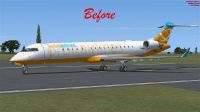
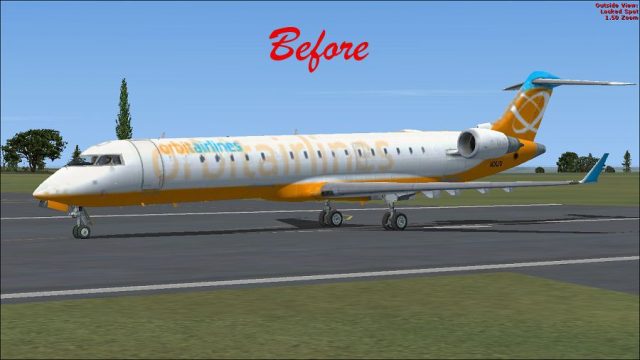
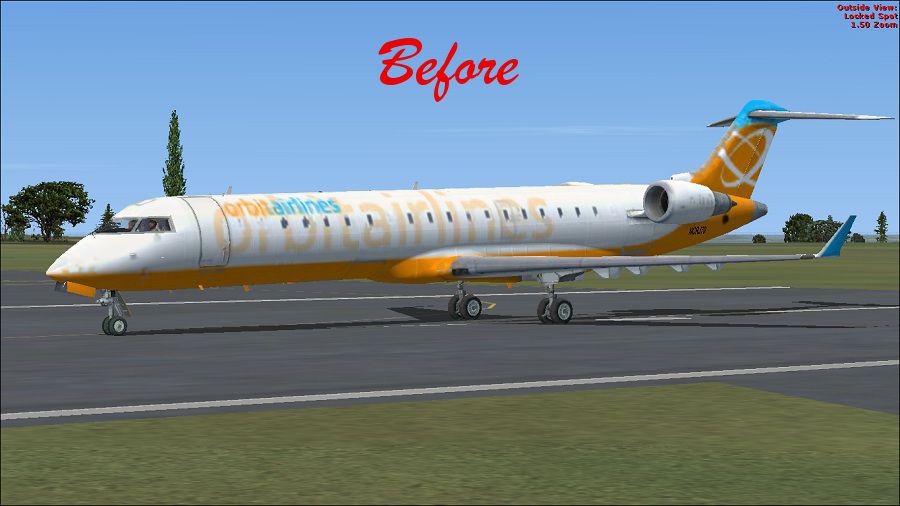
(Before) Bombardier CRJ-700 on runway.
Utilizing higher resolution .dds image files, this mod refines the CRJ-700’s main exterior surfaces where pixelation was most prevalent. The updated textures address both the fuselage and appendages, delivering improved rendering fidelity. This upgrade ensures minimal compression artifacts while maintaining compatibility with default lighting and reflection profiles.
Before making any alterations, ensure you create backup copies of your original “Texture” folders. They reside in the following directory path for most standard installs:
OS (C)/Program Files(x86)/Microsoft Games/Microsoft Flight Simulator X/SimObjects/Airplanes/Bombardier_CRJ_700
Although the texture numbering may not appear sequential, the included previews in each folder enable quick verification of the correct file placements. Once the updated files are installed, the aircraft exterior should display sharp, blur-free decals and tones.
After these steps, load up your CRJ-700 for a test flight to examine the enhanced detail. You will likely notice a dramatic improvement in overall clarity, delivering a more faithful depiction of the real-world aircraft’s profile.
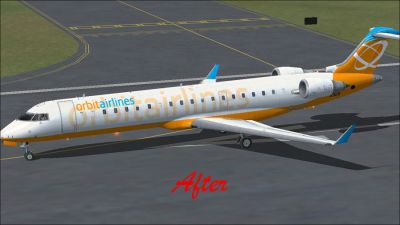
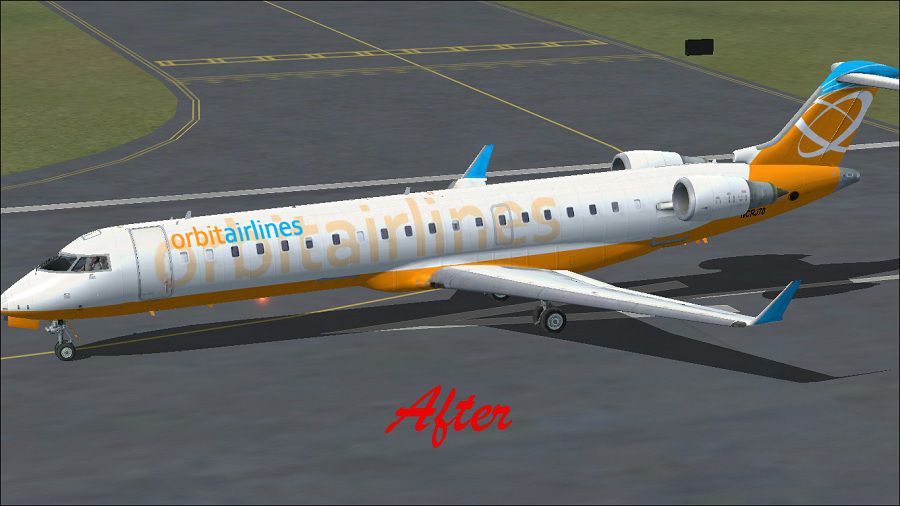
(After) Bombardier CRJ-700 on runway.
All files are offered entirely at the user’s discretion. Paul Craig and any associated parties are not liable for potential damage to your simulator installation. These updates performed flawlessly on the developer’s own setup, but every system environment may behave differently.
All credit goes to Paul Craig for creating this package and ensuring smoother visuals for the Bombardier CRJ-700 free of blurred textures.
Free for all simmers · 1.42 MB · Scanned clean Sep 2026
Download speed: Free tier is capped at 0.5 Mbps. PRO members download at full line speed.
SimObjects\Airplanes\, Addon Scenery\, Effects\, or Gauges\.readme.txt or README file. It tells you exactly where files go, what dependencies are needed, and any quirks specific to this add-on.The archive no_blur_fsx_default_crj_700.zip has 16 files and directories contained within it.
This list displays the first 500 files in the package. If the package has more, you will need to download it to view them.
| Filename/Directory | File Date | File Size |
|---|---|---|
| After- Bombardier CRJ-700.jpg | 03.14.11 | 111.78 kB |
| Before- Bombardier CRJ-700.jpg | 03.14.11 | 107.58 kB |
| FILE_ID.DIZ | 03.14.11 | 206 B |
| Readme.txt | 03.14.11 | 1.10 kB |
| Texture 1 | 03.14.11 | 0 B |
| CRJ_700_1_T.dds | 03.14.11 | 1.00 MB |
| thumbnail.jpg | 08.13.06 | 6.80 kB |
| Texture 2 | 03.14.11 | 0 B |
| CRJ_700_1_T.dds | 03.14.11 | 1.00 MB |
| thumbnail.jpg | 08.13.06 | 6.96 kB |
| Texture 4 | 03.14.11 | 0 B |
| CRJ_700_1_T.dds | 03.14.11 | 1.00 MB |
| thumbnail.jpg | 08.13.06 | 6.49 kB |
| thumbnail.png | 03.14.11 | 26.52 kB |
| flyawaysimulation.txt | 10.29.13 | 959 B |
| Go to Fly Away Simulation.url | 01.22.16 | 52 B |
Only PRO members can place votes.
More FSX & P3D add-ons hand-picked based on this download.
FSX Civil Aircraft
This package resolves the blurry exterior textures that sometimes appear on t…
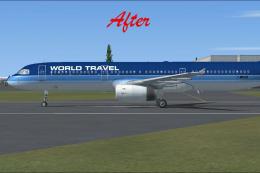 FSX Civil Aircraft
This freeware package, developed by Paul Craig, provides replacement texture …
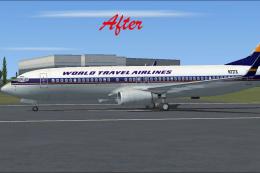 FSX Civil Aircraft
This add-on patch enhances the default Boeing 737-800 in Microsoft Flight Sim…
 FSX Civil Aircraft
Bombardier CRJ-700 Gauge Fix. Fixes several problems with the default FSX Bom…
 FSX Civil Aircraft
Experience a fictional KLM Cityhopper repaint for the Bombardier CRJ-700 in M…
 FSX Civil Aircraft
FSX Air Canada Bombardier CRJ-700. Textures only for the default CRJ700 inclu…
 FSX Civil Aircraft
Repainting of the Bombardier CRJ 700 FSX default included in the colors of Ai…
 FSX Civil Aircraft
A repaint of the FSX default CRJ700 aircraft. Textures only. Painted in the n…
Be the first to leave a comment on this download.
Be the first to share your thoughts on this download.