

 FSX Helicopters
Default Robinson R22 Beta II Damage Mod
This modification adds to your default FSX Robinson R22 wear/damage simulatio…
Crisp replacement textures restore sharp detail to the default Robinson R22, eliminating the familiar blurry look on the fuselage and rotor surfaces. Designed for Microsoft Flight Simulator X, the update delivers a cleaner, more faithful appearance for this compact two-seat trainer helicopter, improving readability of exterior features during close-up ground checks and flight.
 Rate
Rate
This update improves the default Robinson R22 helicopter’s texture quality in Microsoft Flight Simulator X, removing the common blurred effect that many simmers have encountered. Developed by Paul Craig, it offers replacement texture files for those seeking a clearer depiction of this popular two-seat, light utility rotorcraft. The Robinson R22, known for its compact frame and two-blade rotor system, frequently serves as a trainer in real-world flight schools, so it is crucial for simmers to experience it with precise visual details.
By incorporating these updated texture files, the distinctive silhouette and fuselage details of the R22 become sharper and more defined. This helicopter, originally designed by Frank D. Robinson, has long been celebrated for its maneuverability and efficiency, and now virtual pilots can appreciate a more refined exterior while performing flight maneuvers.
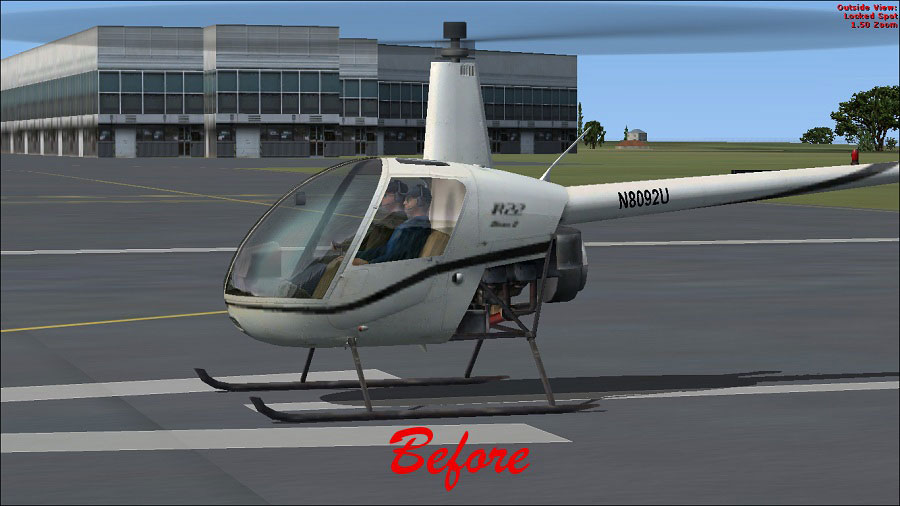
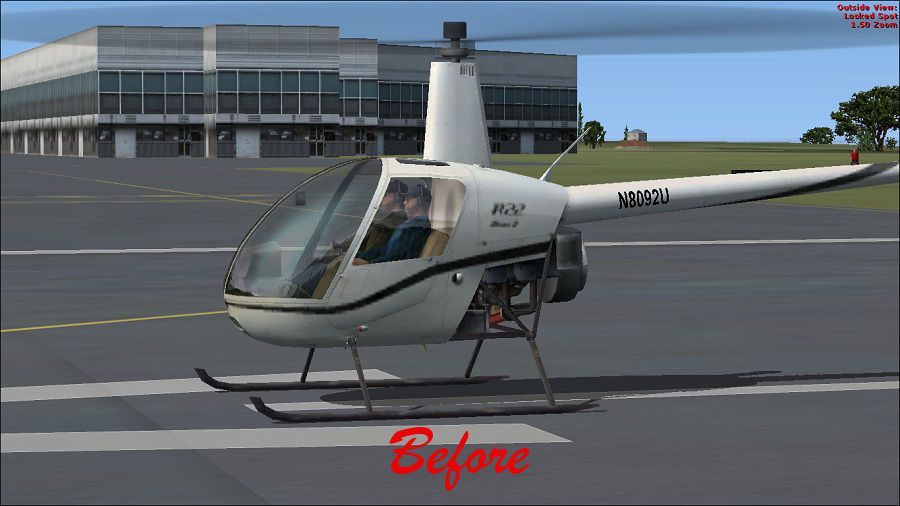
(Before) Robinson R22.
The default R22 textures reside in the following directory:
Always create a backup of your existing R22 texture folders before proceeding, as this preserves the option to revert if needed.
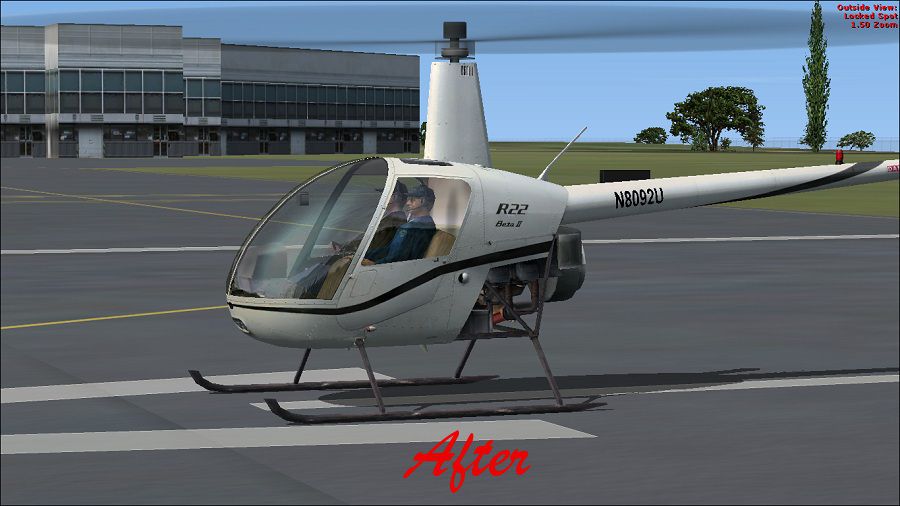
After these steps, launch your simulator to appreciate the improved textures on the Robinson R22’s fuselage and rotor assembly. It should now display enhanced clarity without the hazy appearance.

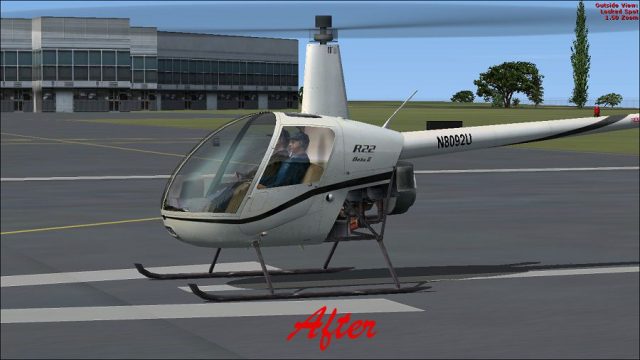
(After) Robinson R22.
Use these files at your own risk. The developer, Paul Craig, assumes no responsibility for issues resulting from their usage. They have been verified on his own system without any complications.
Created by: Paul Craig
Free for all simmers · 1.5 MB · Scanned clean Oct 2026
Download speed: Free tier is capped at 0.5 Mbps. PRO members download at full line speed.
SimObjects\Airplanes\, Addon Scenery\, Effects\, or Gauges\.readme.txt or README file. It tells you exactly where files go, what dependencies are needed, and any quirks specific to this add-on.The archive no-blur-fsx-default-r22.zip has 13 files and directories contained within it.
This list displays the first 500 files in the package. If the package has more, you will need to download it to view them.
| Filename/Directory | File Date | File Size |
|---|---|---|
| After-Robinson R22.jpg | 03.14.11 | 117.04 kB |
| Before- Robinson R22.jpg | 03.14.11 | 112.24 kB |
| FILE_ID.DIZ | 03.14.11 | 194 B |
| Readme.txt | 03.14.11 | 936 B |
| Texture 1 | 03.14.11 | 0 B |
| Robinson_R22_T.dds | 03.14.11 | 1.00 MB |
| Texture 2 | 03.14.11 | 0 B |
| Robinson_R22_T.dds | 03.14.11 | 1.00 MB |
| Texture | 03.14.11 | 0 B |
| Robinson_R22_T.dds | 03.14.11 | 1.00 MB |
| thumbnail.png | 03.14.11 | 26.14 kB |
| flyawaysimulation.txt | 10.29.13 | 959 B |
| Go to Fly Away Simulation.url | 01.22.16 | 52 B |
Only PRO members can place votes.
More FSX & P3D add-ons hand-picked based on this download.
FSX Helicopters
This modification adds to your default FSX Robinson R22 wear/damage simulatio…
 FSX Helicopters
Default Robinson R22 Reworked and added views. Reworked and additional views …
 FSX Helicopters
FSX Robinson R22, registratin G-BYZP. Textures only for the default Robinson …
 FSX Helicopters
Red/Black Robinson R22. Red/black textures by Alex James for the default Robi…
 FSX Helicopters
TACSA Robinson R22. A repaint of the default Robinson R22 helictoper. TACSA R…
 FSX Helicopters
This freeware patch resolves the blurred exterior surfaces on the default Bel…
 FSX Helicopters
FSX KPIX TV Chopper Robinson R44. Textures only for use with Just Flight Flyi…
 FSX Helicopters
FSX Navy Robinson R-22 helicopter. A fictional repaint of the default R22 in …
Be the first to leave a comment on this download.
Be the first to share your thoughts on this download.