

 FSX Scenery
CFB North Star - Detail Modification Patch
CFB North Star Detail Modification Patch (version 7.1). Requires CYNS_V7_FSX.…
Raleigh-Durham International Airport (KRDU) gets a detailed AFCAD refresh that brings the stock layout closer to circa-2009 operations in Microsoft Flight Simulator X. Expect corrected terminals and gate assignments, updated taxiways, aprons, cargo and GA parking, improved lighting and markings, refined terrain, and revised approach coding for smoother, more authentic arrivals and ground flow.
 Rate
Rate
 United States of America
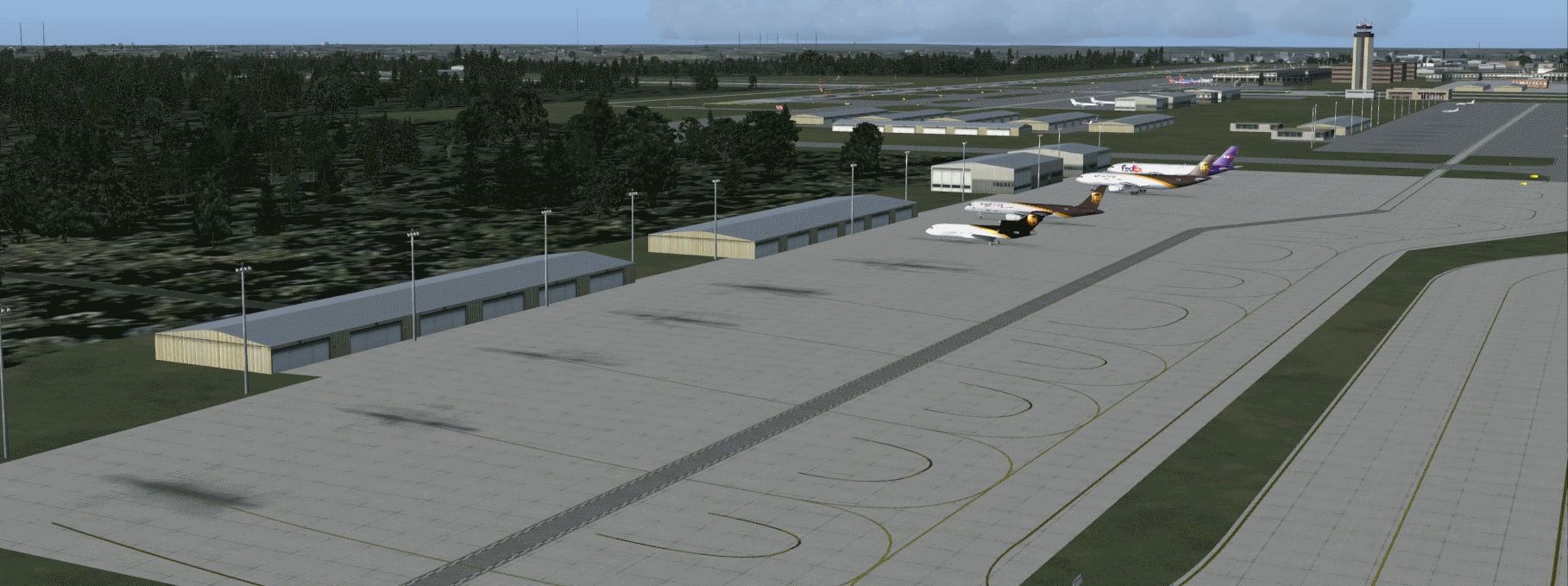
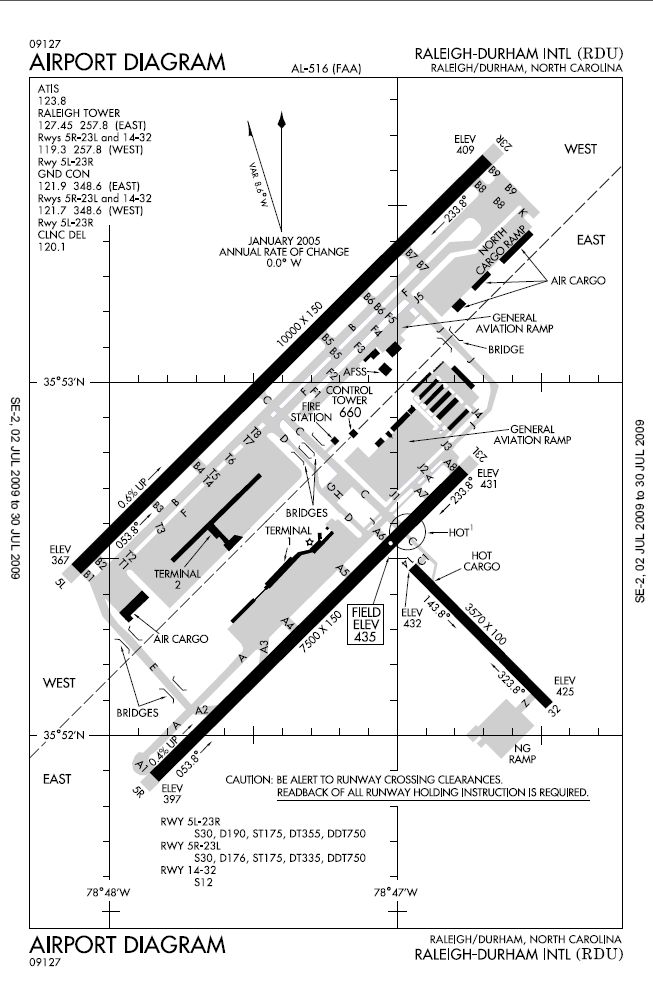
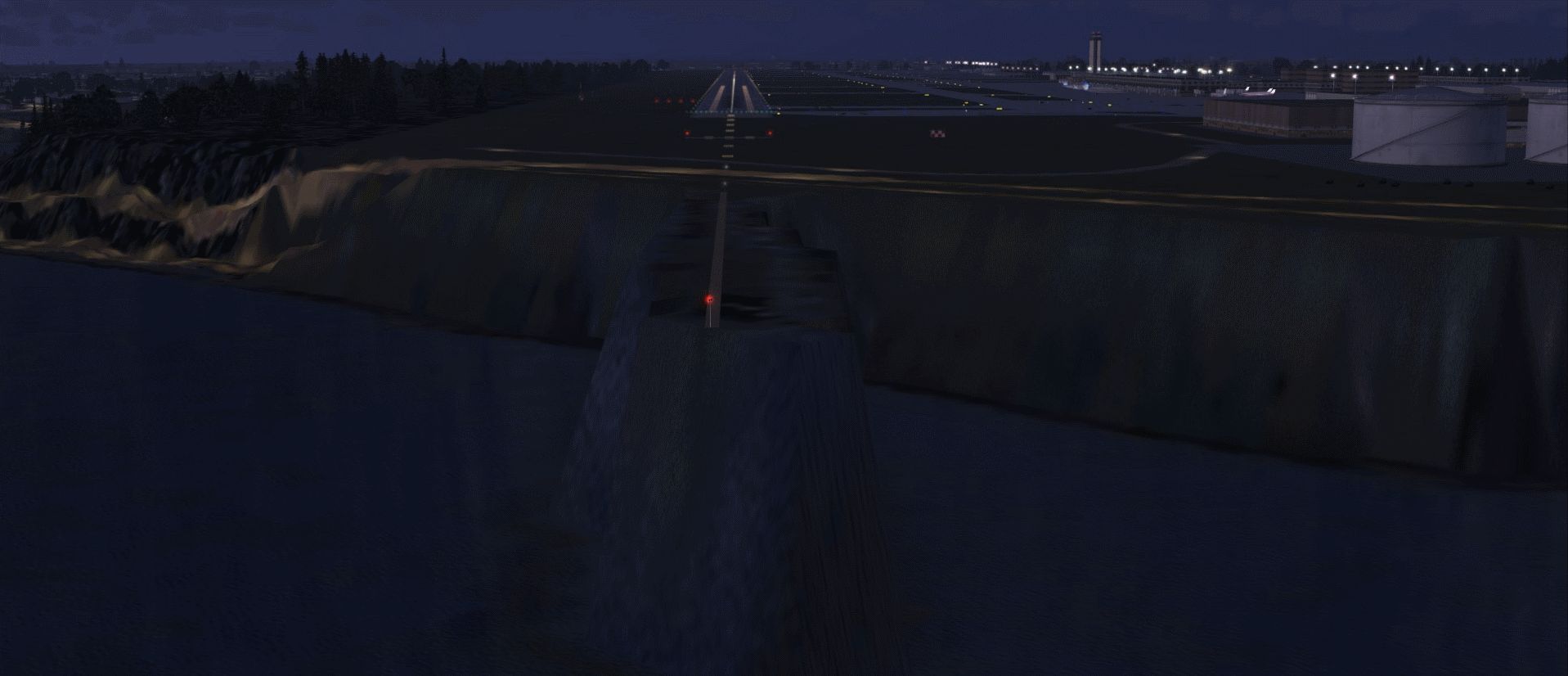
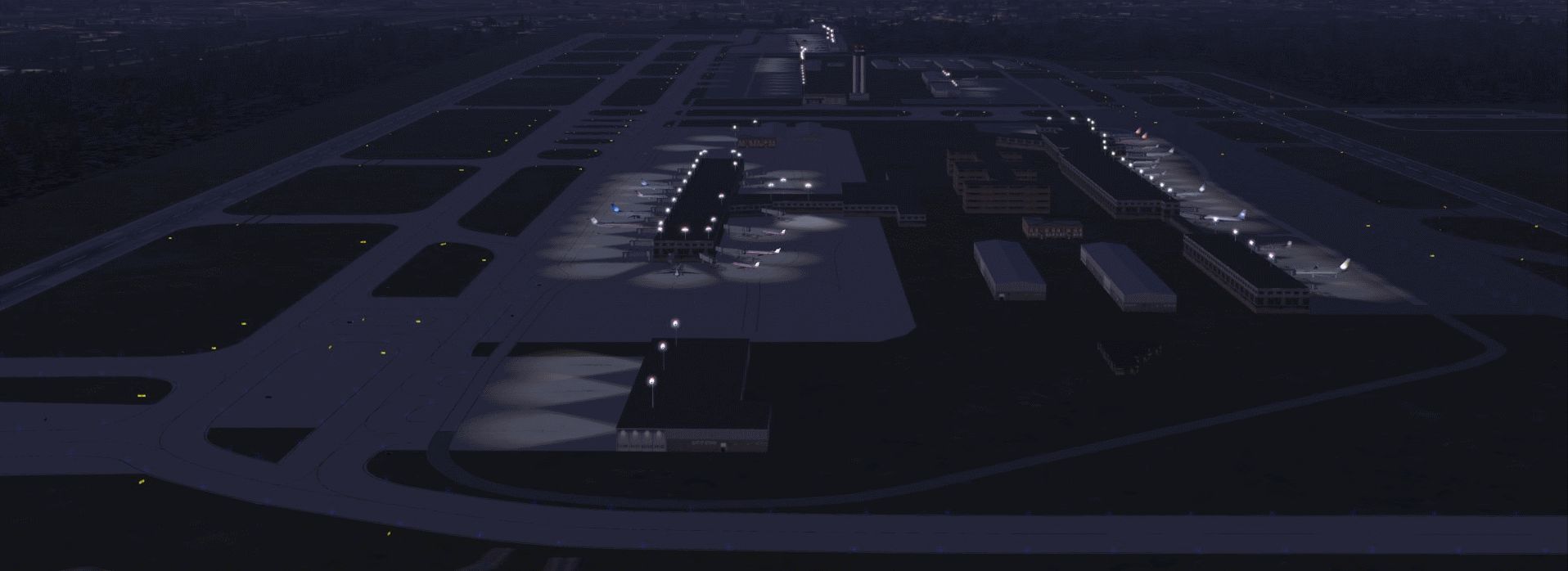
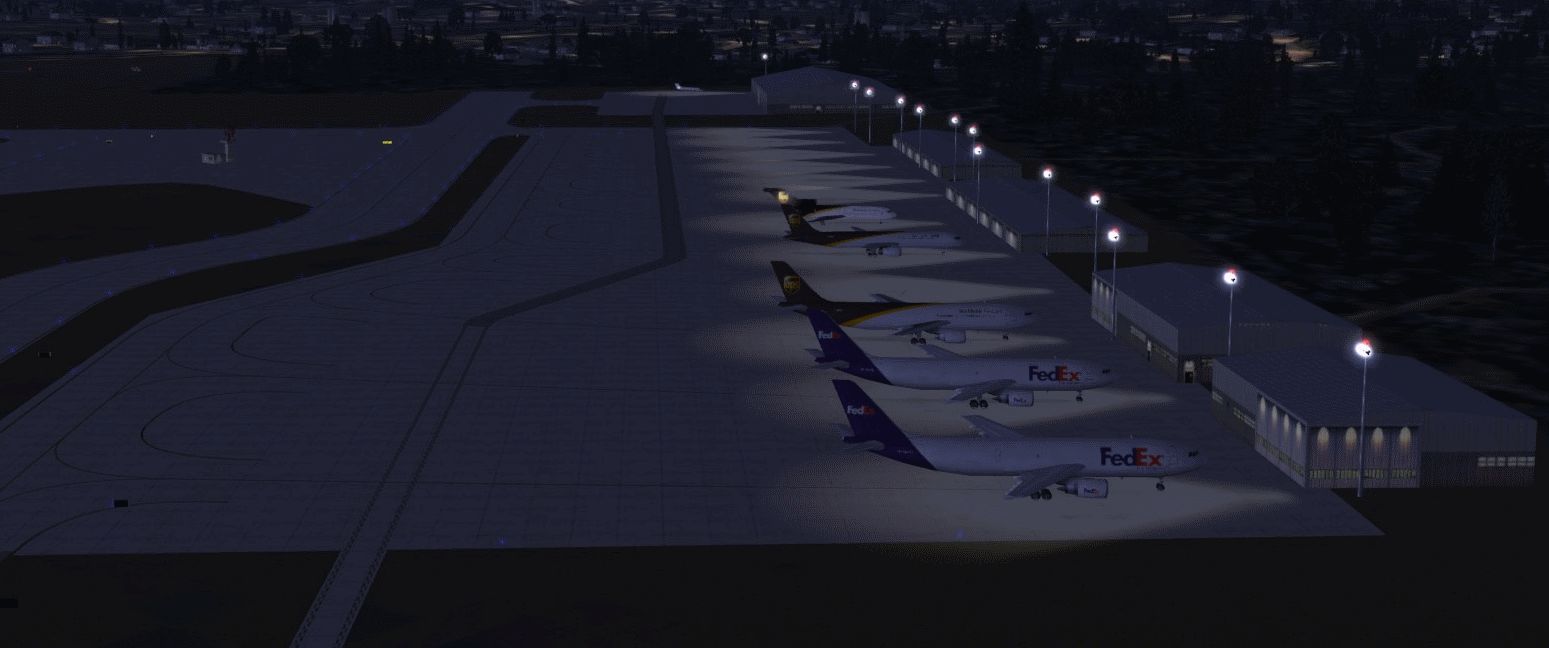
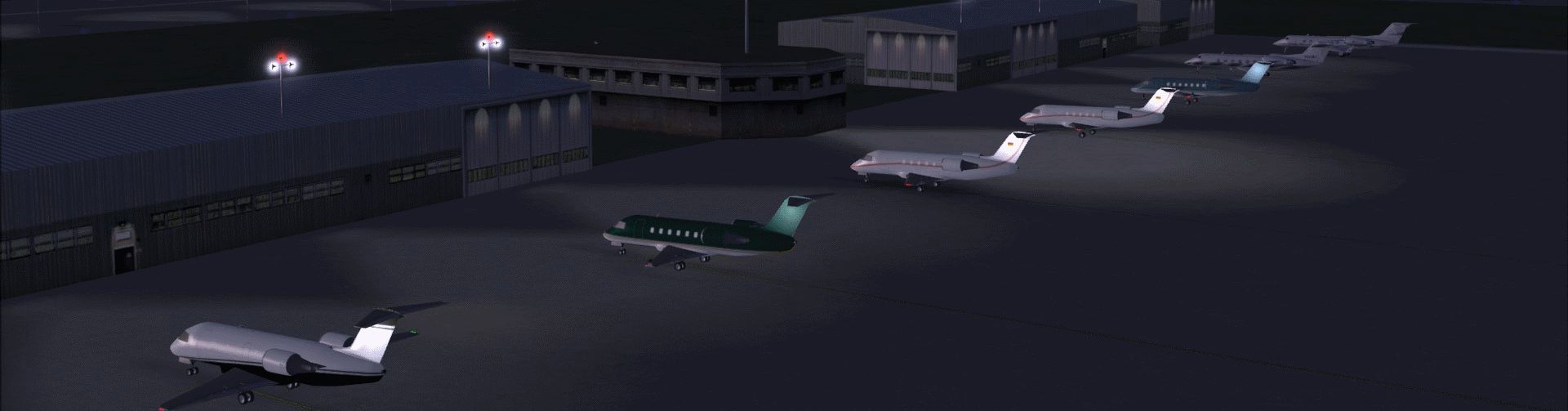
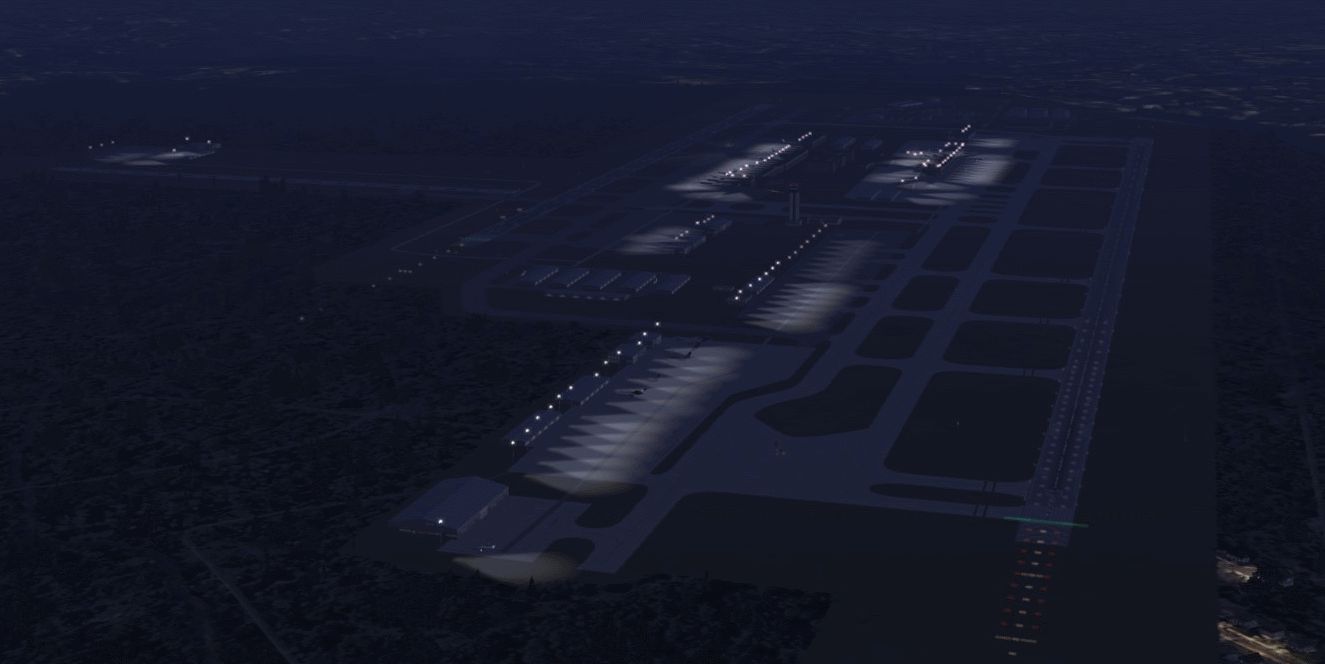
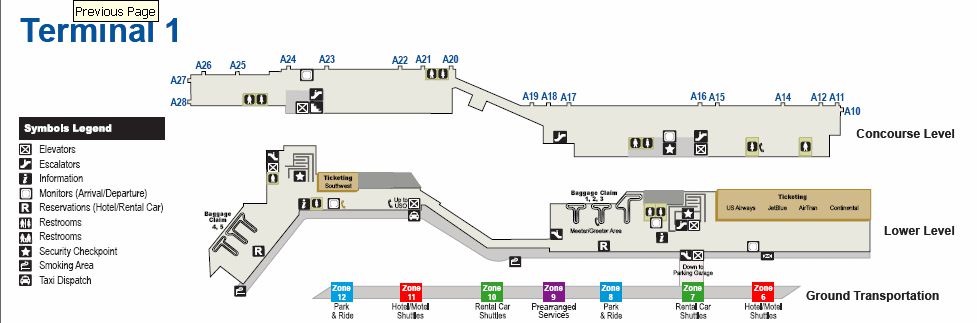
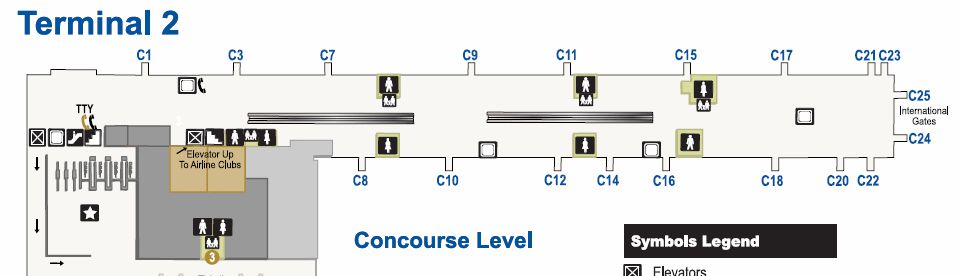
This comprehensive upgrade for Raleigh-Durham International Airport (KRDU) enhances the default Microsoft Flight Simulator X scenery to closely reflect conditions around 2009. Crafted by Kambiz Agazi, it refines gates, terminal structures, taxiways, signage, and additional visual elements so that virtual pilots can experience more authentic airport operations. Users who had a previous version will appreciate the further fine-tuning in this release, labeled v1a. It includes all content from the first version while introducing new improvements and corrections that enhance immersion.
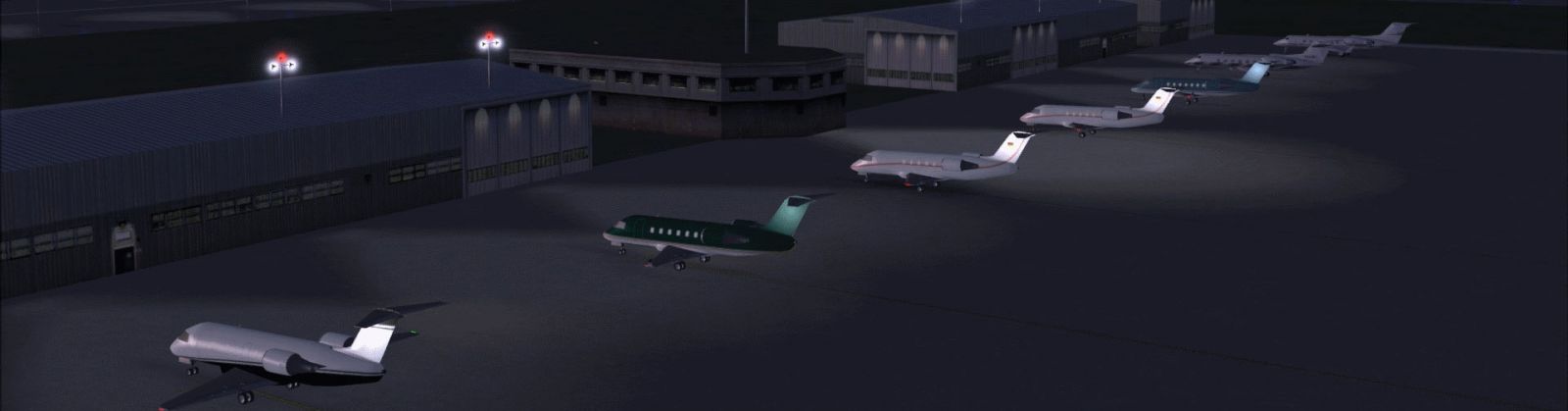
A glimpse of the upgraded KRDU layout.
Version 1a fine-tunes all terminal and gate assignments to better accommodate regional airline operations. For instance, commuter carriers such as CHQ now occupy their correct gates, matching real-world charts and official airport data. This ensures realistic traffic patterns and smoother ground operations.
The release further updates taxiways around Runway 5L-23R to their current layout as indicated on recent airport diagrams. New taxiway signage, reworked aprons, and accurately placed taxiway intersections have been added for heightened in-simulator realism. These adjustments also address previous irregularities on the ramp areas.
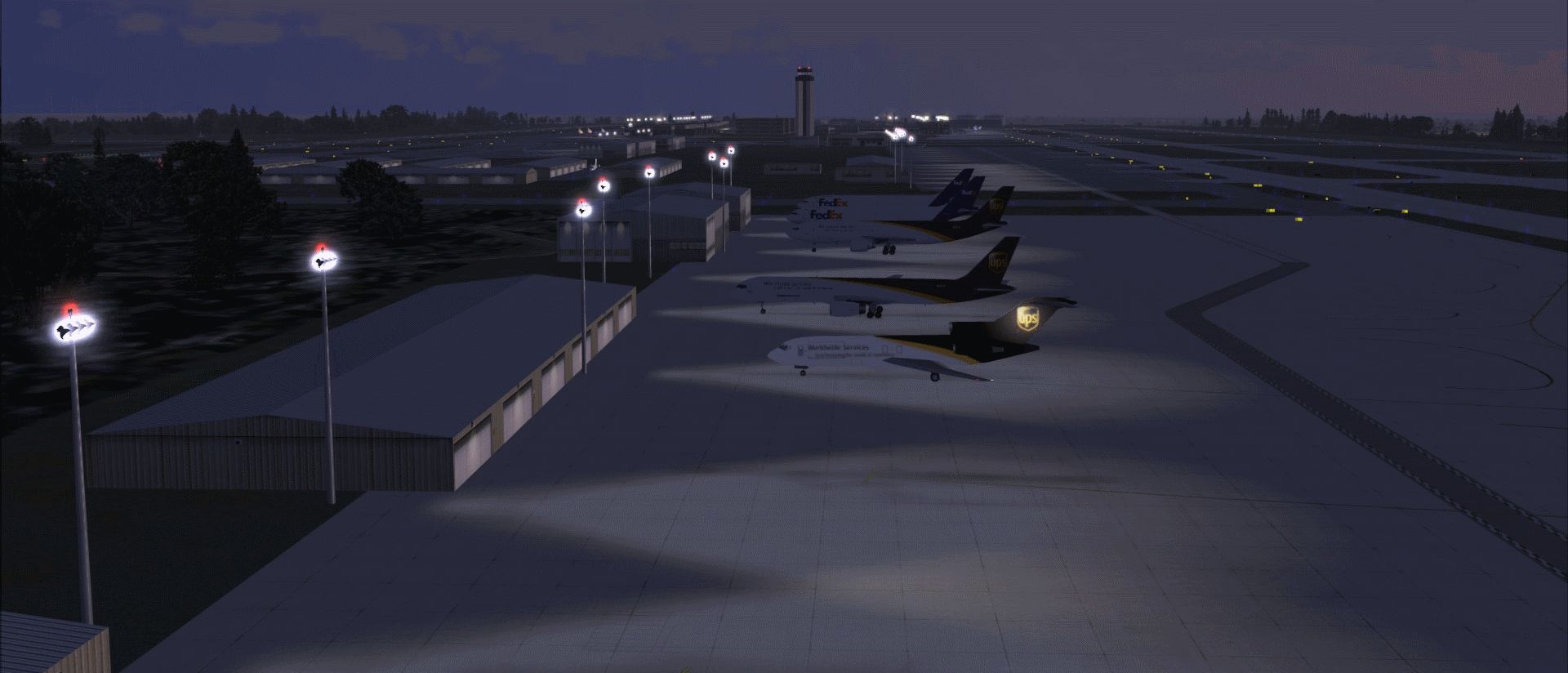
Cargo spots and general aviation (GA) facilities on the northern side of the airport have been realigned to match changes made at KRDU. Hangars are positioned correctly, and additional lighting systems help improve nighttime ground visibility for both cargo and GA operators.
Southwest of Runways 5L and 5R, you will notice refined terrain contours that eliminate many elevation anomalies seen in the past. This helps maintain a consistent landscape integration, especially for those using third-party mesh enhancements.
Between Terminals 1 and 2, the central parking structure is represented more accurately. This visual detail benefits pilots who enjoy ramp exploration during taxi or pushback procedures.
This v1a package retains all changes introduced by the original version, ensuring gate numbering, airline assignments, and cargo spacing reflect real operations. The mod implements runway lighting, approach equipment, and enhanced markings based on official approach plates. Ground lighting elements also appear at normal scenery density settings, and the dual-runway system is configured for full parallel operations with small props and single-engine aircraft often directed to Runway 14/32.
Since version 1a is a complete installation, you can remove any prior v1 .bgl files before proceeding. Then simply place the new .bgl files into your chosen scenery folder, and activate it in the simulator’s scenery library. A popular choice is the “Addon Scenery\Scenery” folder within your Microsoft Flight Simulator X directory. For best results, ensure this KRDU package loads at a higher priority than any other regional or state-wide modifications.
Version 1a has been tested under Microsoft Flight Simulator X SP2. It also functions well alongside Ultimate Terrain X (UTX) USA, Scenery Tech North America, and FS Genesis 10m mesh. The developer optimized airline gate placements for AI packages like MyTraffic X 5.2a and World of AI (WOAI), so correct airline parking is usually consistent with real-world operations. Other AI traffic packages will still work, though exact airline assignments might vary.
All standard approaches have been revised to align with the more recent procedure data for KRDU. This includes updated ILS transitions linked to various STAR arrival routes. Pilots can reference RNAV approach plates where applicable to follow realistic procedures upon final approach. Precise approach coding has been integrated, ensuring your approaches align with what is currently published for Raleigh-Durham International Airport.
This modification was created with ADE (Airport Design Editor) v1.40 by Jon Masterson. The approach code design is based on detailed reference material and leverages the approach module developed by Jim Vile. The airport lighting design references work done by Jim Dhaenens for supplemental light systems.
While every effort has been made to correct inaccuracies, minor deviations may still occur due to simulator limitations. If you spot any serious issues, feel free to pass them along to the developer, Kambiz Agazi.

A more detailed look at the revised terminal gates and hangars.
Enjoy your flights in and out of this busy North Carolina hub, and experience a more faithful representation of KRDU.
Free for all simmers · 2.33 MB · Scanned clean Oct 2026
Download speed: Free tier is capped at 0.5 Mbps. PRO members download at full line speed.
AF2_*.bgl or AFX_*.bgl) go into FSX\Addon Scenery\Scenery\ or a dedicated AFCAD folder you create.readme.txt or README file. It tells you exactly where files go, what dependencies are needed, and any quirks specific to this add-on.Use these coordinates to fly directly to this location once the mod is installed.
35.87778000,-78.78750000
Launch FSX or Prepar3D and use Flights → Load to open the downloaded .pln file. Your aircraft will be positioned at this location.
The archive krdu_v1a_ka.zip has 16 files and directories contained within it.
This list displays the first 500 files in the package. If the package has more, you will need to download it to view them.
| Filename/Directory | File Date | File Size |
|---|---|---|
| KRDU TOWER redlight STROBE EFFECT.BGL | 07.25.09 | 578 B |
| KRDU_v1a_KA.BGL | 07.29.09 | 104.47 kB |
| KRDU_v1a_KA_CVX.bgl | 07.29.09 | 2.34 kB |
| krdu diagram.gif | 07.23.09 | 65.18 kB |
| KRDU README.txt | 07.29.09 | 5.37 kB |
| T1.gif | 07.25.09 | 31.32 kB |
| T2.gif | 07.25.09 | 25.67 kB |
| grab_031.gif | 07.29.09 | 230.11 kB |
| grab_020.gif | 07.29.09 | 248.58 kB |
| grab_012.gif | 07.29.09 | 432.78 kB |
| grab_003.gif | 07.29.09 | 357.71 kB |
| grab_018.gif | 07.29.09 | 443.21 kB |
| grab_024.gif | 07.29.09 | 272.05 kB |
| grab_027.gif | 07.29.09 | 241.61 kB |
| flyawaysimulation.txt | 10.29.13 | 959 B |
| Go to Fly Away Simulation.url | 01.22.16 | 52 B |
Only PRO members can place votes.
More FSX & P3D add-ons hand-picked based on this download.
FSX Scenery
CFB North Star Detail Modification Patch (version 7.1). Requires CYNS_V7_FSX.…
 FSX Scenery
CFB North Star Detail Modification Patch (version 7.2). Requires CYNS_V7_FSX.…
 FSX Scenery
Scenery Enhancement For Stock ELLX, Luxembourg-Findel International Airport. …
 FSX Scenery
This is a modified AFCAD2 file that will add FSX Moving Jetways, Airport vehi…
 FSX Scenery
Tokyo Haneda Int'l AFCAD Files. An AFD of Haneda Airport (RJTT), Tokyo, Japan…
 FSX Scenery
Lhasa Gonggar AFCAD (ZULS), Tibet, China, update 1.2. This update to the ZULS…
 FSX Scenery
AFCAD / Scenery For YPPH, Perth International Airport, Perth, Western Austral…
 FSX Scenery
Kyusyu AFCAD Series Fukuoka Prefecture, Japan. Includes Fukuoka Airport (RJFF…
Be the first to leave a comment on this download.
Be the first to share your thoughts on this download.