


 Netherlands
  FSX Scenery
NL2000 V4.03 Library Package
This library add-on brings vital models, effect files, and AI traffic compone…
NL2000 V4 Scenery Library delivers the core object models, effects, and AI traffic definitions that underpin the Netherlands 2000 v4 modular airport ecosystem, enriching terminals, towers, jet bridges, lighting, and ambient animations across Dutch fields. It requires the NL2000 v4.0.20 installer and is built for Microsoft Flight Simulator X.
This package provides a dedicated set of core libraries intended to enhance a comprehensive scenery project covering the entirety of the Netherlands. It includes specially crafted object models, effect files, and AI traffic configurations that work seamlessly with Microsoft Flight Simulator X. These files are required by most of the airports in the modular Netherlands 2000 version 4 scenery, developed and released free of charge by The Netherlands 2000 Scenery Design Team.
The libraries in this set serve as a foundation for a wide spectrum of Dutch airports portrayed in the NL2000 ecosystem. Incorporating advanced detail for structures, runway characteristics, and taxiway ornaments, they provide an immersive environment across each supported location. The associated models ensure faithful replication of control towers, jet bridges, and terminal buildings consistent with actual Dutch airport layouts.
Included in this package are enhanced effect files (in-flight lighting, beacons, and ambient animations) that further refine visual fidelity. Moreover, AI airplane definitions are provided, which help simulate a busier airspace with realistic flight schedules. This nuanced approach allows for a richer experience when taxiing or maneuvering around crowded ramps, giving simmers a more authentic impression of daily operations at key airports like Amsterdam Schiphol, Rotterdam The Hague, or Eindhoven.
To incorporate these libraries, the NL2000 v4.0.20 installer is essential. During setup, it automatically places all necessary files in their correct directories, ensuring minimal manual configuration steps. By leveraging a streamlined installation wizard, users gain access to the full range of building models, static aircraft, and lighting effects supported by The Netherlands 2000 Scenery Design Team. This integration process guarantees that every major airport, along with even smaller airfields, reflects accurate structures and dynamic traffic patterns.
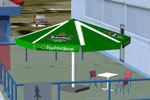
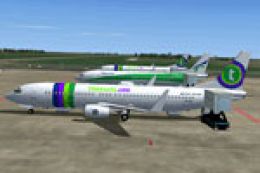
Screenshot of NL2000 V4 library objects.
With these libraries in place, the modular NL2000 version 4 scenery transforms the entire Dutch landscape into a high-fidelity virtual backdrop. From coastal regions near the Wadden Sea to inland cities and ports along the Rhine, each detail is rendered to match recognizable landmarks and ground features. This coverage broadens the realism for pilots navigating domestic routes or practicing circuits at lesser-known fields scattered throughout the country.
This entire project stems from the collaborative work of The Netherlands 2000 Scenery Design Team. Thanks to their commitment and expertise, flight simulation enthusiasts can enjoy a reliable, well-documented library that supports a range of installations. The team has consistently refined these elements to align with real-world data, preserving performance while maximizing visual detail.
Free for all simmers · 220.12 MB · Scanned clean
Download speed: Free tier is capped at 0.5 Mbps (this file takes approximately 1h 2m at the cap). PRO members download at full line speed.
FSX\Addon Scenery\ containing scenery and texture sub-folders.readme.txt or README file. It tells you exactly where files go, what dependencies are needed, and any quirks specific to this add-on.Use these coordinates to fly directly to this location once the mod is installed.
52.36670000,4.89450000
Launch FSX or Prepar3D and use Flights → Load to open the downloaded .pln file. Your aircraft will be positioned at this location.
The archive nl2k_v4_02_libraries.zip has 8 files and directories contained within it.
This list displays the first 500 files in the package. If the package has more, you will need to download it to view them.
| Filename/Directory | File Date | File Size |
|---|---|---|
| FILE_ID.DIZ | 12.22.11 | 440 B |
| nl2k_v4.02_libraries.gif | 05.12.11 | 9.43 kB |
| nl2k_v4.02_libraries.nl2 | 12.20.11 | 221.04 MB |
| nl2k_v4.02_libraries.txt | 12.22.11 | 440 B |
| auteursrecht.txt | 05.24.10 | 5.06 kB |
| copyright.txt | 05.24.10 | 4.43 kB |
| flyawaysimulation.txt | 10.29.13 | 959 B |
| Go to Fly Away Simulation.url | 01.22.16 | 52 B |
More FSX & P3D add-ons hand-picked based on this download.
FSX Scenery
This library add-on brings vital models, effect files, and AI traffic compone…
 FSX Scenery
This freeware package supplies essential libraries and objects across many Du…
 FSX Scenery
Enhance your simulator’s portrayal of one of the Netherlands’ busiest regiona…
 FSX Scenery
This comprehensive scenery package brings an authentic representation of Eind…
 FSX Scenery
This free add-on offers a precisely modeled depiction of EHEH Eindhoven Airpo…
 FSX Scenery
Enhance your simulator with this free package dedicated to EHEH (Eindhoven Ai…
 FSX Scenery
This comprehensive package brings an updated rendition of Maastricht Aachen A…
 FSX Scenery
Scenery NL2000 V4.0. This is the NL2000 v4.0 Traffic package for the NL2000 s…
Be the first to leave a comment on this download.
Be the first to share your thoughts on this download.